1. Киришүү
This manual provides comprehensive instructions for the installation, operation, and maintenance of your Weiser SmartCode Keypad Door Lock and Handle Set. This electronic deadbolt and handleset combination offers enhanced security and convenience for your home's entry door.
2. Коопсуздук маалыматы
Please read all instructions carefully before installation and use. Keep this manual for future reference. Do not attempt to disassemble or modify the lock beyond the instructions provided. Use only the specified battery type (4 AA batteries). Avoid exposing the lock to extreme temperatures or moisture.
3. Пакеттин мазмуну
Орнотууну баштоодон мурун бардык компоненттер бар экендигин текшериңиз:
- Exterior Handle (Handleset)
- Ички рычаг
- SmartCode Electronic Deadbolt (Keypad and Interior Unit)
- Лачтар
- Иш таштоо
- Бурамалар жана болттар
- 2 Ачкычтар
- SmartKey куралы
- Орнотуу боюнча колдонмо (бул документ)

Figure 1: All components included in the Weiser SmartCode Keypad Door Lock and Handle Set, showing the exterior keypad, interior deadbolt unit, exterior handleset, and interior lever.
4. Орнотуу жана орнотуу
The Weiser SmartCode Keypad Door Lock and Handle Set is designed for straightforward installation. For detailed, interactive 3D instructions with voice and video guidance, it is highly recommended to use the free BILT app.
4.1 Эшиктин шайкештиги
This lock set fits standard doors 1-3/8" to 1-3/4" (35mm to 44mm) thick with an adjustable backset (2-3/8" or 2-3/4"). It is suitable for most exterior residential doors.
4.2 Орнотуу кадамдары (Ашыкчаview)
- Prepare the door and frame, ensuring proper drilling and alignment.
- Бекемди жана чаптоочу пластинаны орнотуңуз.
- Install the exterior handleset and interior lever.
- Install the exterior keypad and interior deadbolt unit.
- Connect the cable between the exterior keypad and interior unit.
- Берилген бурамалар менен бардык компоненттерди бекитиңиз.
- Install 4 AA batteries into the interior unit.
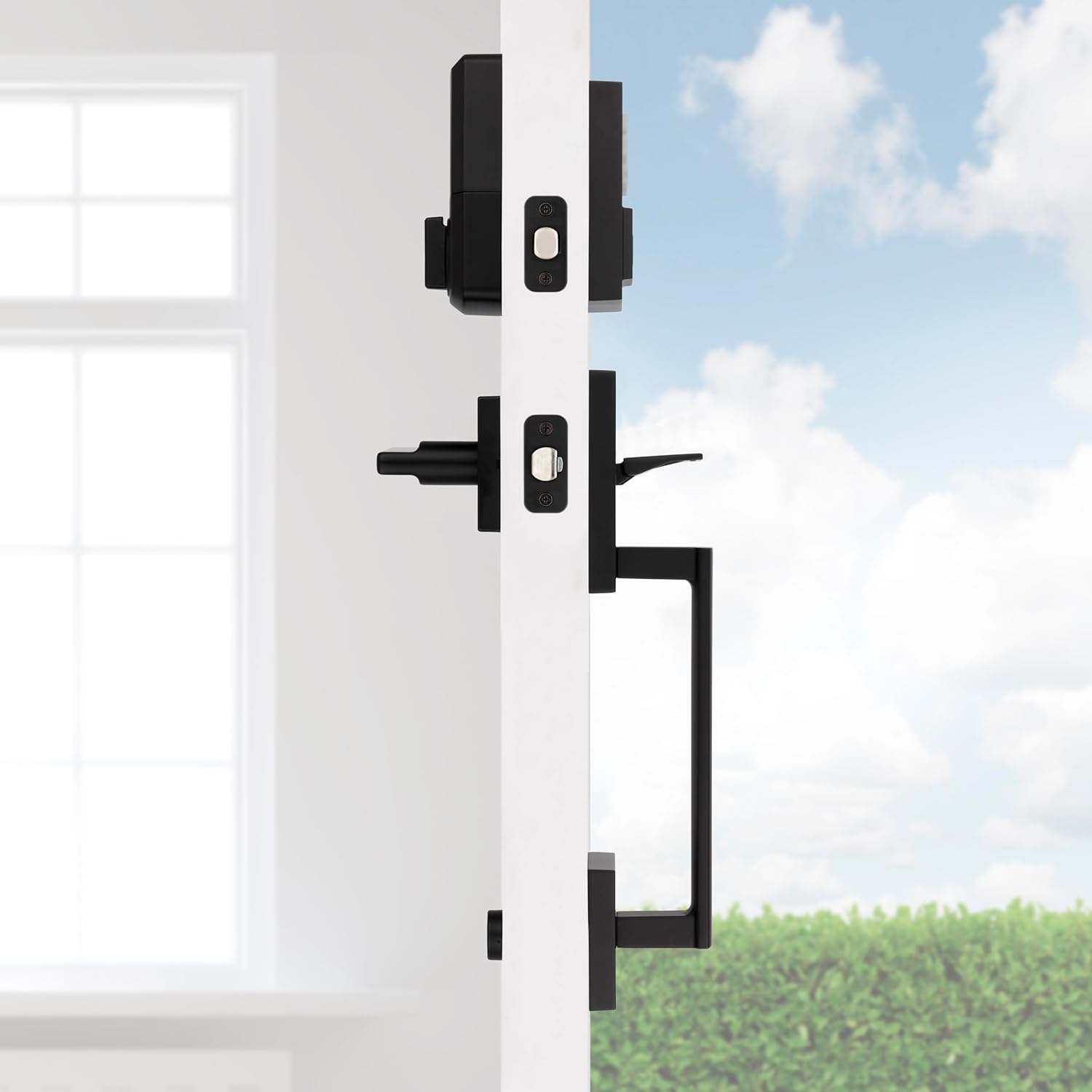
2-сүрөт: Каптал view of the handleset and interior lever installed on a door, demonstrating how the components fit together.

Figure 3: The exterior handleset and keypad assembly, designed for use on entry doors.
5. Иштөө нускамалары
5.1 Ачкычсыз кирүү
To unlock the door using the keypad, simply enter your personalized 4-8 digit user code. The deadbolt will retract, allowing you to open the door. To lock the door, press the 'Lock' button on the keypad.

Figure 4: A hand interacting with the keypad for keyless entry, highlighting the convenience and security.
5.2 Multiple User Access Codes
The SmartCode lock supports up to 50 unique user access codes, allowing you to provide personalized access to family members, friends, or service providers. It also features a master code option for enhanced security and programming control.
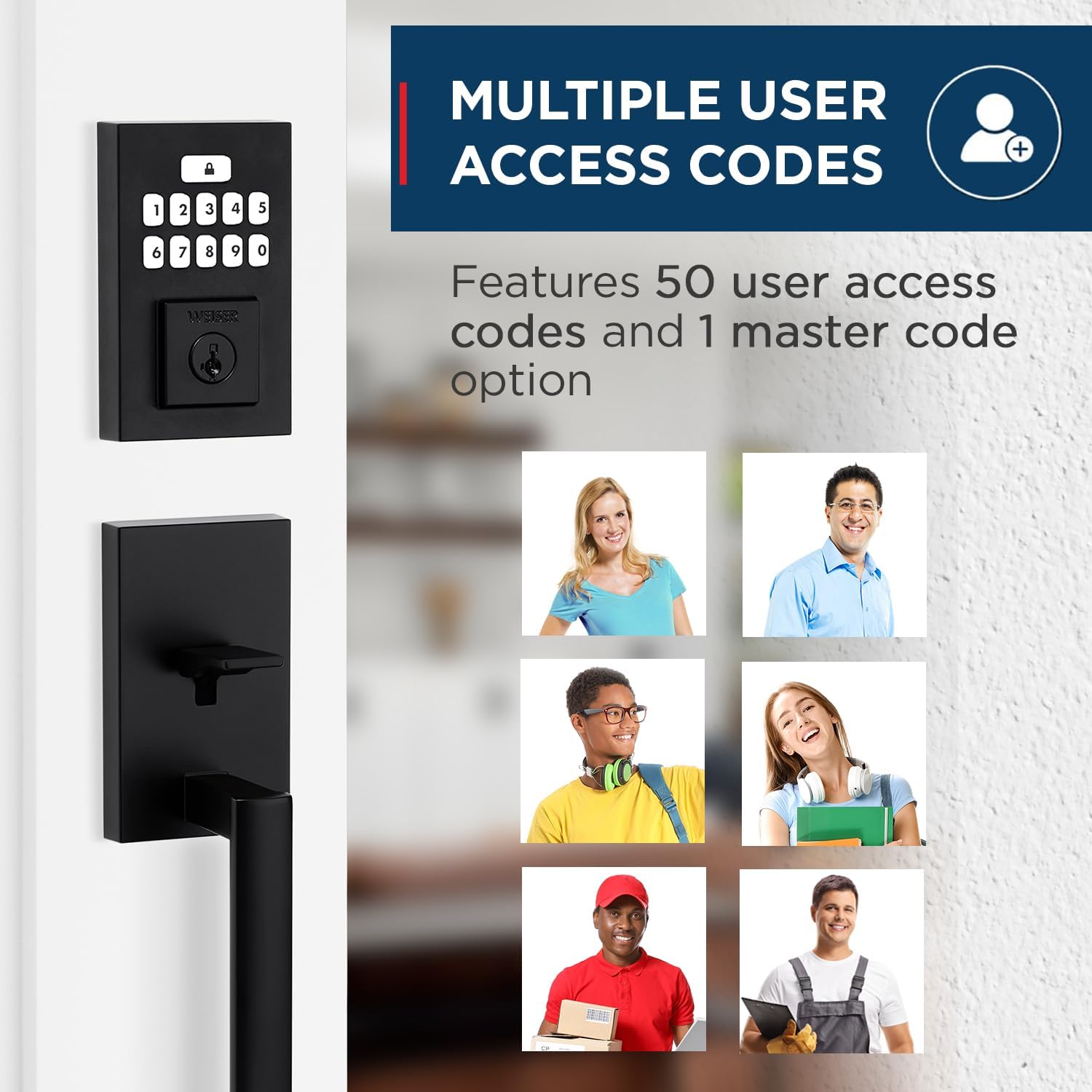
Figure 5: Visual representation of the multiple user access code feature, illustrating the ability to assign unique codes to various individuals.
5.3 Авто кулпу өзгөчөлүгү
For added peace of mind, the auto-lock feature can be enabled. When activated, the deadbolt will automatically re-lock itself after a set period (typically 30 seconds) once it has been unlocked. This ensures your door is always secured, even if you forget to lock it manually.
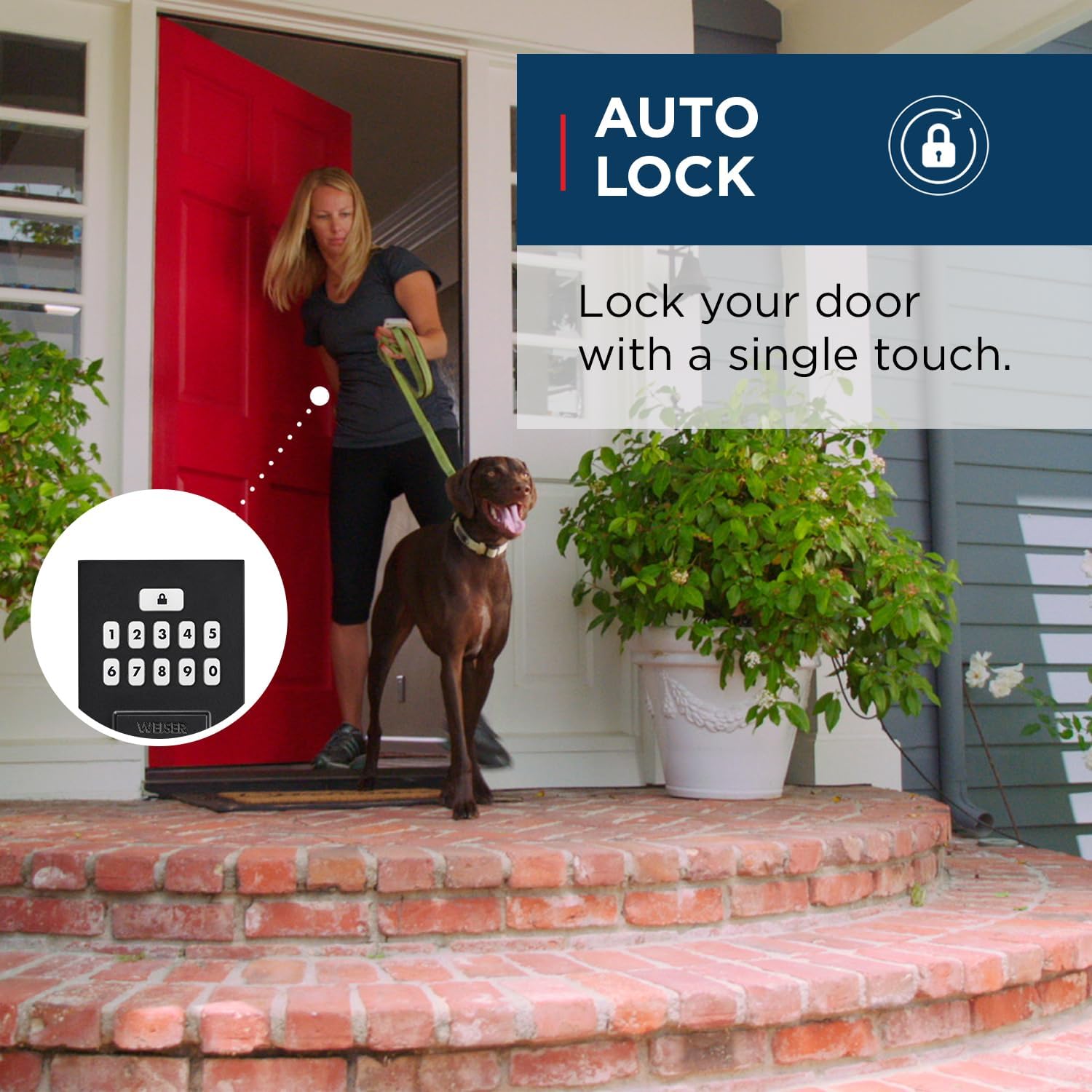
Figure 6: An illustration of the auto-lock feature, showing the convenience of the lock automatically securing the door after entry.
5.4 SmartKey технологиясы
The SmartCode lock incorporates Weiser's SmartKey re-key technology. This feature allows you to re-key your lock in seconds, providing control over who has access and protecting against lost, stolen, or unauthorized keys. This is particularly useful if you move, lose a key, or wish to have all your Weiser locks operate with a single key.

Figure 7: A diagram explaining the SmartKey Security feature, demonstrating how to easily re-key the lock using the provided tool.
6. Техникалык тейлөө
6.1 Тазалоо
Кулпунун сыртын тазалоо үчүн жумшак, damp кездеме. Абразивдүү тазалагычтарды, эриткичтерди же катуу химиялык заттарды колдонбоңуз, анткени алар финишке жана электрондук компоненттерге зыян келтириши мүмкүн.
6.2 Батареяны алмаштыруу
The lock operates on 4 AA batteries. When the batteries are low, the lock will provide an audible and/or visual low battery warning. Replace all four batteries simultaneously with new, high-quality alkaline AA batteries. Ensure correct polarity during installation.
7. Кыйынчылыктарды
If you encounter issues with your Weiser SmartCode lock, refer to the following common problems and solutions:
| Көйгөй | Мүмкүн себеп | Чечим |
|---|---|---|
| Кулпу баскычтоп жазуусуна жооп бербейт. | Low or dead batteries. Incorrect code entered. | Replace batteries. Verify the user code. |
| Lock makes a sound but does not lock/unlock. | Deadbolt is jammed or misaligned. | Check for obstructions in the door frame or strike plate. Ensure the deadbolt extends and retracts smoothly. |
| Cannot program new user codes. | Incorrect programming sequence. Master code not used. | Refer to the programming section of the full manual (or BILT app) for correct steps. Ensure you are using the master code if required. A factory reset may be necessary if programming issues persist. |
| Автоматтык бөгөттөө функциясы иштебейт. | Feature is disabled. | Enable the auto-lock feature through the programming steps outlined in the full manual. |
For more complex issues or if troubleshooting steps do not resolve the problem, please contact Weiser customer support.
8. Техникалык шарттар
| Өзгөчөлүк | Деталь |
|---|---|
| Модель номери | 9GLA92600-004 |
| Продукциянын өлчөмдөрү | 11.5 x 7 x 7 см; 454 г |
| Түс | Matte Black |
| Стиль | San Clemente x Smartcode |
| Материал | Металл |
| Power Source | 4 АА батарейкалар (киргизилген эмес) |
| Keypad Design | 10-баскычы |
| User Access Codes | 50ге чейин |
| Өзгөчөлүктөр | SmartKey Security, Mastercode feature, Motorized Lock/Unlock |
| Эшиктин калыңдыгынын шайкештиги | 1-3/8" to 1-3/4" |
| Backset | Жөнгө салынуучу (2-3/8" же 2-3/4") |
| Келип чыккан өлкө | Кытай |
9. Кепилдик жана колдоо
9.1 Кепилдик маалыматы
This Weiser SmartCode Keypad Door Lock and Handle Set comes with a 1-year warranty. Please retain your proof of purchase for warranty claims. The warranty covers defects in material and workmanship under normal use.
9.2 Кардарларды колдоо
For technical assistance, warranty claims, or additional information, please visit the official Weiser website or contact their customer service department. Contact details can typically be found on the Weiser brand store page or included documentation.


