1. Киришүү
This manual provides detailed instructions for the setup, operation, and maintenance of your J-Tech Digital Wireless Trackball Ergonomic Mouse, Model V728. Please read this manual thoroughly before using the device to ensure optimal performance and longevity.

Image 1.1: The J-Tech Digital Wireless Trackball Ergonomic Mouse V728, showcasing its ergonomic design and red trackball.
2. Пакеттин мазмуну
Пакетте бардык буюмдар бар экенин текшериңиз:
- 1 x V728 Wireless Ergonomic Trackball Mouse
- 1 x AA Батарея
- 1 x User Manual
- 1 x Nano-USB Receiver (located inside the mouse battery compartment)

Image 2.1: Illustration of the V728 mouse, AA battery, user manual, and Nano-USB receiver included in the package.
3. Продукциянын өзгөчөлүктөрү
- Ergonomic Trackball Design: Reduces wrist strain by allowing cursor movement via the trackball, minimizing arm and wrist movement.
- Жөнгө салынуучу DPI: Easily switch between 800, 1200, 1600, and 2400 DPI settings to match your preference and task requirements.
- Так байкоо: The smooth trackball ensures accurate and controlled cursor movement.
- Зымсыз туташуу: Utilizes a USB dongle for a clutter-free workspace.
- Multi-System Compatibility: Compatible with Windows, Mac OS, Android, and Microsoft systems.
4. Interface Overview
Familiarize yourself with the buttons and indicators on your V728 mouse:

Image 4.1: A diagram illustrating the various buttons and components of the V728 mouse, including Left Button, Right Button, Scroll Wheel, DPI Key, DPI/Low Voltage Indicator, Forward Button, Backward Button, Trackball, Power Switch, and Receiver compartment.
- Сол баскыч: Стандарттык сол чыкылдатуу функциясы.
- Оң баскыч: Стандарттык оң баскычты чыкылдатуу функциясы.
- Жылдыруу дөңгөлөгү: For vertical scrolling.
- DPI Key: Cycles through DPI settings (800/1200/1600/2400).
- DPI/Low Voltage Индикатор: Lights up to indicate DPI changes and blinks when battery is low.
- Алга баскычы: Алга карай жылдырат web браузерлер же file изилдөөчүлөр.
- Артка баскычы: Артка карай багыт алат web браузерлер же file изилдөөчүлөр.
- Трекбол: Used for precise cursor movement with your thumb.
- Кубат которгучу: Turns the mouse On or Off (located on the underside).
- Receiver Compartment: Stores the Nano-USB receiver (located on the underside).
5. Орнотуу
- Батарея салыңыз: Open the battery compartment on the underside of the mouse. Insert the included AA battery, ensuring correct polarity. Close the compartment.
- USB кабылдагычты алуу: Locate and remove the Nano-USB receiver from its storage slot next to the battery compartment.
- Алуучуну туташтыруу: Plug the Nano-USB receiver into an available USB port on your computer (PC, Laptop, etc.).
- Чычканды күйгүзүү: Slide the power switch on the underside of the mouse to the "ON" position. The mouse should now be recognized by your computer.
6. Иштөө нускамалары
6.1. Cursor Control
Control the cursor by gliding your thumb over the red trackball. This ergonomic design reduces the need to move your entire wrist or arm, promoting comfort during extended use.
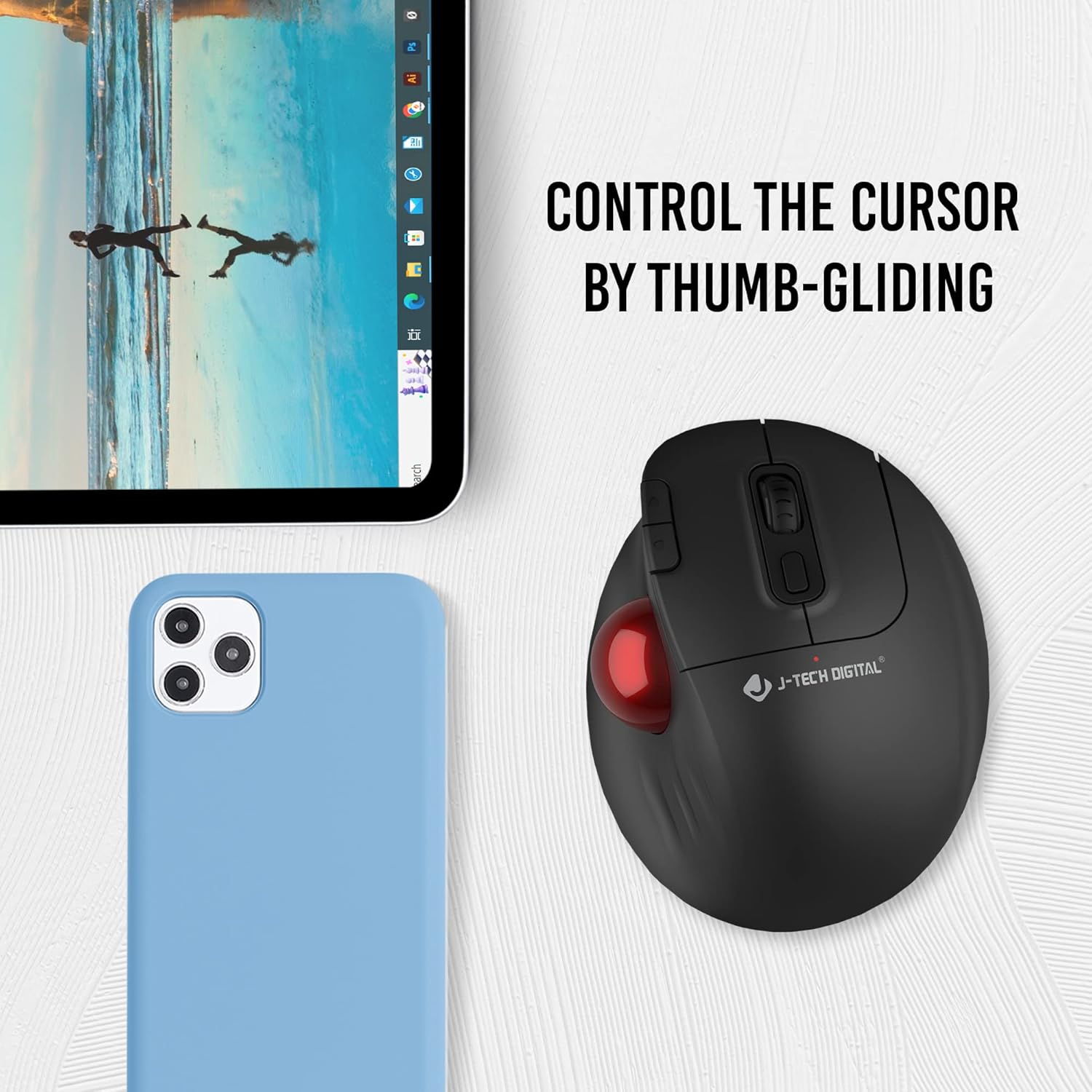
Image 6.1: A hand demonstrating the thumb-gliding control method for the V728 trackball mouse.
6.2. DPI тууралоо
басыңыз DPI ачкычы (located near the scroll wheel) to cycle through the available DPI settings: 800, 1200, 1600, and 2400. The DPI/Low Voltage Indicator will briefly light up to confirm the change. Adjust the DPI to suit your task, with lower DPI for precision work and higher DPI for faster cursor movement.

Image 6.2: The V728 mouse with an overlay indicating the 800, 1200, 1600, and 2400 DPI adjustment levels.
6.3. Multi-Device Compatibility
The V728 mouse is designed for broad compatibility across various operating systems, including Windows, Mac OS, Android, and Microsoft systems. Simply plug the USB dongle into your device, and the mouse will connect wirelessly.

Image 6.3: The V728 mouse shown in a multi-device setup, indicating compatibility with laptops, desktops, and mobile devices.
7. Техникалык тейлөө
7.1. Трекболду тазалоо
Over time, dust and debris can accumulate around the trackball, affecting its smooth operation. The trackball is removable for easy cleaning:
- Gently push the trackball from the underside of the mouse to pop it out.
- Use a soft, lint-free cloth or a cotton swab lightly dampened with isopropyl alcohol to clean the trackball and the inside of its housing.
- Ensure all components are dry before reinserting the trackball.
- Place the trackball back into its socket and press gently until it clicks into place.
8. Кыйынчылыктарды
| Маселе | Мүмкүн себеп | Чечим |
|---|---|---|
| Чычкан жооп бербей жатат | Low battery, power switch off, receiver not connected, driver issue. | Check battery and replace if necessary. Ensure power switch is ON. Verify USB receiver is securely plugged in. Try a different USB port. Restart your computer. |
| Trackball movement is erratic or sticky | Dust or debris accumulated around the trackball sensors. | Remove the trackball and clean it and its housing as described in Section 7.1. |
| Scroll wheel not functioning correctly (e.g., scrolling in opposite direction) | Dust or debris affecting the scroll wheel mechanism. | Attempt to clean around the scroll wheel with compressed air. If the issue persists, contact customer support. |
| Cursor movement is too fast or too slow | Incorrect DPI setting. | Press the DPI Key to adjust the sensitivity to your preference (800/1200/1600/2400 DPI). |
9. Техникалык шарттар
- Модель номери: V728
- Бренд: J-Tech Digital
- Байланыш технологиясы: USB, Wireless (2.4GHz via Nano-USB receiver)
- Кыймылды аныктоо технологиясы: Трекбол
- DPI жөндөөлөрү: 800 / 1200 / 1600 / 2400 DPI
- Кубат булагы: 1 x AA батареясы (кошулган)
- Элемент Салмагы: 9.8 унция
- Пакеттин өлчөмдөрү: 7.05 x 5.43 x 2.83 дюйм
- Түсү: Кара
- Өндүрүүчү: J-Tech Digital Inc.
- Биринчи жеткиликтүү болгон күнү: 19-сентябрь, 2022-жыл
10. Кепилдик жана колдоо
10.1. Өндүрүүчүнүн кепилдиги
All J-Tech Digital products, including the V728 mouse, come with a one-year manufacturer replacement warranty from the date of purchase. This warranty covers defects in materials and workmanship under normal use.
10.2. Техникалык колдоо
J-Tech Digital provides free lifetime technical support for all its products. Our customer support team is based in Stafford, TX, and is available to assist you with any questions or issues you may encounter.
- Колдоо сааттары: Monday to Friday, 9 AM – 6 PM CST.
- Байланыш маалыматы: Please refer to our official seller page on Amazon or our webучурдагы байланыш маалыматтары үчүн сайт.

Image 10.1: A J-Tech Digital customer support representative assisting a client, symbolizing available technical support.


