
1. Introduction and Overview
The Weiser SmartCode Keypad Electronic Deadbolt offers enhanced security and convenience for your home. This keyless entry system allows access via a personalized code, eliminating the need for traditional keys. It features a fast and quiet motorized deadbolt, a backlit keypad for night visibility, and SmartKey re-key technology for added security and flexibility.
Негизги өзгөчөлүктөрү:
- Fast and quiet motorized deadbolt with one-touch motorized locking.
- ANSI Grade 2 security rating.
- Supports up to 50 user codes and 1 master code.
- Backlit keypad for increased visibility in low light conditions.
- SmartKey re-key technology for easy re-keying and enhanced security.
- Designed to fit standard doors 1-3/8" to 1-3/4" thick with an adjustable backset (2-3/8" or 2-3/4").
2. Коопсуздук маалыматы
Сураныч, орнотуу жана колдонуу алдында бардык нускамаларды кылдат окуп чыгыңыз. Бул колдонмону келечекте маалымат алуу үчүн сактаңыз.
- Берилген көрсөтмөлөрдөн тышкары кулпуну бөлүктөргө ажыратууга же өзгөртүүгө аракет кылбаңыз. Бул кепилдикти жокко чыгарып, коопсуздукка доо кетириши мүмкүн.
- Use only 4 AA alkaline batteries. Do not mix old and new batteries, or different types of batteries.
- Avoid exposing the lock to excessive moisture or direct sunlight for prolonged periods.
- Ensure the door frame and door are properly aligned and secure before installation to prevent binding or malfunction.
- Keep your master code and user codes confidential.
3. Пакеттин мазмуну
Орнотууну баштоодон мурун бардык компоненттер бар экендигин текшериңиз:
- Electronic Deadbolt (Exterior Assembly)
- Electronic Deadbolt (Interior Assembly)
- Жөнгө салынуучу кулпу
- Strike Plate
- Жака
- Монтаждоо плитасы
- Орнотуу жабдыктары (бурамалар)
- 2 Weiser ачкычтары
- SmartKey куралы
- Орнотуу боюнча колдонмо (бул колдонмо)
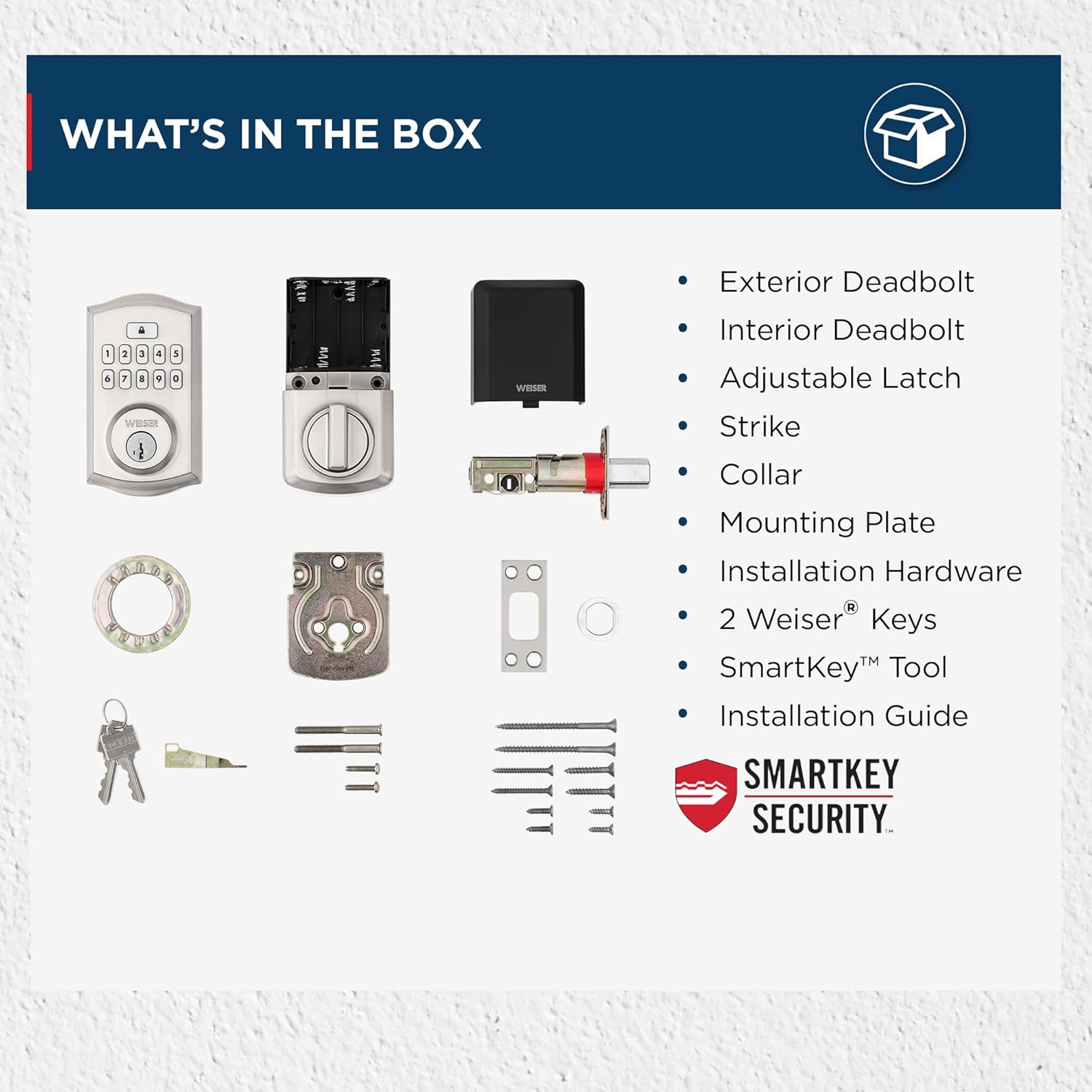
Image: All components included in the Weiser SmartCode Keypad Electronic Deadbolt package.
4. Орнотуу
The Weiser SmartCode Keypad Electronic Deadbolt is designed for easy installation. For detailed, step-by-step interactive 3D instructions with voice and video guidance, it is recommended to use the free BILT app.
Жалпы орнотуу кадамдары:
- эшикти даярдоо: Ensure your door has the correct bore holes and backset. The lock is compatible with standard doors 1-3/8" to 1-3/4" thick.
- Latch орнотуу: Insert the adjustable latch into the door edge and secure it with screws. Ensure the latch bolt is facing the correct direction.
- Тышкы жыйынды орнотуу: Route the cable from the exterior keypad assembly through the door bore hole and position the assembly flush against the door.
- Монтаждоо плитасын орнотуу: Secure the interior mounting plate to the exterior assembly using the provided screws, ensuring the cable passes through the plate.
- Ички ассамблеяны орнотуу: Connect the cable from the exterior assembly to the interior assembly. Align the tailpiece with the slot in the interior assembly and secure the interior assembly to the mounting plate.
- Батареяны орнотуу: Insert 4 AA alkaline batteries into the battery pack of the interior assembly.
- Эшик тапшыруу процессин аткарыңыз: This step is crucial for the lock to learn the orientation of your door. Follow the specific instructions in the included installation guide or the BILT app.

Image: The Weiser SmartCode Keypad Electronic Deadbolt installed on a door, showcasing анын кооз дизайны.
5. Орнотуу жана программалоо
Орнотуудан кийин, сиз мастер-кодуңузду жана колдонуучу коддоруңузду программалашыңыз керек болот.
Негизги код: The master code is used to program and delete user codes. It does not unlock the door. It is recommended to create a master code immediately after installation.
Колдонуучу коддору: These codes are used to unlock the door. You can program up to 50 unique user codes.
Refer to your specific installation guide for detailed programming steps, as these can vary slightly by model revision. Generally, programming involves pressing the program button on the interior assembly, entering the master code, then entering the new user code, and confirming.

Image: The SmartCode lock supports up to 50 user access codes and one master code option, allowing multiple individuals secure entry.
6. Иштөө нускамалары
Using your SmartCode Keypad Electronic Deadbolt is straightforward.
Эшиктин кулпусун ачуу:
- Колдонуучу кодун колдонуу: Enter your personalized 4-8 digit user code on the keypad. The deadbolt will retract, and the door will unlock.
- Ачкычты колдонуу: Insert the physical key into the keyway and turn to unlock the deadbolt.

Image: Keyless entry is made secure and convenient by simply entering your personalized code on the keypad.
Эшикти кулпулоо:
- Бир тийүү менен кулпулоо: Press the Lock button on the keypad. The deadbolt will extend, locking the door.
- Автоматтык кулпу өзгөчөлүгү: Эгер иштетилсе, кулпу ачылгандан кийин белгиленген убакыттан кийин (мисалы, 30 секунд) кулпу автоматтык түрдө кайра кулпуланат.
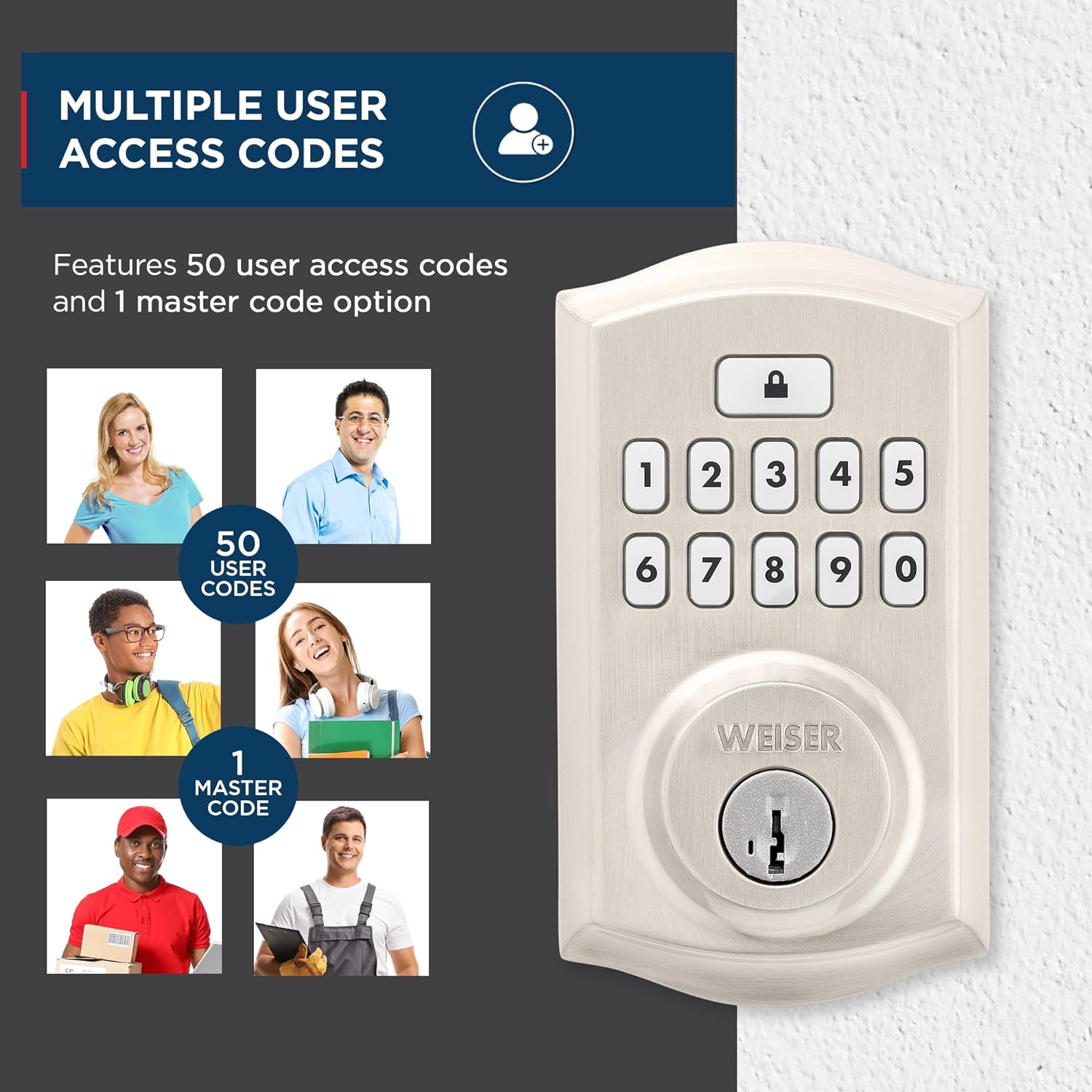
Image: The auto-lock feature allows you to lock your door with a single touch, requiring no additional turning or twisting.
Арткы жарык баскычтоп: The keypad illuminates for increased visibility at night and remains lit for 30 seconds after inactivity, making code entry easy in low light conditions.

Image: The keypad is backlit for increased visibility at night, staying lit for 30 seconds after inactivity for easy code entry.
SmartKey Коопсуздук: This technology allows you to re-key the lock yourself in seconds, providing convenience and maintaining key control without removing the lock from your door. It also protects against advanced break-in techniques.

Image: SmartKey Security protects against advanced break-in techniques and allows for easy re-keying of the lock in seconds.
7. Техникалык тейлөө
Proper maintenance ensures the longevity and optimal performance of your SmartCode deadbolt.
- Тазалоо: Кулпуну жумшак, d менен тазалаңызamp кездеме. Абразивдүү тазалагычтарды, эриткичтерди же катуу химиялык заттарды колдонбоңуз, анткени алар финишке жана электрондук компоненттерге зыян келтириши мүмкүн.
- Батареяны алмаштыруу: The lock operates on 4 AA alkaline batteries (not included). When the batteries are low, the lock will typically provide an audible or visual low battery warning. Replace all four batteries simultaneously with new, high-quality alkaline batteries. Do not use rechargeable batteries.
- Майлоо: Periodically lubricate the latch bolt and deadbolt mechanism with a silicone-based lubricant to ensure smooth operation. Do not lubricate the keypad or electronic components.
8. Кыйынчылыктарды
If you encounter issues with your SmartCode deadbolt, refer to the following common problems and solutions:
| Көйгөй | Мүмкүн себеп | Чечим |
|---|---|---|
| Кулпу баскычтоп жазуусуна жооп бербейт. | аз батарейкалар; туура эмес код; баскычтоптун бузулушу. | Replace batteries. Ensure correct code is entered. Perform door handing process again. |
| Дедболт толук узартылбайт же артка тартылбайт. | Door/frame misalignment; low batteries; latch binding. | Check door alignment and strike plate. Replace batteries. Lubricate latch. |
| Programming new codes fails (e.g., 3 beeps). | Incorrect master code; programming sequence error; unit needs reset. | Verify master code. Follow programming steps precisely. Reset the unit to factory settings (refer to manual for specific steps). |
| Автоматтык кулпу функциясы күтүлгөндөй иштебей жатат. | Feature disabled; incorrect setting; door not fully closed. | Ensure auto-lock is enabled and set to desired time. Confirm door is fully closed. |
| Батареянын иштөө мөөнөтү күтүлгөндөн кыска. | Frequent usage; poor quality batteries; auto-lock set to short interval. | Use high-quality alkaline batteries. Consider adjusting auto-lock time if not critical. |
For issues not covered here, please consult the full installation guide or contact Weiser customer support.
9. Техникалык шарттар
| Өзгөчөлүк | Деталь |
|---|---|
| Модель номери | 9GED92600-001 |
| Продукциянын өлчөмдөрү | 6.99 x 2.86 x 13.97 см |
| Элемент Салмагы | 454 г |
| Материал | Металл |
| Бүтүрүү | Brushed (Satin Nickel) |
| Стиль | Салттуу |
| Кулпу түрү | Дедболт, Электрондук |
| Power Source | 4 АА батарейкалар (киргизилген эмес) |
| Өзгөчөлүктөр | Weather Resistant, Anti-Bump, One-Touch Lock, Auto-Lock, Back-Lit Keypad |
| Эшиктин шайкештиги | 1-3 / 8 "ден 1-3 / 4" калың эшиктер, жөнгө салынуучу арткы (2-3 / 8" же 2-3 / 4") |
10. Кепилдик жана колдоо
Кепилдик: This product comes with a 1-year warranty from the date of purchase. Please retain your proof of purchase for warranty claims. The warranty covers defects in material and workmanship under normal use.
Кардарларды колдоо: For technical assistance, troubleshooting, or warranty inquiries, please contact Weiser customer support. Refer to the contact information provided in your product packaging or visit the official Weiser webакыркы колдоо маалымат үчүн сайт.
Эскертүү: Unauthorized repairs or modifications may void the product warranty.


