Introduction
Thank you for choosing the Kidsneed Baby Monitor. This system is designed to provide parents and caregivers with a reliable and secure way to monitor their baby. Featuring a 3.5-inch high-resolution display, remote pan, tilt, and zoom capabilities, two-way audio, night vision, and lullabies, this monitor ensures you can keep a close eye on your little one from anywhere in your home.
The system operates on 2.4G FHSS signal transmission technology, ensuring 100% privacy and security without the need for Wi-Fi or an app. With a long range of up to 960 feet, you can confidently move around your home while staying connected to your baby.
Кутуда эмне бар
- 1 x Ата-эне бирдиги (Монитор)
- 2 x Baby Units (Cameras)
- 3 x Power Adapters (Chargers)
- 1 x User Manual

Image: The Kidsneed Baby Monitor system, including the parent unit and two camera units.
Орнотуу колдонмосу
1. Ата-эне блогун заряддоо
Before first use, fully charge the parent unit for at least 8 hours. Connect the power adapter to the parent unit and a power outlet. The battery indicator on the screen will show charging status. A full charge provides approximately 6-10 hours of portable use.

Image: The parent unit connected to its charger.
2. Powering the Camera Units
Connect each camera unit to its respective power adapter and plug it into a power outlet. The cameras must remain plugged in for continuous operation.
3. Камераны жайгаштыруу
Place the camera units in a location that provides a clear view of your baby, ensuring they are out of reach of children. For optimal signal, avoid placing cameras near large metal objects or other electronic devices that may cause interference. The system offers a range of up to 960 feet in open areas.

Image: Visual representation of the monitor's effective range within a home environment.
4. Pairing (Pre-paired)
Your Kidsneed Baby Monitor units are pre-paired at the factory. Simply power on both the parent unit and camera units, and they should automatically connect. If connection issues occur, refer to the troubleshooting section for manual pairing instructions.
Иштөө нускамалары
1. Күйгүзүү/өчүрүү жана негизги башкаруу
- Күч: Press and hold the power button on the parent unit to turn it on or off.
- Көлөмү: Use the volume buttons to adjust the audio level from the camera.
- Жарыктык: Adjust screen brightness for comfortable viewing.
2. Алыстан панорамалоо, эңкейтүү жана масштабдоо
The parent unit allows you to remotely control the camera's view. Use the directional buttons to pan (move horizontally) and tilt (move vertically) the camera. Press the zoom button to digitally zoom in (2x) on your baby for a closer look.

Image: The camera unit demonstrating its pan and tilt range.

Image: Comparison of 1X and 2X zoom on the monitor screen.
3. Эки тараптуу аудио
Press and hold the talk button on the parent unit to speak to your baby through the camera's speaker. Release the button to hear your baby's sounds. This feature allows for comforting communication without entering the room.

Image: The two-way talk feature in action, showing communication between parent and baby.
4. Automatic Night Vision
The camera automatically switches to infrared night vision mode in low-light conditions. This provides clear, greyscale images of your baby, allowing you to monitor them without disturbing their sleep with bright lights.

Image: The monitor's night vision capability showing a clear view of a baby sleeping in the dark.
5. Бешик ырлары
Select from 4 pre-programmed lullabies to help soothe your baby to sleep. Access this feature through the menu on the parent unit.

Image: The camera unit highlighting its lullaby and temperature sensing functions.
6. Температураны көзөмөлдөө
The camera unit includes a built-in temperature sensor that displays the room temperature on the parent unit's screen. An alert will be sent to the parent unit if the temperature goes outside a set range, helping you maintain a comfortable environment for your baby.
7. Multiple Camera Support
The Kidsneed Baby Monitor system supports up to four cameras. You can easily switch between connected cameras or use the scan mode to cycle through them automatically. This is ideal for monitoring multiple children or different areas of your home.
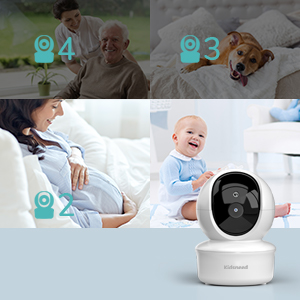
Image: The versatility of the system with support for up to four cameras.
8. Ойготкуч функциясы
The parent unit features an alarm function that can be set for various purposes, such as feeding reminders or wake-up calls. Consult the menu settings for alarm configuration.
Техникалык тейлөө
- Тазалоо: Use a soft, dry cloth to clean the monitor and camera units. Do not use abrasive cleaners or solvents.
- Батареяга кам көрүү: To prolong battery life, avoid fully discharging the parent unit frequently. Recharge it regularly.
- Сактагыч: If storing the unit for an extended period, ensure the battery is partially charged and store in a cool, dry place.
Проблемаларды чечүү
| Көйгөй | Мүмкүн себеп | Чечим |
|---|---|---|
| No image/signal on parent unit | Out of range, camera not powered, units not paired. | Move units closer, ensure camera is plugged in, re-pair units (refer to manual for pairing steps). |
| Сүрөттүн сапаты начар | Low light, interference, camera lens dirty. | Ensure adequate lighting or rely on night vision, move away from other electronics, clean camera lens. |
| Ата-эне бөлүгүндөгү батареянын иштөө мөөнөтү кыска | Battery not fully charged, aged battery. | Charge for 8 hours before first use. If battery life significantly degrades, consider battery replacement if available. |
| Эки тараптуу аудио жок | Volume too low, talk button not pressed. | Increase volume, ensure talk button is pressed and held during speaking. |
Техникалык шарттар
| Өзгөчөлүк | Деталь |
|---|---|
| Модель аты | SM935A2 |
| Дисплей өлчөмү | 3.5 дюйм |
| Байланыш технологиясы | Wireless (2.4G FHSS) |
| Ички/тышкы колдонуу | Indoor |
| Power Source | Электр зымдары |
| Видео тартуунун резолюциясы | 480p |
| Каналдардын саны | 2 (expandable to 4 cameras) |
| Ата-эне блогунун батареясы | 1200 мАч литий-ион |
| Диапазон | 960 футка чейин (ачык аянтча) |
| Өзгөчөлүктөр | Pan, Tilt, Zoom, Two-Way Audio, Night Vision, Lullabies, Temperature Monitoring, Alarm Function |
| Продукциянын өлчөмдөрү | 7.63 x 4.92 x 5.03 дюйм |
| Элемент Салмагы | 1.79 фунт |
| UPC | 797505192087 |
Кепилдик жана колдоо
Kidsneed products are manufactured to high-quality standards. For warranty information, technical support, or service inquiries, please refer to the contact information provided on the product packaging or visit the official Kidsneed webсайт. Кепилдик дооматтары үчүн сатып алганыңыздын далилин сактап коюңуз.


