Introduction
Thank you for choosing MIDOLA Kids Headphones. These headphones are designed with your child's safety and comfort in mind, featuring volume-limiting technology, a durable foldable design, and versatile connectivity options. Please read this manual carefully to ensure proper use and maintenance of your headphones.
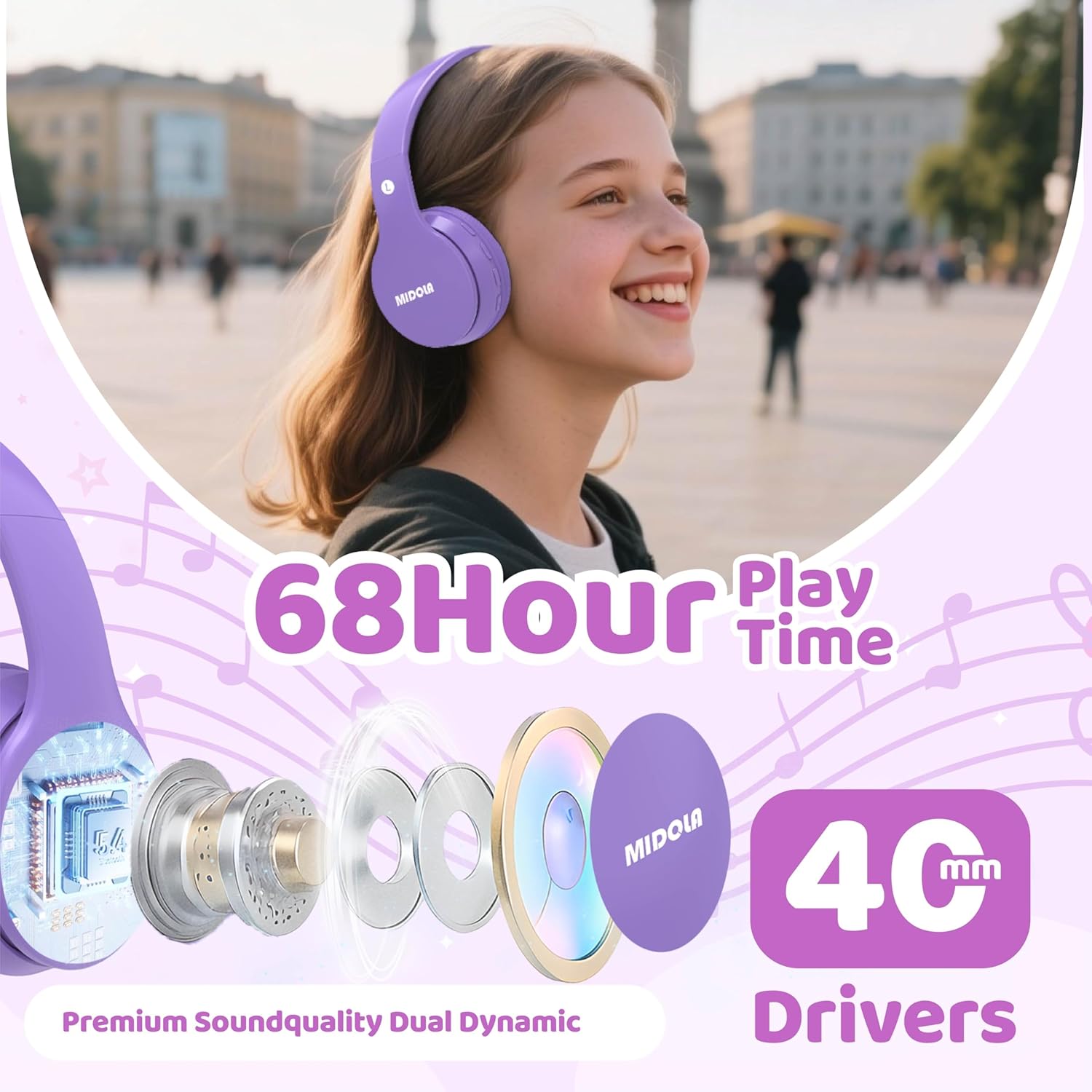
Image: MIDOLA Kids Headphones in Light Purple, showcasing their over-ear design and vibrant color.
Кутуда эмне бар
- MIDOLA Kids Headphones (Model: MIDOLA-B01)
- 3.5 mm Aux cord
- C түрүндөгү кубаттоочу кабель
- User Manual
- Декоративдик чаптамалар

Image: MIDOLA Kids Headphones in Light Purple, accompanied by sheets of decorative stickers for personalization.
Жайгашуу
1. Наушниктерди заряддоо
Before first use, fully charge your headphones. Use the provided Type-C charging cable.
- Connect the Type-C end of the cable to the charging port on the left earcup.
- Connect the USB-A end to a compatible USB power source (e.g., computer, wall adapter).
- LED индикатору кубаттоо абалын көрсөтөт. Толук кубаттоо болжол менен 2 саатты талап кылат.
2. Күйгүзүү / Өчүрүү
- To power on, press and hold the Power button on the left earcup until the LED indicator lights up.
- To power off, press and hold the Power button again until the LED indicator turns off.
3. Bluetooth Жупташтыруу
The headphones will automatically enter pairing mode when powered on for the first time or if not connected to a device. The LED indicator will flash blue.
- Ensure Bluetooth is enabled on your device (smartphone, tablet, PC).
- Издөө available Bluetooth devices and select "MIDOLA-B01" from the list.
- Жупташкандан кийин, LED индикатору жарк этүүнү токтотуп, көк бойдон калат.
4. Зымдуу туташуу (милдеттүү эмес)
If the battery runs out or for devices without Bluetooth, you can use the 3.5mm Aux cord.
- Plug one end of the 3.5mm Aux cord into the AUX port on the left earcup.
- Plug the other end into your audio device's 3.5mm audio jack.

Сүрөт: жакын план view of the left earcup, showing the USB-C charging port, AUX input, and LED indicator.
Иштөө нускамалары
1. Үндү башкаруу
The headphones feature volume control buttons on the left earcup.
- Press the "V+" button to increase volume.
- Press the "V-" button to decrease volume.
2. Track Control
- To skip to the next track, press and hold the "V+" button for 2 seconds.
- To go to the previous track, press and hold the "V-" button for 2 seconds.
3. Ойнотуу/Пауза
- Press the Play/Pause button (usually the middle button) once to play or pause audio.
4. Volume Limiting Feature
These headphones offer adjustable volume limits to protect hearing, as recommended by the World Health Organization.
- The default volume limit is 85dB (suitable for kids).
- To switch between 85dB (Kids) and 110dB (Adult), press and hold the Play/Pause button for 3 seconds.
- Additional modes for 74dB (Toddler) and 94dB (Travel) are also available, selectable via the Mode button.

Image: Illustration of the Safe Volume Mode feature, showing 74dB (Toddler), 85dB (Study), and 94dB (Travel) options.

Image: Three children of different ages wearing MIDOLA Kids Headphones, demonstrating suitability for various age groups (2-15 years).
Техникалык тейлөө
1. Тазалоо
- Наушниктерди жумшак, кургак чүпүрөк менен сүртүңүз.
- Катуу химиялык заттарды же абразивдүү тазалоочу каражаттарды колдонбоңуз.
- Ensure no liquid enters the ports.
2. Сактоо
The headphones feature a foldable design for easy storage and portability.
- Fold the earcups inward to minimize space.
- Күн нурунан жана экстремалдык температурадан алыс салкын, кургак жерде сактаңыз.
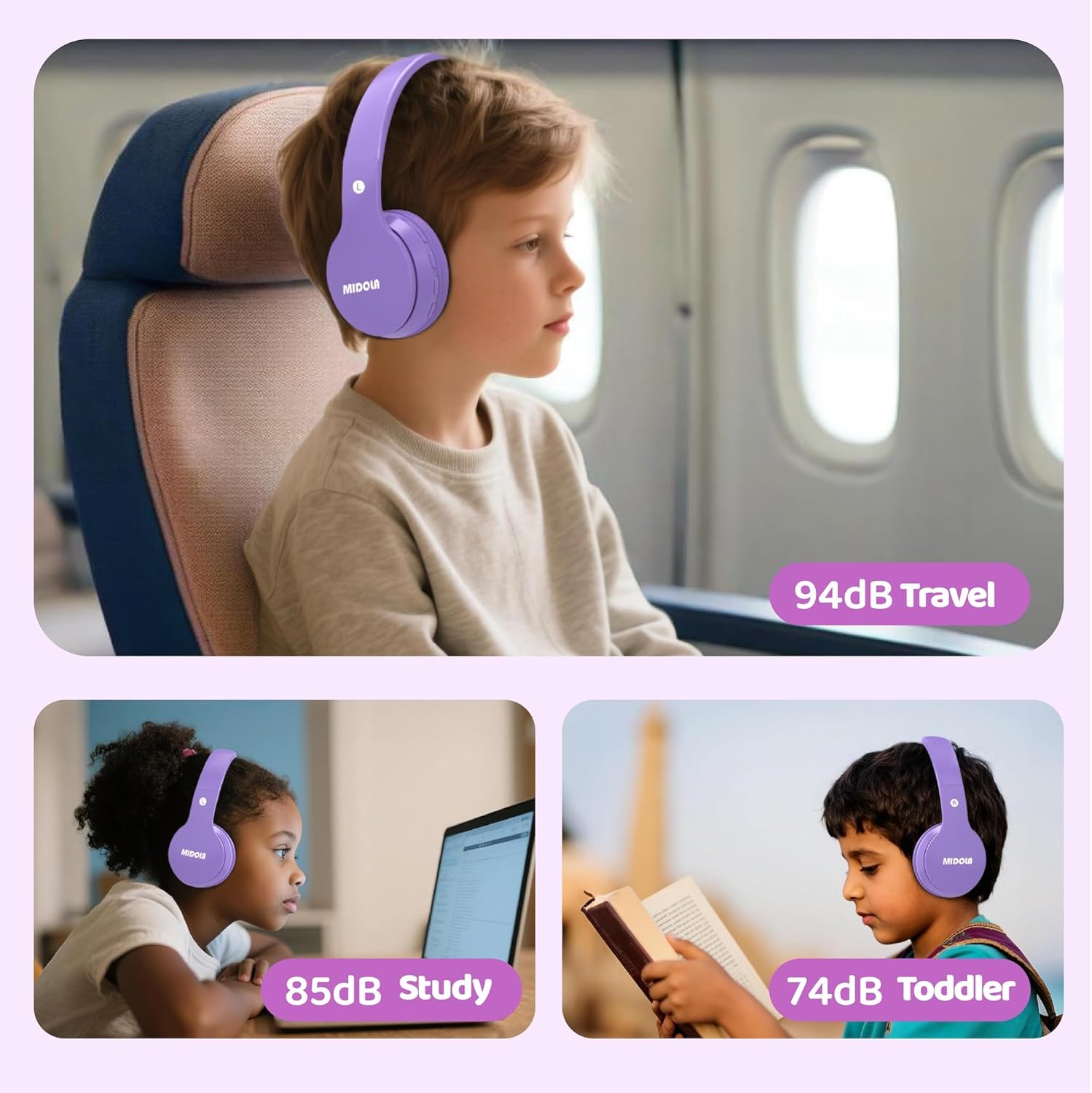
Image: MIDOLA Kids Headphones shown in their compact, folded position, highlighting portability.
Проблемаларды чечүү
- Кубат жок: Кулакчындар кубатталганын текшериңиз. Type-C кабелин колдонуп, кубат булагына туташтырыңыз.
- Bluetooth жупташтыруу мүмкүн эмес: Make sure the headphones are in pairing mode (flashing blue LED). Turn off and on your device's Bluetooth, then try re-pairing. Ensure headphones are not connected to another device.
- Үн жок: Check the volume levels on both the headphones and your connected device. If using wired mode, ensure the 3.5mm Aux cord is fully inserted into both ports.
- Үн бурмалоо: Move closer to your Bluetooth device to avoid interference. Ensure the audio source is of good quality.
Техникалык шарттар
| Өзгөчөлүк | Деталь |
|---|---|
| Модель аты | MIDOLA-B01 |
| Байланыш технологиясы | Wireless (Bluetooth 5.4) / Wired (3.5mm Aux) |
| Батареянын иштөө мөөнөтү | Up to 68 Hours Play Time |
| Заряддоо убактысы | 2 саат (Type-C тез кубаттоо) |
| Көлөмдүн чеги | 85dB (Kids), 110dB (Adult), 74dB (Toddler), 94dB (Travel) |
| Кулак жайгаштыруу | Кулак үстүндө |
| Аудио драйверинин өлчөмү | 40 миллиметр |
| Noise Control | Үн изоляциясы |
| Материал | Пластик |
| Элемент Салмагы | 10.2 унция |
| Продукциянын өлчөмдөрү | 7.09 x 3.15 x 7.09 дюйм |
| Шайкеш түзмөктөр | Smartphones, Tablets, Laptops |

Image: Highlights of the headphones' features, including 68 hours of play time and 40mm dynamic drivers for premium sound quality.

Image: Details on the 'Real Over-Ear' design, emphasizing soft and breathable ear-cups for comfort.
Кепилдик жана колдоо
MIDOLA Kids Headphones typically come with a 1-year warranty from the date of purchase. For warranty claims, technical support, or any questions regarding your product, please contact MIDOLA customer service through the retailer where you purchased the headphones or visit the official MIDOLA webсайт.
Сураныч, кепилдик максаттары үчүн сатып алганыңыздын далилин сактап коюңуз.


