1. Продукт бүтүп калдыview
The AOPUTTRIVER AP-6000GH is a high-precision HVAC anemometer designed for measuring wind speed, wind temperature, and air volume. Featuring a waterproof touch-screen, rechargeable battery, and various measurement units, it is suitable for a wide range of applications including HVAC installation, CFM calculations, duct ventilation, shooting, boat sailing, kite flying, climbing, and drone operation.
Негизги өзгөчөлүктөрү:
- Measures wind speed in 5 units: m/s, km/h, ft/min, mph, Knots.
- Measures wind temperature: -10-45°C (14-113°F) with °C/°F units.
- Air volume range: 0-999900 m³/min, configurable for CMM/CMS/CMF.
- Touch-screen interface with anti-interference buttons for ease of use.
- Waterproof and dustproof design.
- Backlight for improved visibility in low-light conditions.
- Adjustable auto-off time (default 5 minutes without operation) to save battery.
- Rechargeable 400mAh battery (40 mins full charge, approx. 30 hours continuous use) via Type-C interface.
- Батареянын аз индикатору.
- Integrated tripod hole for hands-free operation (tripod not included).
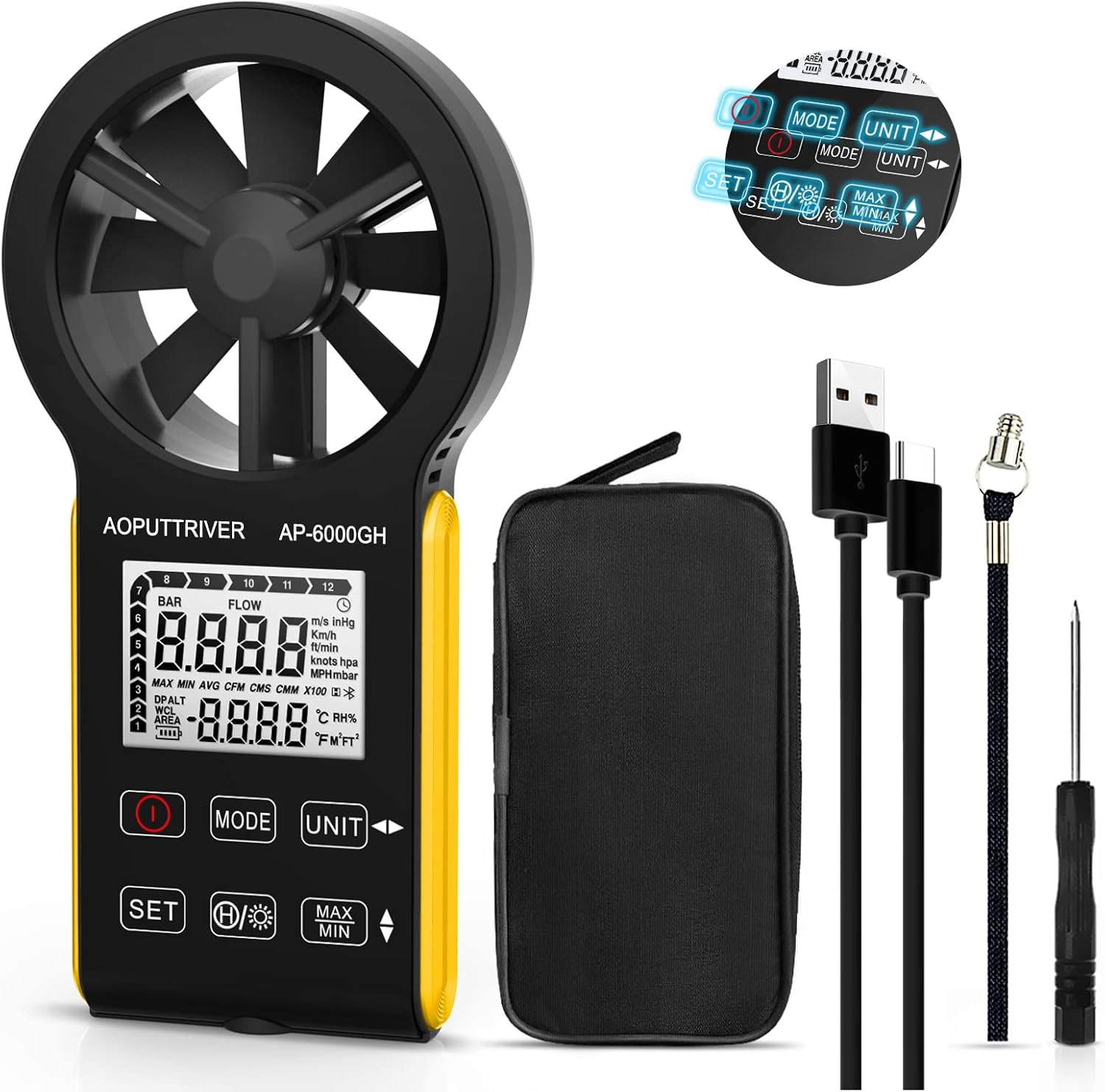
Figure 1: AOPUTTRIVER AP-6000GH HVAC Anemometer
2. Пакеттин мазмуну
Пакетти ачкандан кийин, төмөндө көрсөтүлгөн нерселердин бардыгы бар экенин жана жакшы абалда экендигин текшериңиз:
- 1 x AP-6000GH CFM Anemometer
- 1 x User Manual
- 1 x Type-C кабели
- 1 x Кичинекей отвертка
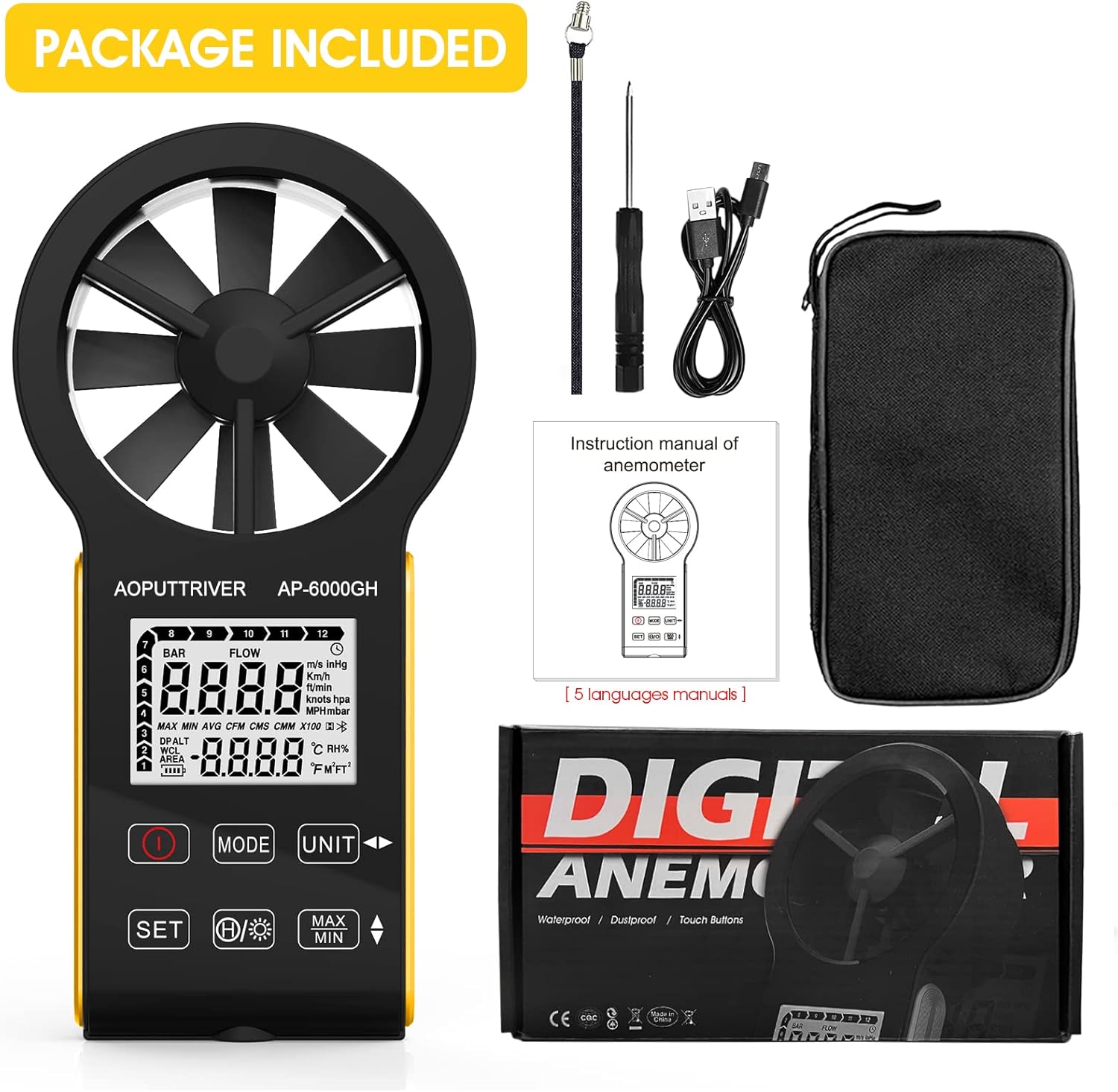
Figure 2: All items included in the AP-6000GH package.
3. Орнотуу
3.1 Батареяны орнотуу
The AP-6000GH anemometer comes with a pre-installed rechargeable battery. However, for initial use, you may need to connect the battery line interface.
- Use the provided small screwdriver to unscrew the battery cover on the back of the device.
- Connect the battery line interface if it is disconnected.
- Tighten the battery cover securely.

Figure 3: Steps for connecting the battery line interface.
3.2 Аппаратты заряддоо
The device features a fast-charging 400mAh battery. A full charge takes approximately 40 minutes and provides about 30 hours of continuous use.
- Connect the provided Type-C cable to the charging port on the device and to a suitable USB power source.
- The battery sign on the display will flash while charging. It will stop flashing when fully charged.
- A low battery indicator light will notify you when charging is needed.

Figure 4: Charging the AP-6000GH anemometer via Type-C cable.
4. Иштөө нускамалары
4.1 Күйгүзүү/өчүрүү
басыңыз Күч button (usually marked with a circle and a vertical line) to turn the device on or off.
4.2 Key Functions Overview

Figure 5: ашыкview of AP-6000GH display and button functions.
- Кубат ачкычы: Аппаратты күйгүзөт/өчүрөт.
- MODE ачкычы: Switches between wind speed/air volume modes.
- UNIT Key: Cycles through different measurement units for wind speed (m/s, km/h, ft/min, mph, Knots).
- SET баскычы: Used to set air volume area or temperature units (°C/°F).
- Data Hold/Backlight Key: Short press to hold current data on display. Long press to activate/deactivate backlight.
- MAX/MIN Keys: Displays maximum or minimum recorded values during a measurement session.
4.3 Unit Switching and Backlight Demonstration
The following video demonstrates how to switch between different measurement units for wind speed and activate the backlight feature on the anemometer.
Video 1: Demonstration of unit switching and backlight activation on a handheld wind speed meter.
4.4 Basic Operation and Applications
Бул видео тез бүтүрүүнү камсыз кылатview of the anemometer's ease of use and its suitability for various tasks.
Video 2: Quick demonstration of the anemometer's easy operation.
4.5 Hands-Free Operation with Tripod
The anemometer includes a tripod hole at the bottom, allowing for stable, hands-free measurements. This is particularly useful for HVAC installations, CFM calculations, or outdoor activities where continuous monitoring is required.

Figure 6: Tripod mounting hole located at the bottom of the anemometer.

7-сүрөт: Мисamples of applications for the AP-6000GH anemometer.
5. Техникалык шарттар
| Спецификация | Нарк |
|---|---|
| Продукциянын өлчөмдөрү | 6.69 x 3.39 x 1.3 дюйм |
| Элемент Салмагы | 5.3 унция (150 грамм) |
| Өндүрүүчү | AOPUTTRIVER |
| Материал | Пластик |
| Батареялар талап кылынат | No (Rechargeable) |
| Камтылган компоненттер | Сумка |
6. Техникалык тейлөө
To ensure the longevity and accuracy of your AOPUTTRIVER AP-6000GH anemometer, please follow these maintenance guidelines:
- Аппаратты жумшак, кургак чүпүрөк менен сүртүп, таза кармаңыз. Абразивдүү тазалагычтарды же эриткичтерди колдонуудан алыс болуңуз.
- Ensure the fan blades are free from dust and debris to maintain accurate readings.
- Түзмөктү колдонбогон учурда, бузулуп калбашы үчүн, аны коргоочу кутучасында сактаңыз.
- Аппаратты экстремалдык температурага же түз күн нуруна узак убакытка калтыруудан сактаңыз.
- Батареянын иштөө мөөнөтүн сактоо үчүн, түзмөк көп колдонулбаса дагы, аны үзгүлтүксүз кубаттап туруңуз.
7. Кыйынчылыктарды
If you encounter any issues with your AP-6000GH anemometer, please refer to the following common troubleshooting steps:
- Түзмөк күйбөй жатат: Батарея туура туташтырылганын жана толук заряддалганын текшериңиз.
- Туура эмес окуулар: Check if the fan blades are obstructed or dirty. Ensure the device is held correctly in the airflow direction.
- Дисплей көйгөйлөрү: If the display is dim, activate the backlight. If the display is unresponsive, try restarting the device.
- CFM/Air Volume calculation errors: Double-check the entered air area settings. Refer to the user manual for detailed instructions on setting air area.
Эгер көйгөй чечилбесе, кошумча жардам алуу үчүн кардарларды колдоо бөлүмүнө кайрылыңыз.
8. Колдоо жана кепилдик
The AOPUTTRIVER AP-6000GH anemometer comes with 365 days of technical support. If you experience any problems with your product, please contact AOPUTTRIVER customer service. They are committed to responding and resolving issues as quickly as possible.
For support, please refer to the contact information provided in your product packaging or visit the official AOPUTTRIVER webсайт.


