Introduction
This manual provides detailed instructions for the operation and maintenance of your Victor VHRP-1100 Lakeshore 5-in-1 Turntable System. This versatile audio system integrates a record player, Bluetooth connectivity, USB playback and recording, and an FM radio, all within a compact unit with built-in stereo speakers. Please read this manual thoroughly before use to ensure proper function and longevity of your device.
Маанилүү коопсуздук маалыматы
- Кубат булагы: Белгиленген кубат адаптерин гана колдонуңуз. Voltage сиздин жергиликтүү электр камсыздооңузга дал келет.
- Суу жана ным: Аппаратты жамгырга, нымга же тамчылатуучу/чачыраган суюктуктарга тийгизбеңиз. Ваза сыяктуу суюктуктар толтурулган нерселерди аппараттын үстүнө койбоңуз.
- Вентиляция: Адекваттуу вентиляцияны камсыз кылыңыз. Вентиляция тешиктерин жаап албаңыз.
- Жылуулук: Аппаратты радиаторлор, жылуулук регистрлери, мештер же башка аппараттар (анын ичинде) сыяктуу жылуулук булактарынан алыс кармаңыз. ampкөтөргүчтөр) жылуулукту пайда кылуучу.
- Тазалоо: Кургак чүпүрөк менен гана тазалаңыз.
- Тейлөө: Бул продуктту өзүңүз тейлөөгө аракет кылбаңыз. Бардык тейлөөнү квалификациялуу тейлөө кызматкерлерине тапшырыңыз.
- Жайгашкан жери: Place the unit on a stable, flat surface to prevent damage from falling.
Пакеттин мазмуну
Төмөндө тизмеленген нерселердин баары пакетиңизге камтылганын текшериңиз:
- Victor VHRP-1100 Lakeshore 5-in-1 Turntable System
- UL Approved Adaptor
- Колдонуучунун Колдонмосу (бул документ)
- Ыкчам орнотуу көрсөтмөлөрү
Продукт бүттүview
Familiarize yourself with the components of your Victor VHRP-1100 Lakeshore turntable system.

1-сүрөт: Жогорудан төмөн view of the Victor VHRP-1100 Lakeshore turntable system with a record on the platter and the dust cover open. This image shows the overall layout of the unit, including the control panel at the front.
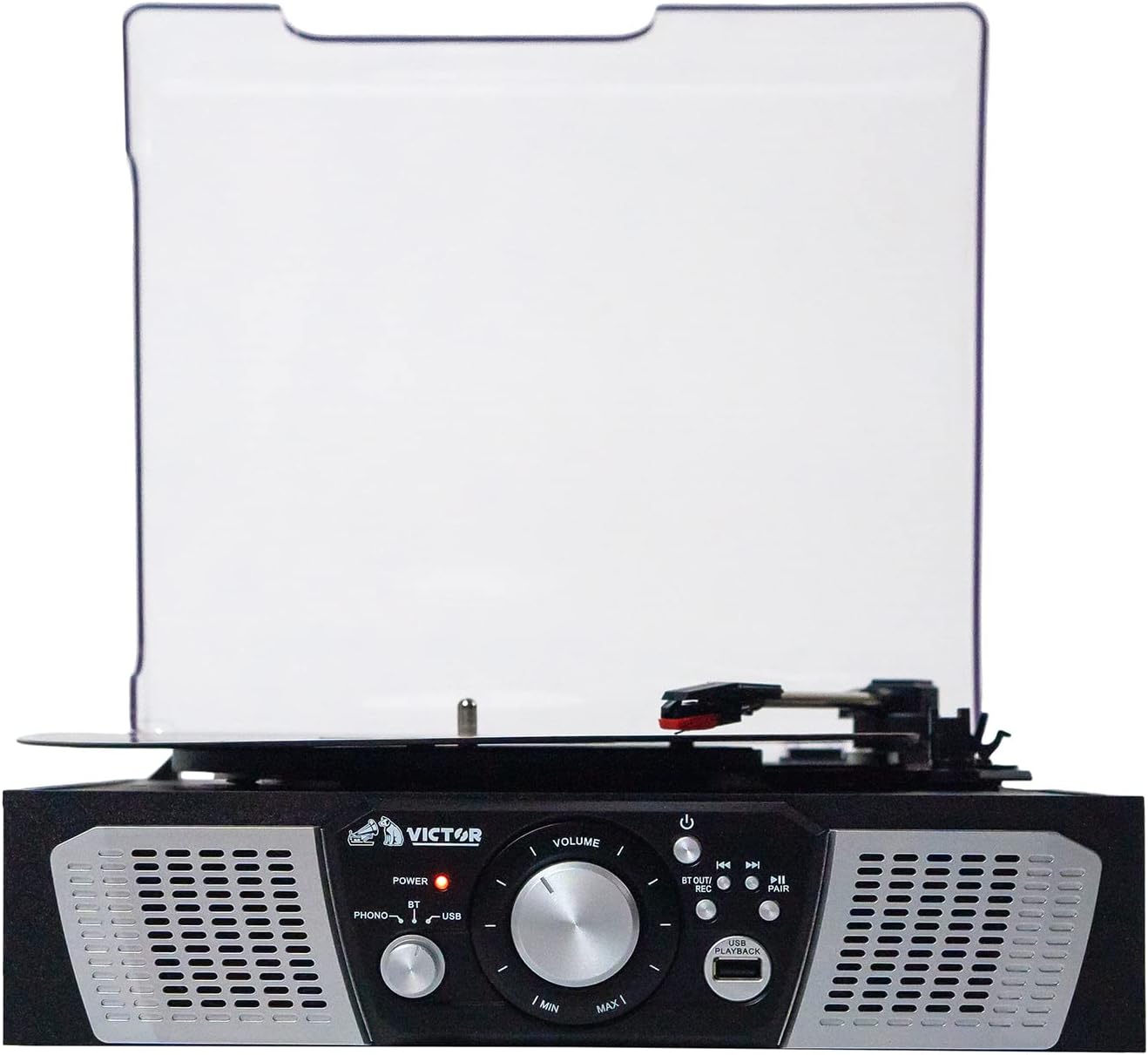
2-сүрөт: Фронт view of the Victor VHRP-1100 Lakeshore turntable system, highlighting the control panel with the power button, volume knob, function selector, and USB port. The built-in stereo speakers are visible on either side.

3-сүрөт: Арткы view of the Victor VHRP-1100 Lakeshore turntable system, showing the DC 9V power input and the AUX OUT (RCA L/R) ports for connecting to external audio systems.
Алдыңкы панелдин башкаруу элементтери:
- Кубат баскычы: Агрегатты күйгүзөт же өчүрөт.
- Үн баскычы: Аудио чыгаруу деңгээлин тууралайт.
- Функция тандагыч: Switches between Phono, Bluetooth, USB, and FM Radio modes.
- USB порт: USB ойнотуу жана жаздыруу үчүн.
- Playback/Recording Controls: Buttons for play, pause, skip tracks, and initiate recording.
- Жуп баскычы: Bluetooth жупташтырууну баштайт.
Арткы панелдин туташуулары:
- DC 9V киргизүү: Connects to the provided UL Approved Adaptor.
- AUX OUT (RCA L/R): Сырткы байланышка туташат ampкөтөргүчтөр же кубаттуу динамиктер.
Жайгашуу
- Пакеттен чыгаруу: Carefully remove the unit from its packaging. Retain all packaging materials for future transport or storage.
- Жайгашкан жери: Айланма табакчаны түз күн нурунан, жылуулук булактарынан жана ашыкча чаңдан же титирөөдөн алыс, тегиз, туруктуу бетке коюңуз.
- Кубат туташуу: Connect the provided UL Approved Adaptor to the DC 9V input on the rear of the unit. Plug the adaptor into a standard wall outlet.
- Чаң капкагы: The unit comes with a clear dust cover. Carefully attach it to the hinges at the back of the turntable.
- Тышкы аудио туташуу (милдеттүү эмес): Эгерде сиз айланма табакчаны тышкы розеткага туташтыргыңыз келсе amplifier or powered speakers, use RCA cables (not included) to connect the AUX OUT (R/L) ports on the back of the unit to the corresponding audio inputs on your external system.
Видео 1: A short video demonstrating the Victor Lakeshore VHRP-1100-ES turntable system in a room setting, providing a visual context for its size and appearance.
Видео 2: 360 градус view of the Victor Lakeshore VHRP-1100-ES turntable system, allowing users to observe all angles and details of the product before or during setup.
Иштөө нускамалары
1. Turntable Operation (Playing Vinyl Records)
- Күйгүзүү: Шайманды күйгүзүү үчүн Кубат баскычын басыңыз.
- Select Phono Mode: Use the Function Selector to choose "Phono" mode.
- Open Dust Cover: Чаң капкагын көтөрүңүз.
- Рекорд: Carefully place a vinyl record on the turntable platter.
- Ылдамдыкты тандоо: Adjust the speed selector (usually a switch near the platter) to match the record's RPM (33 1/3, 45, or 78 RPM). For 45 RPM records, place the included 45 RPM adapter on the spindle.
- Release Tone Arm: Gently move the tone arm from its rest and position the stylus over the desired track on the record.
- Төмөнкү тонус кол: Slowly lower the tone arm onto the record. The platter will begin to spin, and audio will play through the built-in speakers or connected external speakers.
- Үндү тууралоо: Use the Volume knob to adjust the listening level.
- Оюндун аягы: At the end of the record, the tone arm may automatically return to its rest (auto-stop feature, if present). If not, manually lift the tone arm and return it to its rest.
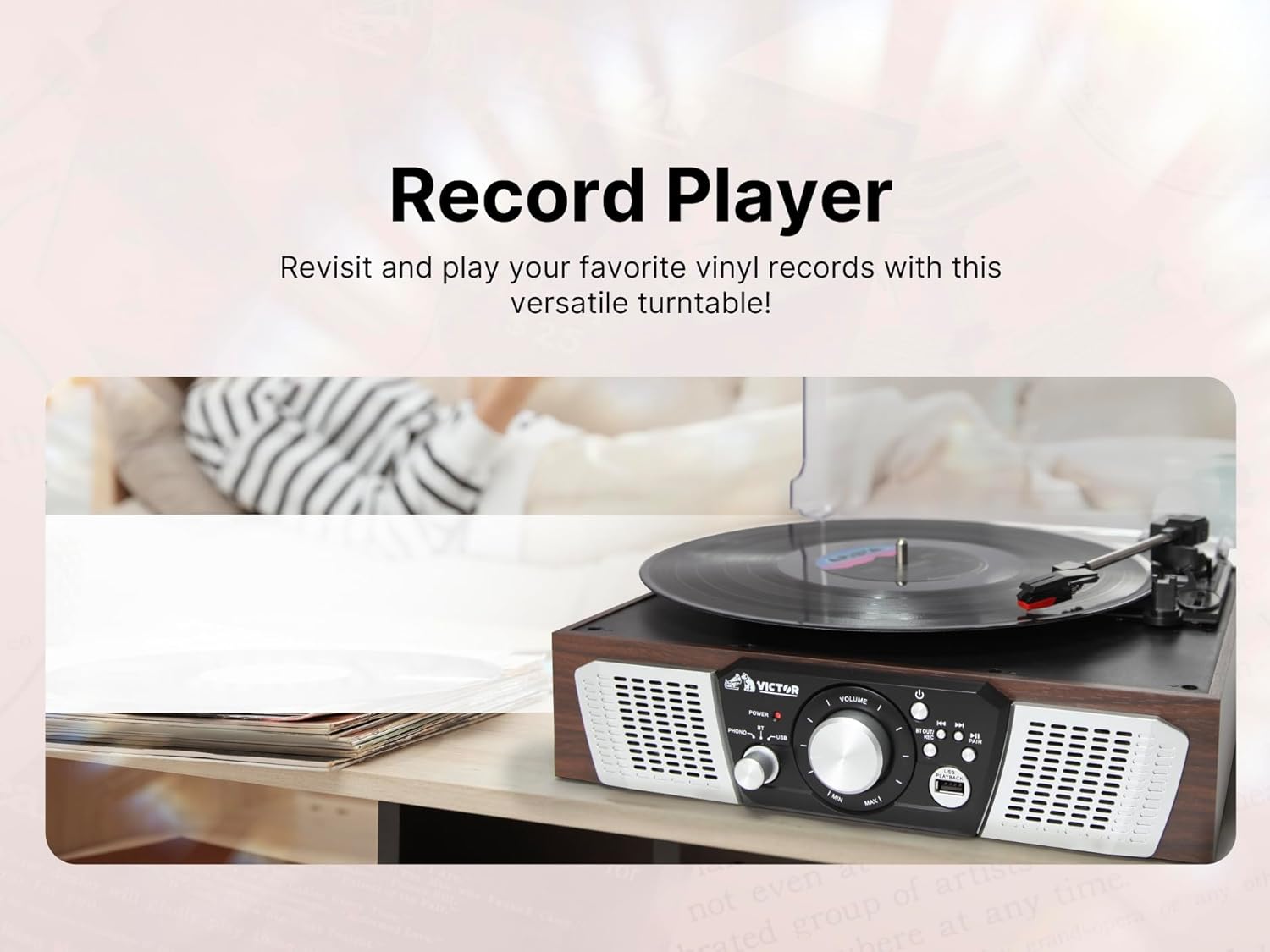
4-сүрөт: An image depicting a hand carefully placing a vinyl record onto the platter of the Victor VHRP-1100 Lakeshore turntable, illustrating the initial step of playing a record.
2. Bluetooth Operation (Wireless Streaming)
- Күйгүзүү: Шайманды күйгүзүү үчүн Кубат баскычын басыңыз.
- Bluetooth режимин тандоо: Use the Function Selector to choose "Bluetooth" mode. The Bluetooth indicator light will flash, indicating it's in pairing mode.
- Түзмөктө Bluetooth'ту иштетүү: Смартфонуңузда, планшетиңизде же башка Bluetooth иштетилген түзмөгүңүздө Bluetooth'ту иштетип, жеткиликтүү түзмөктөрдү издеңиз.
- Түзмөктү жупташтыруу: Select "VHRP-1100" from the list of devices. Once paired, the Bluetooth indicator light will stop flashing and remain solid.
- Музыка ойнотуу: Start playing music on your connected device. The audio will stream wirelessly to the turntable's speakers.
- Үндү тууралоо: Control the volume using both your connected device and the Volume knob on the turntable.

5-сүрөт: An image showing a person enjoying music wirelessly from the Victor VHRP-1100 Lakeshore turntable through Bluetooth headphones, demonstrating the Bluetooth output capability.
3. USB ойнотуу
- Күйгүзүү: Шайманды күйгүзүү үчүн Кубат баскычын басыңыз.
- USB дискти салыңыз: MP3 аудиосу бар USB флэш-дискти салыңыз fileалдыңкы панелдеги USB портуна сайыңыз.
- USB режимин тандаңыз: Use the Function Selector to choose "USB" mode. The unit will automatically begin playing the first compatible audio file.
- Ойноону көзөмөлдөө: Use the Playback/Recording controls (Play/Pause, Skip Forward/Backward) to navigate your music files.
- Үндү тууралоо: Use the Volume knob to adjust the listening level.

6-сүрөт: This image illustrates a USB flash drive connected to the USB port of the Victor VHRP-1100 Lakeshore turntable, indicating the readiness for digital audio playback.
4. USB Recording (Digitizing Vinyl)
- Prepare for Playback: Follow steps 1-6 of "Turntable Operation" to prepare your vinyl record for playback.
- USB дискти салыңыз: Ensure a USB flash drive is inserted into the USB port.
- Жаздырууну баштоо: While the record is playing, press the "REC" button (part of the Playback/Recording controls). The recording indicator will illuminate, and the audio from the record will be converted and saved as an MP3 file USB дискте.
- Жаздырууну токтотуу: Press the "REC" button again to stop recording. The recording indicator will turn off.
- Кирүү жаздырылды Files: Switch to USB mode to listen to your newly recorded digital files.

7-сүрөт: This image shows a person relaxing while the Victor VHRP-1100 Lakeshore turntable is actively recording vinyl audio to a USB drive, highlighting the convenience of the USB recording feature.
5. FM радиосунун иштеши
- Күйгүзүү: Шайманды күйгүзүү үчүн Кубат баскычын басыңыз.
- FM режимин тандоо: Use the Function Selector to choose "FM Radio" mode.
- Түнкү станциялар: Use the tuning knob or buttons (if available) to scan for FM radio stations. The unit will automatically stop at strong signals.
- Үндү тууралоо: Use the Volume knob to adjust the listening level.
- Антенна: For improved FM reception, extend the FM wire antenna located at the back of the unit.
Техникалык тейлөө
- Агрегатты тазалоо:
Түзмөктүн сыртын жумшак, кургак чүпүрөк менен сүртүңүз. Абразивдүү тазалоочу каражаттарды, момдорду же эриткичтерди колдонбоңуз, анткени алар капталга зыян келтириши мүмкүн.
- Стилуска кам көрүү:
The stylus (needle) is a delicate component. Clean it periodically with a soft brush, brushing from back to front. Avoid touching the stylus with your fingers.
A worn stylus can damage records and degrade sound quality. Replace the stylus approximately every 300-500 hours of playback, or if you notice a decrease in sound quality.
- Чаң капкагы:
Keep the dust cover closed when the unit is not in use to protect the turntable and stylus from dust and debris. Clean the dust cover with a soft, damp кездеме.
Проблемаларды чечүү
| Көйгөй | Мүмкүн себеп | Чечим |
|---|---|---|
| Күч жок | Кубат адаптери туташкан эмес же туура эмес розетка. | Кубат адаптери түзүлүшкө жана иштеген электр розеткасына бекем туташканын текшериңиз. |
| Динамиктерден үн жок | Volume too low, incorrect mode selected, or external speakers not connected/powered. | Increase the volume. Verify the correct function mode (Phono, Bluetooth, USB, FM) is selected. If using external speakers, ensure they are properly connected and powered on. |
| Айлануучу таблица айланбайт | Unit not powered on, Phono mode not selected, or tone arm not moved over record. | Ensure the unit is powered on and in Phono mode. Gently move the tone arm over the record to activate the platter. |
| Bluetooth жупташкан жок | Unit not in Bluetooth mode, device too far, or previously paired with another device. | Ensure the unit is in Bluetooth mode and the indicator is flashing. Move your device closer. Disconnect from other Bluetooth devices and try pairing again. |
| Poor sound quality (vinyl) | Dirty record, dirty/worn stylus, or incorrect speed setting. | Clean your records. Clean or replace the stylus. Ensure the correct RPM speed is selected for the record. |
Техникалык шарттар

8-сүрөт: An image displaying the key dimensions (length, width, height) and weight of the Victor VHRP-1100 Lakeshore turntable system, providing essential physical specifications.
- Модел: VHRP-1100
- Продукциянын өлчөмдөрү: 12.9 x 12.4 x 4.8 дюйм
- Элемент Салмагы: 4.84 фунт
- Кубат киргизүү: DC 9V
- Айлануучу табактын ылдамдыгы: 33 1/3, 45, 78 RPM
- Байланыш: Bluetooth, USB, FM радио
- Аудио чыгаруу: Built-in Stereo Speakers, AUX OUT (RCA L/R)
- Материал: Пластик
Кепилдик жана колдоо
For warranty information and technical support, please refer to the warranty card included with your product or visit the official Victor webсайт. Сатып алганыңыздын далили катары сатып алуу дүмүрчөгүңүздү сактаңыз.
Өндүрүүчү: Виктор
For further assistance, please contact Victor customer support.


