1. Киришүү
This manual provides essential information for the safe and efficient use of your Lumary Smart LED String Light. Please read it thoroughly before installation and operation, and retain it for future reference.
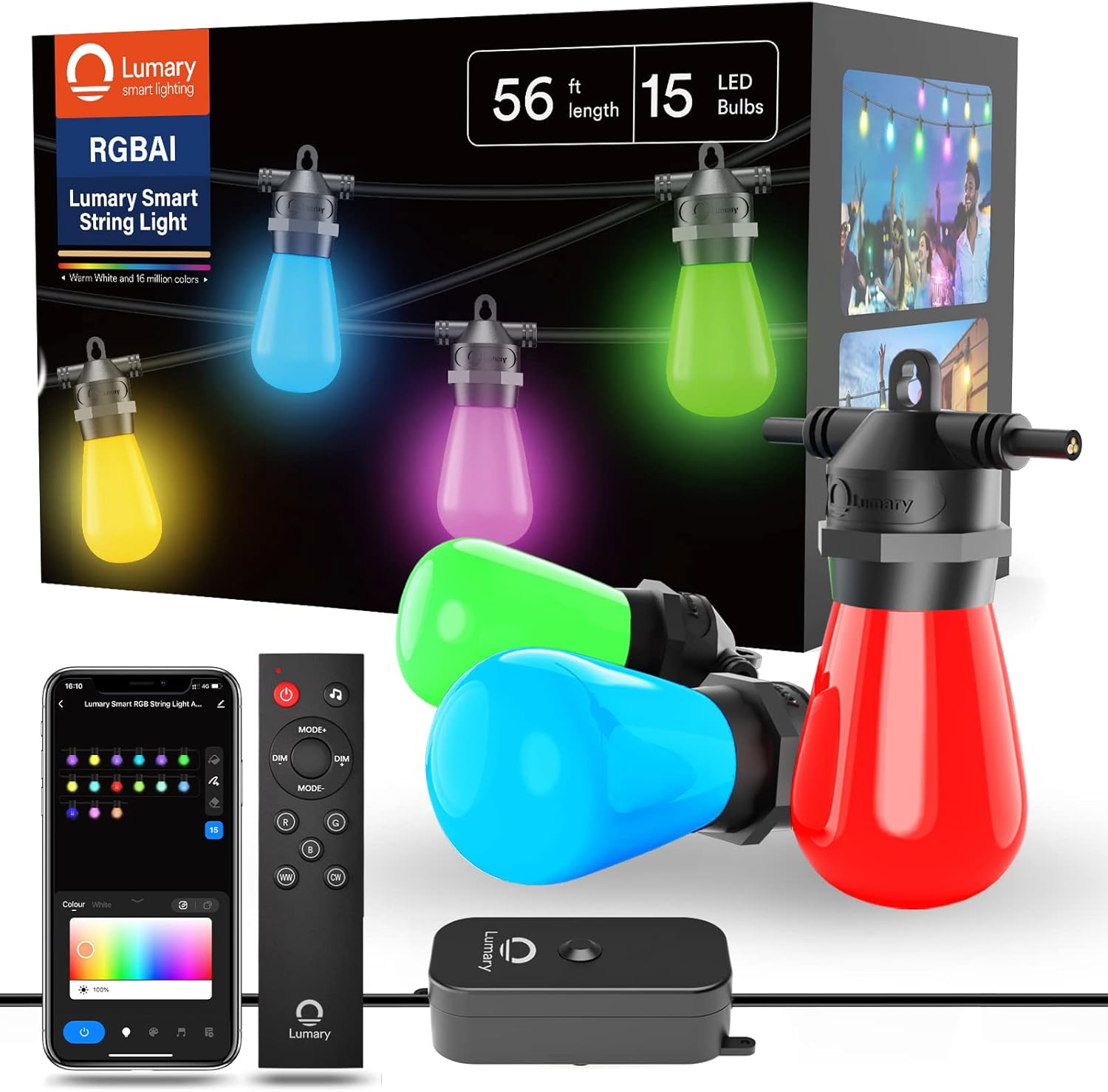
Figure 1: Lumary Smart String Light product packaging and components.
2. Коопсуздук нускамалары
- электр менен жабдууну камсыз кылуу voltage продуктунун талаптарына дал келет (110V AC).
- Do not attempt to repair or modify the product yourself. Refer all servicing to qualified personnel.
- Keep the product away from open flames and extreme heat sources.
- Ensure all connections are secure before plugging into a power outlet.
- Do not immerse the power adapter or control box in water, despite the IP65 rating for the string light itself.
- Always unplug the string light from the power source before cleaning or performing any maintenance.
- This product is designed for outdoor use but should be installed in a manner that minimizes exposure to severe weather conditions.
3. Пакеттин мазмуну
Пакетте бардык буюмдар бар экенин текшериңиз:
- 1x Lumary Smart LED String Light (16.5m with 15 bulbs)
- 1x Spare LED Bulb
- 1x Smart Controller
- 1x Power адаптер
- 1x Алыстан башкаруу
- 1x Колдонуучунун колдонмосу (бул документ)
4. Орнотуу
4.1 Физикалык орнотуу
- Unpack the string light and all components.
- Carefully uncoil the string light, ensuring no tangles or damage to the cable or bulbs.
- Mount the string light in your desired outdoor location. The cable is designed to withstand outdoor elements.
- Connect the smart controller to the string light.
- Connect the power adapter to the smart controller.
- Ensure the power adapter is placed in a dry location, protected from direct water exposure.

Figure 2: Component overview and dimensions. The string light measures 16.5m (56ft) with 15 bulbs. The plug wire is 0.98m, and the distance from the smart controller to the first bulb is 1.7m.

Figure 3: Detailed dimensions and layout of the string light.
4.2 Колдонмону орнотуу жана жупташтыруу
- Download the "Lumary" app from your smartphone's app store.
- Register or log in to your Lumary account.
- Plug the string light into a power outlet. The lights should begin to flash, indicating pairing mode.
- In the Lumary app, follow the on-screen instructions to add a new device.
- Ensure your smartphone is connected to a 2.4GHz Wi-Fi network. The Lumary Smart LED String Light only supports 2.4GHz Wi-Fi.
- Once connected, you can control the lights via the app.
4.3 Үн жардамчысын интеграциялоо
The Lumary Smart LED String Light is compatible with Alexa and Google Assistant.
- Ensure your string light is successfully paired with the Lumary app.
- Alexa же Google Home колдонмоңузду ачыңыз.
- "Көндүмдөр" же "Google менен иштейт" бөлүмүнө өтүңүз.
- Издөө and enable the "Lumary" skill/service.
- Link your Lumary account when prompted.
- Discover devices. Your Lumary Smart LED String Light should now appear in your voice assistant app.
- You can now use voice commands such as "Alexa, turn on the string light" or "Hey Google, change string light to red."
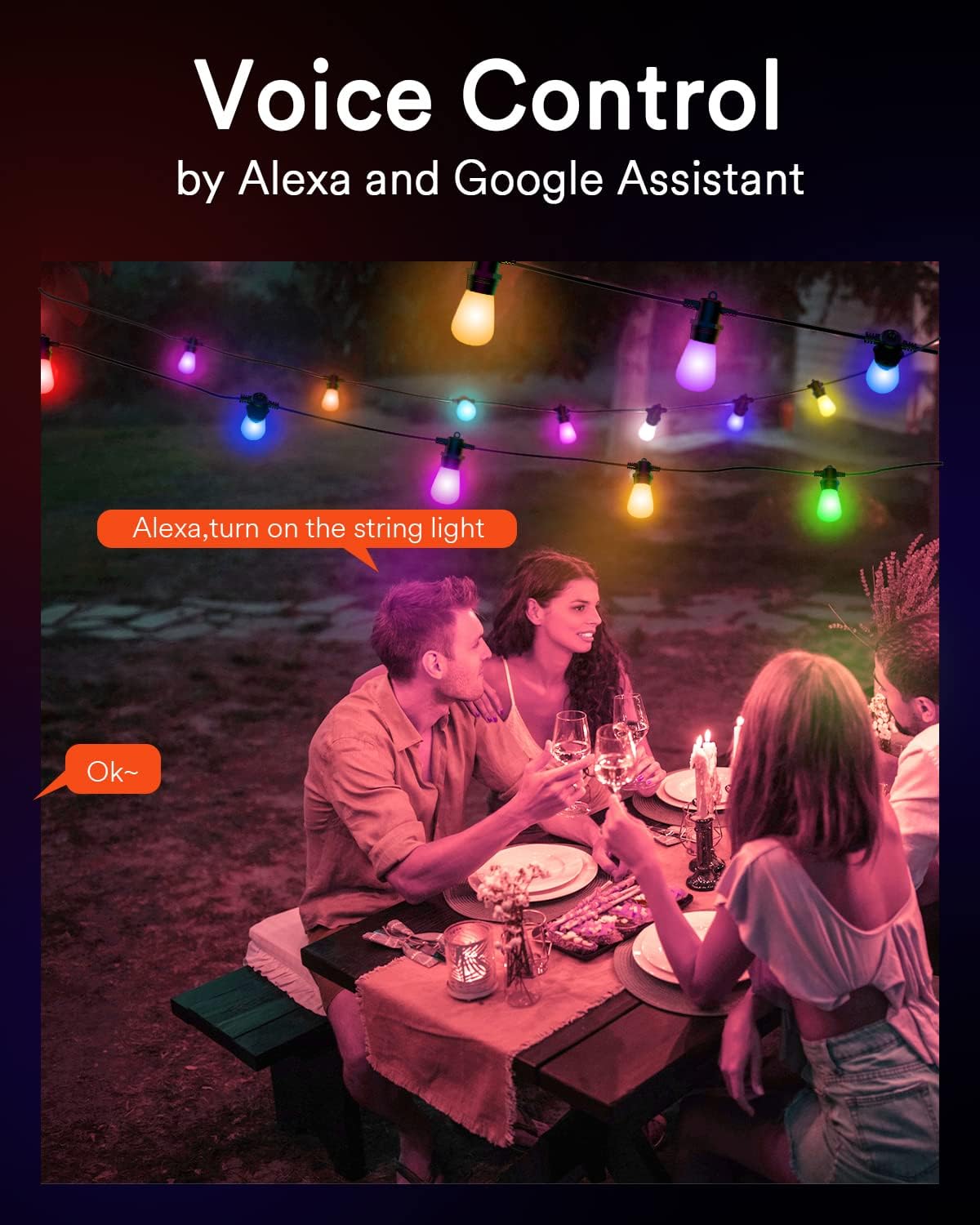
Figure 4: Voice control in action with Alexa.
5. Иштөө нускамалары
5.1 Башкаруу режимдери
Your Lumary Smart LED String Light offers multiple control options:
- Lumary колдонмосу: Full control over colors, brightness, scenes, and scheduling.
- Алыстан башкаруу: Included remote for basic functions like on/off, mode changes, and dimming.
- Которгуч кутучасы: The physical control box on the string light allows for basic on/off and mode changes without network connectivity.
- Үн менен башкаруу: Handsfree иштөө үчүн Alexa же Google Assistant менен интеграцияланыңыз.

Figure 5: ашыкview of the four available control modes.
5.2 Түсү жана жарыктыгын жөндөө
- RGBAiWW Technology: The string light features RGBAiWW technology, allowing for a wide spectrum of colors, including 16 million color options and dedicated warm white modes.
- Жеке лампа башкаруу: Each bulb can be controlled independently via the Lumary app. You can turn individual bulbs on/off, change their color, and adjust brightness from 1% to 100%.
- Топтук көзөмөл: Create groups within the Lumary app to manage multiple string lights or sections simultaneously with a single command.
5.3 Scene Modes and Music Synchronization
- Алдын ала коюлган көрүнүштөр: The Lumary app offers over 8 preset scene modes to instantly set the ambiance for various occasions.
- DIY Scenes: Customize and save your own scene modes by adjusting colors and brightness to your preference.
- Музыка синхрондоштуруу: The string light can change colors in sync with music rhythms or game sounds, enhancing your entertainment experience.
5.4 Timer and Scheduling
Use the Lumary app to set schedules for your string lights:
- Таймер функциясы: Set a timer for the lights to automatically turn on or off after a specified duration.
- Пландаштыруу: Create daily or weekly schedules for the lights to activate or deactivate at specific times, such as turning on in the evening and off in the morning.
6. Техникалык тейлөө
6.1 Туруктуулуктун өзгөчөлүктөрү
- IP65 Суу өткөрбөйт: The string light and control box are rated IP65, providing protection against dust and water jets, making them suitable for outdoor use in various weather conditions.
- Сындырбас лампалар: The robust PC plastic bulbs are designed to be shatterproof, resisting impacts and drops.
- Stronger Cable: The string light features a 22 AWG (3-conductor) cable, enhancing its durability and resistance to wind, rain, and snow.
- Parallel Technology: Designed with parallel wiring, if one bulb breaks, the remaining bulbs will continue to function without interruption.

Figure 6: Lumary's durable design features compared to standard string lights.
6.2 Лампаны алмаштыруу
The string light comes with 15 dimmable 1W LED bulbs and 1 spare bulb. If a bulb needs replacement:
- Ensure the string light is unplugged from the power source.
- Carefully unscrew the faulty bulb.
- Screw in a new compatible LED bulb.
- Dispose of the old bulb responsibly.
7. Кыйынчылыктарды
| Көйгөй | Мүмкүн себеп | Чечим |
|---|---|---|
| Жарыктар күйбөйт. | Электр энергиясы жок, байланыш үзүлүп калган, лампочка бузук. | Check power outlet, ensure all connections are secure. Replace any faulty bulbs with the spare provided. |
| Wi-Fi'га туташпай жатат. | Туура эмес Wi-Fi диапазону, алсыз сигнал, туура эмес сырсөз. | Ensure your router is broadcasting a 2.4GHz Wi-Fi signal. Move the string light closer to the router. Double-check Wi-Fi password. Reset the smart controller and try pairing again. |
| Пульт иштебей жатат. | Батарея түгөнүп калды, тоскоолдук, диапазондон тышкары. | Replace remote control battery. Ensure no obstructions between remote and control box. Operate within effective range. |
| One or more bulbs are off. | Бузулган лампа. | Due to parallel technology, other bulbs should still work. Replace the specific faulty bulb with the spare. |
8. Техникалык шарттар
| Өзгөчөлүк | Деталь |
|---|---|
| Бренд | Lumary |
| Модель номери | EU-SI56B-1 |
| Узундук | 16.5 метр (56 фут) |
| Лампалар саны | 15 + 1 запас |
| Лампанын түрү | LED, 1W dimmable |
| Light Color Output | RGBAiWW (16 million colors, warm white) |
| Материал | ABS, Polycarbonate, PVC |
| Кирүү коргоо (IP) рейтинги | IP65 |
| Тtage | 110 вольт (AC) |
| Максималдуу Wattage | 14.58 Watts-hours |
| Күч | 12.00 Ватт |
| Өзгөчөлүктөр | Color changing, shatterproof, adjustable, remote controlled, timer, voice control (Alexa/Google Assistant) |
| Байланыш | Wi-Fi (2.4 ГГц гана), Bluetooth |
| Түстөрдү көрсөтүү индекси (CRI) | 80 |
| Элемент Салмагы | 1.44 килограмм |

Figure 7: EU Energy Label. For more details, refer to the EPREL маалымат базасы.

Figure 8: Product Data Sheet with detailed technical information. For more details, refer to the EPREL маалымат базасы.
9. Кепилдик жана колдоо
Specific warranty information for the Lumary Smart LED String Light is not provided in the product data. For warranty details, technical support, or replacement parts, please contact Lumary customer service directly or refer to the official Lumary webсайт.
Information regarding the availability of spare parts and guaranteed software updates is not available in the provided product data.


