Introduction
This manual provides detailed instructions for the operation and maintenance of your Technical Pro 6000 Watts Professional Portable PA System. Please read this manual thoroughly before operating the unit to ensure proper use and to prevent damage.
Коопсуздук маалыматы
Бул продуктуну колдонууда ар дайым төмөнкү негизги коопсуздук чараларын сактаңыз:
- Бул аппаратты жамгырга же нымга тийгизбеңиз.
- капкакты алып салбаңыз. Ичинде колдонуучу тейлей турган бөлүктөр жок. Тейлөө боюнча квалификациялуу кызматкерлерге кайрылыңыз.
- Туура желдетүүнү камсыз кылыңыз. Вентиляция тешиктерин жаап албаңыз.
- Connect only to a grounded power outlet.
- Электр шнурын басуудан же кысып калуудан сактаңыз.
- Чагылган бороондо же узак убакыт бою колдонбогондо, розеткадан ажыратыңыз.
Продукт бүттүview
The Technical Pro TPPOWER60 is a 2-channel digital stereo power amplifier designed for professional audio applications. It features high-quality components and robust construction for reliable performance.
Front Panel

Сүрөт: алдыңкы view of the Technical Pro TPPOWER60 amplifier, showing the power switch, channel volume controls, and LED meters.
- POWER которуштуруу: Бирдикти күйгүзөт же өчүрөт.
- CH1/CH2 Volume Controls: Ар бир канал үчүн чыгаруу деңгээлин тууралаңыз.
- Spectrum LED Display: Visualizes the audio signal levels for each channel.
- Indicators (CLIP, SIGNAL, PROTECT): Provide status feedback on the amplifier's operation.
Арткы панель

Сүрөт: Арткы view of the Technical Pro TPPOWER60 amplifier, showing input and output connections, and cooling fans.
- Audio Inputs (XLR, 1/4'', RCA): Connect audio sources to the ampөмүрлүү.
- Speaker Outputs (Banana binding post, Speakon, 1/4''): Динамиктерге туташтырыңыз ampөмүрлүү.
- Муздатуу желдеткичтери: Ensure proper heat dissipation during operation.
- Power Inlet: туташтырат ampAC кубат булагына көтөргүч.
Жайгашуу
Пакеттен чыгаруу
Кылдаттык менен алып салуу amplifier from its packaging. Retain the original packaging materials for future transport or storage.
Жайгаштыруу
кой amplifier on a stable, flat surface. Ensure adequate ventilation around the unit. Do not place it near heat sources or in direct sunlight. Allow sufficient space for the cooling fans to operate effectively.

Сүрөт: The amplifier integrated into a home entertainment system, demonstrating typical placement.
Байланыштар
- Аудио киргизүү туташуу: Аудио булагын туташтыруу (миксер, алдын алаampкөтөргүч ж.б.) үчүн amplifier's input jacks (XLR, 1/4'', or RCA) on the rear panel. Ensure secure connections for both channels.
- Динамик чыгаруу туташуу: Connect your speakers to the appropriate output terminals (Banana binding post, Speakon, or 1/4'') on the rear panel. Observe correct polarity (+ to + and - to -) to prevent phase issues.
- Кубат туташуу: камсыз кылуу amplifier's power switch is in the OFF position. Connect the supplied power cord to the power inlet on the rear panel and then to a suitable grounded AC power outlet.
Иштөө нускамалары
Күйгүзүү/өчүрүү
To power on the unit, press the POWER switch on the front panel. The LED display and indicators will illuminate. To power off, press the POWER switch again.
Үндү көзөмөлдөө
Adjust the CH1 and CH2 volume controls on the front panel to set the desired output level for each channel. Start with the volume controls at their minimum setting before powering on to avoid sudden loud sounds.
Киргизүүнү тандоо
The amplifier automatically detects the active input. Ensure only one type of input (XLR, 1/4'', or RCA) is connected per channel at a time to avoid signal conflicts.
Bluetooth Жупташтыруу
Бул amplifier supports Bluetooth connectivity for wireless audio streaming. To pair a device:
- камсыз кылуу ampкөтөргүч күйгүзүлгөн.
- Мобилдик түзмөгүңүздө (смартфон, планшет ж.б.) Bluetooth'ту иштетиңиз.
- Издөө available Bluetooth devices and select "Technical Pro" or a similar identifier.
- Once paired, audio from your device will stream through the ampөмүрлүү.
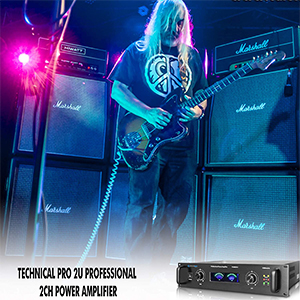
Сүрөт: визуалдык түрдө чагылдырылган amplifier's Bluetooth compatibility, showing a smartphone icon next to the ampөмүрлүү.
LED дисплей интерпретациясы
- Spectrum LED Display: Provides a visual representation of the audio signal strength. Higher bars indicate a stronger signal.
- SIGNAL Indicator: Аудио сигнал болгондо күйөт.
- CLIP көрсөткүчү: Illuminates when the input signal is too strong, causing distortion. Reduce the input level or amplifier volume if this indicator lights up frequently.
- PROTECT Indicator: Illuminates if the amplifier enters protection mode due to overheating, short circuit, or other issues. Power off the unit, check connections, and allow it to cool before restarting.
Техникалык тейлөө
Сиздин узак жана оптималдуу иштешин камсыз кылуу үчүн amplifier, бул тейлөө көрсөтмөлөрүн аткарыңыз:
- Тазалоо: Use a soft, dry cloth to wipe the exterior of the unit. Do not use liquid cleaners or solvents.
- Вентиляция: Желдетүүчү тешиктердин жана муздатуучу желдеткичтердин чаң менен таштандылардан тазаланганын үзгүлтүксүз текшерип туруңуз. Тыгылган жерлерди акырын тазалоо үчүн кысылган абаны колдонуңуз.
- Сактагыч: Эгер аппаратты узак убакытка сактасаңыз, аны электр кубатынан ажыратып, салкын, кургак жерде, эң жакшысы баштапкы таңгагында сактаңыз.
Проблемаларды чечүү
| Көйгөй | Мүмкүн себеп | Чечим |
|---|---|---|
| Күч жок | Электр шнуру туташтырылган эмес; Розетка бузук; Кубат өчүк. | Ensure power cord is securely connected; Test power outlet with another device; Press the POWER switch to ON. |
| Үн чыгышы жок | Input cables not connected; Speaker cables not connected; Volume controls too low; PROTECT indicator on. | Check all input and speaker connections; Increase volume controls; Refer to PROTECT indicator solution. |
| Distorted sound / CLIP indicator on | Киргизүү сигналы өтө жогору; Ampкөтөргүчтүн көлөмү өтө жогору. | Reduce the output level from your audio source; Lower the ampкөтөргүчтүн үн башкаруу элементтери. |
| PROTECT indicator on | Overheating; Short circuit in speaker wiring; Speaker impedance too low. | Turn off the unit, allow it to cool; Check speaker wiring for shorts; Ensure speaker impedance matches ampкөтөрүүчү талаптар. |
| Bluetooth жупташуу көйгөйлөрү | Түзмөк өтө алыс жайгашкан; Bluetooth түзмөктө иштетилген эмес; Тоскоолдук жаралат. | Түзмөктү жакыныраак жылдырыңыз amplifier; Enable Bluetooth on your device; Reduce interference from other wireless devices. |
Техникалык шарттар
| Өзгөчөлүк | Деталь |
|---|---|
| Эң жогорку кубаттуулук | 6000 Ватт |
| Frequency Response | 20Hz-20kHz ±1 dB |
| Dampфактор | >200 @ 8 ohm |
| Толук гармоникалык бурмалоо | <0.02% |
| Сигнал ызы-чуу катышы | -105 dB (unweighted 20Hz-20kHz) |
| Киргизүү сезгичтиги | .775V (0dBu) |
| Киргизүүлөр | XLR, 1/4'', RCA |
| Чыгуулар | Banana binding post, Speakon, 1/4'' |
| Муздатуу | Кош муздатуу ылдамдыгы күйөрмандары |
| Өлчөмдөр (D x W x H) | 11.14" x 19.02" x 3.94" |
| Салмагы | 13.92 фунт |

Сүрөт: визуалдык түрдө чагылдырылган amplifier's dimensions, indicating 11.14 inches depth, 19.02 inches width, and 3.94 inches height.
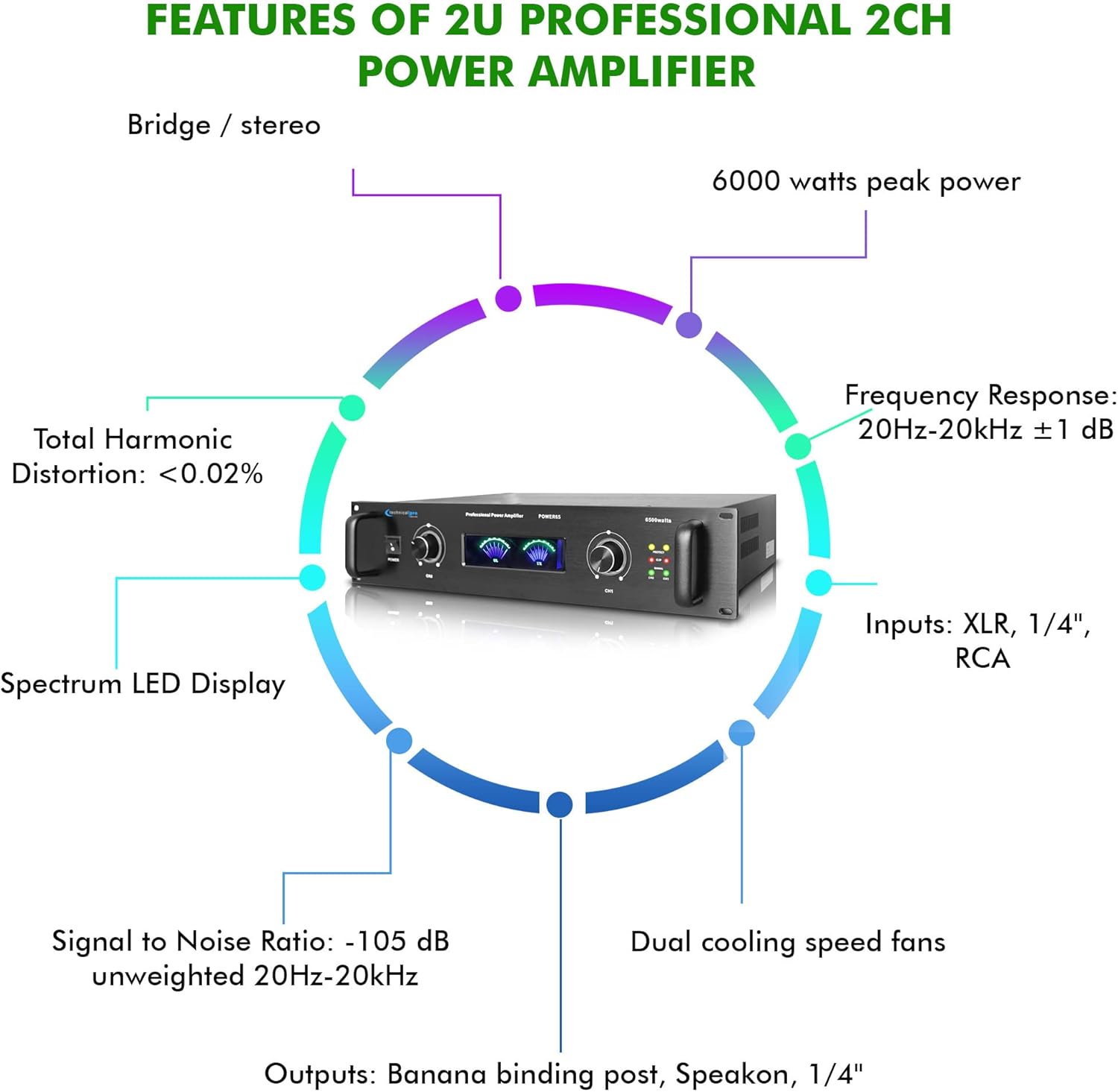
Image: A circular diagram highlighting key features such as 6000 watts peak power, frequency response, inputs, outputs, dual cooling fans, signal to noise ratio, total harmonic distortion, and spectrum LED display.
Кутуда эмне бар
Пакетке төмөнкүлөр кирет:
- Technical Pro 6000 Watts Professional Portable PA System, 2 Channel Digital Stereo Power Amplifier with Dual Cooling Speed Fans
- Электр кабели
- Колдонуучунун Колдонмосу (бул документ)
Кепилдик жана колдоо
Technical Pro products are designed for reliability and performance. For warranty information and technical support, please refer to the official Technical Pro webсайтка же кардарларды тейлөө бөлүмүнө кайрылыңыз. Сатып алуу квитанциясын кепилдик дооматтары үчүн сатып алуунун далили катары сактаңыз.
Кошумча жардам алуу үчүн, баш багыңыз Technical Pro Store on Amazon.


