1. Киришүү
The MAUL Commercial Calculator MXL16 is designed for commercial use, offering a stable and resilient build with an extra-large case (20.5 x 15.5 cm) for comfortable operation. It features a large, angled 16-digit display for improved readability and large, distinctively colored buttons for quick and accurate input. This calculator combines precision and reliability for both desk and mobile use.
Негизги өзгөчөлүктөр төмөнкүлөрдү камтыйт:
- 16-digit LCD display with 1 line.
- Angled display for optimal viewing.
- Solar and battery powered (LR44 battery included).
- Automatic shut-off to conserve energy.
- Comprehensive functions including tax calculation, 3-button memory, root calculation, and percentage.
- Durable plastic buttons for easy cleaning.
2. Орнотуу
2.1 Кубат булагы
The MAUL MXL16 calculator operates using both solar power and a single LR44 battery. The solar panel provides power in well-lit environments, while the battery ensures operation when light is insufficient. An LR44 battery is included with the calculator.

2.1-сүрөт: Төмөнкү view of the calculator, indicating the battery compartment.
2.2 Алгачкы колдонуу
Upon first use, ensure the calculator is exposed to adequate light for solar power or that the included LR44 battery is correctly installed. The calculator features an automatic shut-off function to conserve power when not in use.

2.2-сүрөт: Side view showing the angled display for better reading.
3. Иштөө нускамалары
The MAUL MXL16 calculator provides a range of functions for commercial calculations. The buttons are color-coded for easier identification and faster operation.
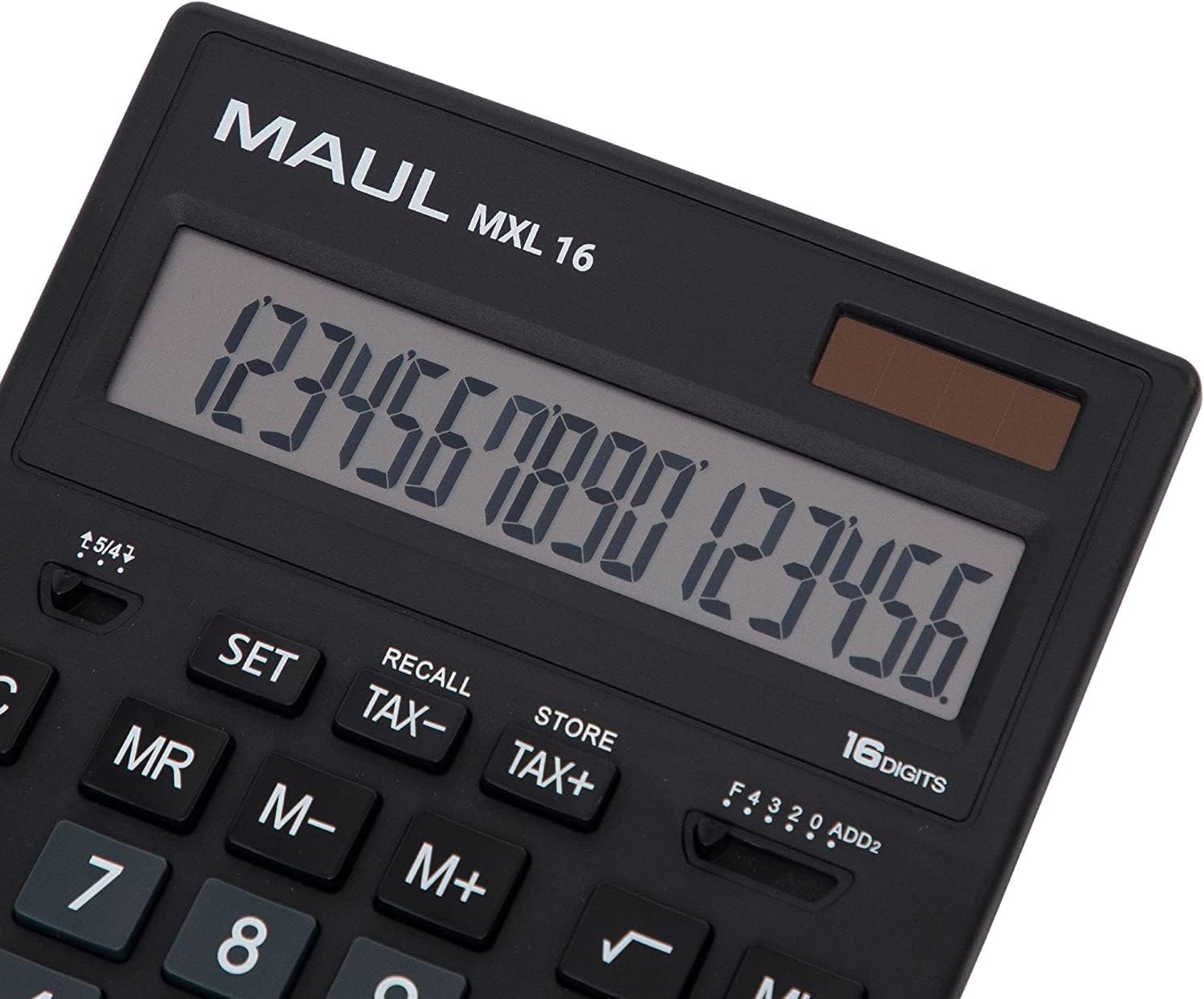
3.1-сүрөт: Display and key layout of the MAUL MXL16.
3.1 Негизги операциялар
- ON/AC: Turns the calculator on or clears all entries and memory.
- CE/C: Clears the last entered number or the current calculation without affecting memory. Pressing twice may clear all.
- Сан баскычтары (0-9): Input numerical values.
- Ондук чекит (.): Ондук чекит киргизет.
- Arithmetic Operators (+, -, ×, ÷): Кошуу, кемитүү, көбөйтүү жана бөлүү амалдарын аткарыңыз.
- Барабар (=): Displays the result of a calculation.
3.2 Атайын функциялар
- Салыктарды эсептөө (САЛЫК+, САЛЫК-): Allows for easy calculation of prices with or without tax. Use the SET button to configure the tax rate.
- Memory Functions (MR, M-, M+):
- M+: Көрсөтүлгөн маанини эс тутумга кошот.
- М-: Көрсөтүлгөн маанини эстутумдан чыгарат.
- MR: Recalls the value stored in memory.
- MC: Clears the memory (often by pressing MR twice or a dedicated MC button).
- Root Calculation (√): Көрсөтүлгөн сандын квадрат тамырын эсептейт.
- Персенtage (%): Пайыздык көрсөткүчтү аткаратtage эсептөөлөр.
- Белгини өзгөртүү (+/-): Көрсөтүлгөн сандын белгисин өзгөртөт (оңдон терске же тескерисинче).
- Double Zero (00) / Triple Zero (000): For quick entry of multiple zeros.
- Comma Selector Switch: Adjusts the decimal point display.
- Automatic Rounding: Allows selection of how numbers are rounded (e.g., up, down, or standard).
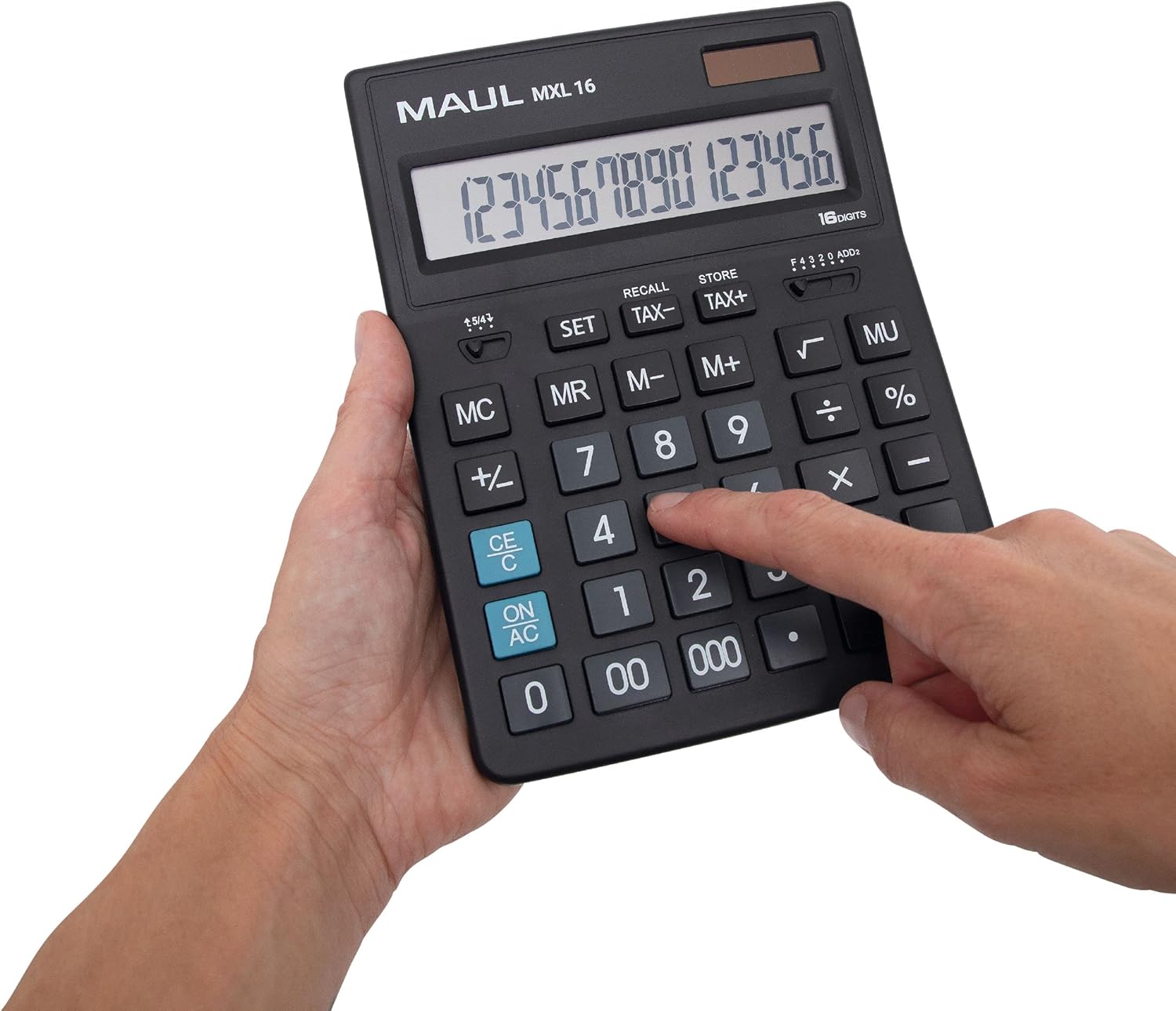
3.2-сүрөт: User interacting with the calculator keys.
4. Техникалык тейлөө
The MAUL MXL16 calculator is designed for durability with sturdy plastic buttons that are easy to clean.
- Тазалоо: Use a soft, dry cloth to wipe the calculator's surface and keys. For stubborn dirt, a slightly damp жумшак самын менен кездеме колдонсо болот, бул аппаратка суюктук кирбесин.
- Сактагыч: Калькуляторду күн нурунан жана экстремалдык температурадан алыс салкын, кургак жерде сактаңыз.
- Батареяны алмаштыруу: If the display becomes dim or the calculator functions intermittently in low light, the LR44 battery may need replacement. Refer to the battery compartment on the underside of the calculator for access.
5. Кыйынчылыктарды
- Калькулятор күйбөйт:
- Калькулятор күн энергиясы үчүн жетиштүү жарыкка туш болушун камсыз кылыңыз.
- Check if the LR44 battery is correctly installed and has sufficient charge. Replace if necessary.
- Туура эмес эсептөөлөр:
- Press the ON/AC button to clear all previous entries and memory, then re-enter the calculation.
- Verify the correct input of numbers and operations.
- Дисплей күңүрт же бүлбүлдөп жатат:
- Ensure adequate lighting for the solar panel.
- LR44 батареясын алмаштырыңыз.
6. Техникалык шарттар
| Модель аты | MXL16 |
| Модель номери | 7267890 |
| Дисплей | 16 Digits, 1 Line LCD, Angled |
| Өлчөмдөрү (L x W) | 20.5 x 15.5 см |
| Power Source | Solar and 1 x LR44 Battery (included) |
| Материал | Plastic (housing and buttons) |
| Функциялар | Tax calculation, 3-button memory, Root, Percent, Sign change, Automatic rounding, Double/Triple zero buttons, Comma selector switch |
| Автоматтык өчүрүү | Ооба |
7. Кепилдик
The MAUL Commercial Calculator MXL16 comes with a 5 жылдык кепилдик. Кепилдик дооматтары үчүн сатып алганыңыздын далилин сактап коюңуз. Кепилдик нормалдуу колдонуу шарттарында өндүрүштүк кемчиликтерди камтыйт.
8. Колдоо
For further assistance, technical support, or warranty inquiries, please contact your retailer or the MAUL customer service department. Refer to the product packaging or the MAUL official webбайланыш маалыматы үчүн сайт.


