Introduction
This manual provides comprehensive instructions for the ENDORFY Omnis Pudding Onyx White Red mechanical keyboard (Model EY5A036). This full-size keyboard features Kailh Red mechanical switches, durable PBT Pudding keycaps, and customizable ARGB backlighting. It is designed for various applications, including gaming, creative work, and general office use, offering a responsive and comfortable typing experience. Key features include a reinforced chassis, a detachable magnetic wrist rest, and a metal volume wheel for convenient audio control.
Пакеттин мазмуну
- ENDORFY Omnis Pudding Onyx White Red Mechanical Keyboard
- Ажыратылуучу USB-A кабели
- Магниттик билек эс алуу
- Колдонуучунун Колдонмосу (бул документ)
Жайгашуу
1. Баскычтопту туташтыруу
Connect the detachable USB-A cable to the USB-C port on the keyboard and then to an available USB-A port on your computer. The keyboard is plug-and-play and should be recognized automatically by your operating system.
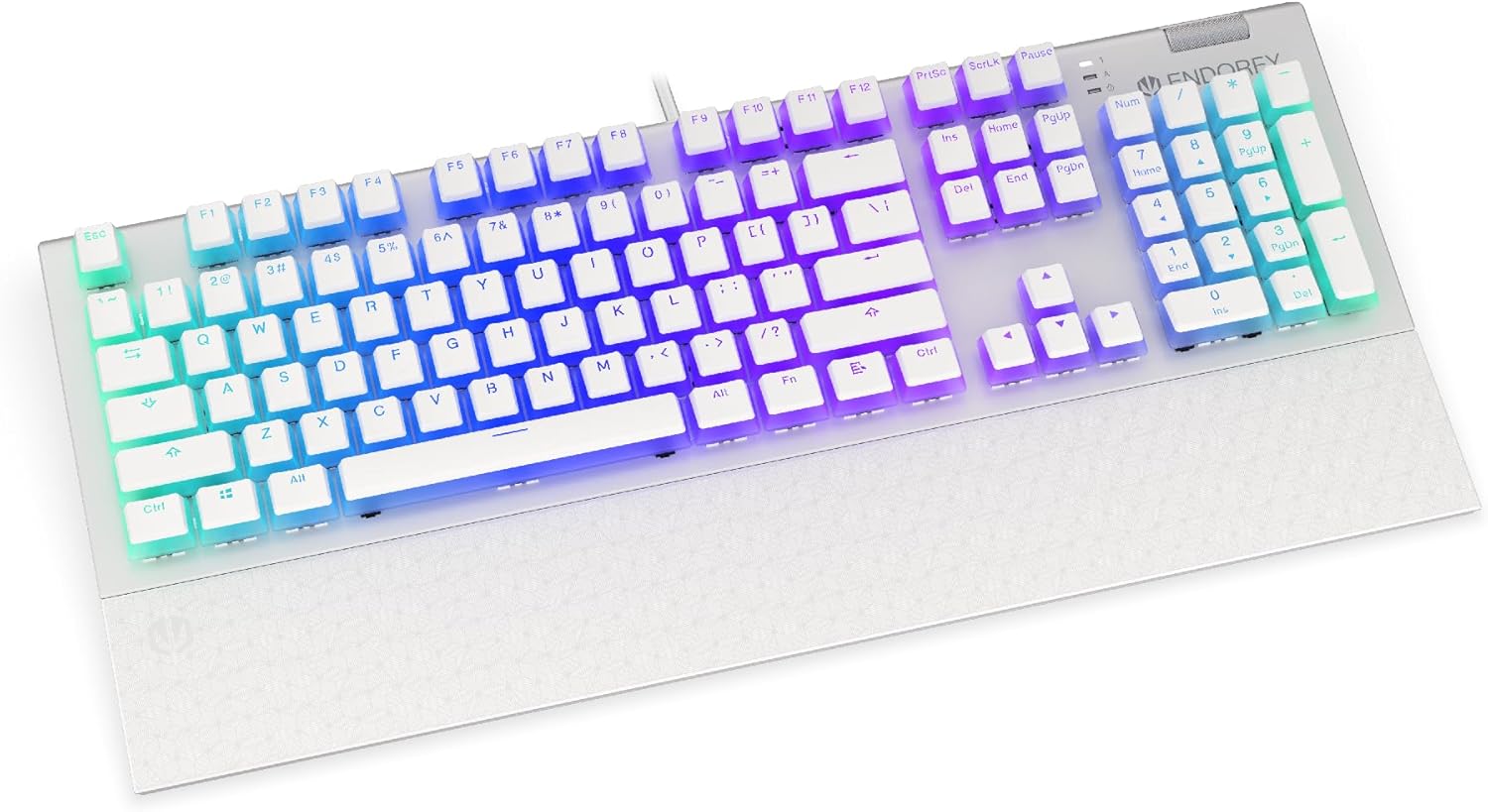
Сүрөт: алдыңкы view of the ENDORFY Omnis Pudding Onyx White Red mechanical keyboard, showcasing its full layout and connected cable.
2. Билек таянычын бекитүү
Align the magnetic wrist rest with the front edge of the keyboard. The magnets will automatically secure it in place, providing ergonomic support during use.

Сүрөт: бурчтуу view of the ENDORFY Omnis Pudding Onyx White Red mechanical keyboard with the magnetic wrist rest attached, highlighting the seamless integration.
3. Программалык камсыздоону орнотуу (кошумча)
For advanced customization of lighting effects, key assignments, and macros, download the official ENDORFY software from the manufacturer's webсайт. Орнотуу үчүн экрандагы нускамаларды аткарыңыз.
Иштөө нускамалары
Негизги баскычтоп функциялары
The keyboard features a standard full-size layout with a dedicated numpad, function keys (F1-F12), and navigation keys. All keys operate as standard input devices for your computer.
Volume Wheel Operation
The metal volume wheel located on the top right of the keyboard allows for quick audio adjustments:
- Өйдө айландыруу: Үнүн жогорулатуу.
- Төмөн айландыруу: Үнүн азайтуу.
- Төмөн басыңыз: Аудиону үнсүз кылуу/үнсүз кылуу.
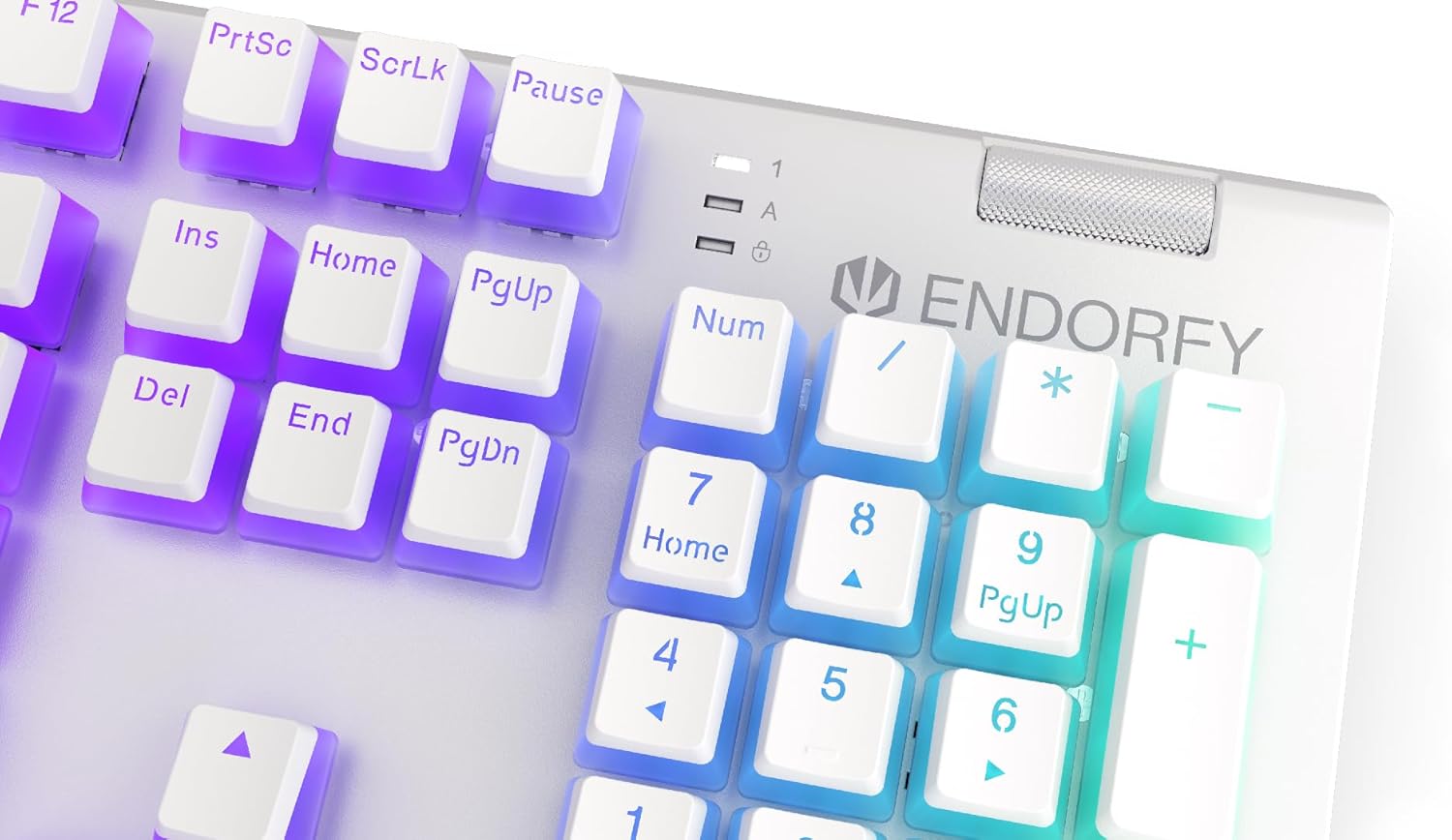
Сүрөт: Жакын план view of the keyboard's numpad and the prominent metal volume wheel, indicating its position for easy access.
RGB арткы жарыкты башкаруу
The keyboard features customizable ARGB backlighting. Lighting effects and brightness can be adjusted using the dedicated ENDORFY software. Some basic lighting modes and brightness levels may also be accessible via keyboard shortcuts (e.g., Fn + arrow keys or specific function keys), though advanced customization is recommended through the software.

Image: The ENDORFY Omnis Pudding Onyx White Red mechanical keyboard illuminated with vibrant RGB backlighting, showcasing the Pudding keycaps.
N-Key Rollover (NKRO)
The keyboard supports N-Key Rollover, which means every key press is registered independently, regardless of how many other keys are being pressed simultaneously. This feature is particularly beneficial for fast typists and gamers, preventing ghosting or missed inputs.
Программалык камсыздоонун иштеши
The ENDORFY software allows users to:
- Customize ARGB lighting effects and colors.
- Жеке баскычтарды кайталаңыз.
- Татаал буйрук ырааттуулугу үчүн макросторду түзүңүз жана дайындаңыз.
- Бир нече адисти башкарууfileар кандай колдонмолор же оюндар үчүн.
Техникалык тейлөө
Баскычтопту тазалоо
Оптималдуу аткарууну жана көрүнүштү сактоо үчүн:
- Тазалоодон мурун клавиатураны компьютерден ажыратыңыз.
- Бир аз жумшак, түксүз кездемени колдонуңуз dampачкыч капкактарын жана шассиди сүртүү үчүн суу же жумшак тазалоо эритмеси менен камтылган.
- Баскыч капкактарынын ортосундагы чаң жана таштанды үчүн кысылган абаны колдонуңуз.
- Катуу химиялык заттарды же абразивдүү материалдарды колдонуудан алыс болуңуз.
Keycap Removal and Replacement
The PBT Pudding keycaps can be removed for thorough cleaning or replacement. Use a keycap puller (not included) to gently lift keycaps straight up. When replacing, align the keycap with the switch stem and press down firmly until it clicks into place.

Сүрөт: Жакын план view of the Kailh Red mechanical switches, visible when keycaps are removed, illustrating the switch mechanism.
Проблемаларды чечүү
- Баскычтоп жооп бербейт:
Ensure the USB cable is securely connected to both the keyboard and the computer. Try connecting the keyboard to a different USB port or a different computer to rule out port or system issues. Restart your computer. - Арткы жарык иштебейт же туура эмес:
Check the brightness settings via the ENDORFY software or any onboard shortcuts. Ensure the software is up to date. If specific keys have incorrect lighting, reset the lighting profile программалык камсыздоодо. - Катталбаган ачкычтар:
Clean under the affected keycaps to remove any debris that might be obstructing the switch. If the issue persists, it may indicate a hardware fault; refer to the Warranty and Support section. - Wrist Rest Not Attaching Securely:
Ensure there is no debris between the keyboard and the wrist rest that might interfere with the magnetic connection.
Техникалык шарттар
| Өзгөчөлүк | Деталь |
|---|---|
| Бренд | ENDORFY |
| Модель номери | EY5A036 |
| Түс | Ак |
| Негизги которгучтар | Kailh Red Mechanical |
| Баскыч капкактары | PBT Pudding |
| Макет | Full-size (US Layout) |
| Арткы жарыктандыруу | ARGB (Configurable RGB) |
| Байланыш | USB-A (Detachable Cable) |
| Билек эс алуу | Magnetic, Detachable |
| Үндү көзөмөлдөө | Metal Volume Wheel |
| N-Key Rollover | Ооба |
| Шайкеш операциялык системалар | Linux, Mac OS X 10.12 Sierra, Windows 7, Windows 8, Windows 10 |
| Сунушталган колдонуу | Gaming, Multimedia |
| Материал | Полибутилентерефталат (PBT) |
Кепилдик жана колдоо
ENDORFY products are covered by a manufacturer's warranty. For detailed warranty terms, technical support, or service inquiries, please refer to the official ENDORFY webсайтына кириңиз же жергиликтүү сатуучуңузга кайрылыңыз. Кепилдик талаптары үчүн сатып алганыңызды тастыктаган документти сактап коюңуз.


