1. Киришүү
The ELEGRP Wireless Charging Station is a versatile 3-in-1 device designed to simultaneously charge your compatible iPhone, Apple Watch, and AirPods. Its foldable and compact design makes it ideal for both home use and travel. This manual provides essential information for safe and efficient operation of your charging station.

Image 1.1: The ELEGRP 3-in-1 Wireless Charging Station in use, charging an iPhone, Apple Watch, and AirPods simultaneously.
2. Пакеттин мазмуну
Пакетиңизде бардык буюмдар бар экенин текшериңиз:
- 1 x ELEGRP 3-in-1 Wireless Charging Station
- 1 x 18W Fast Adapter
- 1 x 3FT USB Type-C Cable
- 1 х Колдонуучунун колдонмосу (бул документ)
- 1 кызматы карта х
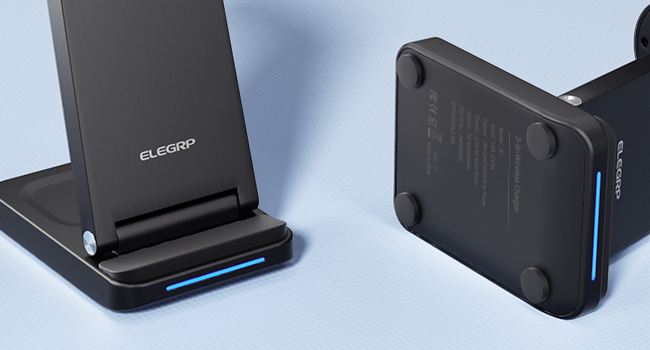
Image 2.1: All components included in the ELEGRP Wireless Charging Station package.
3. Орнотуу нускамалары
Follow these steps to set up your ELEGRP Wireless Charging Station:
- Заряддоо станциясын ачуу: Gently unfold the charging station to its upright position. Ensure all charging surfaces are accessible.
- Кубат кабелин туташтыруу: Insert the USB Type-C cable into the charging port on the back of the charging station.
- Кубат адаптерине туташуу: Plug the other end of the USB Type-C cable into the provided 18W fast adapter.
- Дубал розеткасына сайыңыз: Insert the power adapter into a standard wall outlet. The LED indicator on the charging base will illuminate, indicating the device is powered on and ready for use.

Image 3.1: The charging station helps organize your charging area by consolidating multiple devices.
4. Иштөө нускамалары
The ELEGRP Wireless Charging Station is designed for ease of use. Simply place your compatible devices on the designated charging areas.
4.1 Түзмөктөрдү заряддоо
- Смартфондор үчүн: Place your Qi-enabled smartphone vertically or horizontally on the main charging pad. The phone's screen will indicate charging status.
- Apple Watch үчүн: Place your Apple Watch on the magnetic charging module. Ensure the watch is properly aligned and begins charging.
- AirPods/Кулакчындар үчүн: Place your wireless charging compatible AirPods or other earbuds on the base charging pad.
The 18W adapter automatically distributes power to ensure all devices charge efficiently overnight.
4.2 LED индикаторунун абалы
The charging station features an LED indicator on the base to communicate its status:
- Interactive Slow Flash (Blue/Green): Indicates the device is powered on and in standby mode, ready to charge.
- Interactive Fast Flash (Blue/Green): Indicates a charging error or foreign object detection. Remove the device and re-position it, or remove any foreign objects.
- Катуу көк: Device is actively charging.
- Катуу жашыл: Device is fully charged or not charging.

Image 4.1: Explanation of the LED indicator lights on the charging station.
4.3 Бүктөлүүчү дизайн
The charging station's foldable design allows for easy portability and storage. When folded, it is approximately 2.5 centimeters (0.98 inches) thick. This feature makes it convenient for travel or to save space on your desk or nightstand.
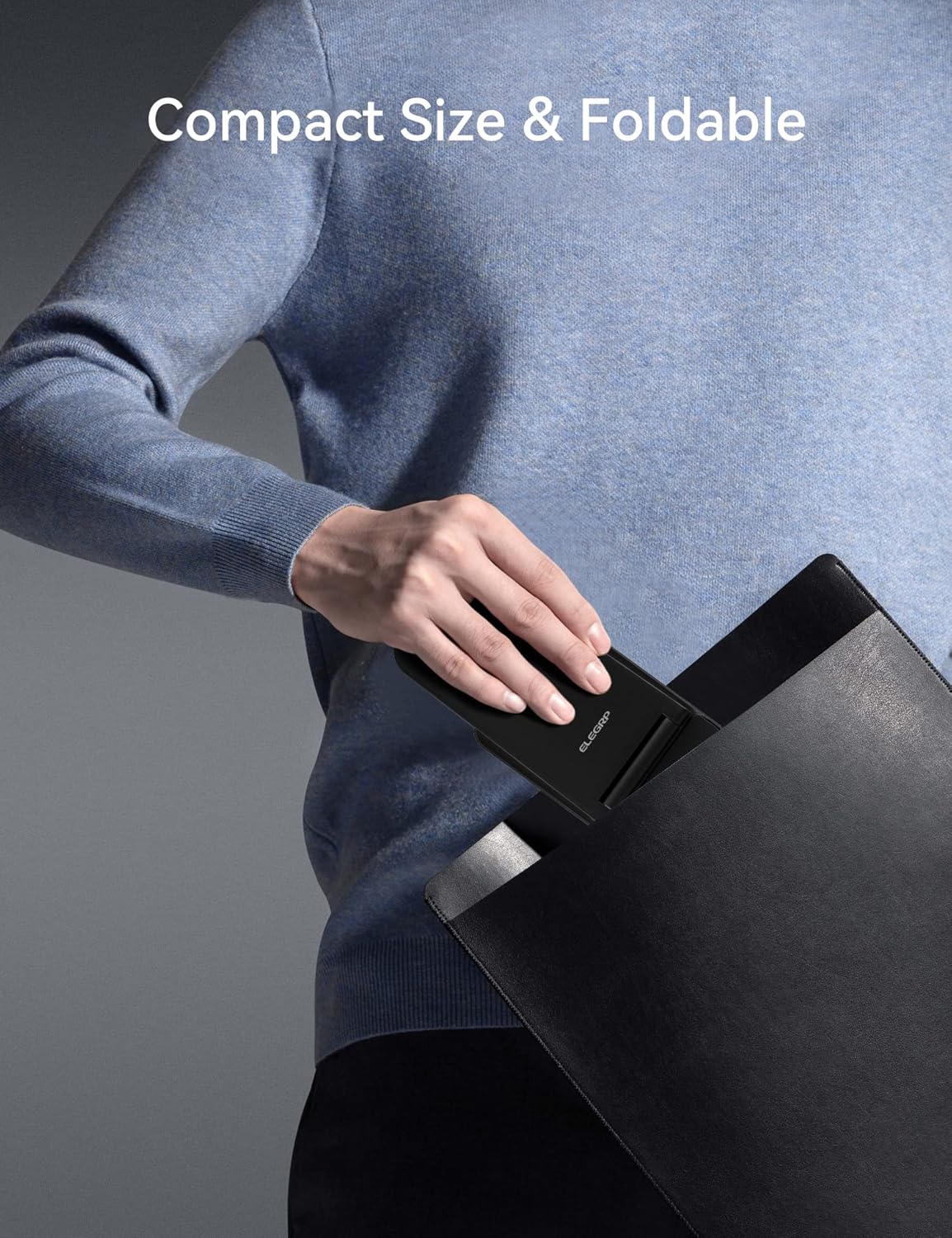
Image 4.2: The charging station's compact, foldable design is suitable for travel.
5. Түзмөктүн шайкештиги
The ELEGRP Wireless Charging Station is compatible with a wide range of devices. Ensure your device supports wireless charging (Qi standard) for optimal performance.
5.1 Шайкеш түзмөктөр
- iPhones: iPhone 15, 14, 13, 12, 11 series (Plus/Pro/Pro Max/Mini), iPhone SE (2nd generation), iPhone X (XS/XR/Max), iPhone 8.
- Samsung Phones: Samsung Galaxy S23, S22, S21, S20 series, Note 20 series, and other Qi-enabled Samsung models.
- Apple Watch: Apple Watch Ultra, Series 8, 7, SE, 6, 5, 4, 3, 2.
- AirPods/Earbuds: AirPods Pro 2, Pro, 3rd generation, 2nd generation, and compatible Samsung earbuds with wireless charging cases.

Image 5.1: Visual representation of universal compatibility with various devices.
5.2 Иштин шайкештиги
The charging station supports charging with most phone cases up to 0.6mm thick. Cases made of metal, those with magnetic attachments, or those containing credit cards may interfere with wireless charging and should be removed.

Image 5.2: Guidelines for case compatibility during wireless charging.
6. Коопсуздук жана коргоо
The ELEGRP Wireless Charging Station incorporates multiple safety features to protect your devices and ensure a reliable charging experience.
- FCC Certification & Qi Protocol: Ensures compliance with safety standards and efficient wireless charging.
- Ашыкча кубаттан коргоо: Түзмөгүңүздүн батареясынын ашыкча кубатталышынан улам бузулушунун алдын алат.
- Кыска туташуулардан коргоо: Электр трикотаждарынан коргойт.
- Ашыкча ток коргоо: Regulates current flow to prevent damage.
- Чет объектилерди аныктоо (FOD): Detects metallic objects on the charging surface and stops charging to prevent overheating.
- Тез жылуулук таркатылышы: Designed to manage heat effectively during charging.
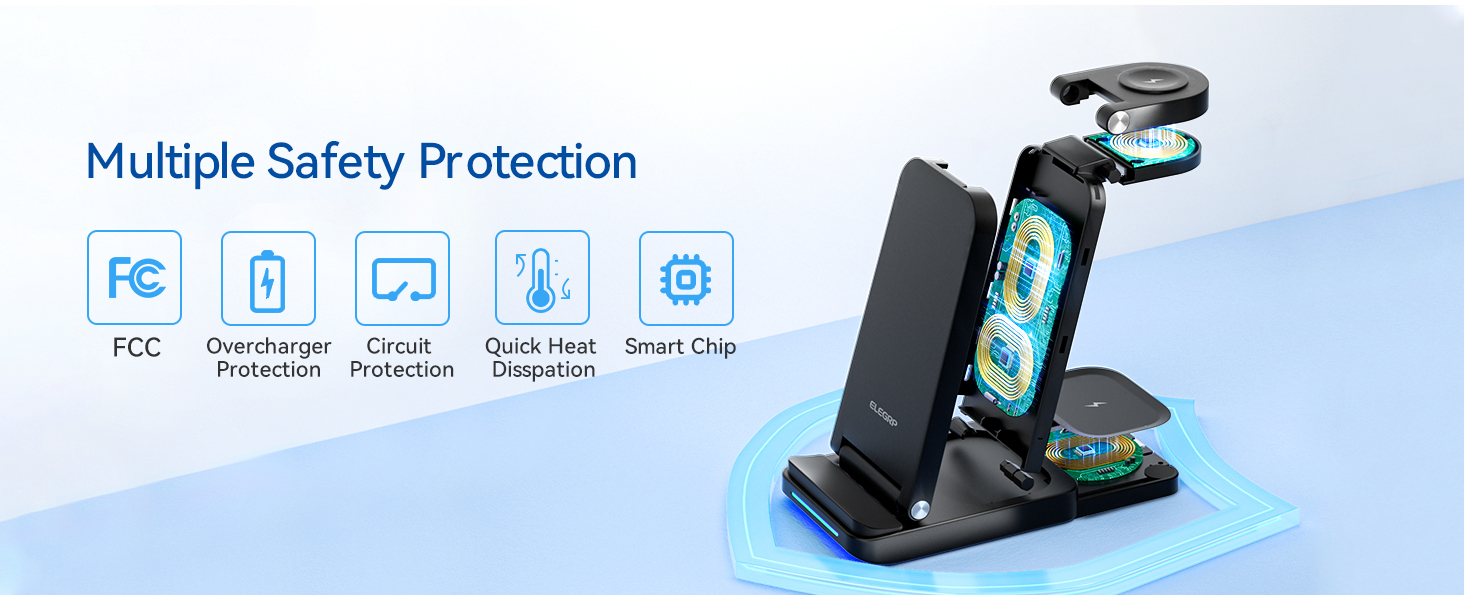
Сүрөт 6.1: Бүттүview of the multiple safety protection features integrated into the charging station.
7. Кыйынчылыктарды
If you encounter issues with your charging station, please refer to the following common solutions:
- Түзмөк кубатталбай жатат:
- Заряддоо станциясы кубат адаптерине жана жумушчу розеткага туура туташтырылганын текшериңиз.
- Verify your device is wirelessly charging compatible (Qi standard).
- Remove any thick or metallic phone cases, or cases with magnetic attachments/credit cards.
- Reposition your device on the charging pad to ensure proper alignment with the charging coil.
- Check for any foreign objects between the device and the charging pad.
- Жай кубаттоо:
- Ensure you are using the provided 18W fast adapter and USB Type-C cable. Using a lower-power adapter may result in slower charging.
- Түзмөгүңүз зымсыз кубатталып жатканда көп колдонуудан алыс болуңуз, анткени бул кубаттоо процессин жайлатышы мүмкүн.
- LED Indicator Flashing Rapidly:
- This indicates a foreign object detection or improper device placement. Remove the device and any objects, then place the device back on the charger correctly.
- Аппараттын ысып кетиши:
- While some warmth is normal during wireless charging, excessive heat may indicate improper placement or a foreign object. Remove the device and ensure proper alignment. If the issue persists, discontinue use and contact support.
8. Техникалык шарттар
| Өзгөчөлүк | Спецификация |
|---|---|
| Модель номери | BTSWC-FOLD |
| Киргизүү көлөмүtage | 9V (AC) |
| Ampөчүрүү | 15 Amps |
| Байланыш технологиясы | Зымсыз |
| Туташтыргыч түрү | USB түрү C |
| Өзгөчөлүктөр | Travel, 3-in-1 Wireless Charging Station |
| Элемент Салмагы | 0.176 унция |
| Пакеттин өлчөмдөрү | 6.89 x 5.12 x 2.13 дюйм |
| Түс | КАРА |
9. Продукт видеосу бүттүview
Video 9.1: An official product video demonstrating the ELEGRP 3-in-1 Wireless Charging Station's features, including its ability to charge multiple devices simultaneously and its compact, foldable design.
10. Кепилдик жана колдоо
The ELEGRP Wireless Charging Station comes with a 1-year product warranty and a 30-day free return policy. For any questions or support regarding this wireless charger, please contact ELEGRP customer service. We aim to provide a resolution within 24 hours.
For further assistance, please refer to the contact information provided on your Service Card or visit the official ELEGRP webсайт.


