1. Продукт бүтүп калдыview
The DIHOOM Wireless Outdoor Security Camera is a 1080P rechargeable battery-operated device designed for outdoor surveillance. It features 2.4 GHz Wi-Fi connectivity, human motion detection, color night vision, two-way audio, and IP65 weatherproofing. This camera provides clear video monitoring and enhanced security for your property.

Сүрөт 1.1: Фронт view of the DIHOOM Wireless Outdoor Security Camera, showing the lens, spotlight, and dual antennas.
2. Пакеттин мазмуну
Пакетти ачкандан кийин бардык буюмдар бар экенин жана жакшы абалда экендигин текшериңиз:
- DIHOOM Wireless Outdoor Security Camera
- Монтаждоо кронштейндери жана буроолор
- USB заряддоо кабели
- User Manual
3. Продукциянын диаграммасы
Familiarize yourself with the components of your security camera:
Сүрөт 3.1: Деталдаштырылган view of the camera. Key components include the camera lens, infrared LEDs, spotlight, PIR motion sensor, microphone, speaker, charging port, and reset button (typically under a cover).
- Камера линзасы: Video foo тартатtage.
- Көңүл бурчу: Түнкүсүн түстүү көрүү үчүн жарыктандырууну камсыз кылат жана коркутуучу катары кызмат кылат.
- PIR Кыймыл сенсору: Адамдардын жана жаныбарлардын кыймылын аныктайт.
- Микрофон: Эки тараптуу байланыш үчүн аудио жаздырат.
- Баяндамачы: Эки тараптуу аудио байланышты камсыз кылат.
- Антенналар: For 2.4 GHz Wi-Fi connectivity.
- Монтаждык база: For wall installation.
- Заряддоо порту: For recharging the internal battery (usually Micro USB or USB-C).
- Калыбына келтирүү баскычы: Used to reset the camera to factory settings (often located under a rubber cover).
- SD карта уячасы: For local video storage (often located under a rubber cover).
4. Орнотуу
4.1 Алгачкы заряддоо
Before first use, fully charge the camera's built-in rechargeable battery. Connect the provided USB charging cable to the camera's charging port and a standard 5V/1A USB power adapter (not included). The charging indicator light will typically show red during charging and turn blue or off when fully charged. A full charge supports approximately 2400 wake-up calls.
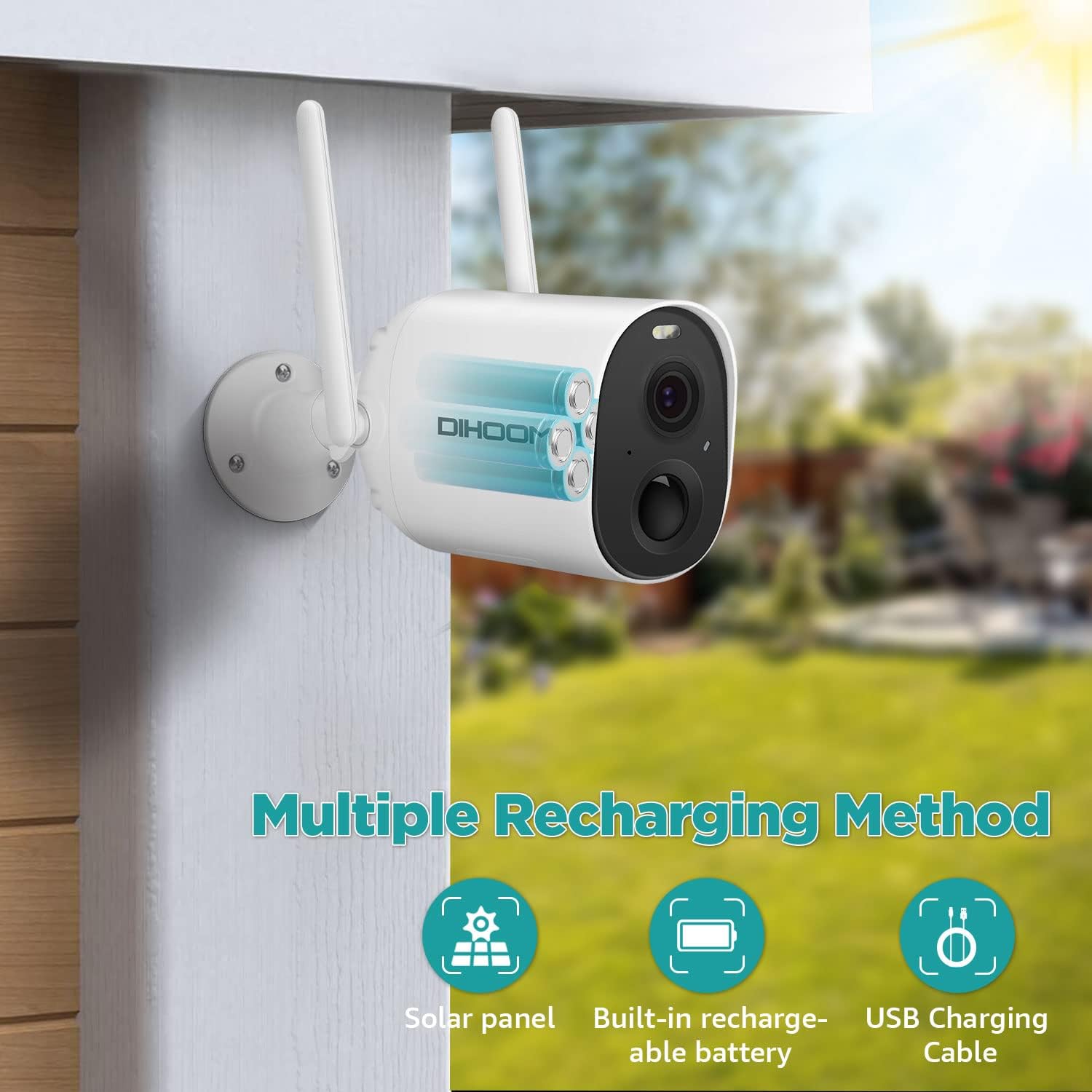
Сүрөт 4.1: Illustration of the camera's internal battery and various recharging options, including USB charging.
4.2 Колдонмону орнотуу
жүктөп алып, орнотуңуз VicoHome смартфонуңуздагы же планшетиңиздеги колдонмо. Издөө "VicoHome" in your device's app store (iOS App Store or Google Play Store).
4.3 Device Pairing and Wi-Fi Connection
- Open the VicoHome app and create an account or log in.
- Жаңы түзмөк кошуу үчүн "+" сөлөкөтүн таптаңыз.
- Follow the on-screen instructions to power on the camera and put it into pairing mode (usually indicated by a flashing LED). You may need to press the reset button for a few seconds.
- Select your 2.4 GHz Wi-Fi network and enter the password. The camera only supports 2.4 GHz Wi-Fi.
- The app will generate a QR code. Position your camera to scan this QR code from your phone screen.
- Once the camera successfully scans the QR code, it will connect to your Wi-Fi network. A voice prompt or LED indicator will confirm successful connection.
4.4 Камераны орнотуу
Choose a suitable outdoor location for mounting. Ensure the area has good Wi-Fi signal strength and provides the desired viewing angle. The camera is IP65 weatherproof, suitable for various outdoor conditions.
- Дубалдагы бургулоочу тешиктерди белгилөө үчүн берилген бекитүүчү кронштейнди шаблон катары колдонуңуз.
- Тешиктерди бургула жана зарыл болсо, дубал анкерлерин салгыла.
- Бекитүү кронштейнин дубалга бурамаларды колдонуп бекитиңиз.
- Камераны орнотуучу кронштейнге бекитип, оптималдуу камтуу үчүн бурчту тууралаңыз.
5. Иштөө нускамалары
5.1 Live View
Open the VicoHome app and select your camera from the device list to access the live video feed. You can view 1080P resolution footage remotely on your phone or tablet at any time.
5.2 Кыймылды аныктоо жана эскертүүлөр
The camera features intelligent PIR sensors for human motion detection. When motion is detected, the camera will:
- Trigger spotlights and alarms (if enabled).
- Send a mobile app notification to your device.
- Record the event.
You can customize detection sensitivity and alert settings within the VicoHome app. The camera supports intelligent detection of humans, vehicles, pets, and packages, classifying motion alerts to help identify threats.

Сүрөт 5.1: Screenshot of the VicoHome app demonstrating classified alerts for human, pet, and vehicle detection.
5.3 Түнкү көрүнүш
The camera automatically switches to night vision mode in low-light conditions. It supports full-color night vision, allowing objects to be clearly seen within 66 feet at night, in addition to standard infrared mode.

Сүрөт 5.2: Visual comparison showing the clarity and detail provided by full-color night vision versus traditional infrared night vision.
5.4 Эки тараптуу аудио
Utilize the two-way audio feature to communicate with individuals near the camera. Tap the microphone icon in the live view interface of the VicoHome app to speak, and release to listen.

Сүрөт 5.3: An illustration of using the two-way audio function to communicate with a delivery person at the door.
5.5 Видео сактагыч
The camera supports two storage options for recorded footage:
- Micro SD картасы: Жергиликтүү сактагыч үчүн атайын уячага Micro SD картаны (128 ГБ чейин, кошулган эмес) салыңыз.
- Булуттагы сактагыч: Encrypted secure cloud storage is available through the VicoHome app (subscription may be required).
5.6 Multiple-User Sharing
You can share access to your camera with family members or trusted individuals. Within the VicoHome app, locate the sharing option and scan the QR code to grant access. This allows for collaborative monitoring of your property.
6. Техникалык тейлөө
6.1 Батареяны башкаруу
Monitor the battery level through the VicoHome app. Recharge the camera when the battery is low to ensure continuous operation. The camera can also be connected to a compatible solar panel (sold separately) for continuous charging.
6.2 Тазалоо
Мезгил-мезгили менен камеранын линзасын жана корпусун жумшак, гamp cloth to remove dust and dirt. Avoid using harsh chemicals or abrasive materials that could damage the lens or finish.
6.3 Аба ырайы
The camera has an IP65 weatherproof rating, meaning it is protected against dust and low-pressure water jets. Ensure all covers (e.g., for charging port, SD card slot) are securely closed to maintain its weather resistance.

Сүрөт 6.1: The DIHOOM camera mounted outdoors, with rain falling, illustrating its IP65 weatherproof design.
7. Кыйынчылыктарды
- Камера Wi-Fi'га туташпай жатат: Ensure your Wi-Fi network is 2.4 GHz. Verify the Wi-Fi password is correct. Move the camera closer to the router to improve signal strength. Reset the camera and try pairing again.
- Видеонун сапаты начар: Wi-Fi сигналыңыздын күчүн текшериңиз. Камера линзасынын таза жана тоскоолдуктарсыз экенин текшериңиз.
- Кыймылды аныктоо иштебей жатат: Verify that motion detection is enabled in the app settings. Adjust sensitivity levels. Ensure there are no physical obstructions blocking the PIR sensor.
- Батареянын бат түгөнүп калышы: Reduce the frequency of live view access. Adjust motion detection sensitivity to minimize unnecessary recordings. Ensure the camera is fully charged. Consider a solar panel for continuous power.
- Эки тараптуу аудио көйгөйлөрү: Ensure your phone's microphone and speaker are enabled for the VicoHome app. Check the camera's microphone and speaker for obstructions.
8. Техникалык шарттар
| Өзгөчөлүк | Спецификация |
|---|---|
| Модель аты | security camera outdoor wireless |
| Натыйжалуу Video Resolution | 1080 пиксел |
| Зымсыз байланыш технологиясы | Wi-Fi (2.4 ГГц гана) |
| Power Source | Батарея менен иштейт (1 литий полимердик батарейка камтылган) |
| Батареянын иштөө мөөнөтү | Approx. 2400 wake-up calls per full charge |
| Сууга туруктуулук деңгээли | IP65 суу өткөрбөйт |
| Viewбурч | 150 градус |
| Түнкү көрүнүш | Color Night Vision, Infrared Mode (up to 66 feet) |
| Сактагыч параметрлери | Микро SD карта (128 ГБ чейин), Cloud Storage |
| Өзгөчөлүктөр | 2-Way Audio, HD Resolution, Motion Sensor, Night Vision |
| Шайкеш түзмөктөр | Смартфон (iOS, Android) |
| Элемент Салмагы | 585 г |
| Продукциянын өлчөмдөрү | 8 x 5 x 10 см |
9. Кепилдик жана колдоо
DIHOOM offers lifetime support for DIHOOM brand products. If you encounter any issues or have questions regarding your security camera, please contact the DIHOOM support team for assistance. Refer to the contact information provided in your product packaging or on the official DIHOOM webсайт.


