Introduction
This manual provides essential instructions for the operation and maintenance of your Creative Sensemore Air True Wireless In-Ear Headphones. These headphones are designed to deliver a versatile audio experience with advanced features for various listening environments.

Image: Creative Sensemore Air earbuds shown with their charging case.
Негизги өзгөчөлүктөрү:
- Sensemore Mode: Amplifies surrounding sounds for enhanced awareness.
- Көшүү режими: Аудиодон ырахат алып жатып, айланаңыздагы нерселерди угууга мүмкүнчүлүк берет.
- Активдүү ызы-чууну жокко чыгаруу (ANC): Сырткы ызы-чууну азайтып, тереңирээк угууга мүмкүнчүлүк берет.
- Quad Microphones: Ensures clear voice pickup for calls and voice commands.
- Узартылган батареянын иштөө мөөнөтү: Up to 10 hours per charge, with a total of 35 hours using the charging case.
- IPX5 терге каршы: Терге жана жеңил чачырандыларга туруштук берүү үчүн иштелип чыккан.
- Зымсыз кубаттоо: Supports Qi-certified wireless charging for convenience.
- Bluetooth 5.2: Туруктуу жана натыйжалуу зымсыз байланышты камсыз кылат.
- Customizable Touch Controls: Personalize earbud functions via the Creative app.
Жайгашуу
1. Аппаратты заряддоо
Before first use, fully charge the Creative Sensemore Air earbuds and their charging case.
- USB-C кабели аркылуу: Берилген USB-C кубаттоо кабелин корпустагы кубаттоо портуна жана кубат булагына туташтырыңыз.
- Зымсыз кубаттоо: Place the charging case on a Qi-certified wireless charging pad.
The LED indicators on the front of the charging case will show the charging status. A full charge provides up to 10 hours of playtime for the earbuds and up to 35 hours total with the case. A 10-minute quick charge provides up to 2 hours of playtime.

Image: The charging case showing LED indicators for battery status.
2. Түзмөк менен жупташтыруу
- Кулакчындардын заряддоо кутучасында жана корпустун капкагы ачык экенин текшериңиз.
- Түзмөгүңүздө (смартфон, планшет ж.б.) Bluetooth иштетиңиз жана жеткиликтүү түзмөктөрдү издеңиз.
- Select "Creative Sensemore Air" from the list of detected devices to pair.
- Жупташтырылгандан кийин, кулакчындар кутудан чыгарылганда автоматтык түрдө түзмөгүңүзгө туташат.
3. Installing the Creative App
For full functionality and customization, download the Creative app from your device's app store. The app allows you to:
- Switch between Sensemore Mode, Ambient Mode, and Active Noise Cancellation.
- Сенсордук башкарууларды ыңгайлаштыруу.
- Adjust audio settings with a graphic equalizer.
- Микропрограммалык камсыздоону жаңыртууну аткарыңыз.

Image: Creative app icon for mobile devices.
Наушниктерди иштетүү
Ызы-чууну башкаруу режимдери
The Creative Sensemore Air headphones offer three distinct noise control modes to adapt to your environment:
- Sensemore Mode: This proprietary technology enhances ambient sound beyond conventional transparency modes. It focuses on vocals and amplifies surrounding sounds for improved hearing and clearer conversations.
- Көшүү режими: Allows you to hear your surroundings naturally, useful for staying aware in busy environments.
- Активдүү ызы-чууну жокко чыгаруу (ANC): Blocks out unwanted external noise, providing a more immersive audio experience.
Switch between these modes using the customizable touch controls on the earbuds or through the Creative app.

Image: A person on a bus using the Creative Sensemore Air earbuds, illustrating the noise control features.
Видео: Бүттүview of the Creative Sensemore Air True Wireless in-Ear Headphones, demonstrating key features like Sensemore Mode, Ambient Mode, and Active Noise Cancellation.
Чалуу функциясы
Equipped with four microphones, the earbuds provide enhanced voice pickup and call clarity. You can also activate voice assistants like Siri or Google Assistant with ease.

Image: A woman using the earbuds to interact with a voice assistant, highlighting the quad mic feature.
Touch Controls
The earbuds feature intuitive touch controls for managing playback, calls, and noise control modes. These controls can be customized through the Creative app to suit your preferences.

Image: Screenshot of the Creative app showing customizable touch control settings.
Техникалык тейлөө
Тазалоо жана кам көрүү
To ensure longevity and optimal performance, regularly clean your earbuds and charging case.
- Кулакчындарды жана кубаттоочу кутуну жумшак, кургак, түксүз чүпүрөк менен сүртүңүз.
- Кулагынын учтарын алып салып, жумшак самын жана суу менен тазалаңыз, анан кайра кийер алдында жакшылап кургатып алыңыз.
- Абразивдүү тазалагычтарды же эриткичтерди колдонуудан алыс болуңуз.
Сууга туруктуулук (IPX5)
The Creative Sensemore Air earbuds are rated IPX5 sweatproof, meaning they are protected against low-pressure water jets from any direction. This makes them suitable for workouts and use in light rain.
Маанилүү: Заряддоо корпусу жок water-resistant. Do not expose it to water or moisture.
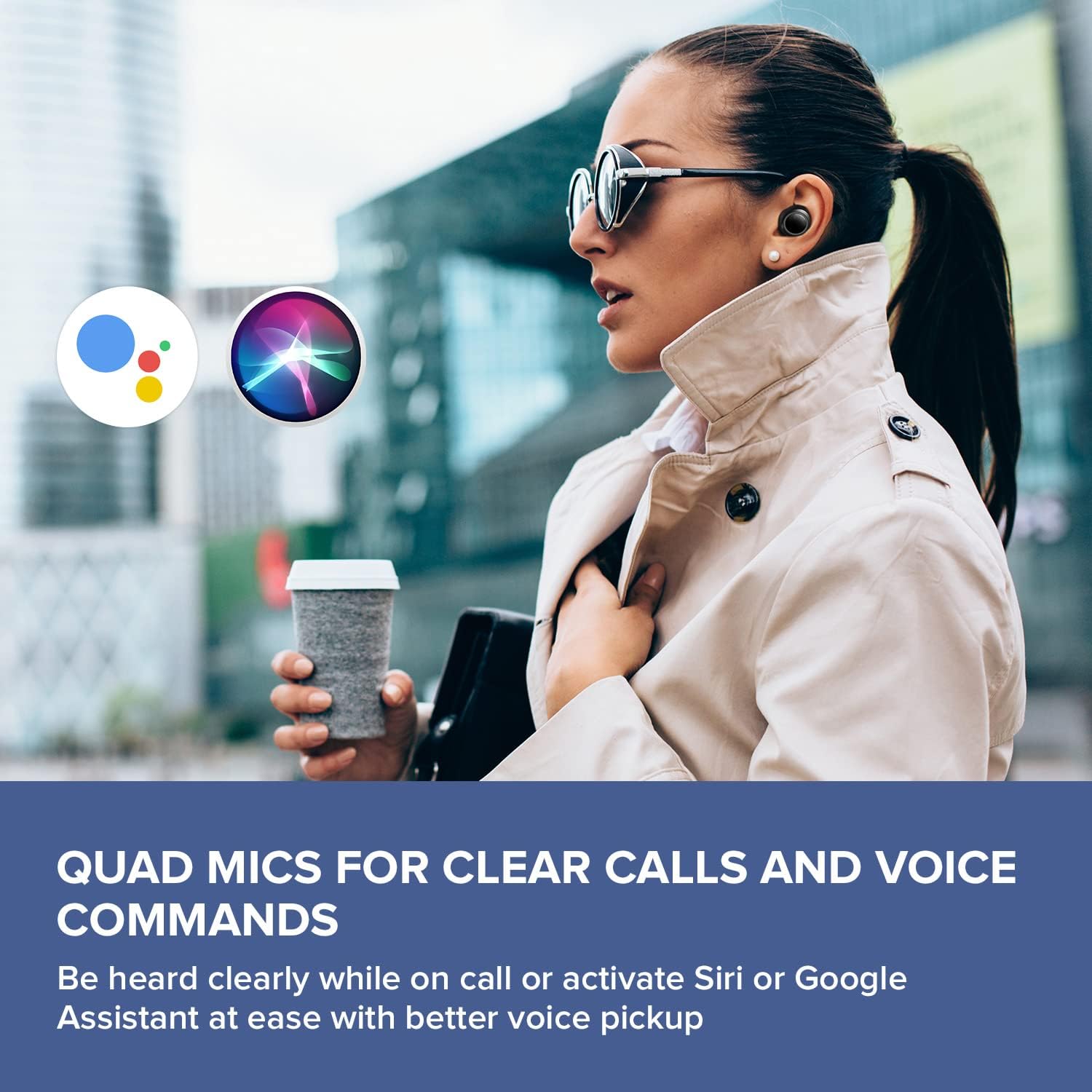
Image: A woman running outdoors, demonstrating the IPX5 sweatproof feature of the earbuds.
Проблемаларды чечүү
Жалпы маселелер жана чечимдер
- Үн жок/ Үн сапаты начар:
- Кулакчындар толук заряддалганын текшериңиз.
- Bluetooth байланышын текшерип, керек болсо кайра жупташтырыңыз.
- Кулакчындарда жана туташкан түзмөгүңүздө үнүн тууралаңыз.
- Бардык таштандыларды тазалоо үчүн кулактын учтарын жана кулакчындын учтарын тазалаңыз.
- Жакшыраак жабуу үчүн ар кандай өлчөмдөгү кулактын учтарын байкап көрүңүз.
- Кулакчындар жупташкан жок:
- Place earbuds back in the case, close the lid, then open it again to reset.
- Түзмөгүңүздө жана диапазондо Bluetooth иштетилгенин текшериңиз.
- Телефонуңуздун Bluetooth жөндөөлөрүнөн түзмөктү унутуп, кайра жупташтырып көрүңүз.
- кубаттоо маселелери:
- Verify the USB-C cable is securely connected to both the case and power source.
- If using wireless charging, ensure the case is correctly positioned on the Qi-certified pad.
- Кулакчындардагы жана корпустун ичиндеги заряддоо контакттары таза экенин текшериңиз.
- Колдонмо туташуу көйгөйлөрү:
- Ensure the Creative app is updated to the latest version.
- Колдонмону же мобилдик түзмөгүңүздү өчүрүп күйгүзүңүз.
- Confirm Bluetooth is active and the earbuds are connected to your device.
Техникалык шарттар
| Өзгөчөлүк | Деталь |
|---|---|
| Модель аты | EF1020 |
| Байланыш | Bluetooth 5.2 |
| Bluetooth диапазону | 10 метр |
| Аудио кодектер | AAC, SBC |
| Айдоочулар | 6 mm Bio-cellulose Dynamic Drivers |
| Микрофондор | Quad Mics |
| Noise Control | Sensemore Mode, Ambient Mode, Active Noise Cancellation |
| Жалпы ойноо убактысы | 35 саатка чейин (заряддоо кутусу менен) |
| Ар бир заряд үчүн ойноо убактысы | 10 саатка чейин |
| Заряддоо убактысы | 2 саат |
| Заряддоо интерфейси | USB-C, Wireless (Qi-certified) |
| Суу каршылык | IPX5 (Кулакчындар гана) |
| Башкаруу ыкмасы | тийүү |
| Элемент Салмагы | 1.76 унция |
| Продукциянын өлчөмдөрү | 2.7 x 1.9 x 1.3 дюйм (Заряддоо кутусу) |
Кепилдик жана колдоо
Creative products are designed for reliability and performance. For warranty information and customer support, please refer to the official Creative webсайтка же продуктуңузга кошулган документтерге.
- Продукцияны каттоо: Жаңыртууларды жана колдоону алуу үчүн продуктуңузду онлайн каттаңыз.
- Техникалык колдоо: Visit the Creative support page for FAQs, troubleshooting guides, and contact information.
Эскертүү: Warranty terms may vary by region and retailer. Please retain your proof of purchase.


