1. Киришүү
This manual provides detailed instructions for the proper use and maintenance of your CREATIVE Sensemore Air True Wireless In-Ear Headphones. Please read this manual thoroughly before using the product to ensure optimal performance and longevity.
The CREATIVE Sensemore Air headphones offer a superior audio experience with advanced features such as Sensemore Technology, Ambient Mode, Active Noise Cancellation (ANC), and clear call quality through quad microphones. Designed for comfort and durability, they are also IPX5 sweatproof.
2. Кутуда эмне бар
- CREATIVE Sensemore Air True Wireless Earbuds (Left and Right)
- Заряддоо кутусу
- USB-C заряддоо кабели
- Силикон кулак учтары (S, M, L өлчөмдөрү)
- Quick Start Guide (This manual)

Image: CREATIVE Sensemore Air earbuds and charging case, illustrating the main components.
3. Орнотуу
3.1 Аппаратты заряддоо
Before first use, fully charge the CREATIVE Sensemore Air earbuds and charging case.
- Кулакчындарды заряддоо: Place the earbuds into the charging case. Ensure they are correctly seated. The LED indicators on the case will show charging status.
- Ишти заряддоо: Connect the USB-C charging cable to the charging port on the case and to a power source. Alternatively, place the charging case on a Qi-certified wireless charging pad.
- Тез кубаттоо: 10 мүнөттүк кубаттоо 2 саатка чейин ойнотууну камсыз кылат.
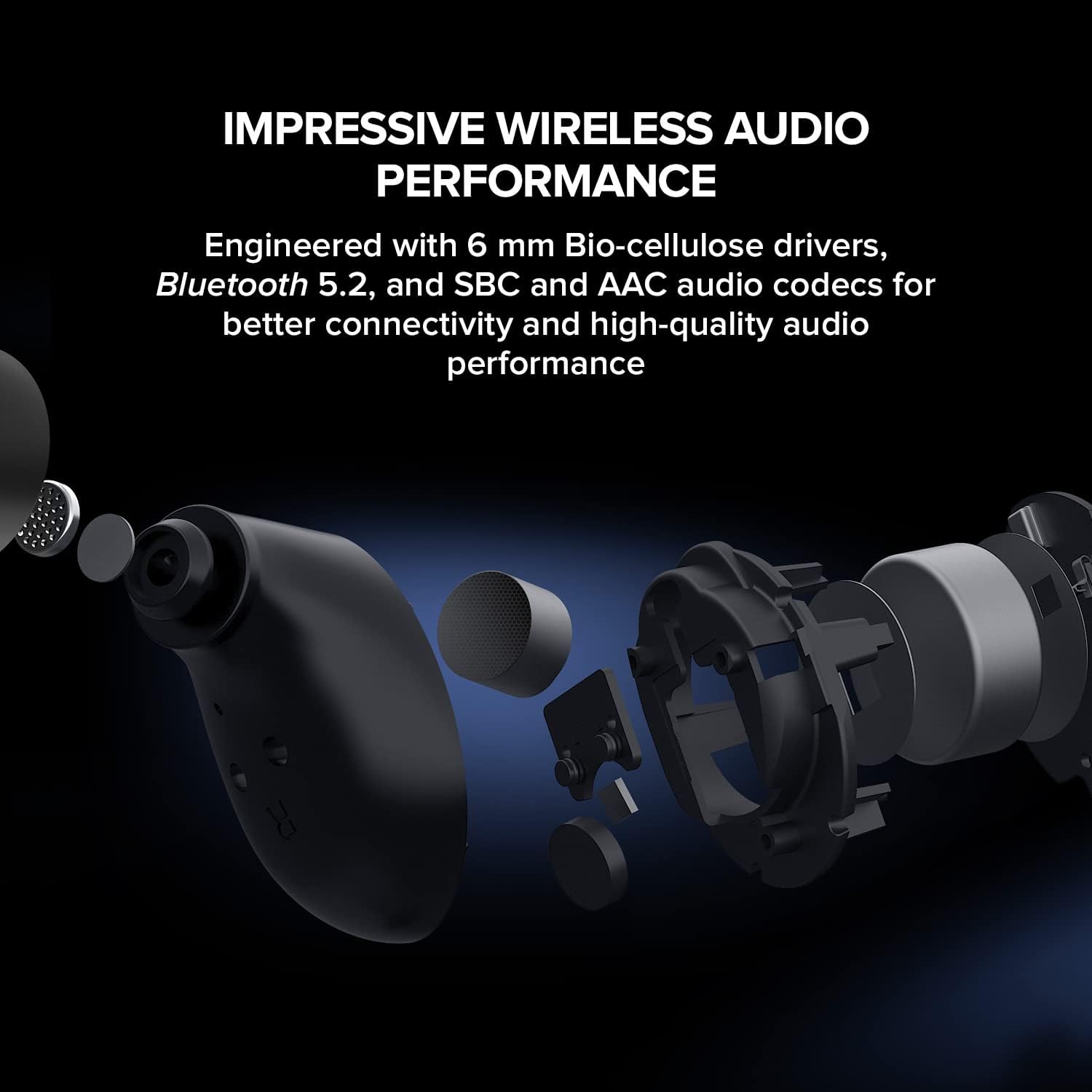
Image: The CREATIVE Sensemore Air charging case resting on a wireless charging pad, indicating wireless charging capability.
3.2 Bluetooth жупташтыруу
- Кулакчындар кубаттоочу кутуда жана корпустун батареясы жетиштүү экенин текшериңиз.
- Кубаттоочу кутучаны ачыңыз. Кулакчындар автоматтык түрдө жупташтыруу режимине өтөт, бул күйүп-өчкөн LED жарыктары менен көрсөтүлөт.
- Түзмөгүңүздө (смартфон, планшет, компьютер) Bluetooth иштетип, жаңы түзмөктөрдү издеңиз.
- Select "CREATIVE Sensemore Air" from the list of available devices.
- Once connected, the earbuds' LEDs will stop flashing, and you will hear an audio confirmation.
3.3 Кулакчындарды орнотуу
Proper fit is crucial for sound quality and noise cancellation effectiveness.
- Choose the silicone ear tips that provide the best seal and comfort for your ears. Three sizes (S, M, L) are included.
- Gently insert the earbuds into your ear canals and twist slightly to secure them.
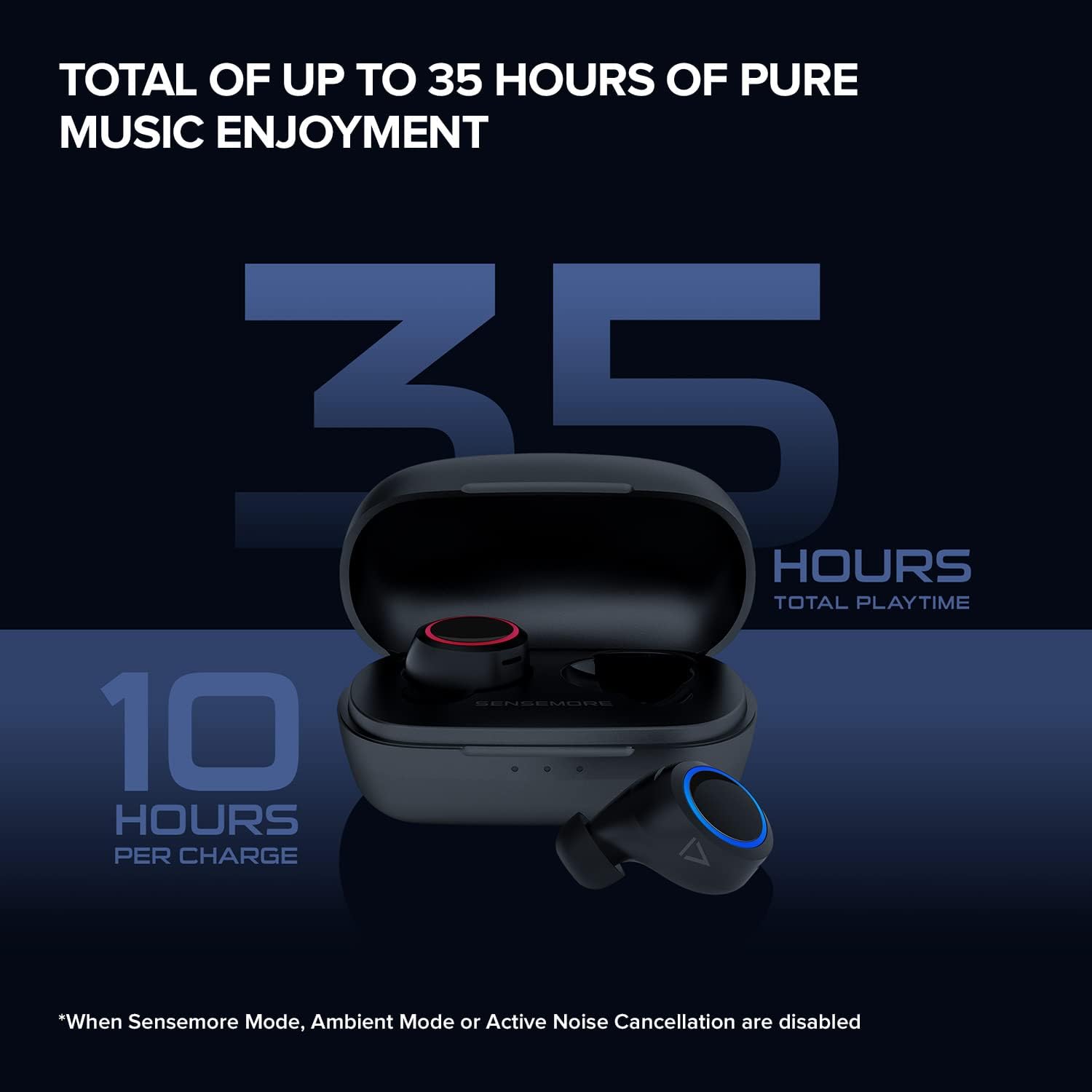
Image: The CREATIVE Sensemore Air earbuds displayed alongside small, medium, and large silicone ear tips, highlighting the options for a customized fit.
4. Иштөө нускамалары
4.1 Күйгүзүү/өчүрүү
- Күйгүзүү: Кулакчындар заряддоо кутусунан чыгарылганда автоматтык түрдө күйөт.
- Өчүрүү: Кулакчындарды автоматтык түрдө өчүрүп, кубаттап баштоо үчүн аларды кайра кубаттоочу кутуга салыңыз.
4.2 Сенсордук башкаруу
The CREATIVE Sensemore Air earbuds feature customizable touch controls. Functions can be reassigned via the Creative app.
- Default Controls (Exampле):
- Single Tap: Play/Pause, Answer/End Call
- Double Tap: Noise Control Mode Cycle (Left earbud), Next Track (Right earbud)
- Triple Tap: Voice Assistant (Left earbud), Previous Track (Right earbud)
- Long Press: Volume Down (Left earbud), Volume Up (Right earbud)
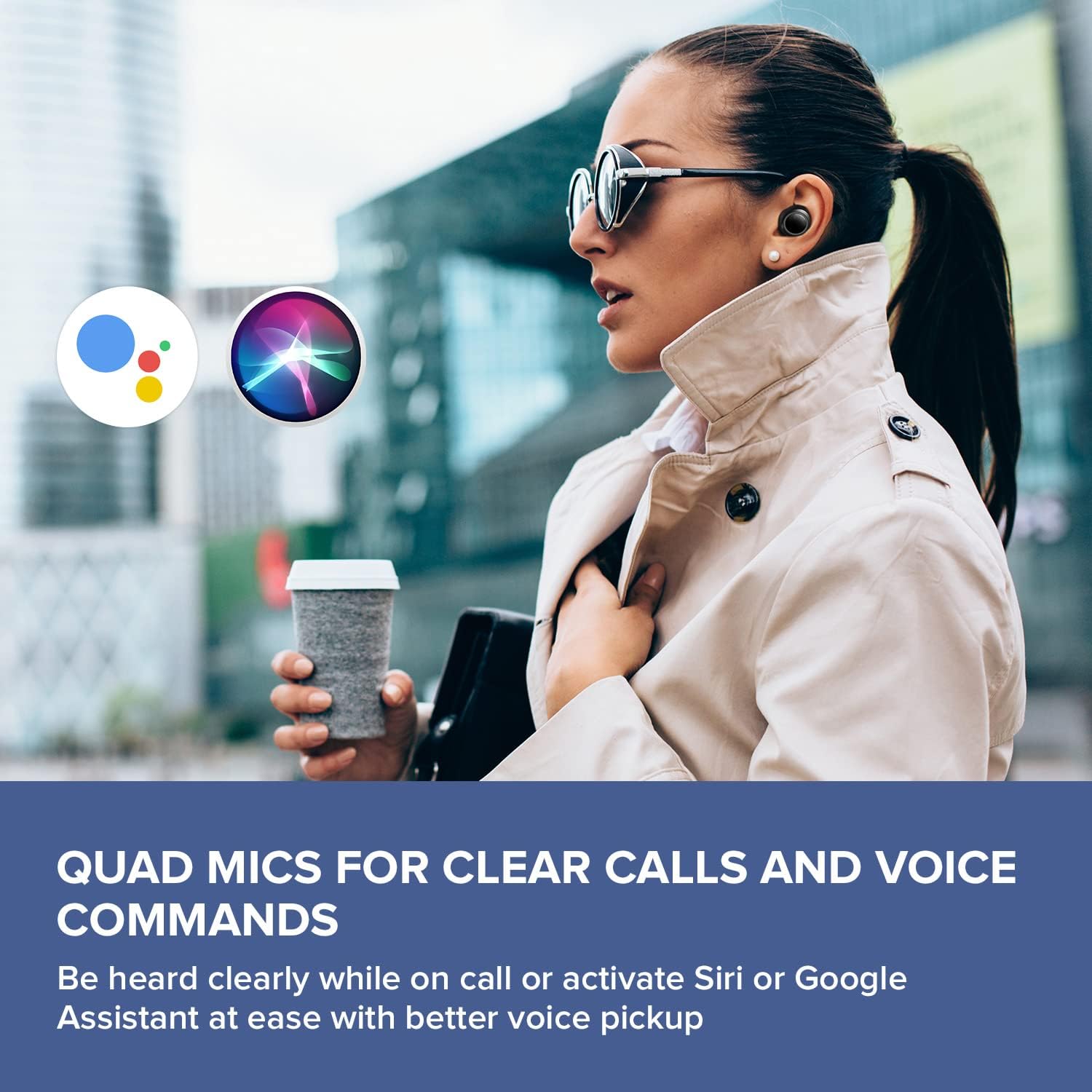
Image: A smartphone screen displaying the Creative app's custom button settings interface, allowing users to personalize touch controls for their earbuds.
4.3 Ызы-чууну башкаруу режимдери
The earbuds offer three distinct noise control modes:
- Активдүү ызы-чууну жокко чыгаруу (ANC): Blocks out external noise, allowing for immersive audio listening.
- Көшүү режими: Айлана-чөйрөңүздү угууга мүмкүндүк берет, ошол эле учурда аудиоңуздан ырахат алып, кырдаалды жакшыртат.
- Sensemore Mode: Amplifies surrounding sounds, making it easier to hear conversations or important announcements in high definition.
Cycle through these modes using the designated touch control (default: double tap on the left earbud) or through the Creative app.

Image: A person on a bus wearing Creative Sensemore Air headphones, with text overlay explaining the Sensemore, Ambient, and Active Noise Cancellation modes and their functions.
4.4 Чалууларды жасоо
The integrated quad microphones ensure clear voice pickup during calls.
- Чалууга жооп берүү/аяктоо: Кулакчындарды бир жолу таптаңыз.
- Чакырууну четке кагуу: Кулакчындардын бирин дагы көпкө басыңыз.
4.5 Үн жардамчысы
Activate your device's voice assistant (Siri or Google Assistant) with a simple touch command (default: triple tap on the left earbud).

Image: A person walking outdoors, wearing Creative Sensemore Air headphones, with the logos for Siri and Google Assistant floating nearby, indicating voice assistant compatibility.
5. Техникалык тейлөө
5.1 Тазалоо
- Кулакчындарды жана заряддоо кутусун жумшак, кургак, түксүз чүпүрөк менен дайыма тазалап туруңуз.
- Кулагынын учтарын алып салып, жумшак самын жана суу менен тазалаңыз, анан кайра кийер алдында жакшылап кургатып алыңыз.
- Кулакчындардагы жана кутудагы кубаттоо контакттары таза жана калдыктары жок экенин текшериңиз.
5.2 Сактоо
Колдонулбай турганда, кулакчындарды коргоо жана кубаттоо үчүн аларды кубаттоо кутучасында сактаңыз.
5.3 Сууга туруктуулук (IPX5)
The CREATIVE Sensemore Air earbuds are IPX5-rated, meaning they are resistant to sweat and light splashes of water. They are not designed for submersion in water. Avoid exposing them to heavy rain or direct water jets.
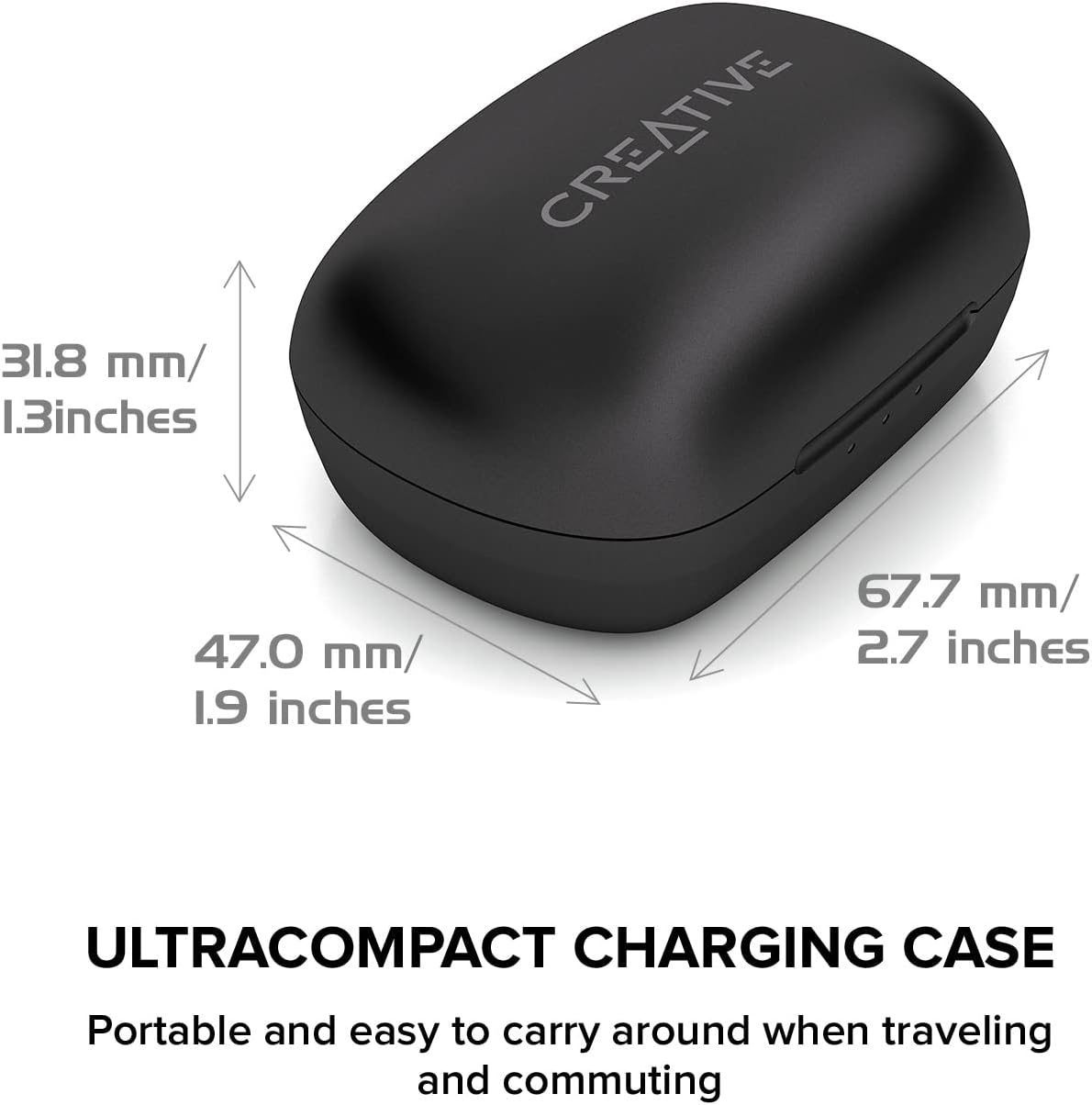
Image: A person running outdoors in the rain, wearing Creative Sensemore Air headphones, demonstrating their IPX5 sweatproof and water-resistant capabilities.
6. Кыйынчылыктарды
- Кулакчындар жупташкан жок: Ensure both earbuds are in the case, close and reopen the case. Check your device's Bluetooth settings.
- Бир гана кулакчын иштейт: Place both earbuds back in the case, close it, wait a few seconds, then reopen. Re-pair if necessary.
- Үн сапаты начар: Ensure ear tips provide a good seal. Clean earbuds and check for debris.
- Заряддоо маселелери: Verify the USB-C cable and power source are working. Ensure charging contacts are clean. For wireless charging, confirm the case is correctly placed on the Qi pad.
- Тийүү башкаруулары жооп бербейт: Ensure earbuds are clean. Try resetting the earbuds (refer to the Creative app or manufacturer's webконкреттүү калыбына келтирүү нускамалары үчүн сайт).
For further assistance, refer to the Creative app or the official Creative support webсайт.
7. Техникалык шарттар
| Өзгөчөлүк | Спецификация |
|---|---|
| Модель аты | Sensemore Air |
| Модель номери | EF1020 |
| Байланыш технологиясы | Зымсыз (Bluetooth 5.2) |
| Аудио кодектер | AAC, SBC |
| Айдоочунун өлчөмү | 6 mm Bio-cellulose drivers |
| Микрофондор | Quad Microphones |
| Noise Control | Active Noise Cancellation (ANC), Ambient Mode, Sensemore Mode |
| Сууга туруктуулук рейтинги | IPX5 (Sweatproof, splash-resistant) |
| Батареянын иштөө мөөнөтү (наушник) | Заряддоого 10 саатка чейин |
| Батареянын жалпы иштөө мөөнөтү (корпусу менен) | 35 саатка чейин |
| Тез кубаттоо | 2 саат ойнотуу үчүн 10 мүнөт заряддаңыз |
| Заряддоо интерфейси | USB-C, Qi зымсыз кубаттоо |
| Салмагы (заряддоо кутусу) | 48.4 грамм |
| Өлчөмдөр (Продукт) | 11.5 x 6.83 x 4.04 см |
| Шайкеш түзмөктөр | Phone, Tablet, Computer, Laptop, Gaming Console |
8. Кепилдик жана колдоо
Your CREATIVE Sensemore Air True Wireless In-Ear Headphones are covered by a limited warranty. For detailed warranty information, including terms and conditions, please refer to the warranty card included with your product or visit the official CREATIVE webсайт.
For technical support, product registration, FAQs, and software updates, please visit the official CREATIVE support portal:
You can also download the Creative app from your device's app store for additional features and customization options.


