Introduction
Thank you for choosing the Gembird Powerbank 10,000 mAh. This portable power bank is designed to provide reliable and convenient charging for your mobile devices on the go. With its high capacity and dual USB outputs, you can charge multiple devices or recharge a single device multiple times. Please read this manual carefully before using the product to ensure safe and optimal performance.
Коопсуздук маалыматы
- Do not expose the power bank to extreme temperatures (above 45°C or below -10°C), direct sunlight, or fire.
- Do not immerse the power bank in water or expose it to rain or moisture.
- Do not disassemble, modify, or attempt to repair the power bank yourself. This will void the warranty and may cause damage or injury.
- Power банкты балдардан алыс кармаңыз.
- Тастыкталган заряддоо кабелдерин жана адаптерлерин гана колдонуңуз.
- Power банкты кулап же катуу таасирлерге дуушар кылуудан качыңыз.
- Жергиликтүү эрежелерге ылайык кубат банкын жоопкерчилик менен жок кылыңыз. Аны тиричилик таштандылары менен таштабаңыз.
Пакеттин мазмуну
Сураныч, пакетте төмөнкү нерселерди текшериңиз:
- Gembird Powerbank 10,000 mAh
- Колдонуучунун Колдонмосу (бул документ)
- Note: Charging cable may or may not be included depending on the specific retail package.

Image: The Gembird Powerbank 10,000 mAh shown in its retail packaging, highlighting its features and design.
Продукт бүттүview
Familiarize yourself with the components of your Gembird Powerbank.
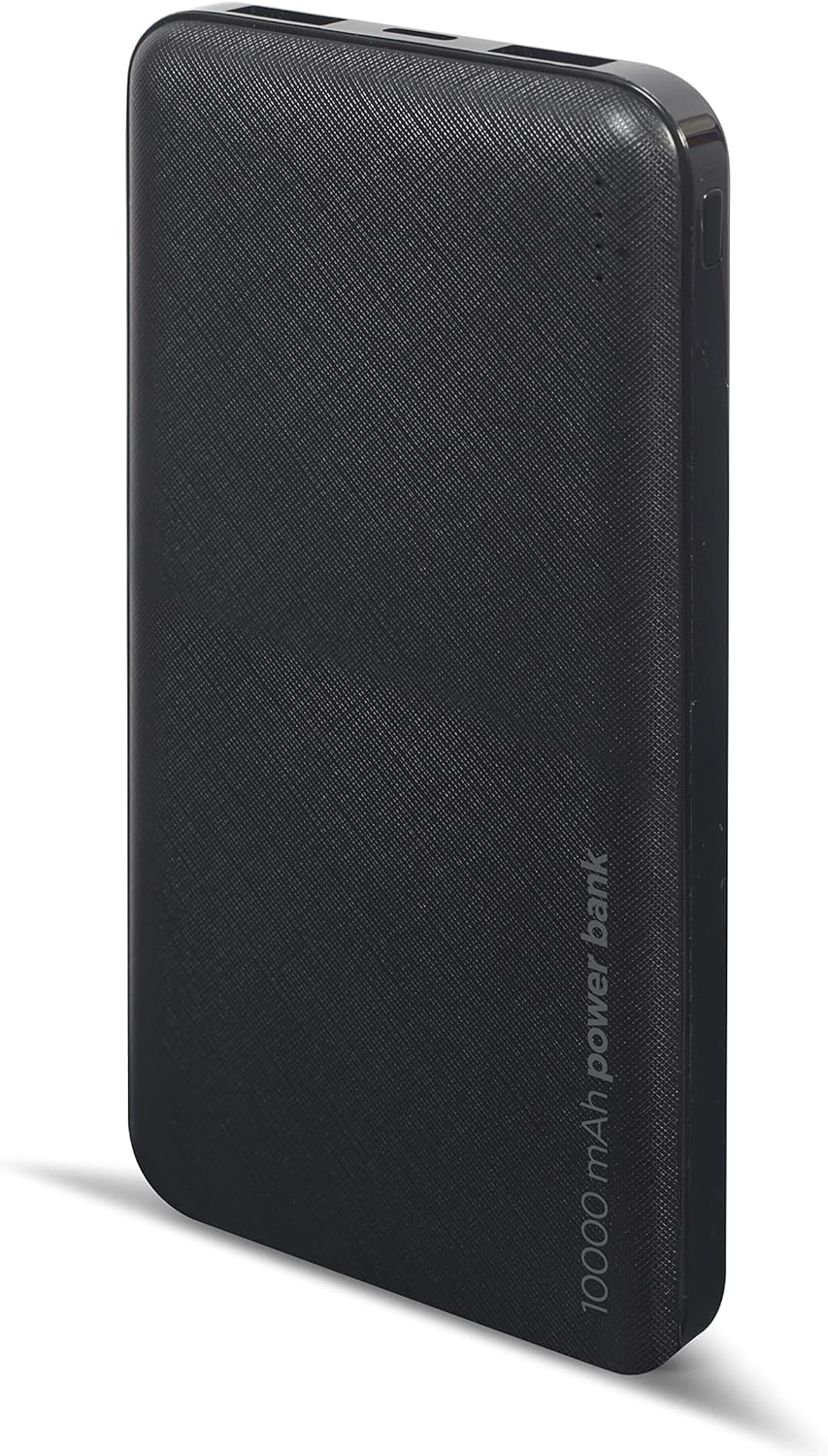
Сүрөт: алдыңкы view of the Gembird Powerbank, showcasing its sleek black design and textured surface.

Сүрөт: бурчтуу view of the Gembird Powerbank, highlighting the two USB-A output ports on one end.

Сүрөт: каптал view of the Gembird Powerbank, showing the Micro USB and USB Type-C input ports for charging the power bank itself.
Негизги компоненттер:
- USB-A чыгаруу порттору (x2): Тышкы түзмөктөрдү заряддоо үчүн колдонулат.
- Микро USB киргизүү порту: Used to charge the power bank.
- USB Type-C киргизүү порту: Used to charge the power bank.
- LED көрсөткүчтөрү: Show the remaining battery level of the power bank.
- Кубат баскычы: Powerbankты иштетип, батареянын кубаттуулугун текшерет.
Жайгашуу
Before first use, it is recommended to fully charge your Gembird Powerbank.
- Электр банкын заряддоо:
- Connect a compatible USB charging cable (Micro USB or USB Type-C) to one of the input ports on the power bank.
- Connect the other end of the cable to a USB wall adapter (not included), computer USB port, or other compatible USB power source.
- Кубаттоо жүрүп жатканын көрсөтүү үчүн LED индикаторлору күйөт. Толук заряддалганда бардык LEDдер туруктуу болот.
- Батареянын деңгээлин текшерүү:
- Press the power button once. The LED indicators will light up to show the current battery level.
Иштеп жатат
Түзмөктөрүңүздү заряддоо:
- Кубат банкынын жетиштүү кубатталганын текшериңиз.
- Түзмөгүңүздүн кубаттоочу кабелин кубат банкындагы USB-A чыгаруу портторунун бирине туташтырыңыз.
- Кабелдин экинчи учун шайманга туташтырыңыз.
- Power bank түзмөгүңүздү автоматтык түрдө кубаттай башташы керек. Эгер андай болбосо, кубаттоону баштоо үчүн кубат баскычын бир жолу басыңыз.
- Кубат банкындагы LED индикаторлору кубаттоо учурунда батареянын калган деңгээлин көрсөтөт.
- Түзмөгүңүз толук заряддалганда же аны кубаттоонун кажети жок болгондо, аны ажыратыңыз.
Note: The power bank can charge two devices simultaneously using both USB-A output ports.
Техникалык тейлөө
- Тазалоо: Use a soft, dry cloth to wipe the surface of the power bank. Do not use harsh chemicals or abrasive cleaners.
- Сактагыч: Store the power bank in a cool, dry place away from direct sunlight and extreme temperatures. If storing for a long period, charge the power bank to about 50-70% capacity every 3-6 months to maintain battery health.
- Ашыкча жүктөөнүн алдын алыңыз: Do not allow the power bank to completely drain its battery frequently, as this can reduce its lifespan.
Проблемаларды чечүү
| Көйгөй | Мүмкүн себеп | Чечим |
|---|---|---|
| Power банк заряддалбай жатат. | Cable is faulty or not properly connected. Power source is insufficient. | Try a different charging cable. Ensure the cable is securely connected. Use a reliable USB wall adapter. |
| Түзмөк кубат банкынан кубатталбай жатат. | Power bank battery is low. Device cable is faulty. Power bank is not activated. | Recharge the power bank. Try a different device charging cable. Press the power button on the power bank. |
| Жай кубаттоо. | Cable is not suitable. Device requires higher input. | Use a high-quality charging cable. Ensure your device is compatible with the power bank's output. |
| LED индикаторлору иштебей жатат. | Power bank is completely discharged. Faulty unit. | Charge the power bank for an extended period. If problem persists, contact customer support. |
Техникалык шарттар
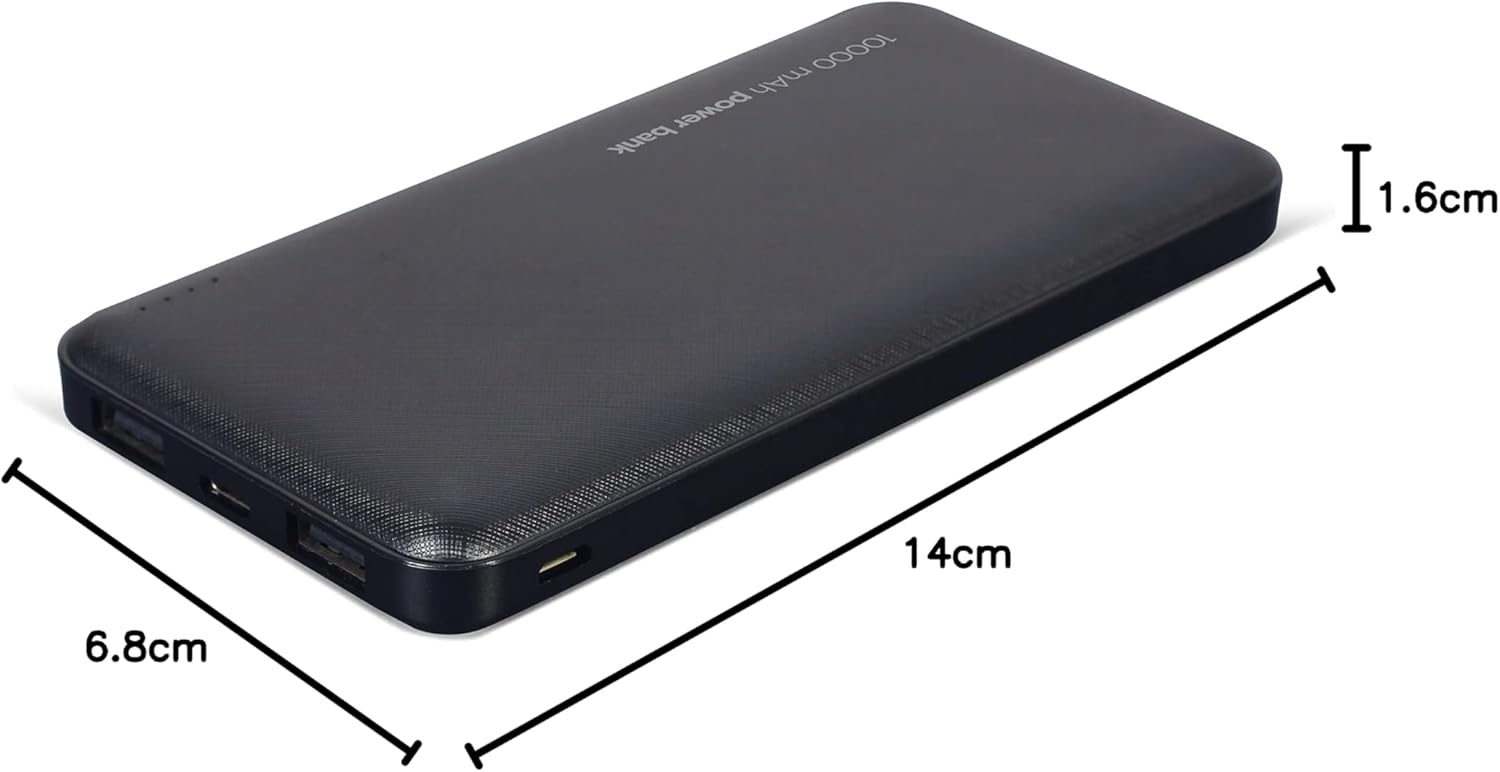
Image: The Gembird Powerbank with its approximate dimensions: 14cm length, 6.8cm width, and 1.6cm thickness.
| Модел | PB10-02 |
| Батарея түрү | Ли-полимер |
| Кубаттуулугу | 10,000 мАч |
| Киргизүү (микро USB) | 5V DC, 2A (Max) |
| Киргизүү (USB Type-C) | 5V DC, 2A (Max) |
| Чыгаруу (USB-A x2) | 5V DC, 2.1A (Max total) |
| Өлчөмдөр | Болжол менен 14 см х 6.8 см х 1.6 см |
| Салмагы | Болжол менен 200 г |
| Түс | Кара |
Кепилдик жана колдоо
Gembird products are manufactured to the highest quality standards. For information regarding warranty terms and conditions, please refer to the warranty card included with your product or visit the official Gembird website. If you encounter any issues or have questions not covered in this manual, please contact Gembird customer support through their official channels.
Эң акыркы колдоо маалыматы үчүн төмөнкү дарекке кайрылыңыз: www.gembird.com


