1. Киришүү
Thank you for choosing the Oraimo Shark 4 Bluetooth Neckband Earphones. This manual provides essential information for setting up, operating, and maintaining your device. Please read it carefully before use to ensure optimal performance and longevity of your earphones.
2. Продукт бүтүп калдыview
The Oraimo Shark 4 neckband earphones are designed for wireless audio with enhanced bass and clear communication. Key features include:
- HavyBass 2.0 Technology: Delivers deep and powerful bass.
- Экологиялык чууну жокко чыгаруу (ENC): Ensures clear calls by reducing ambient noise.
- Bluetooth v5.3: Provides stable and fast wireless connectivity.
- Кош түзмөктү жупташтыруу: Бир эле учурда эки түзмөккө туташат.
- Low-Latency Game Mode: Optimizes audio for gaming with minimal delay.
- IPX5 Суу өткөрбөйт: Offers protection against sweat and splashes.
- Магниттик кулакчындар: For secure and tangle-free storage.

Image: Oraimo Shark 4 neckband earphones highlighting HavyBass sound-tuning technology and Environmental Noise Cancellation (ENC).
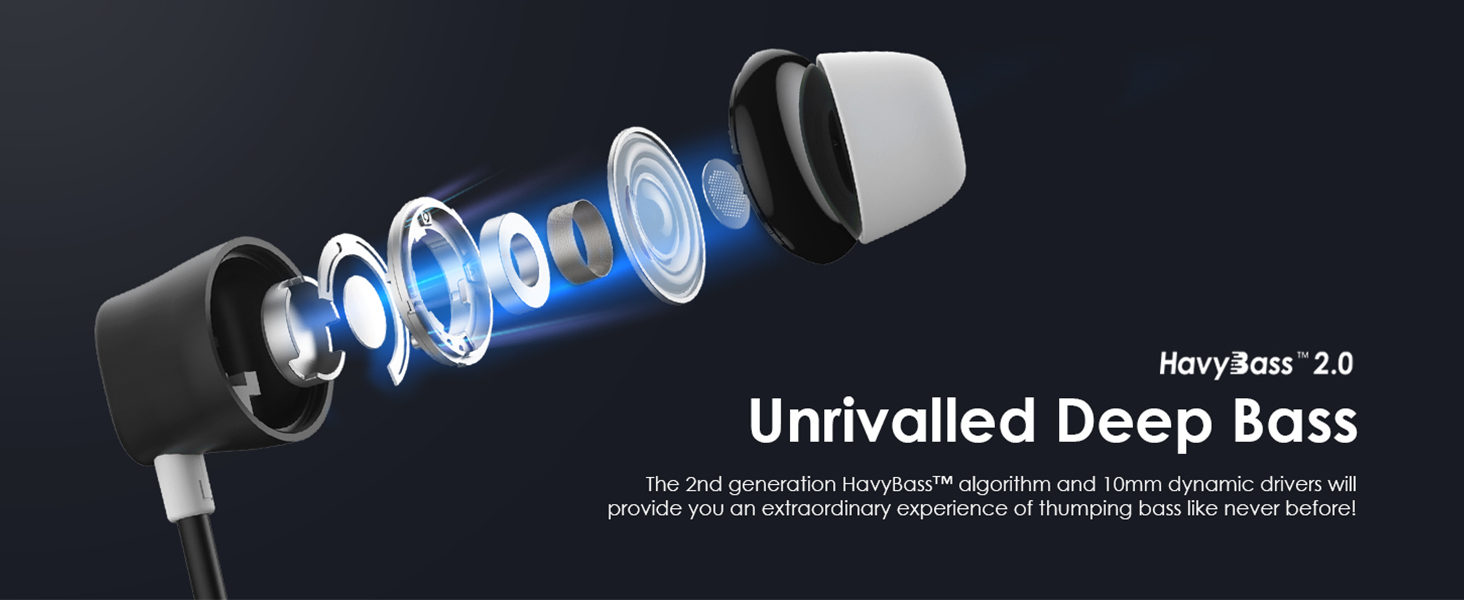
Сүрөт: жарылды view of an earbud, illustrating the internal components that contribute to the HavyBass 2.0 deep bass experience.

Image: An earbud with visual representation of sound waves, emphasizing clear audio transmission and reception with Environmental Noise Cancellation (ENC) technology.

Image: The magnetic earbuds are shown clicking together, demonstrating the feature for clutter-free carrying and storage.
3. Кутуда эмне бар
The Oraimo Shark 4 package includes the following items:
- 1x Oraimo Shark 4 Bluetooth Neckband Earphones
- 2 Pair Replacement Silicone Ear Tips (various sizes)
- 1x Type C заряддоо кабели
- 1x Колдонуучунун колдонмосу
Video: This video provides an unboxing of the Oraimo Shark 4 neckband earphones, demonstrating the contents of the package, the physical features of the earphones, and the functionality of the control buttons, including volume, track control, and mode switching.
4. Орнотуу жана алгачкы колдонуу
4.1 Наушниктерди заряддоо
Before first use, fully charge your earphones. Connect the provided Type C charging cable to the charging port on the neckband and a power source. The LED indicator will show charging status.
- Толук кубаттоо убактысы: Болжол менен 40 мүнөт.
- Тез арада төлөм: 10 minutes of charging provides up to 100 minutes of playtime.
- Жалпы оюн убакыт: Толук кубаттоо менен 20 саатка чейин.

Image: The Oraimo Shark 4 neckband earphones highlighting their impressive 20 hours of playtime on a single charge.

Image: A close-up of the earphone's charging port with a Type C cable inserted, illustrating the 10-minute quick charge feature for 100 minutes of playback.
4.2 Күйгүзүү/өчүрүү
- Күйгүзүү: Press and hold the multi-function button until the LED indicator lights up.
- Өчүрүү: Press and hold the multi-function button until the LED indicator turns off.
4.3 Bluetooth жупташтыруу
- Наушниктердин өчүрүлгөнүн текшериңиз.
- Press and hold the multi-function button until the LED indicator flashes blue and red, indicating pairing mode.
- Түзмөгүңүздө (смартфон, планшет ж.б.) Bluetooth иштетиңиз жана жеткиликтүү түзмөктөрдү издеңиз.
- Select "Oraimo Shark 4" from the list.
- Туташтырылгандан кийин, LED индикатору туруктуу көк жарыкты көрсөтөт.
5. Иштөө нускамалары
5.1 Негизги башкаруу каражаттары

Image: The remote control panel of the earphones, detailing the functions of each button for music playback, call management, and mode switching.
| Функция | Акция |
|---|---|
| Үнүн жогорулатуу | Press '+' button once |
| Кийинки трек | Long press '+' button for 1 second |
| Музыканы ойнотуу/тындыруу | Press 'O' button once |
| Чалууга жооп берүү/аяктоо | Press 'O' button once |
| Чакырууну четке кагуу | Long press 'O' button for 1 second |
| Үндү азайтуу | Press '-' button once |
| Акыркы трек | Long press '-' button for 1 second |
| EQ Switch (Normal ↔ HavyBass) | Press 'M' button once |
| Game Mode (Normal ↔ Game Mode) | Long press 'M' button for 1 second |
5.2 Эки түзмөктү жупташтыруу
The Oraimo Shark 4 supports connecting to two Bluetooth devices simultaneously. This allows you to seamlessly switch between audio sources without re-pairing.
- Кулакчындарды 4.3-бөлүмдө сүрөттөлгөндөй биринчи түзмөк менен жупташтырыңыз.
- After successful pairing, turn off Bluetooth on the first device.
- Put the earphones back into pairing mode (LED flashes blue and red).
- Экинчи аппарат менен жупташуу.
- Once the second device is connected, re-enable Bluetooth on the first device. The earphones should automatically connect to both devices.
- To switch between devices, pause audio on the active device and start playback on the other.

Image: A diagram illustrating the dual device connection feature, showing the Oraimo Shark 4 earphones simultaneously paired with a tablet and a smartphone.
5.3 Оюн режими
Activate the low-latency game mode for a more synchronized audio-visual experience during gaming or video playback.
- Оюн режимин иштетүү: Long press the 'M' button for 1 second.
- Deactivate Game Mode: Long press the 'M' button for 1 second again to return to normal mode.

Image: Earbuds positioned next to a smartphone screen displaying a game, illustrating the low-latency game mode for fluent audio during gaming or video playback.
5.4 EQ режимдери
Switch between different equalizer modes to customize your audio experience.
- EQ режимин которуштуруу: Press the 'M' button once to toggle between Normal Mode and HavyBass™ 2.0 Mode.
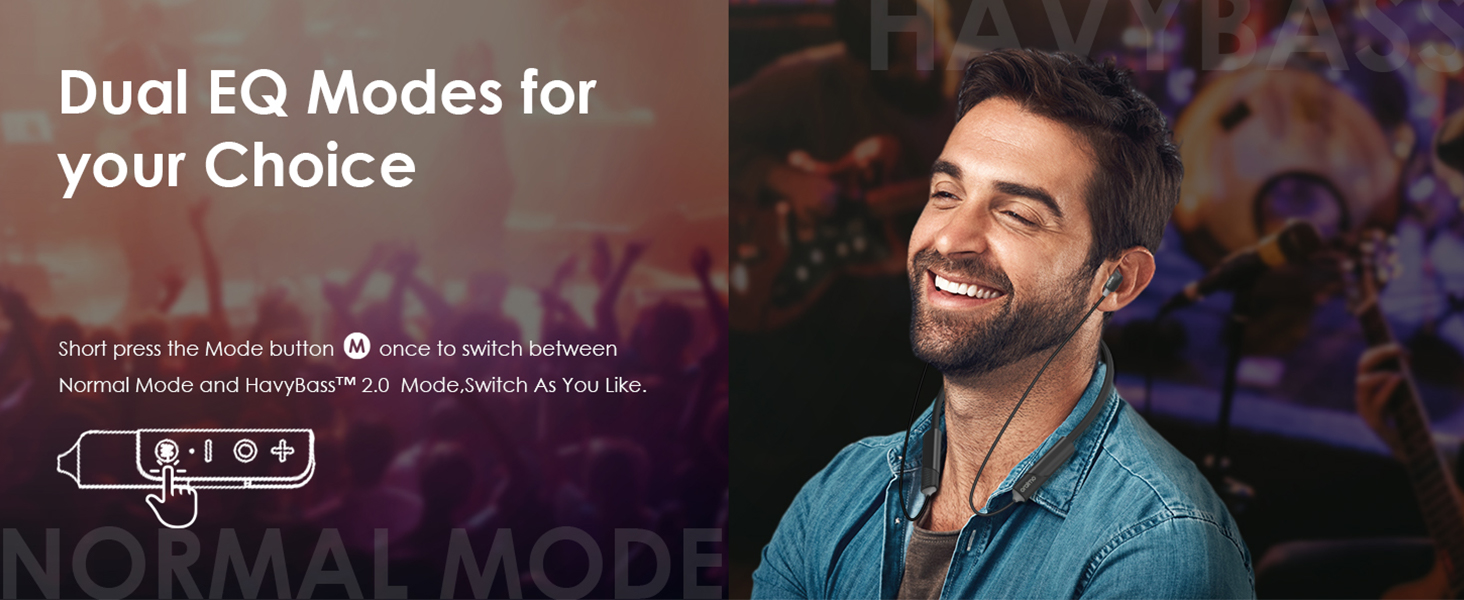
Image: A person enjoying music with the earphones, highlighting the availability of dual EQ modes for personalized sound.
6. Техникалык тейлөө
Тийиштүү техникалык тейлөө кулакчындарыңыздын узак мөөнөттүү иштешин жана жакшы иштешин камсыз кылат.
- Тазалоо: Use a soft, dry cloth to clean the earphones. Do not use harsh chemicals or abrasive materials.
- Сактагыч: Store the earphones in a cool, dry place away from direct sunlight and extreme temperatures. The magnetic earbuds help prevent tangling.
- Суу каршылык: The earphones are IPX5 waterproof, meaning they are resistant to sweat and light splashes. Do not submerge them in water.

Image: A man exercising while wearing the earphones, emphasizing the IPX5 waterproof rating and sweat-resistant nano coating, suitable for workouts and outdoor activities.
7. Кыйынчылыктарды
If you encounter any issues with your Oraimo Shark 4 earphones, refer to the following common solutions:
- Кулакчындар күйбөй жатат: Наушниктердин толук заряддалганын текшериңиз.
- Түзмөк менен жупташтыруу мүмкүн эмес: Түзмөгүңүздө Bluetooth күйгүзүлгөнүн жана кулакчындар жупташтыруу режиминде экенин текшериңиз. Эки түзмөктү тең өчүрүп-күйгүзүп көрүңүз.
- Үн жок: Кулакчындардын жана туташкан түзмөгүңүздүн үн деңгээлин текшериңиз. Кулакчындар туура жупташтырылганын текшериңиз.
- Үн сапаты начар: Ensure the earphones are within Bluetooth range of your device. Check for any obstructions between the earphones and the device.
- Чалуулардын сапатындагы көйгөйлөр: Ensure the microphone is not obstructed. Environmental Noise Cancellation (ENC) helps, but extreme noise may still affect clarity.
Эгер көйгөй чечилбесе, кардарларды колдоо менен байланышыңыз.
8. Техникалык шарттар
| Өзгөчөлүк | Деталь |
|---|---|
| Модель аты | OEB-E30D |
| Байланыш технологиясы | Зымсыз (Bluetooth v5.3) |
| Аудио драйвер түрү | Динамикалык драйвер |
| Батареянын иштөө мөөнөтү | 20 саатка чейин |
| Заряддоо убактысы | Approx. 40 minutes (10 mins for 100 mins playtime) |
| Заряддоо порту | USB Type-C |
| Сууга туруктуулук деңгээли | IPX5 (терге чыдамдуу) |
| Башкаруу түрү | Remote (Noise Control) |
| Материал | Силикон |
| Элемент Салмагы | 150 грамм |
| Продукциянын өлчөмдөрү | 20 x 20 x 5 см |
9. Кепилдик жана колдоо
Your Oraimo Shark 4 Bluetooth Neckband Earphones come with a 1 жылдык кепилдик сатып алынган күндөн тартып.
For any questions, technical assistance, or warranty claims, please contact our customer service:
- Кардарларды тейлөө номери: 1800 419 0525
- Customer Service Availability: 24/7
- Импорттоочу/Пакер: G-mobiles, Unit B301 third Floor Tower B Plot 7 Noida Uttar Pradesh-201301
We are committed to resolving your issues within 24 hours.


