1. Киришүү
This manual provides essential information for the setup, operation, and maintenance of your Apple iPad Pro 12.9-inch (6th Generation). Featuring the powerful M2 chip, a stunning Liquid Retina XDR Display, and advanced Wi-Fi 6E connectivity, your iPad Pro is designed for high performance and versatility.
Түзмөгүңүздүн туура колдонулушун камсыз кылуу жана анын мүмкүнчүлүктөрүн максималдуу түрдө жогорулатуу үчүн бул колдонмону кылдаттык менен окуп чыгыңыз.
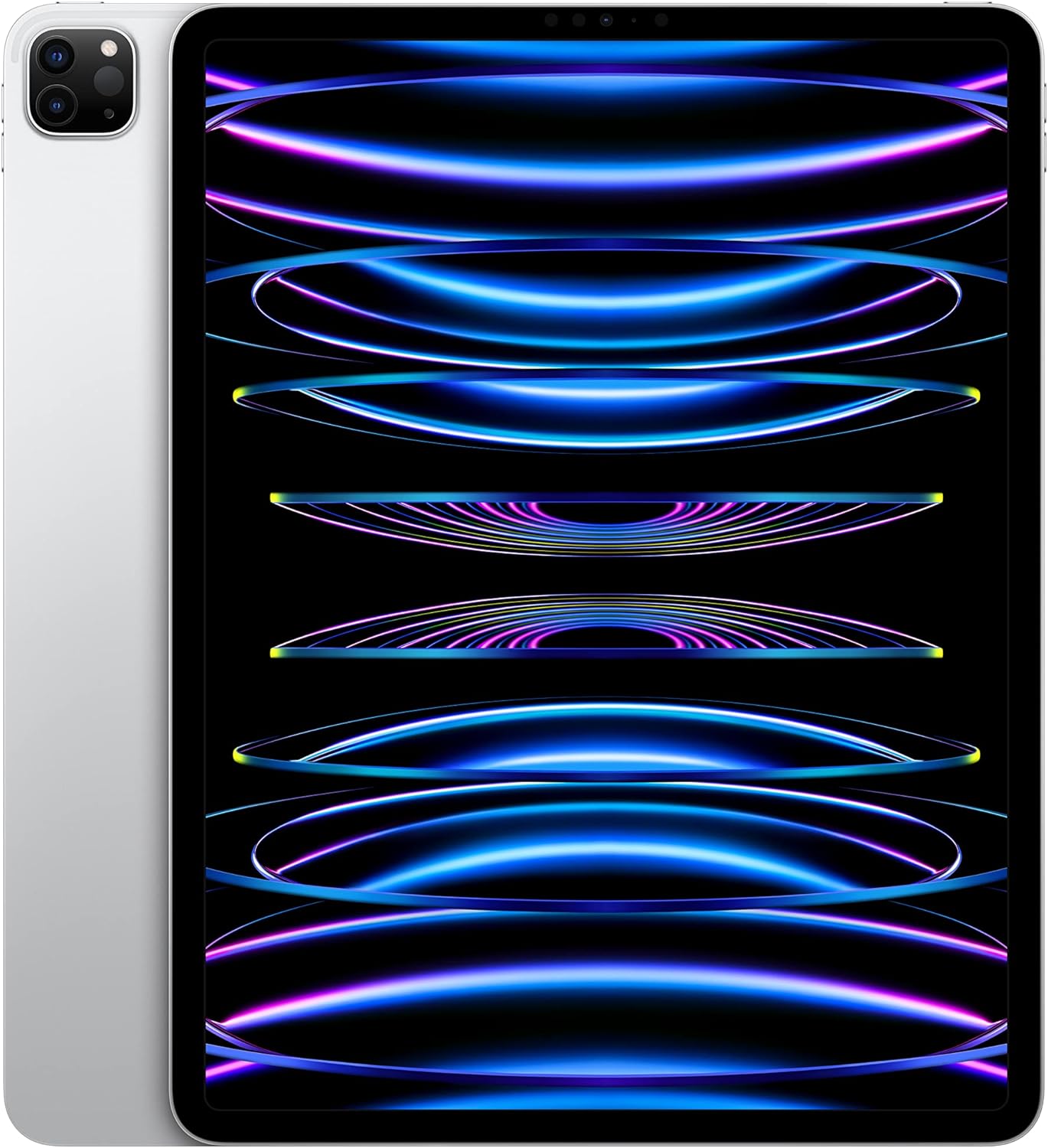
2. Орнотуу
2.1. Кутудан чыгаруу жана баштапкы төлөм
Upon opening your iPad Pro package, verify that all components are present:
- 12.9 дюймдук iPad Pro
- USB-C кубаттоочу кабели (1 метр)
- 20W USB-C кубаттуу адаптер
Before first use, connect your iPad Pro to the 20W USB-C Power Adapter using the provided USB-C Charge Cable. Allow the device to charge for at least 30 minutes or until the battery indicator shows sufficient charge to begin setup.

2.2. Күйгүзүү жана баштапкы конфигурация
- басып, кармап туруңуз Жогорку баскычы until the Apple logo appears.
- Тилди жана аймакты тандоо үчүн экрандагы нускамаларды аткарыңыз.
- Connect to a Wi-Fi network. The iPad Pro supports Wi-Fi 6E for fast wireless connections.
- Жайгашуу Face ID for secure authentication.
- Сиздин менен кирүү Apple ID же жаңысын түзүү.
- Choose your preferred settings for location services, Siri, and analytics.

3. Иштөө нускамалары
3.1. M2 Chip Performance
The iPad Pro is powered by the Apple M2 chip, featuring an 8-core CPU with 4 performance cores and 4 efficiency cores, a 10-core GPU, and a 16-core Neural Engine. This architecture provides significant performance for demanding applications, graphics-intensive tasks, and machine learning operations.
3.2. Liquid Retina XDR Display
The 12.9-inch Liquid Retina XDR display offers 1000 nits of full-screen brightness and 1600 nits of peak brightness, alongside a 1,000,000:1 contrast ratio. Advanced display technologies include ProMotion for adaptive refresh rates up to 120Hz, True Tone for ambient light color adjustment, and P3 wide color support for accurate color reproduction. Reference Mode is available for color-accurate workflows.

3.3. Камера системасы
The iPad Pro features a versatile camera system:
- Алдыңкы камера: 12MP Ultra Wide TrueDepth camera with Center Stage, Portrait mode, Portrait Lighting, and Smart HDR 4, ideal for video conferencing and selfies.
- Арткы камералар: 12MP Wide and 10MP Ultra Wide cameras with True Tone flash, Smart HDR 4, and support for 4K video recording at 24, 25, 30, or 60 fps, including ProRes video recording.
- LiDAR Scanner: Enhances augmented reality (AR) experiences by capturing a depth map of any space.
3.4. iPadOS and Multitasking
iPadOS provides a productive, intuitive, and versatile user experience. Key features include:
- Көп тапшырма: Run multiple applications simultaneously.
- Stage Manager: Organize apps with resizable, overlapping windows and external display support.
- Scribble: Use Apple Pencil to write in any text field.
- App Store: Access over a million applications, including essential apps like Safari, Messages, and Keynote.

3.5. Apple Pencil (2nd Generation) and Magic Keyboard
The iPad Pro supports the Apple Pencil (2nd Generation) and Magic Keyboard (both sold separately) to enhance productivity and creativity:
- Apple Pencil (2nd Generation): Transforms the iPad Pro into a drawing canvas and note-taking device with precision and low latency.
- Сыйкырдуу баскычтоп: Provides a comfortable typing experience with a built-in trackpad and doubles as a protective cover for the iPad Pro.


3.6. Face ID
Face ID allows you to securely unlock your iPad Pro, authenticate purchases, and sign in to applications using facial recognition.
3.7. Байланыш
The iPad Pro supports Wi-Fi 6E for high-speed wireless internet access. The USB-C туташтыргычы supports Thunderbolt / USB 4, enabling fast data transfers and connection to various accessories.
4. Техникалык тейлөө
4.1. Cleaning Your iPad Pro
- Экранды жана сыртты тазалоо үчүн жумшак, түксүз чүпүрөктү колдонуңуз.
- Абразивдүү материалдарды, аэрозолдорду, эриткичтерди же аммиак негизиндеги тазалоочу каражаттарды колдонуудан алыс болуңуз.
- Dampзарыл болсо, кездемени бир аз суу менен жууп салыңыз, бирок тешиктерге нымдын киришине жол бербеңиз.
4.2. Батареяга кам көрүү
Батареянын иштөө мөөнөтүн оптималдаштыруу үчүн:
- Keep your iPadOS updated to the latest version.
- Экран жарыктыгын ыңгайлуу деңгээлге тууралаңыз.
- Колдонулбай турган учурда Wi-Fi же Bluetooth'ду өчүрүп коюңуз.
- Limit background app refresh for apps that don't require constant updates.
- The iPad Pro offers up to 10 hours of web surfing on Wi-Fi or video playback, and up to 9 hours using cellular data.
4.3. Программалык камсыздоону жаңыртуу
Regularly check for and install iPadOS updates to ensure your device has the latest features, security enhancements, and performance improvements. Go to Орнотуулар > Жалпы > Программаны жаңыртуу.
5. Кыйынчылыктарды
5.1. Жалпы маселелер жана чечүү жолдору
- Түзмөк күйбөй жатат: Ensure the iPad Pro is charged. Connect it to the power adapter and wait a few minutes. If it still doesn't turn on, perform a force restart: Press and quickly release the Volume Up button, press and quickly release the Volume Down button, then press and hold the Top button until the Apple logo appears.
- Wi-Fi туташуу көйгөйлөрү: Check if Wi-Fi is enabled in Settings. Restart your Wi-Fi router. Forget the network and reconnect. Ensure your iPadOS is updated.
- Батареянын бат түгөнүп калышы: Review battery usage in Settings to identify power-consuming apps. Adjust brightness, disable unnecessary background refresh, and ensure optimal battery care practices.
- Иштин төмөндөшү: Close unused apps. Restart your iPad Pro. Ensure sufficient storage space is available.
- Face ID иштебей жатат: Ensure your face is clear and unobstructed. Check Face ID settings. If issues persist, reset Face ID and set it up again.
5.2. Кошумча жардам
If you encounter issues not covered here, or if problems persist, refer to Apple's official support resources or contact Apple Support.
6. Техникалык шарттар
| Өзгөчөлүк | Деталь |
|---|---|
| Продукциянын өлчөмдөрү | 0.25 x 8.46 x 11.05 дюйм |
| Элемент Салмагы | 1.5 фунт |
| Өндүрүүчү | Apple |
| ASIN | B0BJLD4SWD |
| Элемент моделинин номери | MNXQ3LL/A |
| Батареялар | 1 литий-иондук батарейка талап кылынат (кошулган) |
| Дата биринчи жеткиликтүү | 18-октябрь, 2022-жыл |
| Бренд | Apple |
| Модель аты | iPad Pro |
| Эстутум сактоо сыйымдуулугу | 128 ГБ |
| Screen Size | 12.9 дюйм |
| Дисплейдин максималдуу чечилиши | 2732 x 2048 пиксел |
| Дисплей | 12.9‑inch Liquid Retina XDR display with ProMotion technology and True Tone |
| Capacity Options | 128GB, 256GB, 512GB, 1TB or 2TB |
| Чип | Apple M2 chip, 8-core CPU, 10-core GPU, 16-core Neural Engine, 100GB/s memory bandwidth, 8GB RAM (128GB/256GB/512GB models), 16GB RAM (1TB/2TB models) |
| Камера жана видео | 12MP Wide and 10MP Ultra Wide cameras with Smart HDR 4 and 4K video at 24, 25, 30, or 60 fps |
| Алдыңкы камера | TrueDepth camera with 12MP Ultra Wide front camera, Center Stage, Portrait mode, Portrait Lighting, and Smart HDR 4 |
| Батареянын иштөө мөөнөтү | 10 саатка чейин серфинг web on Wi‑Fi or watching video; Up to 9 hours of surfing the web уюлдук маалымат тармагын колдонуу |
| Туташтыргыч | USB-C connector with support for Thunderbolt / USB 4 |
| Бийиктик | 11.04 дюйм (280.6 мм) |
| Туурасы | 8.46 дюйм (214.9 мм) |
| Тереңдик | 0.25 дюйм (6.4 мм) |
| Салмагы | 1.5 pounds (682 grams) Wi-Fi model; 1.51 pounds (685 grams) Wi-Fi + Cellular model |
| Apple Pence колдоосу | Apple Pencil (2nd Generation) - sold separately |
7. Кепилдик жана колдоо
7.1. Кепилдик маалыматы
Your Apple iPad Pro is covered by a limited warranty provided by Apple. For detailed information regarding warranty terms, conditions, and coverage, please refer to the warranty documentation included with your product or visit the official Apple webсайт.
7.2. Техникалык колдоо
For technical assistance, troubleshooting, or service requests, please visit the official Apple Support webсайтында support.apple.com/ipad or contact Apple Support directly. You can also find extensive resources, FAQs, and community forums on their webсайт.


