1. Киришүү
Thank you for choosing the LTC MOB20RED Senior Phone. This device is designed with ease of use in mind, featuring large keys, a loud voice readout, and essential functions tailored for seniors. It includes a dedicated SOS button for emergencies, a built-in flashlight, and a long-lasting battery. This manual provides detailed instructions for setting up, operating, and maintaining your phone to ensure optimal performance and safety.
2. Коопсуздук маалыматы
- Батареянын коопсуздугу: Use only the original battery and charger provided. Do not short-circuit, puncture, or expose the battery to extreme temperatures or fire. Dispose of batteries properly according to local regulations.
- Заряддоо: Charge the phone in a well-ventilated area. Do not charge near flammable materials.
- Суу каршылык: Бул телефон сууга чыдамдуу эмес. Суюктуктардын таасиринен алыс болуңуз.
- Тазалоо: Use a soft, dry cloth to clean the phone. Do not use harsh chemicals or abrasive cleaners.
- Угуу коргоо: Угуу жөндөмүнө зыян келтирбөө үчүн катуу үн деңгээлинде көпкө угуудан качыңыз.
- Медициналык аппараттар: Maintain a safe distance between the phone and medical devices like pacemakers. Consult your physician and the medical device manufacturer for specific guidelines.
- Айдоо коопсуздугу: Do not use the phone while driving. Always prioritize road safety.
3. Пакеттин мазмуну
Сураныч, кутудан чыкканда пакеттин мазмунун текшериңиз:
- LTC MOB20RED Senior Phone
- Li-Ion Battery (900 mAh)
- AC кубат адаптери
- Колдонуучунун Колдонмосу (бул документ)
4. Продукт бүтүп калдыview
Familiarize yourself with the key components of your LTC MOB20RED phone.
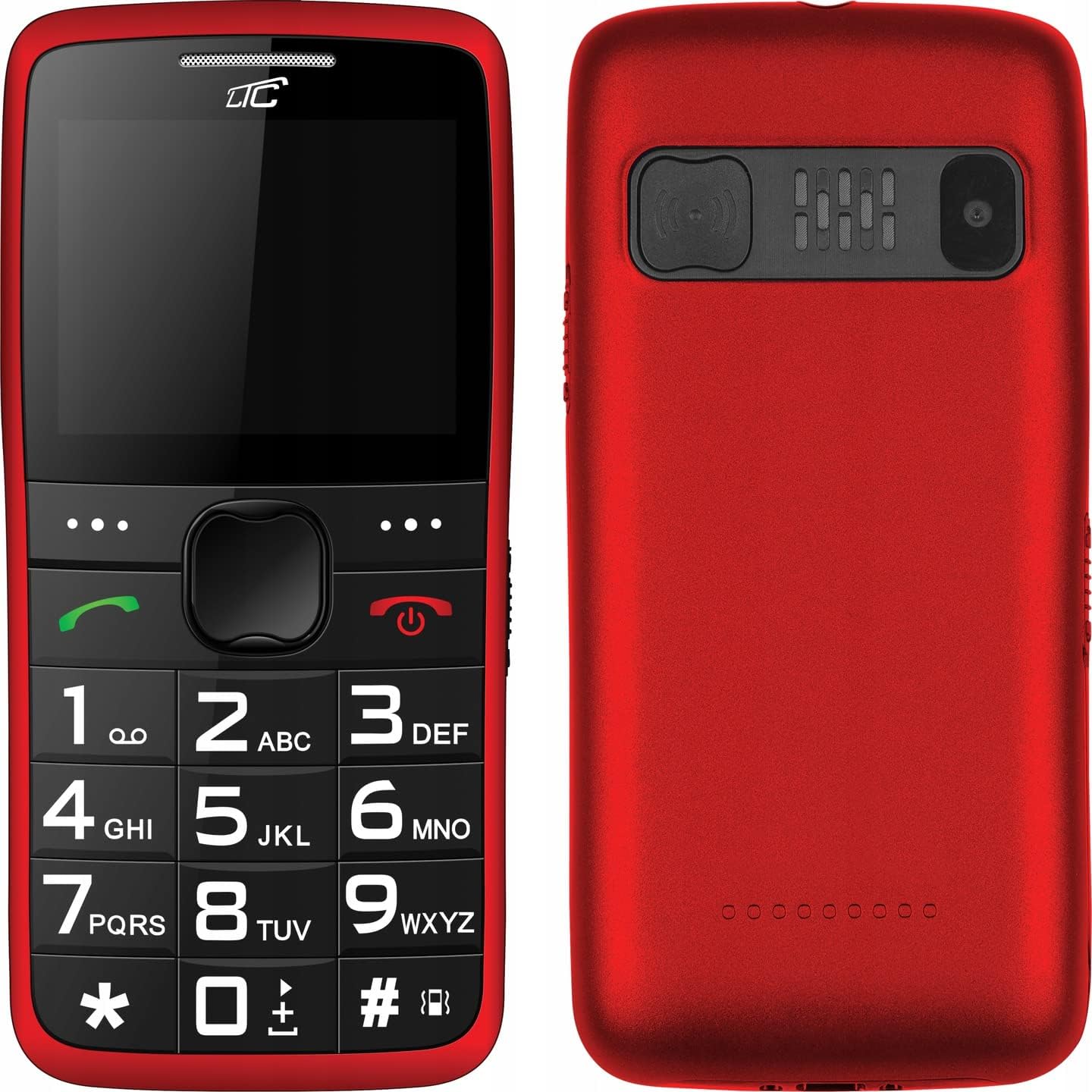
4.1-сүрөт: Алдыңкы жана арткы View of the Phone. This image displays both the front with its large keypad and screen, and the back with the SOS button and camera module.
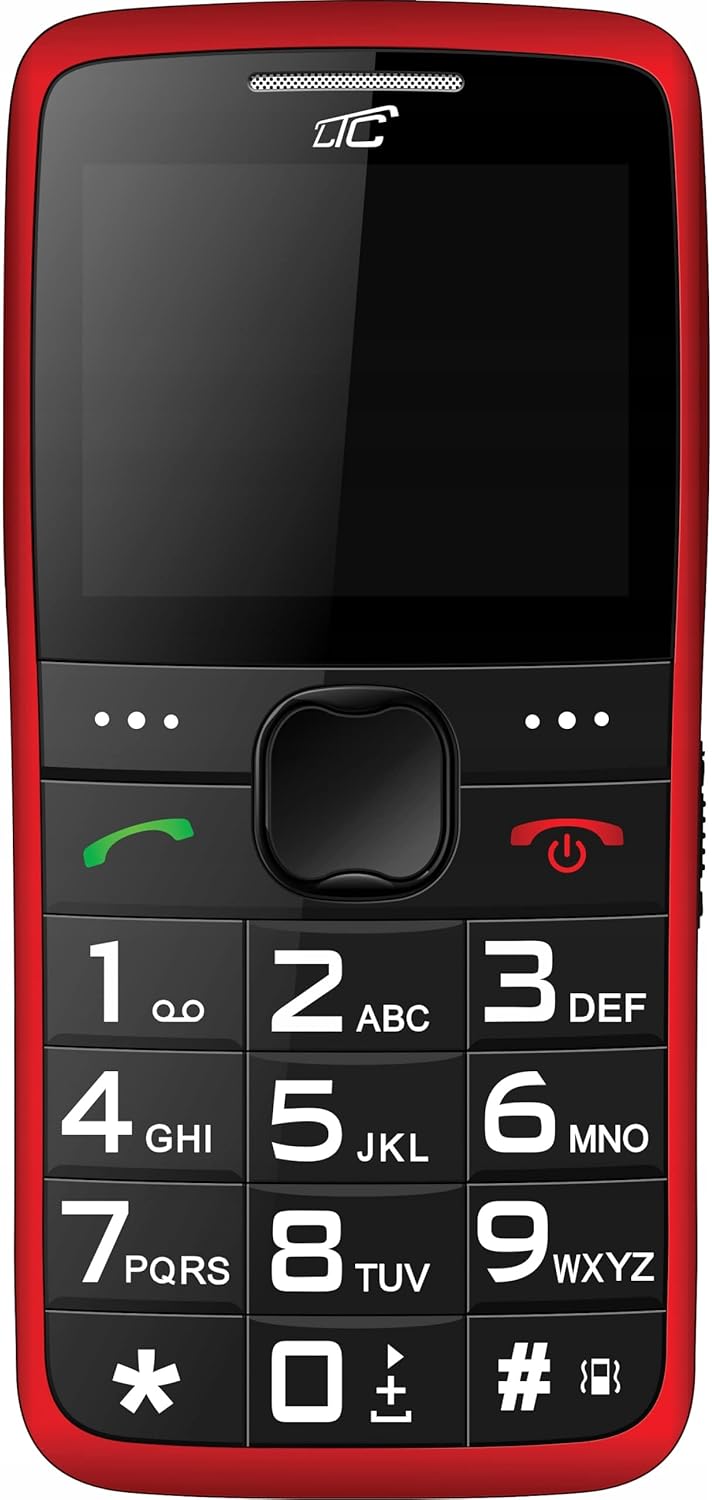
4.2-сүрөт: Фронт View. A clear view of the phone's front, highlighting the spacious keypad with large, easy-to-read numbers and letters, and the color display.
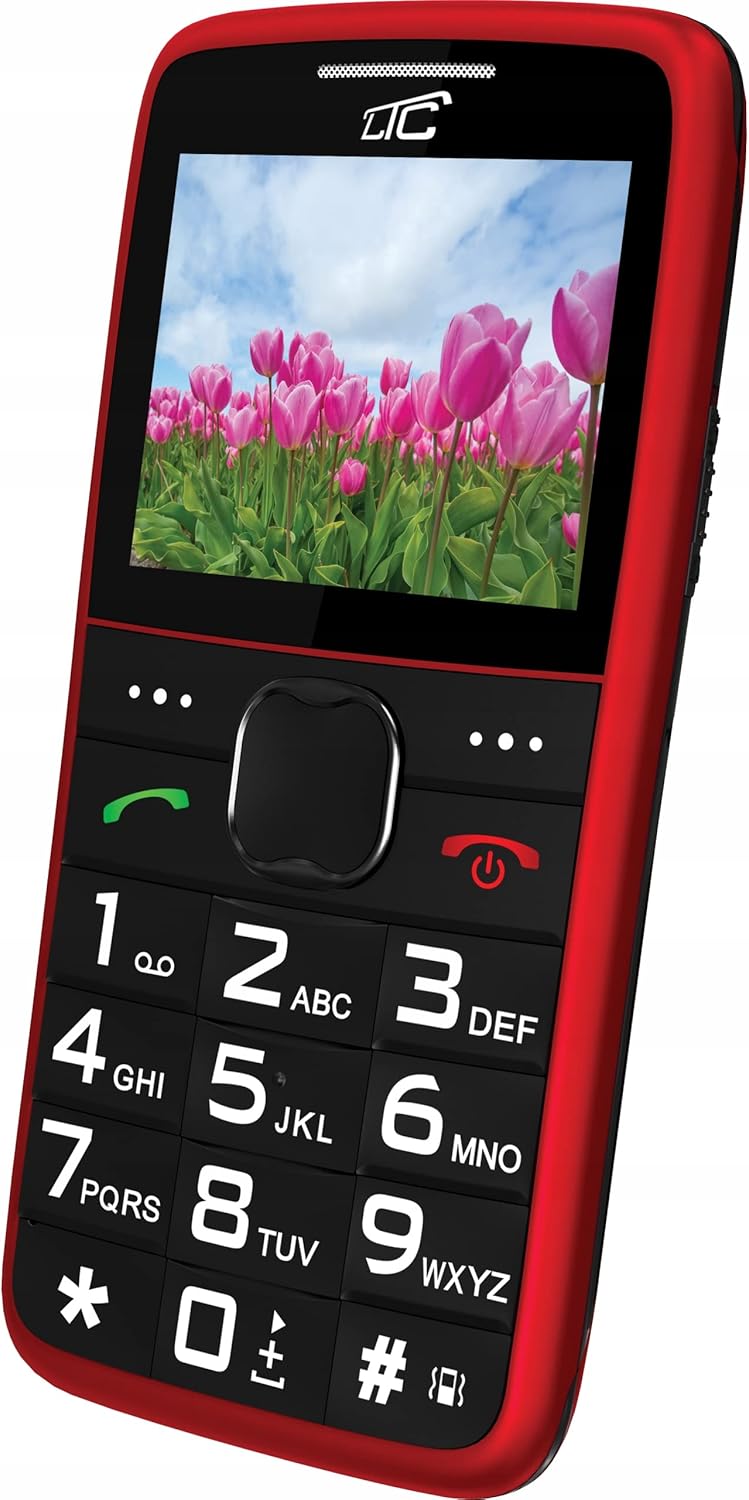
4.3-сүрөт: Бурчтуу фронт View with Display On. This image shows the phone from an angle, with the screen displaying a vibrant image, demonstrating its color capabilities.
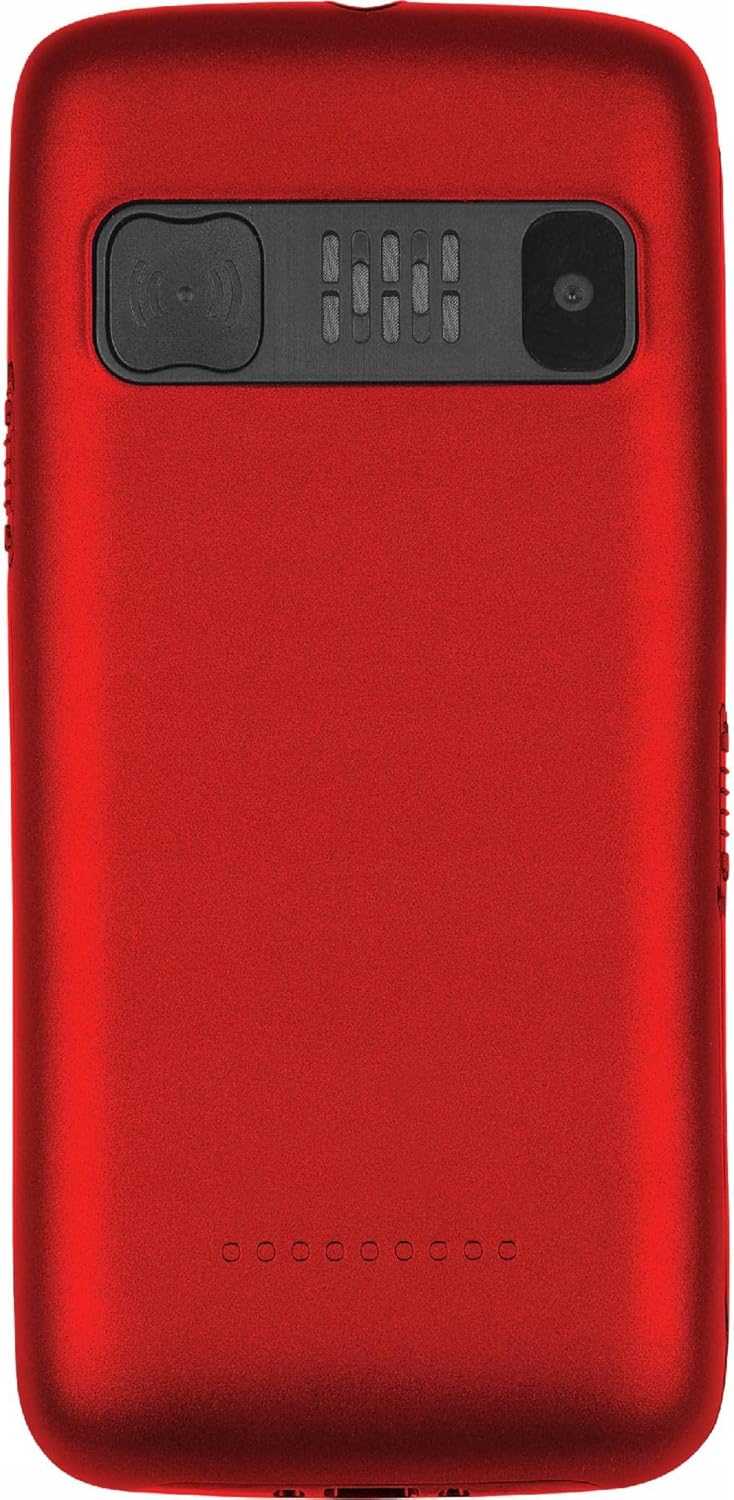
4.4-сүрөт: Артка View. The rear of the phone is shown, featuring the prominent SOS button, the camera lens, and the speaker grille.
Негизги өзгөчөлүктөрү:
- Чоң ачкычтар: Easy to press and read, designed for comfortable dialing and texting.
- Чоң дисплей: 2.2-inch color LCD with clear, large font for easy viewing.
- SOS баскычы: Located on the back, allows quick access to emergency contacts.
- Loud Voice Readout: Announces pressed keys (numbers, asterisk, hash) for confirmation. This feature can be toggled on/off in settings.
- Жогорку кубаттуулуктагы батарея: 900 mAh Li-Ion battery provides up to 7-10 days of standby time.
- Кол чырак: Ыңгайлуулук үчүн орнотулган.
- Кош SIM колдоо: Бир эле учурда эки SIM-картаны колдонууга мүмкүндүк берет.
- MicroSD картасынын уячасы: Supports up to 32 GB for expanded storage.
- Мультимедиа: Includes FM Radio, Audio/Video Player, Alarm Clock, Calendar, Calculator, and Voice Recorder.
- Bluetooth: Зымсыз байланыш үчүн.
5. Орнотуу
5.1 SIM-карта(лар)ды жана MicroSD картасын салуу
- Телефондун арткы капкагын оюктан акырын ачып, чечиңиз.
- Батарея орнотулган болсо, аны алып салыңыз.
- Locate the SIM card slot(s) and the microSD card slot.
- Insert your SIM card(s) into the designated slot(s) with the gold contacts facing down, ensuring it clicks into place.
- If desired, insert a microSD card (up to 32 GB) into its slot.
5.2 Батареяны салуу
- Align the battery's gold contacts with the contacts in the phone's battery compartment.
- Gently press the battery down until it is securely seated.
- Арткы капкакты ордуна орнотулганча бекем басып, кайра жабыңыз.
5.3 Телефонду кубаттоо
- Connect the small end of the charging cable to the charging port on the phone.
- Plug the other end of the charger into a standard wall outlet.
- Экрандагы батарейканын көрсөткүчү заряддоо абалын көрсөтөт.
- Once fully charged, disconnect the charger. A full charge typically takes a few hours.
6. Иштөө нускамалары
6.1 Күйгүзүү/өчүрүү
- Күйгүзүү үчүн: Кызылды басып, кармап туруңуз Чакырууну өчүрүү/аяктоо экран күйгүчө баскычын басыңыз.
- Өчүрүү үчүн: Кызылды басып, кармап туруңуз Чакырууну өчүрүү/аяктоо өчүрүү параметрлери пайда болгонго чейин баскычын басып туруңуз, андан кийин "Өчүрүү" тандаңыз.
6.2 Чалууларды кабыл алуу жана кабыл алуу
- Чалуу үчүн: Dial the number using the large keypad. The phone will audibly read out each digit you press (if voice readout is enabled). Press the green Чалуу чалууну баштоо үчүн баскычты басыңыз.
- Чакырууну кабыл алуу үчүн: When the phone rings, press the green Чалуу жооп берүү үчүн баскыч.
- Чалууну аяктоо үчүн: Кызылды басыңыз Чакырууну өчүрүү/аяктоо баскычы.
6.3 Тез терүү
You can assign frequently called numbers to keys 0-9 for quick dialing.
- барыңыз Орнотуулар > Тез терүү.
- Select a key (0-9) and assign a contact from your phonebook or enter a new number.
- To use speed dial, press and hold the assigned key until the call is initiated.
6.4 SOS функциясы
The SOS button is a critical safety feature. When pressed, it will automatically call and/or send an SMS to pre-set emergency contacts.
- SOS байланыштарын орнотуу: барыңыз Орнотуулар > SOS Орнотуулары.
- Add up to 5 emergency contact numbers. You can also enable/disable SMS sending and customize the SOS message.
- Using the SOS Function: Шашылыш учурда, баскычын басып, кармап туруңуз SOS баскычы on the back of the phone for a few seconds. The phone will then sequentially call the pre-set numbers until one answers, and/or send the emergency SMS.
6.5 Фонар
To turn the flashlight on or off, locate the dedicated flashlight button (usually on the side of the phone) and slide or press it. Refer to the phone's physical layout for exact location.
6.6 Башка функциялар
- FM радиосу: Access from the main menu. You may need to connect headphones (not included) to act as an antenna.
- Audio/Video Player: Use to play media files stored on your microSD card.
- Ойготкуч саат: Set multiple alarms with customizable tones.
- Календар: View dates and add reminders.
- Калькулятор: Негизги арифметикалык амалдарды аткарыңыз.
- Үн жазгыч: Аудио жазууларды жазыңыз.
- Bluetooth: Enable Bluetooth in settings to pair with compatible devices like headsets.
7. Техникалык тейлөө
- Тазалоо: Wipe the phone regularly with a soft, lint-free cloth. Do not use liquid cleaners or aerosols.
- Батареяга кам көрүү: To prolong battery life, avoid fully discharging the battery frequently. Charge the phone before the battery level drops too low. Do not leave the phone connected to the charger for excessively long periods after it's fully charged.
- Сактагыч: Телефонду түз күн нурунан жана экстремалдык температурадан алыс салкын, кургак жерде сактаңыз.
- Программалык камсыздоо жаңыртуулары: While this phone typically does not receive frequent software updates, ensure you are using the latest available firmware if prompted.
8. Кыйынчылыктарды
| Көйгөй | Мүмкүн себеп | Чечим |
|---|---|---|
| Телефон күйбөйт. | Батарея түгөнүп калган же туура салынган эмес. | Батареяны заряддаңыз. Батарея туура салынганын текшериңиз. |
| Чалууларды кабыл алуу же жасоо мүмкүн эмес. | Тармак сигналы жок, SIM-карта салынган эмес же SIM-картада көйгөй бар. | Тармак сигналынын күчүн текшериңиз. SIM картаны кайра салыңыз. Кызмат көрсөтүүчүңүзгө кайрылыңыз. |
| Voice readout not working. | Feature is disabled in settings. | барыңыз Орнотуулар and enable voice readout for keys. |
| SOS баскычы иштебей жатат. | SOS contacts not set up or battery is too low. | Ensure SOS contacts are configured in SOS Орнотуулары. Charge the phone. |
| Батарея бат эле түгөнөт. | Heavy usage, poor network signal, or aging battery. | Reduce usage. Move to an area with better signal. Consider replacing the battery if it's old. |
9. Техникалык шарттар
| Өзгөчөлүк | Деталь |
|---|---|
| Модел | MOB20RED |
| Тармак жыштыгы | 850 / 900 / 1800 / 1900 MHz (2G) |
| Дисплей | 2.2-inch LCD, 160 x 128 pixels (effective 240 x 320) |
| Камера | 0.3 депутат |
| Ички эс тутум | 32 + 32 MB (RAM: 32 MB, Flash: 32 MB) |
| Expandable Memory | Up to 32 GB (microSD) |
| Батарея сыйымдуулугу | 900 мАч Li-Ion |
| Максималдуу күтүү убактысы | 7 - 10 күн |
| Bluetooth | Ооба |
| Кол чырак | Камтылган |
| SOS функциясы | Yes (Quick button) |
| Өлчөмдөрү (L x W x Y) | 113.3 x 54 x 12.8 мм |
| Салмагы | 91 г |
| Операция системасы | Symbian 9.1 |
| Аудио форматтары | MP3 |
10. Кепилдик жана колдоо
The LTC MOB20RED Senior Phone comes with a standard manufacturer's warranty. Please refer to the warranty card included in your product packaging or contact your point of purchase for specific warranty terms and conditions.
For technical support, troubleshooting assistance, or service inquiries, please contact the retailer or manufacturer directly. Keep your purchase receipt as proof of purchase for warranty claims.
Өндүрүүчү: LAMEX
Бренд: LTC


