Introduction
Welcome to your new AZATOM Classic V1 DAB/DAB+ FM Digital Radio. This manual provides detailed instructions for setting up, operating, and maintaining your device. Please read it thoroughly to ensure optimal performance and longevity of your radio.
Маанилүү коопсуздук маалыматы
Сураныч, бул колдонмону келечекте маалымат алуу үчүн сактаңыз.
- Агрегатты жамгырга же нымдуулукка дуушар кылбаңыз.
- Агрегатты ажыратпаңыз. Бардык тейлөөлөрдү квалификациялуу кызматкерлерге тапшырыңыз.
- Ашыкча температурадан сактаныңыз.
- Туура желдетүүнү камсыз кылыңыз.
- Белгиленген кубат адаптерин же батарейкаларды гана колдонуңуз.
For detailed safety guidelines, refer to the full safety leaflet included with your product.
Негизги өзгөчөлүктөрү
- DAB/DAB+ жана FM радиосу: Санариптик жана аналогдук радиостанциялардын кеңири чөйрөсүнө кириңиз.
- Bluetooth 5.0 туташуусу: Туура келген түзмөктөрдөн аудиону зымсыз агым.
- Кош ойготкуч функциясы: Set two independent alarms with customizable sources.
- Colour LCD Display: Clear and intuitive display for station information, time, and settings.
- Battery and Mains Power: Flexible power options for portable or home use.
- AUX киргизүү: Тышкы аудио булактарын 3.5 мм уяча аркылуу туташтырыңыз.
- Гарнитуранын чыгышы: Private listening experience.
- 60 Алдын ала орнотуулар: Store up to 60 favorite stations (40 DAB, 20 FM).
- Уйку таймери: Automatically turn off the radio after a set period.

Сүрөт: алдыңкы view of the AZATOM Classic V1 radio, showcasing its black and silver design with a leather-look handle and front speaker grille.
Жайгашуу
Күйгүзүлүүдө
The AZATOM Classic V1 can be powered using the included mains adapter or four Type C batteries (not included).
Электр кубаты
- Connect the mains adapter to the DCV input port on the back of the radio.
- Адаптерди дубалдагы розеткага сайыңыз.
- басып, кармап туруңуз КҮЧ button on the top panel to turn on the radio.
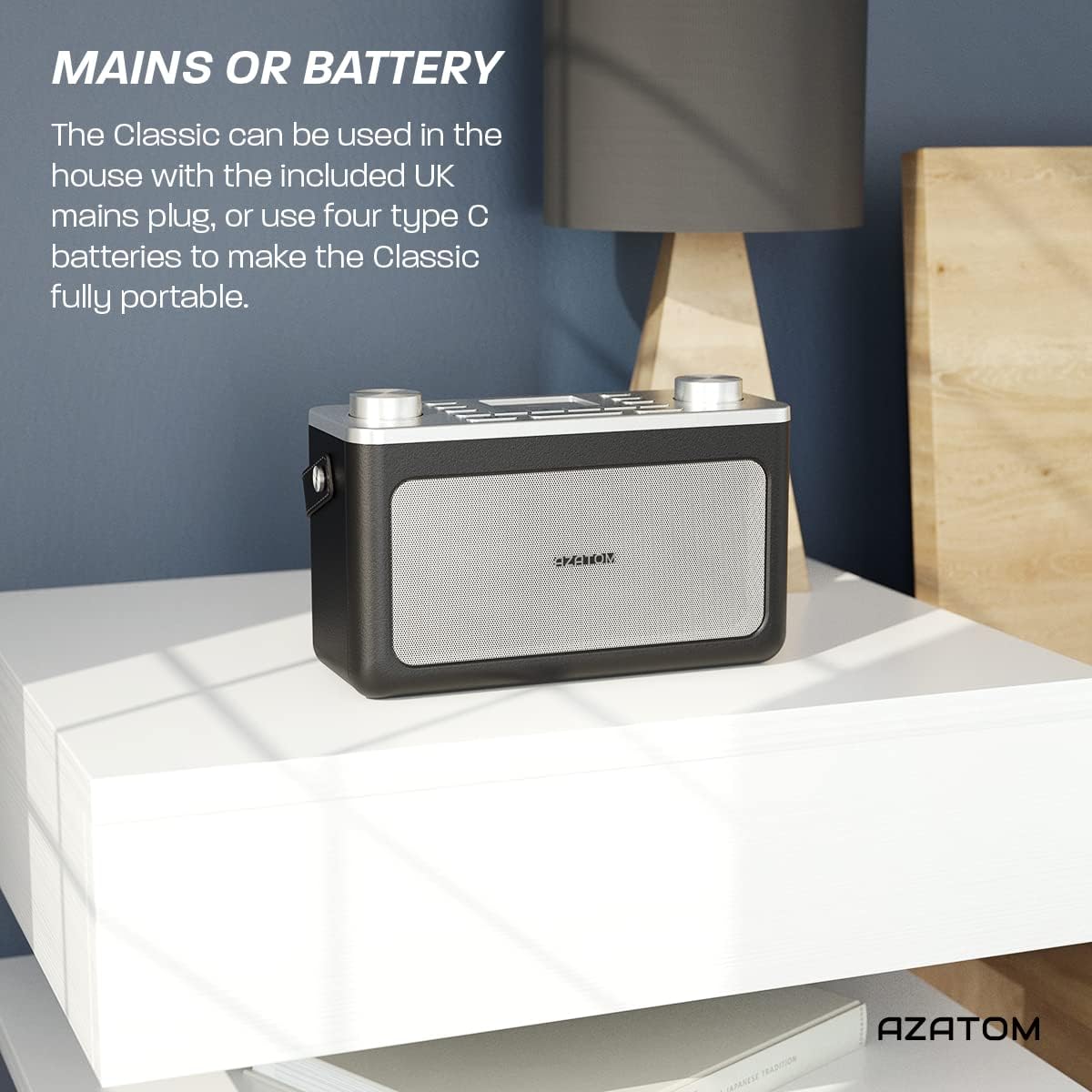
Image: The AZATOM Classic V1 radio on a white surface, illustrating its portability and dual power options (mains or battery).
Батареянын күчү
- Радионун артындагы батарея бөлүкчөсүнүн капкагын ачыңыз.
- Insert four Type C batteries, ensuring correct polarity (+/-).
- Батарея уясынын капкагын бекем жабыңыз.
- басып, кармап туруңуз КҮЧ button on the top panel to turn on the radio.

Сүрөт: Арткы view of the AZATOM Classic V1 radio, highlighting the DCV input, AUX IN, USB CHARGE ports, and the two battery compartment covers.
Initial Scan (DAB/DAB+)
Upon first power-on, the radio will automatically perform a full scan for DAB/DAB+ stations. This may take a few minutes.
Скандоо аяктагандан кийин, радио биринчи жеткиликтүү станцияга туураланат.
If no stations are found, ensure the telescopic antenna is fully extended and reposition the radio, then perform a manual scan (see "Operating DAB/DAB+ Radio").
Иштөө нускамалары

Сүрөт: жогорудан төмөнгө view of the AZATOM Classic V1 radio, showing the control panel with buttons for power, mode, presets, volume, and tuning/enter knobs, along with the color LCD display.
Негизги башкаруу элементтери
- КҮЧ баскычы: Press and hold to turn on/off. Press briefly to switch between standby and active mode.
- MODE баскычы: Press to cycle through DAB, FM, Bluetooth, and AUX modes.
- VOLUME баскычы: Rotate left to decrease volume, right to increase volume.
- ENTER/TUNE Knob: Rotate to navigate menus or tune stations. Press to confirm selections.
- АЛДЫН АЛА ОРНОТУУ баскычтары (1-4): Сакталган сүйүктүү станцияларга тез жетүү.
- PRESET Button (Long Press): Access the full list of stored presets.
- MENU баскычы: Access system settings and mode-specific options.
- SOZE/DIMMER баскычы: Snooze active alarm or adjust display brightness.
- SLEEP баскычы: Activate/deactivate sleep timer.
- SKIP Buttons (<< / >>): Navigate tracks in Bluetooth mode or stations in radio mode.

Image: The AZATOM Classic V1 radio displaying the time and alarm settings on its color LCD, emphasizing its alarm and sleep timer functionalities.
DAB/DAB+ радио режими
- басыңыз РЕЖИМ button until "DAB Radio" appears on the display.
- If a full scan hasn't been performed, the radio may initiate one.
- айлантыңыз ENTER/TUNE жеткиликтүү станцияларды карап чыгуу үчүн баскычын басыңыз.
- басыңыз ENTER/TUNE станцияны тандоо үчүн баскычын басыңыз.
- Алдын ала сакталган нерселерди сактоо:
- Каалаган станцияга коюңуз.
- Алардын бирин басып, кармап туруңуз АЛДЫН АЛА "Алдын ала орнотулган сакталган" пайда болгонго чейин баскычтарды (1-4) басыңыз.
- To store beyond preset 4, press and hold the АЛДЫН АЛА button (not 1-4) and rotate the ENTER/TUNE knob to select a preset number (5-40), then press ENTER/TUNE ырастоо үчүн.
- Алдын ала орнотууларды эстөө:
- баскычтарынын бирин кыскача басыңыз АЛДЫН АЛА buttons (1-4) to recall.
- To recall presets 5-40, briefly press the АЛДЫН АЛА button (not 1-4), rotate the ENTER/TUNE knob to select the preset, then press ENTER/TUNE.
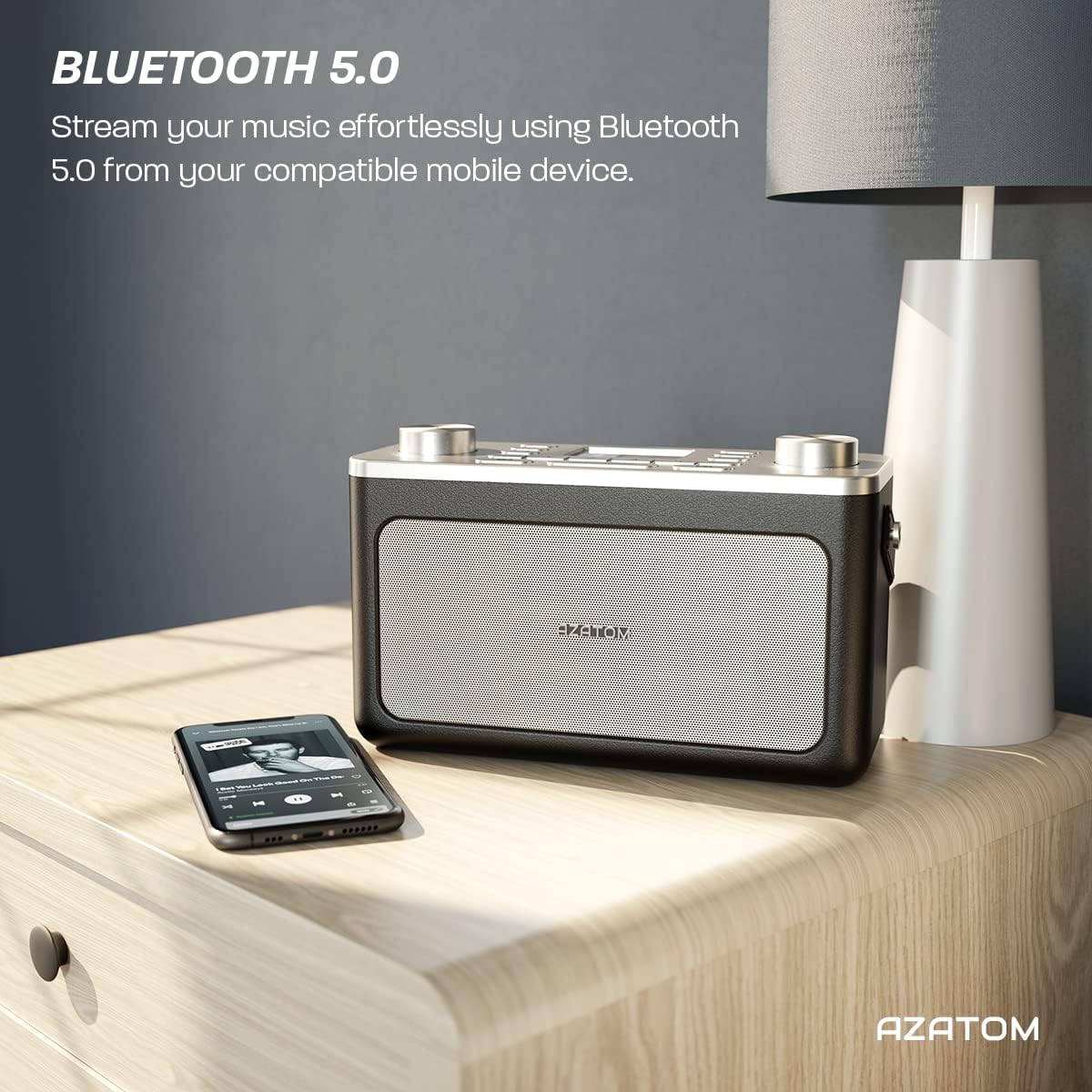
Image: The AZATOM Classic V1 radio on a kitchen counter, highlighting its ability to store and recall pre-set stations for quick access.
FM радио режими
- басыңыз РЕЖИМ button until "FM Radio" appears on the display.
- Авто сканерлөө: басып, кармап туруңуз ENTER/TUNE knob to automatically scan for the next available station.
- Кол менен күү: айлантыңыз ENTER/TUNE жыштыкты кол менен тууралоо үчүн баскыч.
- Алдын ала сакталган нерселерди сактоо: (Same as DAB/DAB+ but for FM stations, up to 20 presets).
- Алдын ала орнотууларды эстөө: (Same as DAB/DAB+).
Bluetooth режими
- басыңыз РЕЖИМ Дисплейде "Bluetooth" пайда болгонго чейин баскычын басыңыз. Радио жупташтыруу режимине өтөт, бул Bluetooth сүрөтчөсүнүн жаркылдап күйүшү менен көрсөтүлөт.
- On your mobile device, enable Bluetooth and search for "AZATOM Classic V1".
- Select "AZATOM Classic V1" to pair. Once connected, the Bluetooth icon will stop flashing.
- Play audio from your device. Use the radio's ӨТКӨРҮҮ buttons (<< / >>) to control tracks and the VOLUME үнүн тууралоо үчүн баскыч.

Image: The AZATOM Classic V1 radio on a bedside table next to a smartphone, demonstrating its Bluetooth 5.0 capability for wireless music streaming.
AUX киргизүү режими
- Тышкы аудио аспапты (мисалы, MP3 ойноткуч) туташтыруу AUX IN port on the back of the radio using a 3.5mm audio cable (not included).
- басыңыз РЕЖИМ button until "AUX Input" appears on the display.
- Play audio from your external device. Adjust volume using the radio's VOLUME knob and the external device's volume control.
Сүрөт: Арткы view of the AZATOM Classic V1 radio, highlighting the DCV input, AUX IN, USB CHARGE ports, and the two battery compartment covers.
Ойготкуч саат
- басыңыз МЕНЮ баскычы.
- айлантыңыз ENTER/TUNE knob to select "Alarm" and press ENTER/TUNE.
- "1-ойготкуч" же "2-ойготкучту" тандаңыз.
- Configure alarm time, duration, source (Buzzer, DAB, FM), and frequency (Daily, Once, Weekdays, Weekends).
- Ойготкуч "Күйүк" абалында экенин текшериңиз.
Сигнал чыкканда, баскычын басыңыз SNOOZE / DIMMER to snooze for 9 minutes, or press КҮЧ ойготкучту өчүрүү.
Уйку таймери
- басыңыз УЙКУ Уйку таймеринин параметрлерин (мисалы, 15, 30, 45, 60, 90 мүнөт, Өчүк) карап чыгуу үчүн баскычын кайра-кайра басыңыз.
- Тандалган убакыттан кийин радио автоматтык түрдө өчөт.
Техникалык тейлөө
Тазалоо
Радиону жумшак, кургак чүпүрөк менен сүртүңүз. Абразивдүү тазалагычтарды же эриткичтерди колдонбоңуз.
Батареяны алмаштыруу
If using battery power, replace all four Type C batteries when the low battery indicator appears on the display or when performance degrades.
Сактагыч
Эгерде радиону узак убакытка сактап жатсаңыз, агып кетпеши үчүн батарейкаларды алып салыңыз. Салкын, кургак жерде сактаңыз.
Проблемаларды чечүү
- Кубат жок:
- Check if the mains adapter is securely connected and the wall socket is active.
- Батареяларды колдонуп жатсаңыз, алардын туура салынганын жана түгөнүп калбагандыгын текшериңиз.
- басып, кармап туруңуз КҮЧ баскычын бир нече секунда басыңыз.
- Poor DAB/FM Reception:
- Телескоптук антеннаны толугу менен узартыңыз.
- Reposition the radio to a location with better signal strength, away from other electronic devices that may cause interference.
- Perform a full scan for stations.
- Bluetooth жупташтыруу маселелери:
- Ensure the radio is in Bluetooth mode and "AZATOM Classic V1" is visible on your device.
- Make sure no other device is currently connected to the radio.
- Try restarting both the radio and your Bluetooth device.
- Үн жок:
- Check the volume level on both the radio and any connected external devices (in AUX/Bluetooth mode).
- Ensure headphones are not connected if you expect sound from the speaker.
- Ойготкуч угулбайт:
- Verify that the alarm is set to "On" and the time is correct.
- Ойготкучтун үнүн жөндөөнү текшериңиз.
- Ensure the radio is not completely powered off (it should be in standby mode for alarms to function).
Техникалык шарттар
- Модел: Классикалык V1
- Бренд: АЗАТОМ
- Радио жыштыктары: DAB/DAB+, FM
- Bluetooth версиясы: 5.0
- Алдын ала орнотуулар: 60 (40 DAB, 20 FM)
- Кубат киргизүү: Mains adapter (included), 4 x Type C batteries (not included)
- Байланыш: AUX In (3.5mm), Headphone Out (3.5mm), USB Charge Port
- Дисплей: Түстүү LCD
- UPC: 632793245407
- Сунушталган колдонуулар: Music, News, Sports Broadcasts

Image: Angled top view of the AZATOM Classic V1 radio, featuring its control panel and display, with a "3 Year Warranty" badge overlaid, indicating product reliability.
Кепилдик жана колдоо
The AZATOM Classic V1 comes with a 3-year warranty from the date of purchase. Please retain your proof of purchase for warranty claims.
For technical support, warranty inquiries, or further assistance, please visit the official AZATOM website or contact their customer service department. Contact details can typically be found on the product packaging or the AZATOM webсайт.


