
Introduction
Welcome to the user manual for your ACAGET Wireless Earbuds. These earbuds are designed to provide a high-fidelity audio experience with advanced features for daily use, sports, and travel. This manual will guide you through setup, operation, maintenance, and troubleshooting to ensure optimal performance and enjoyment of your device.
Пакеттин мазмуну
Төмөндө тизмеленген нерселердин баары пакетиңизге камтылганын текшериңиз:
- 1x True Bluetooth Headphone (Wireless Earbuds)
- 1x кубаттоочу кутуча
- 1x USB-C заряддоо кабели
- 1x Earhooks (for secure fit)
- 1x Silicone Earbud Protective Case
- 1x Колдонуучунун колдонмосу

Image: The package contents laid out, including the earbuds, charging case, USB-C cable, earhooks, and user manual.
Жайгашуу
Кулакчындарды жана кутуну кубаттоо
The charging case has a 300mAh battery and can recharge the earbuds approximately 4 times, providing up to 25 hours of additional playtime. The earbuds themselves offer 4-5 hours of playtime on a single full charge.
To charge the case, connect the provided USB-C charging cable to the charging port on the case and a compatible power source. The indicator light on the case will illuminate to show charging status. A full charge for the case takes approximately 1.5 hours.
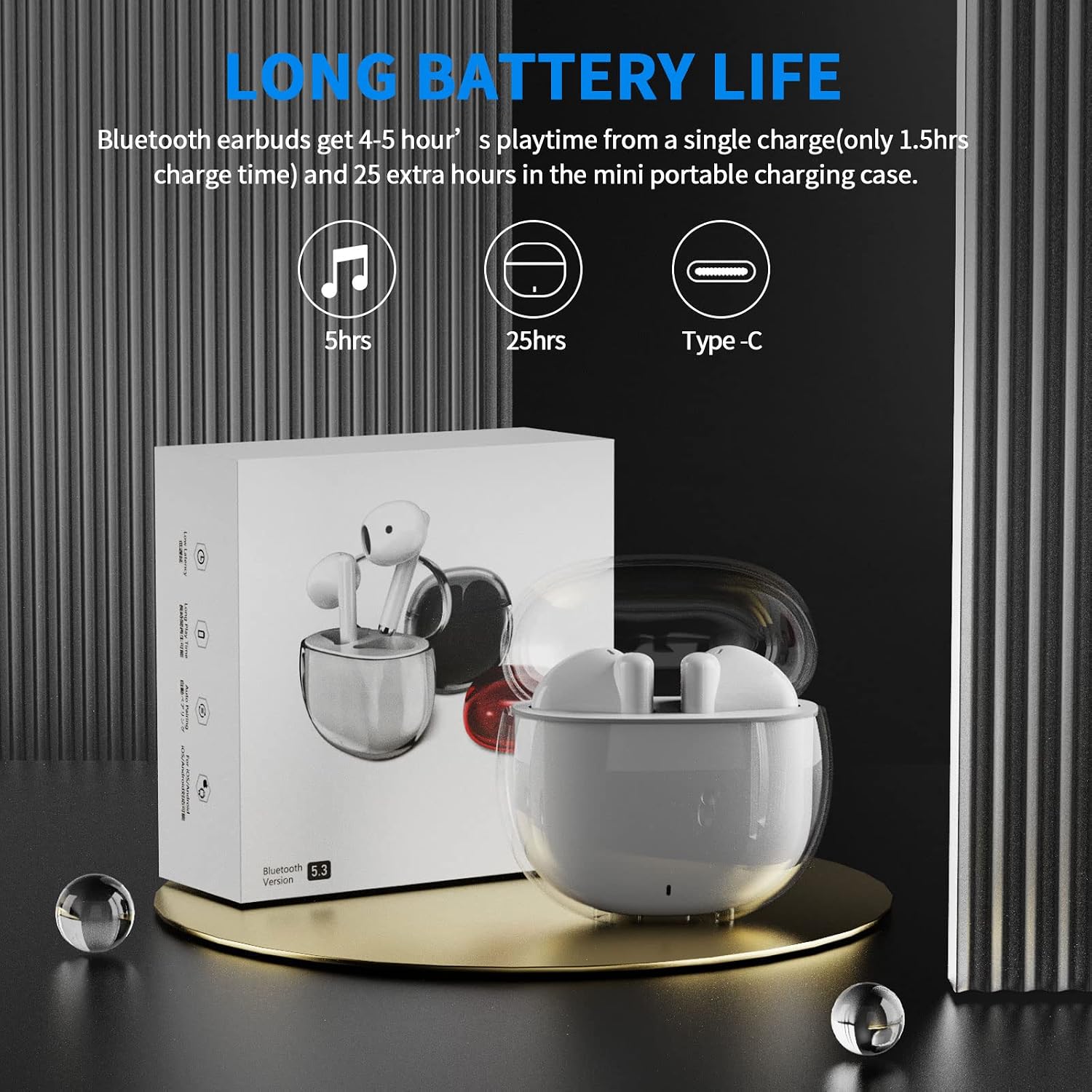
Image: A visual representation of the earbuds' battery life, showing 5 hours for earbuds and 25 hours total with the charging case, and the USB-C charging port.
Аспабыңыз менен жупташуу
The earbuds feature one-step pairing for quick and easy connection to your devices. They utilize advanced Bluetooth 5.3 technology for a stable and fast connection.
- Түзмөгүңүздүн Bluetooth күйгүзүлгөнүн текшериңиз.
- Заряддоо кутучасын ачыңыз. Кулакчындар автоматтык түрдө күйүп, жупташтыруу режимине өтөт.
- On your device (smartphone, tablet, laptop), go to the Bluetooth settings and select "ACA-i23" from the list of available devices to connect.
- Туташкандан кийин, сиз ырастоо үнүн угасыз жана кулакчындар колдонууга даяр болот.

Image: A graphic illustrating the advanced Bluetooth 5.3 technology and the one-step pairing process with a smartphone, showing the "ACA-i23" device name.
Video: This official ACAGET video demonstrates the simple one-step pairing process and how to use the smart touch controls for music playback and call management.
Иштөө нускамалары
Smart Touch Controls
The earbuds feature intuitive touch controls for managing your audio and calls without needing to access your connected device.
- Музыканы ойнотуу/тындыруу: Оң кулакчынды эки жолу таптаңыз.
- Кийинки трек: Оң кулакчынды үч жолу таптаңыз.
- Мурунку трек: Сол кулакчынды үч жолу таптаңыз.
- Чалууга жооп берүү/аяктоо: Кулакчындардын бирин эки жолу таптаңыз.
- Чакырууну четке кагуу: Кулакчындардын бирин 2 секунд басып туруңуз.
- Wake Up Voice Assistant (Siri): Сол кулакчынга эки жолу басыңыз.

Image: A visual guide detailing the various touch control gestures for music playback, call management, and voice assistant activation on the earbuds.
Video: This official ACAGET video highlights the ergonomic design, Bluetooth 5.3 features, smart touch controls, long battery life, and the secure fit provided by the included over-ear earhooks.
Техникалык тейлөө
Тазалоо
To maintain optimal performance and hygiene, regularly clean your earbuds and charging case. Use a soft, dry, lint-free cloth. Avoid using harsh chemicals, abrasive materials, or excessive moisture, as these can damage the device.
Суу каршылык
The ACAGET Wireless Earbuds are rated IPX4 waterproof, meaning they are protected against splashing water from any direction. This makes them suitable for use during workouts, in light rain, or when sweating. Эскертүү: The earbuds are not designed for submersion in water and should not be used for swimming or bathing.
Проблемаларды чечүү
Жалпы маселелер жана чечимдер
Кулакчындар жупташкан жок:
- Эки кулакчын тең кубаттоочу кутучада жана толук кубатталганын текшериңиз.
- Make sure Bluetooth is enabled on your device and "ACA-i23" is selected from the available devices.
- Try resetting the earbuds by placing them in the case, closing the lid, and reopening after a few seconds.
Only one earbud charging/working:
- Verify that both earbuds are properly seated in the charging case and making firm contact with the charging pins.
- Clean the charging contacts on both the earbuds and the case with a dry cotton swab to remove any debris.
- Эгер маселе чечилбесе, кошумча жардам алуу үчүн кардарларды колдоо бөлүмүнө кайрылыңыз.
Үн сапаты көйгөйлөрү:
- Ensure the earbuds are properly fitted in your ears for optimal sound delivery.
- Check the audio source and volume levels on your connected device.
- Move closer to your device to avoid interference or range issues, as the Bluetooth range is up to 15 meters.
Техникалык шарттар
Техникалык мүнөздөмөлөр
| Өзгөчөлүк | Деталь |
|---|---|
| Модель аты | i23 зымсыз кулакчындар |
| Байланыш технологиясы | Зымсыз |
| Зымсыз байланыш технологиясы | Bluetooth |
| Bluetooth версиясы | 5.3 |
| Bluetooth диапазону | 15 метр |
| Батареянын иштөө мөөнөтү (наушник) | 5 саат |
| Батареянын иштөө мөөнөтү | 25 саат |
| Батареянын кубаттуулугу | 300 миллионamp Саат |
| Заряддоо убактысы | 1.5 саат |
| Сууга туруктуулук деңгээли | IPX4 суу өткөрбөйт |
| Башкаруу түрү | Медиа көзөмөл |
| Башкаруу ыкмасы | тийүү |
| Аудио драйвер түрү | Динамикалык драйвер |
| Аудио драйверинин өлчөмү | 13 миллиметр |
| Жыштык диапазону | 20 Гц - 20 000 Гц |
| Сезимталдуулук | 105 дБ |
| Импеданс | 32 Ом |
| Элемент Салмагы | 3.84 унция |
| Продукциянын өлчөмдөрү | 5.9 x 4.72 x 1.18 дюйм |
| Материал | Акрилонитрил бутадиен стирол (ABS) |
| Шайкеш түзмөктөр | Compatible with various Bluetooth devices, including cellphones, iPad, laptops, and many Android and iOS smartphones. |
Кепилдик жана колдоо
Кепилдик маалымат
ACAGET provides a 90-day refund and 6-month replacement policy for any defect problems with your earbuds. This warranty covers manufacturing defects and ensures your satisfaction with the product.
Кардарларды колдоо
For any issues, questions, or suggestions regarding your ACAGET Wireless Earbuds, please do not hesitate to contact us through the message system. Our support team is committed to responding immediately to assist you.
Колдонуучунун толук колдонмосун алуу үчүн сиз расмий PDF документине кайрыла аласыз: Колдонуучунун колдонмосу (PDF).


