1. Киришүү
This manual provides essential instructions for the safe and effective use of your Xiaomi Mi Portable Photo Printer. Please read this manual thoroughly before operating the device and retain it for future reference. This portable printer allows you to print 2x3 inch photos instantly from your iOS or Android device using ZINK inkless printing technology, featuring AR photos and dynamic video capabilities.
2. Пакеттин мазмуну
Төмөндө тизмеленген нерселердин баары пакетиңизге камтылганын текшериңиз:
- Mi Portable Photo Printer x 1
- Photo paper pack (5-sheet) x 1
- USB кабель X 1
- Колдонуучунун колдонмосу x 1

Figure 2.1: Package Contents Diagram. This image illustrates the printer, USB cable, instruction manual, and a 5-sheet photo paper pack included in the box.
3. Продукт бүтүп калдыview
The Xiaomi Mi Portable Photo Printer is a compact and lightweight device designed for on-the-go photo printing. It utilizes ZINK (Zero Ink) technology, eliminating the need for ink cartridges.
3.1 Негизги өзгөчөлүктөрү
- Компакт дизайн: Small and portable, easily fits into a pocket or bag.
- ZINK Inkless Printing: Prints vibrant 2x3 inch photos without ink.
- AR Photos & Dynamic Videos: Scan printed photos with the Mi Home/Xiaomi Home app to view augmented reality effects or dynamic videos.
- Bluetooth байланышы: iOS жана Android түзмөктөрүнө зымсыз туташат.
- Көп түзмөк байланышы: Supports simultaneous Bluetooth connections for shared printing.
- Колдонмо интеграциясы: Offers various templates, collages, and filters via the Mi Home/Xiaomi Home app.
3.2 Аппараттын компоненттери

Сүрөт 3.1: Алдыңкы view of the Xiaomi Mi Portable Photo Printer with a photo being ejected. This image highlights the printer's compact size and its primary function.
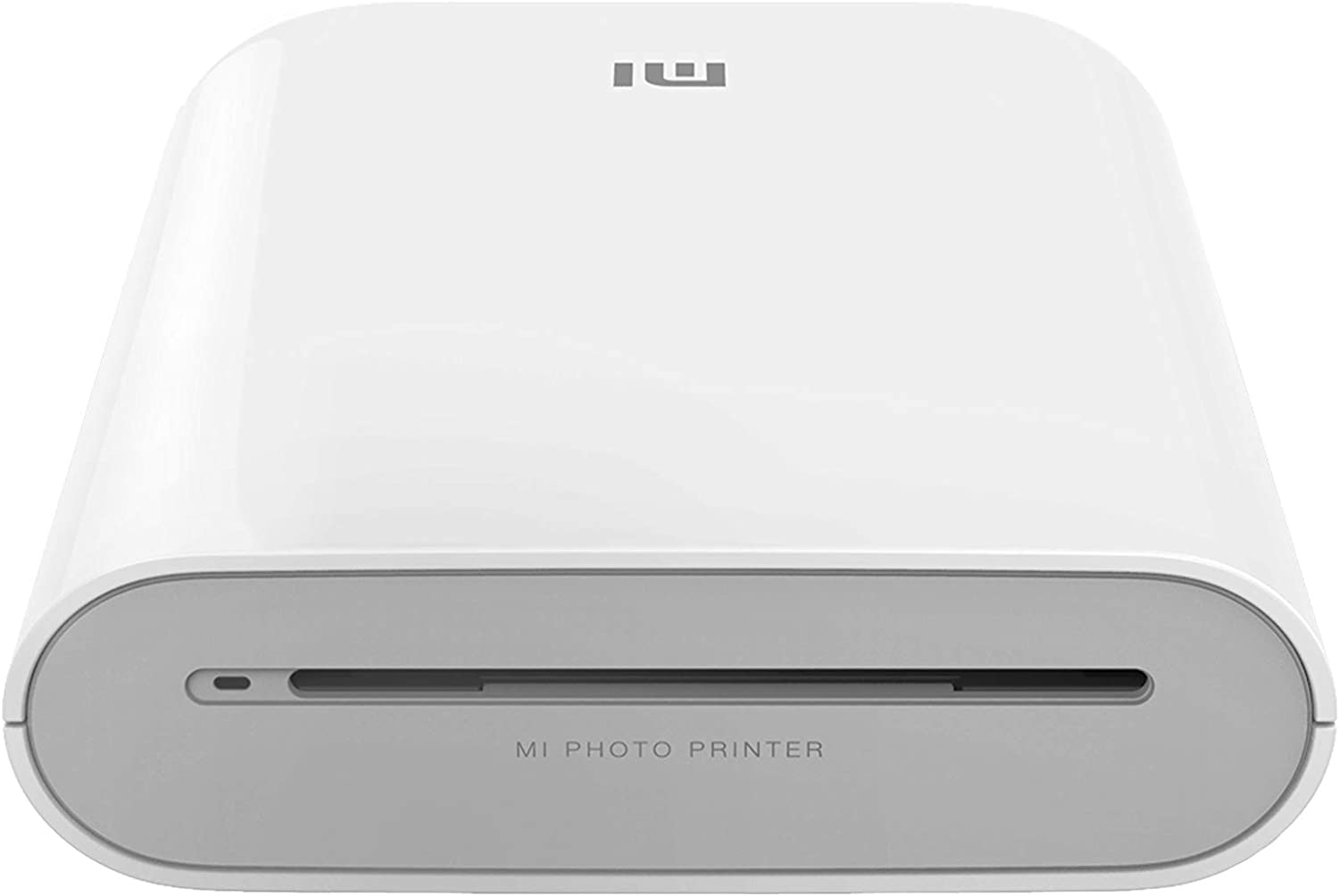
3.2-сүрөт: Фронталдык view of the printer, displaying the photo output slot and branding.
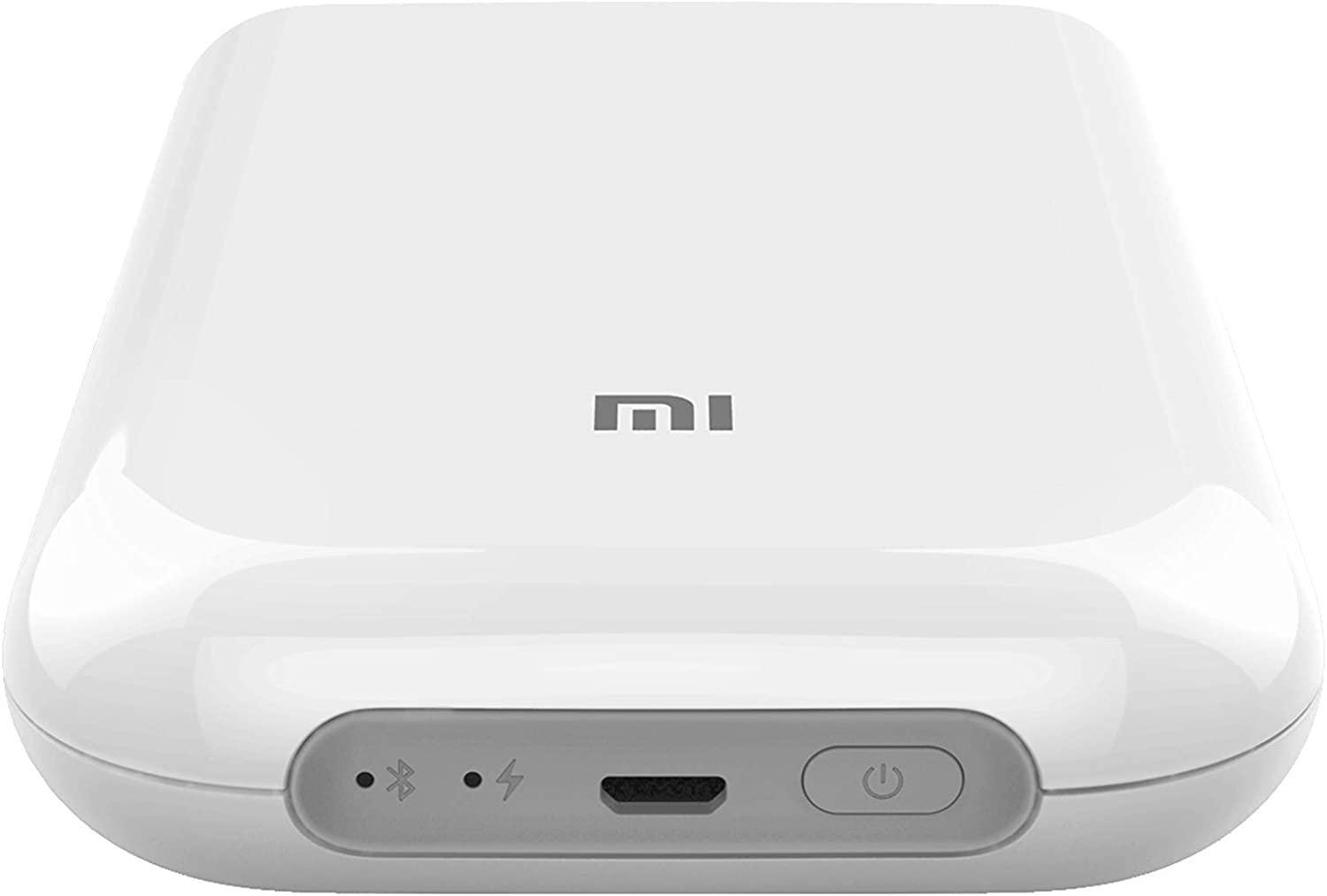
3.3-сүрөт: Жогорку view of the printer, illustrating the control panel with the power button, charging port, and status indicators.

Figure 3.4: The printer held in a hand, emphasizing its compact and portable design.
4. Орнотуу
4.1 Принтерди заряддоо
Before first use, fully charge the printer. Connect the provided USB cable to the printer's charging port and a suitable USB power adapter (not included). The indicator light will show charging status.
4.2 Фотокагазды жүктөө
- Open the paper tray cover on the printer.
- Insert the ZINK photo paper pack into the tray with the blue calibration card facing down, followed by the photo paper with the glossy side facing up.
- Кагаз салгычтын капкагын бекем жабыңыз.
4.3 Mi Home/Xiaomi Home колдонмосун орнотуу
Download and install the 'Mi Home' or 'Xiaomi Home' app from your device's app store (Google Play Store for Android, Apple App Store for iOS). Follow the on-screen instructions to create an account or log in.
Маанилүү эскертүү: Some users have reported regional restrictions with the app, limiting device usability to specific regions. Please ensure the app and device are compatible with your geographical location before use.
4.4 Bluetooth аркылуу жупташуу
- Ensure your printer is charged and powered on.
- iOS же Android түзмөгүңүздө Bluetooth'ду иштетиңиз.
- Open the Mi Home/Xiaomi Home app and tap the '+' icon to add a new device.
- Select the Xiaomi Mi Portable Photo Printer from the list of available devices.
- Жупташтыруу процессин аяктоо үчүн колдонмонун көрсөтмөлөрүн аткарыңыз.
5. Иштөө нускамалары
5.1 Күйгүзүү/өчүрүү
- Күйгүзүү: Принтердин кубат баскычын индикатор жарыгы күйгөнгө чейин басып туруңуз.
- Өчүрүү: Индикатор жарыгы өчкөнгө чейин кубат баскычын кайра басып, кармап туруңуз.
5.2 Сүрөттөрдү басып чыгаруу
- Ensure the printer is connected to your device via Bluetooth and has sufficient paper loaded.
- Mi Home/Xiaomi Home колдонмосун ачыңыз.
- Select the photo you wish to print from your device's gallery or take a new photo within the app.
- Utilize the app's editing features, such as filters, collages, or templates, if desired.
- Tap the print icon in the app to send the image to the printer. The photo will emerge from the output slot.

Figure 5.1: Printer in use with the companion app, showcasing printed photos and creative possibilities.
5.3 AR Photos and Dynamic Videos
The printer supports AR (Augmented Reality) photos and dynamic videos. When printing a photo, you can record or upload a video within the Mi Home/Xiaomi Home app. After printing, scan the physical photo using the app's AR feature to experience the embedded virtual effects or play the dynamic video.
5.4 Multi-User Connection
The printer supports multiple simultaneous Bluetooth connections. Up to three devices can connect to the printer at once. Print jobs from different devices will be added to a queue and printed sequentially.
6. Техникалык тейлөө
6.1 Принтерди тазалоо
To maintain optimal print quality, periodically clean the exterior of the printer with a soft, dry cloth. Do not use liquid cleaners or abrasive materials. The ZINK printing technology does not require print head cleaning as there are no ink cartridges.
6.2 Replacing Photo Paper
When the paper supply is depleted, follow the instructions in Section 4.2 to load a new pack of ZINK 2x3 inch photo paper. Always use genuine Xiaomi ZINK photo paper for best results.
6.3 Батареяга кам көрүү
To prolong battery life, avoid exposing the printer to extreme temperatures. If the printer will not be used for an extended period, charge it to approximately 50% before storage and recharge it every few months.
7. Кыйынчылыктарды
If you encounter issues with your Xiaomi Mi Portable Photo Printer, refer to the following common problems and solutions:
| Көйгөй | Мүмкүн чечим |
|---|---|
| Принтер күйбөйт | Ensure the printer is fully charged. Connect it to a power source and try again. |
| Bluetooth аркылуу туташуу мүмкүн эмес | Verify Bluetooth is enabled on your device and the printer. Restart both devices. Ensure the printer is not already connected to another device. Check app permissions. |
| Poor print quality / Blank prints | Ensure genuine ZINK photo paper is loaded correctly with the glossy side up. Check if the blue calibration card was used with the paper pack. The paper may be expired or damaged. |
| Кагаз тыгылышы | Power off the printer. Carefully open the paper tray and remove any jammed paper. Do not force the paper out. Reload paper correctly. |
| App not functioning correctly / Regional restrictions | Ensure the Mi Home/Xiaomi Home app is updated to the latest version. Check your device's region settings. Some app features or device functionality may be restricted based on geographical location. |
Эгер көйгөй чечилбесе, расмий Xiaomi колдоо бөлүмүнө кайрылыңыз webсайтка же кардарларды тейлөөгө кайрылыңыз.
8. Техникалык шарттар
| Өзгөчөлүк | Спецификация |
|---|---|
| Модел | Mi Portable Фото Принтери |
| Бренд | XIAOMI |
| Басма технологиясы | Zink Technology |
| Байланыш технологиясы | Bluetooth |
| Шайкеш операциялык системалар | Android, iOS |
| Максималдуу медиа өлчөмү | 2 x 3 дюйм |
| Барактын өлчөмү | 2 x 3 дюйм |
| Максималдуу басып чыгаруу чечими | 313 x 400 dpi |
| Принтердин чыгышы | Түс |
| Эки тараптуу басып чыгаруу | Жок (Симплекс) |
| Максималдуу киргизүү барагынын сыйымдуулугу | 1 |
| Башкаруу ыкмасы | Колдонмо |
| Батарея түрү | Литий-ион (кошулган) |
| Продукциянын өлчөмдөрү (LxWxH) | 12.42 x 2.46 x 8.51 см (124 x 25 x 85 мм) |
| Элемент Салмагы | 281 г |
| Түс | Ак |
9. Коопсуздук маалыматы
- Аппаратты өзүңүз ажыратпаңыз, оңдобоңуз же өзгөртпөңүз.
- Keep the printer away from water, moisture, and high temperatures.
- Принтерди кулап же катуу таасирлерге дуушар кылуудан алыс болуңуз.
- Use only the specified charging cable and genuine ZINK photo paper.
- Балдар жетпеген жерде сактаңыз.
10. Кепилдик жана колдоо
Кепилдик маалыматы, техникалык колдоо же тейлөө боюнча суроолор үчүн, өнүмүңүз менен кошо берилген кепилдик картасын караңыз же расмий Xiaomi колдоо кызматына кайрылыңыз. website. Ensure you have your product model and purchase details available when contacting support.


