Introduction
Thank you for choosing the iDOO 720P HD Baby Monitor. This device provides a secure and private way to monitor your baby without relying on Wi-Fi or mobile applications. Featuring a 5-inch HD display, remote pan-tilt-zoom camera, two-way talk, night vision, temperature monitoring, and lullabies, it offers comprehensive surveillance for your peace of mind. This manual will guide you through the setup, operation, and maintenance of your new baby monitor.
Кутуда эмне бар
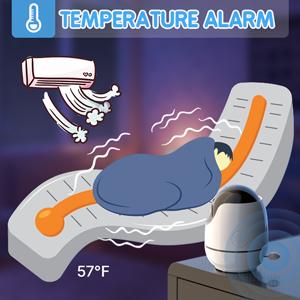
Image: Components included in the iDOO baby monitor package.
- 1 х Камера бирдиги
- 1 x Monitor Unit (5-inch HD LCD)
- 1 x Камеранын кубат адаптери
- 1 х Монитордун Кубат Адаптери
- 2 x Type-C USB Cables
- 1 x Дубалга орнотуу комплекти
- 1 x Камера орнотуу
Жайгашуу
1. Charging the Monitor Unit
Before first use, fully charge the monitor unit. Connect the monitor power adapter to the monitor's Type-C port and plug it into a power outlet. The battery indicator on the screen will show charging status.
2. Камера блогун кубаттоо
Connect the camera power adapter to the camera's power port and plug it into a power outlet. The camera will automatically power on.
3. Камераны жайгаштыруу
Камера блогун ачык көрүнгөн жерге коюңуз view of your baby. Ensure it is out of reach of children. The included wall mount kit allows for secure mounting on a wall if desired. For optimal performance, place the camera at least 3 feet (1 meter) away from your baby.
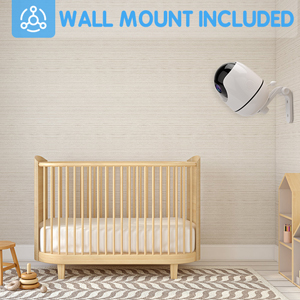
Сүрөт: Мисample of the camera unit mounted on a wall.
4. Баштапкы жупташтыруу (Алдын ала жупташтырылган)
The camera and monitor units are pre-paired at the factory. Simply power on both units, and they should automatically connect within a few seconds. If they do not connect, refer to the Troubleshooting section for re-pairing instructions.
Иштөө нускамалары
Monitor Controls Overview
- МЕНЮ: Access the main menu for settings and features.
- CAM: Switch between multiple cameras (if additional cameras are paired).
- OK/Q: Confirm selection or quick view.
- Багыт баскычтары: Navigate menus, pan/tilt the camera, or adjust volume.
- SHORT-CUT: Көп колдонулган функцияларга тез жетүү.
- СҮЙЛӨШҮҮ: Activate two-way talk function.
1. Алыстан панорамалоо, эңкейтүү жана масштабдоо
Use the directional buttons on the monitor to remotely adjust the camera's view. The camera supports 355° horizontal pan and 90° vertical tilt. Press the zoom button (often integrated with OK/Q or a dedicated button) to magnify the image up to 2x.

Image: Visual representation of camera pan and tilt functionality.
2. Эки тараптуу сүйлөшүү
басып, кармап туруңуз СҮЙЛӨШҮҮ button on the monitor to speak to your baby through the camera's speaker. Release the button to hear your baby's response.
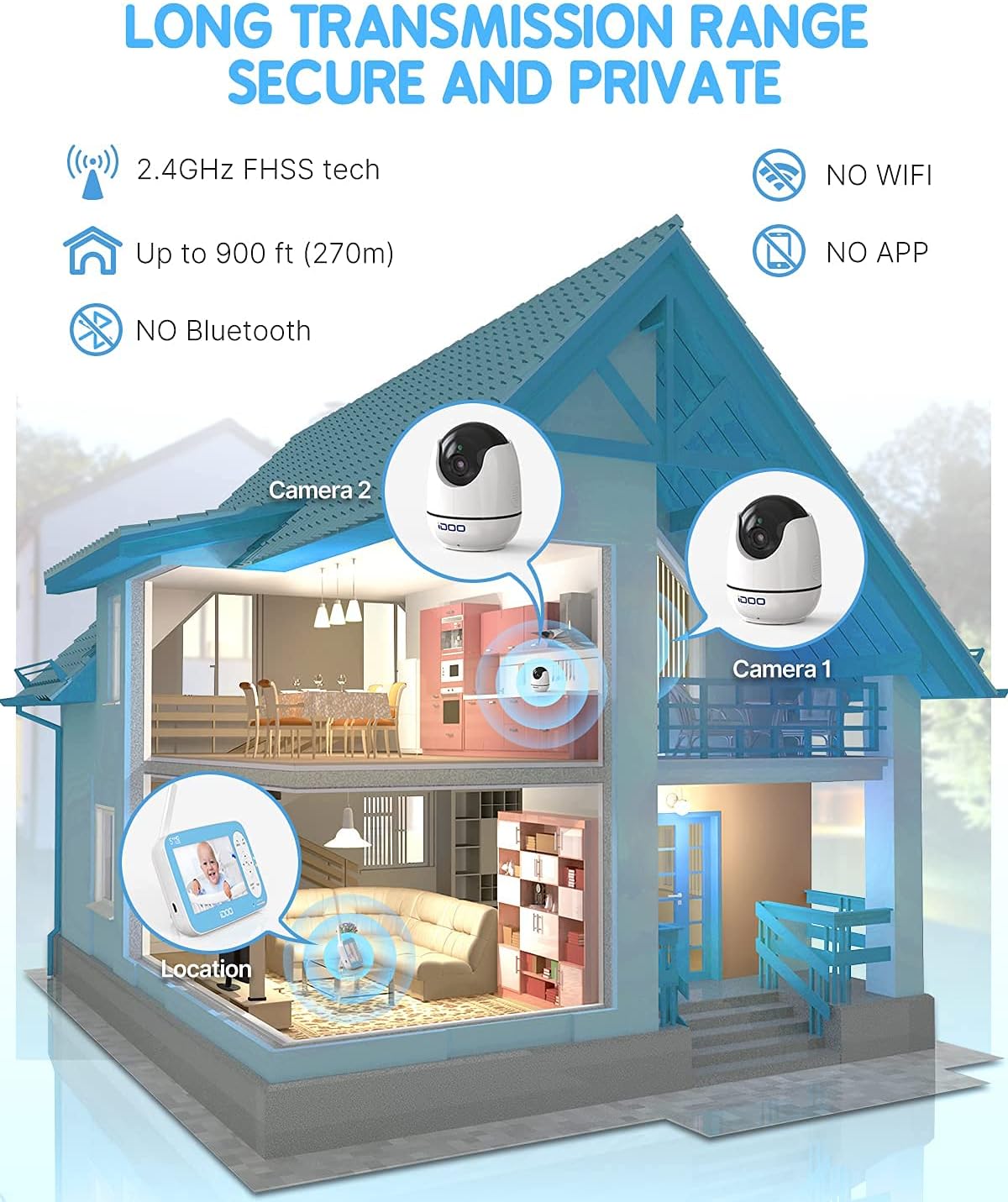
Image: Demonstrating the two-way talk feature between parent and baby.
3. Түнкү көрүнүш
The camera automatically activates infrared night vision in low-light conditions, providing a clear black-and-white image of your baby without disturbing their sleep.

Image: Comparison of day and automatic infrared night vision.
4. Sound Detection
Access the Sound Detection setting in the menu to adjust sensitivity levels. The monitor can alert you to sounds from your baby, such as crying or stirring. LED indicators also provide a visual representation of sound levels.

Image: Monitor screen displaying sound detection settings.
5. Бөлмөнүн температурасын көзөмөлдөө
The monitor displays the room temperature in Fahrenheit or Celsius. You can set temperature alarms to be notified if the room becomes too hot or too cold for your baby.

Image: Temperature alarm feature with visual indicators.
6. Бешик ырлары
Select from six calming lullabies in the menu to help soothe your baby to sleep.

Image: Baby sleeping peacefully with lullabies playing from the camera.
7. Тамактандыруу жөнүндө эскертүү
Set a timer from 2.5 to 5.5 hours to remind parents when it's time for the baby's next feeding.
8. Уйку режими
Activate sleep mode to conserve battery life and reduce screen light during the night. The monitor will still alert you to sounds or temperature changes.
Техникалык тейлөө
Тазалоо
Wipe the camera and monitor units with a soft, dry cloth. Do not use abrasive cleaners or solvents. Ensure both units are unplugged before cleaning.
Батареяга кам көрүү
The monitor unit contains a rechargeable battery. To prolong battery life, avoid fully discharging the battery frequently. Charge the monitor regularly. If the battery life significantly decreases, it may need replacement. Contact customer support for assistance.
Проблемаларды чечүү
- Сигнал/Байланыш жок:
Ensure both the camera and monitor are powered on and within the 900ft transmission range. Obstacles like thick walls or other electronic devices can interfere with the signal. Try moving the units closer or adjusting their positions. If connection is lost, try re-pairing: access the camera menu on the monitor and follow the on-screen instructions to add a new camera. - Видеонун сапаты начар:
Check for obstructions in front of the camera lens. Ensure the camera lens is clean. Low light conditions will automatically activate night vision, which displays in black and white. - Аудио жок же үнү төмөн:
Adjust the volume level on the monitor using the directional buttons. Ensure the microphone on the camera is not obstructed. During two-way talk, remember to press and hold the TALK button to speak and release to listen. - Inaccurate Room Temperature:
Ensure the camera is not placed near heat sources (e.g., direct sunlight, heaters) or air conditioning vents, which can affect temperature readings. - Short Battery Life on Monitor:
Battery life can vary based on usage. Frequent screen activation, high volume, or continuous two-way talk will consume more power. Ensure the monitor is fully charged before use. Over time, rechargeable batteries naturally degrade; consider replacing the battery if performance significantly diminishes.
Техникалык шарттар
| Өзгөчөлүк | Деталь |
|---|---|
| Модель аты | IC-01 |
| Дисплей өлчөмү | 5-inch HD LCD |
| Video Resolution | 720p |
| Пан бурчу | 355° |
| Тит бурч | 90° |
| Чоңойтуу | 2x чоңойтуу |
| Берүү технологиясы | 2.4 GHz FHSS Wireless |
| Берүүнүн диапазону | Up to 900 ft (270m) in open space |
| Байланыш | No Wi-Fi, No App Required |
| Өзгөчөлүктөр | Night Vision, Two-Way Talk, Sound Detection, Temperature Monitor, Lullabies, Feeding Reminder |
| Power Source | Battery Powered (Monitor), AC Powered (Camera) |
| Монтаж түрү | Wall Mount (kit included) |
| UPC | 840191402968 |
Кепилдик жана колдоо
iDOO products are designed for reliability and performance. For warranty information, please refer to the documentation included with your purchase or visit the official iDOO website. If you encounter any issues or have questions regarding your baby monitor, please contact iDOO customer support for assistance. Our support team is available to help you with troubleshooting, parts replacement, and general inquiries.
Кепилдик дооматтары үчүн сатып алганыңыздын далилин сактап коюңуз.


