Introduction
The Logitech K585 Multi-Device Slim Wireless Keyboard is designed for versatile use across multiple devices, including laptops, tablets, desktops, and smartphones. Its compact and modern design aims to enhance productivity and comfort in various work environments. This manual provides essential information for setting up, operating, maintaining, and troubleshooting your keyboard.

Figure 1: Logitech K585 Multi-Device Slim Wireless Keyboard in Graphite.
Жайгашуу
1. Кутудан чыгаруу жана алгачкы текшерүү
Бардык компоненттерди таңгактан кылдаттык менен алып салыңыз. Төмөнкү нерселердин бар экенин текшериңиз:
- Logitech K585 баскычтобу
- 2 AAA батарейка (алдын ала орнотулган)
- USB кабылдагычты бириктирүү
- Колдонуучунун документтери

Figure 2: Contents included in the Logitech K585 package.
2. Battery Installation (if not pre-installed or for replacement)
The keyboard comes with two AAA batteries pre-installed. If you need to replace them:
- Locate the battery compartment cover on the top edge of the keyboard, usually integrated with the device cradle.
- Бөлүмдү ачуу үчүн капкакты акырын жылдырыңыз же көтөрүңүз.
- Туура полярдуулукту (+/-) камсыз кылуу менен эки AAA батарейкасын салыңыз.
- Батарея уясынын капкагын бекем жабыңыз.
3. Connecting via USB Receiver (Logitech Unifying Receiver)
For devices without Bluetooth or for a stable 2.4 GHz wireless connection:
- Locate the Unifying USB receiver, typically stored inside the battery compartment or within the product packaging.
- Plug the Unifying USB receiver into an available USB-A port on your computer (laptop or desktop).
- Клавиатура автоматтык түрдө туташышы керек.
4. Connecting via Bluetooth Wireless Technology
For devices with Bluetooth capability (laptops, tablets, smartphones):
- Turn on the keyboard using the power switch, usually located on the side.
- Press and hold one of the Easy-Switch keys (1, 2, or 3) for three seconds until the LED light above the key starts blinking rapidly. This indicates the keyboard is in pairing mode.
- Түзмөгүңүздө Bluetooth жөндөөлөрүнө өтүп, жаңы түзмөктөрдү издеңиз.
- Select "Logitech K585" from the list of available devices.
- Follow any on-screen prompts to complete the pairing process. The LED light will turn solid for a few seconds and then turn off once connected.
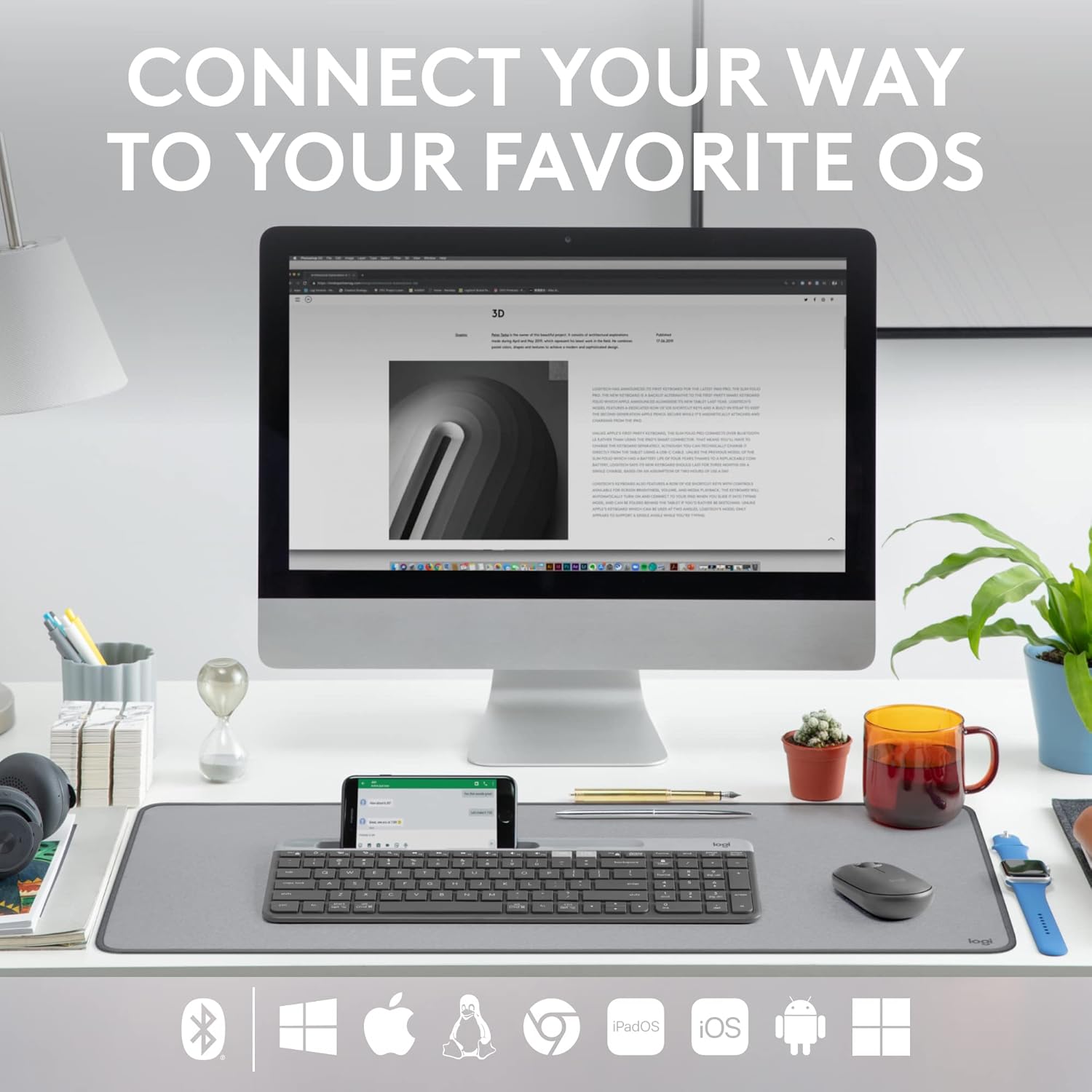
Figure 3: The Logitech K585 supports various operating systems including Windows, macOS, iOS, iPadOS, Android, and ChromeOS.
Баскычтопту иштетүү
1. Easy-Switch Functionality
The K585 keyboard allows you to seamlessly switch between up to three connected devices:
- Press the Easy-Switch key (1, 2, or 3) corresponding to the device you wish to use. The LED light above the selected key will briefly illuminate to confirm the switch.
- This feature enables quick transitions between typing on your computer, tablet, or smartphone.
2. Built-in Phone Cradle
The integrated cradle at the top of the keyboard is designed to hold your smartphone or tablet, providing an optimal viewing angle for multitasking.

Figure 4: The K585 keyboard with a smartphone positioned in the integrated cradle for enhanced multitasking.
3. FN Keys and Shortcuts
The keyboard features 12 FN keys that provide easy access to media controls and other shortcuts. These keys can be customized using Logi Options+ Software for enhanced productivity.
- Медиа башкаруу элементтери: Play/pause, volume up/down, mute.
- Функция баскычтары: F1-F12, often used for specific software functions.
- Ыңгайлаштыруу: Download and install Logi Options+ Software from the official Logitech website to personalize FN key assignments.
4. Көп ОС шайкештиги
The keyboard layout is optimized for both Windows and Mac OS commands, ensuring a familiar typing experience regardless of your operating system. It also supports iOS, iPadOS, Android, and ChromeOS devices.

Figure 5: Universal compatibility of the Logitech K585 keyboard across different platforms.
Техникалык тейлөө
1. Battery Life and Management
The Logitech K585 keyboard offers an extended battery life of up to 24 months, thanks to its efficient design and an auto-sleep feature that activates when the keyboard is not in use. Battery life may vary based on user and computing conditions.

Figure 6: The K585 keyboard boasts a long-lasting 24-month battery life.
To maximize battery life, ensure the keyboard is switched off when not in use for extended periods.
2. Баскычтопту тазалоо
Клавиатуранын көрүнүшүн жана функционалдуулугун сактоо үчүн:
- Use a soft, lint-free cloth to wipe down the surface.
- өжөр кир үчүн, бир аз гampчүпүрөктү суу же жумшак, абразивдүү тазалагыч менен жууп салыңыз.
- Суюктуктарды клавиатурага түздөн-түз чачуудан алыс болуңуз.
- Do not use harsh chemicals or abrasive materials, as these can damage the finish.
Проблемаларды чечүү
If you encounter issues with your Logitech K585 keyboard, consider the following common solutions:
- Байланыш жок:
- Баскычтоп күйгүзүлгөнүн текшериңиз.
- Батареянын деңгээлин текшерип, керек болсо алмаштырыңыз.
- For USB receiver connection, try plugging the receiver into a different USB port.
- For Bluetooth connection, ensure Bluetooth is enabled on your device and try re-pairing the keyboard.
- Lag or Disconnections:
- Move the keyboard closer to the receiver or Bluetooth-enabled device.
- Avoid placing the keyboard near other wireless devices that might cause interference (e.g., Wi-Fi routers, cordless phones).
- Түзмөгүңүздүн иштөө тутуму жана Bluetooth драйверлери жаңыртылганын текшериңиз.
- Ачкычтар жооп бербейт:
- Калдыктарды кетирүү үчүн жабыркаган ачкычтардын айланасын тазалаңыз.
- Компьютериңизди же түзмөгүңүздү өчүрүп күйгүзүңүз.
- If using Logi Options+ Software, ensure it is running correctly and not causing conflicts.
For more detailed troubleshooting or persistent issues, refer to the official Logitech support website or the comprehensive user guide available for download.
Техникалык шарттар
| Өзгөчөлүк | Деталь |
|---|---|
| Бренд | Logitech |
| Модель номери | 920-011479 |
| Байланыш технологиясы | Bluetooth, USB (2.4 GHz Unifying Receiver) |
| Шайкеш түзмөктөр | Ноутбук, компьютер, смартфон, планшет |
| Операциялык системанын шайкештиги | Windows, macOS, iOS, iPadOS, Android, ChromeOS |
| Түс | Графит |
| Элемент Салмагы | 1.24 фунт (болжол менен 562 г) |
| Продукциянын өлчөмдөрү (LxWxH) | 14.7 x 5.6 x 0.76 дюйм (болжол менен 37.3 x 14.2 x 1.9 см) |
| Батареянын иштөө мөөнөтү | 24 айга чейин (колдонууга жараша өзгөрүшү мүмкүн) |
| Зымсыз диапазон | 10 м (33 фут) чейин |

Figure 7: Detailed dimensions of the Logitech K585 keyboard.
Кепилдик жана колдоо
Кепилдик жөнүндө маалымат, техникалык колдоо жана кошумча ресурстар үчүн расмий Logitech колдоо кызматына кайрылыңыз website. You can also find a comprehensive User Guide in PDF format for this product:
Тектеш документтер - 920-011479
 |
Logitech K780 көп түзмөктүү баскычтобу: функциялары, туташуусу жана орнотуу боюнча колдонмо Компьютерлер, смартфондор жана планшеттер ортосунда үзгүлтүксүз которулуу үчүн иштелип чыккан көп функциялуу клавиатура болгон Logitech K780 Multi-Device Keyboard менен таанышыңыз. Бул колдонмодо анын функциялары, кош туташуу параметрлери (Bluetooth Smart жана Unifying Receiver), жакшыртылган функциялары жана ар кандай операциялык тутумдар үчүн орнотуу көрсөтмөлөрү кеңири баяндалган. |
 |
Tastiera Logitech K780 Multi-Device: Funzionalità, Connettività e Layout Logitech K780 Multi-Device толугу менен даамданды, бир нече функцияны аткарыңыз, Bluetooth Smart жана Unifying диспозитиви менен бирге келиңиз, ар түрдүү системалардын иштөөсүнө ылайыкташтырыңыз. |
 |
Logitech K380 клавиатурасы жана Pebble Mouse колдонуучу колдонмолору Logitech K380 көп түзүлүштүү Bluetooth клавиатурасы жана Logitech Pebble зымсыз чычканы үчүн орнотууларды, функцияларды, кыска жолдорду жана кубаттуулукту башкарууну камтыган кеңири колдонуучу колдонмолору. Жупташтыруу, программалык камсыздоону орнотуу жана негизги функциялар боюнча кеңири нускамаларды камтыйт. |
 |
Logitech K780 көп түзмөктүү баскычтобу: Бардык түзмөктөрүңүз үчүн үзгүлтүксүз туташуу Logitech K780 көп түзмөктүү клавиатурасын изилдеңиз. Бул көп функциялуу клавиатураны компьютериңизге, планшетиңизге жана смартфонуңузга Unify же Bluetooth Smart аркылуу кантип туташтырууну жана колдонууну үйрөнүңүз, бул функциялардын иштешин, ошондой эле көп түзмөктү жупташтырууну үйрөнүңүз. |
 |
Logitech K780 көп түзмөктүү баскычтобу: зымсыз, Bluetooth жана бириктирүүчү туташуу боюнча колдонмо Logitech K780 көп түзмөктүү клавиатурасы боюнча кеңири колдонмо, анын функцияларын, кош жайгашуусун, компьютер, Mac, планшет жана телефондун ортосунда оңой которулууну, ошондой эле Bluetooth Smart жана Unifying кабыл алгычы аркылуу туташуу ыкмаларын камтыйт. |
 |
Logitech K580 Slim көп түзмөктүү зымсыз клавиатураны орнотуу боюнча колдонмо Logitech K580 Slim көп түзүлүштүү зымсыз клавиатураңызды USB кабыл алгыч же Bluetooth аркылуу кантип орнотууну жана түзмөктөрдү үзгүлтүксүз которуу үчүн анын Easy-Switch функциясын кантип колдонууну үйрөнүңүз. |