1. Киришүү
Thank you for choosing the Xtreme Wireless Super Slim Keyboard. This manual provides essential information for setting up, operating, maintaining, and troubleshooting your new keyboard. Designed for universal use with Windows and Mac desktop computers, this keyboard offers a reliable wireless connection up to 33 feet away using its included USB Nano Receiver.
Кутуда эмне бар:
- Xtreme Wireless Super Slim Keyboard
- USB Nano алуучу
Note: 2 AAA batteries are required and not included with this unit.
2. Орнотуу
2.1 Батареяны орнотуу
The keyboard requires two (2) AAA batteries (not included) for operation.
- Батарея бөлүмүнүн капкагын клавиатуранын астыңкы бетинен табыңыз.
- Капкакты жылдырыңыз.
- Оң (+) жана терс (-) терминалдары бөлүмдүн ичиндеги көрсөткүчтөр менен туура дал келишин камсыз кылып, эки AAA батарейкасын салыңыз.
- Батарея уясынын капкагын бекем жабыңыз.
2.2 USB нано кабыл алгычын туташтыруу
The Xtreme Wireless Super Slim Keyboard uses a plug-and-play USB Nano Receiver for wireless connectivity.
- Locate an available USB port on your desktop computer (Windows or Mac).
- Insert the USB Nano Receiver firmly into the USB port.
- Компьютериңиз керектүү драйверлерди автоматтык түрдө таап, орнотуп алышы керек. Бул процесс бир нече мүнөткө созулушу мүмкүн.
- Драйверлер орнотулгандан кийин, клавиатура колдонууга даяр.
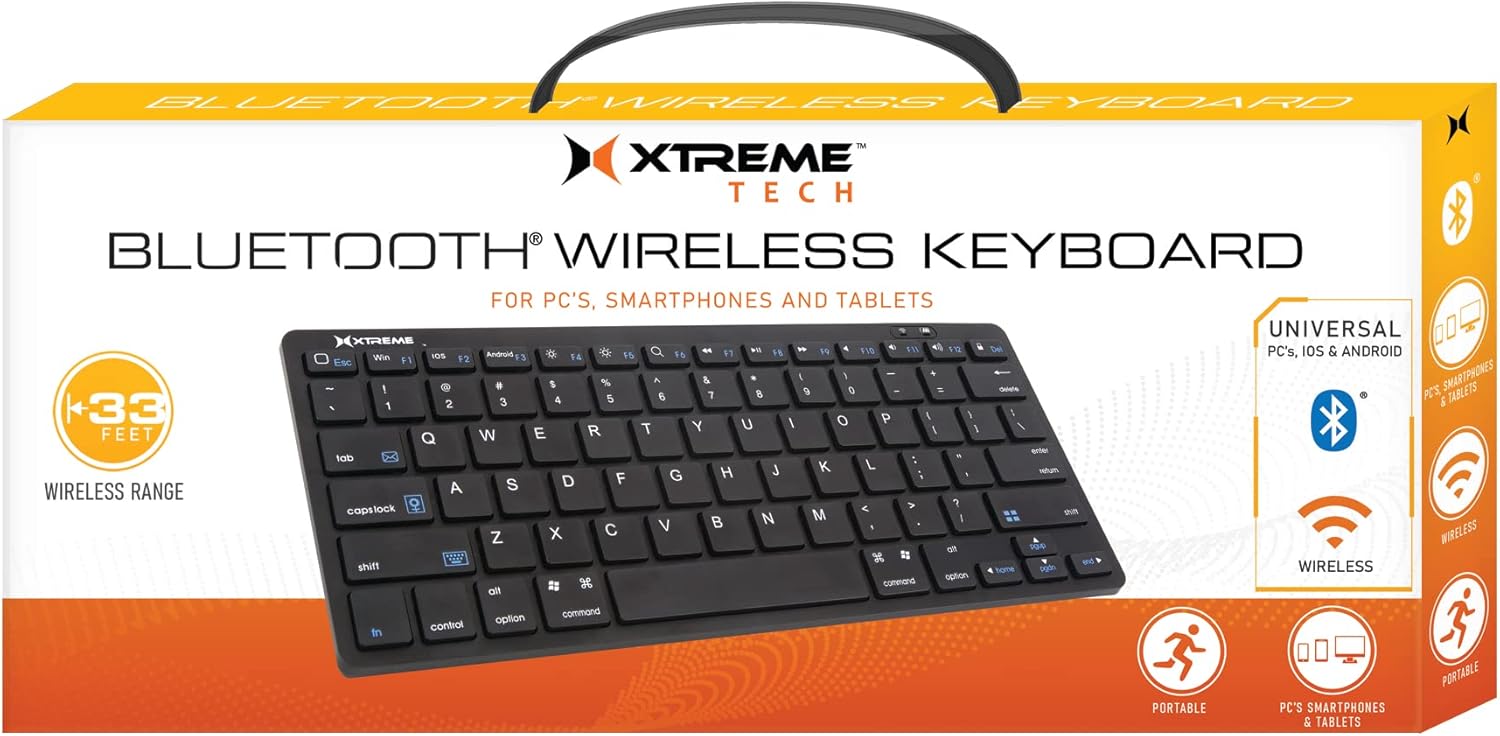
Image: The Xtreme Wireless Super Slim Keyboard shown with its compact design and the small USB Nano Receiver, ready for connection to a computer.
3. Баскычтопту иштетүү
3.1 Негизги операция
Once connected, the keyboard functions like a standard computer keyboard. Simply begin typing. The wireless connection allows you to operate the keyboard from a distance of up to 33 feet (approximately 10 meters) from your computer, providing flexibility in your workspace.
3.2 Шайкештик
This keyboard is universally compatible with both Windows and Mac operating systems. No special software or complex setup is required beyond inserting the USB Nano Receiver.
4. Техникалык тейлөө
4.1 Тазалоо
Клавиатуранын көрүнүшүн жана функционалдуулугун сактоо үчүн:
- Use a soft, dry, lint-free cloth to wipe the surface of the keyboard.
- өжөр кир үчүн, бир аз гampкездемени суу же жумшак, абразивдүү эмес тазалоочу эритме менен сүртүңүз. Ашыкча нымдуулуктан алыс болуңуз.
- Тазалоочу каражаттарды клавиатурага түз чачпаңыз.
- Баскычтардын ортосундагы чаңды жана калдыктарды тазалоо үчүн кысылган абаны колдонуңуз.
4.2 Батареяны алмаштыруу
When the keyboard's performance degrades or it stops responding, it may be time to replace the batteries. Follow the battery installation steps in Section 2.1.
4.3 Сактоо
When not in use for extended periods, it is recommended to remove the batteries to prevent leakage and damage to the keyboard. Store the keyboard in a cool, dry place.
5. Кыйынчылыктарды
5.1 Баскычтоп жооп бербейт
- Батареяларды текшерүү: Жаңы AAA батарейкалары туура орнотулганын текшериңиз.
- Ресивердин туташуусун текшерүү: Make sure the USB Nano Receiver is securely plugged into a working USB port on your computer. Try a different USB port.
- Диапазон: Ensure the keyboard is within the 33-foot operating range of the receiver.
- Интерференция: Баскычтопту жана кабыл алгычты тоскоолдук жаратышы мүмкүн болгон башка зымсыз түзмөктөрдөн же чоң металл буюмдардан алыс жылдырыңыз.
- Компьютерди кайра иштетүү: Кээде, компьютерди жөнөкөй өчүрүп-күйгүзүү байланыш көйгөйлөрүн чече алат.
5.2 Баскычтар туура иштебейт
- Таза ачкычтар: Check for any debris or obstructions under the keys. Refer to Section 4.1 for cleaning instructions.
- Батарея деңгээли: Low battery power can sometimes cause erratic key behavior. Replace batteries if necessary.
6. Техникалык шарттар
| Өзгөчөлүк | Деталь |
|---|---|
| Модель аты | XCA2-1004-BLK |
| Бренд | XTREME САНАРИПТИК ЖАШОО ТАРЗЫ АКСЕССУАРЛАРЫ |
| Байланыш технологиясы | USB Wireless (via Nano Receiver) |
| Зымсыз диапазон | 33 фут (10 метр) чейин |
| Шайкеш түзмөктөр | PC (Windows), Mac |
| Power Source | 2 x AAA Батареялар (киргизилген эмес) |
| Түс | Кара |
| Камтылган компоненттер | Нано кабылдагыч |
| Өндүрүүчү | Джем аксессуарлары |
7. Кепилдик жана колдоо
For information regarding warranty coverage and technical support for your Xtreme Wireless Super Slim Keyboard, please refer to the documentation included with your product packaging or visit the official XTREME DIGITAL LIFESTYLE ACCESSORIES website. You may also contact the seller, AllTech 365, for purchase-specific support.
Онлайн ресурстар:


