1. Киришүү
Thank you for choosing the PetTec Cam Free Wireless Pet Camera. This device allows you to monitor your pets and home with high-quality Full HD 1080p video, day and night. Featuring a powerful 9,000 mAh battery for extended operation, two-way audio, motion detection, and easy Wi-Fi connectivity, the PetTec Cam Free provides peace of mind whether you are at home or away.
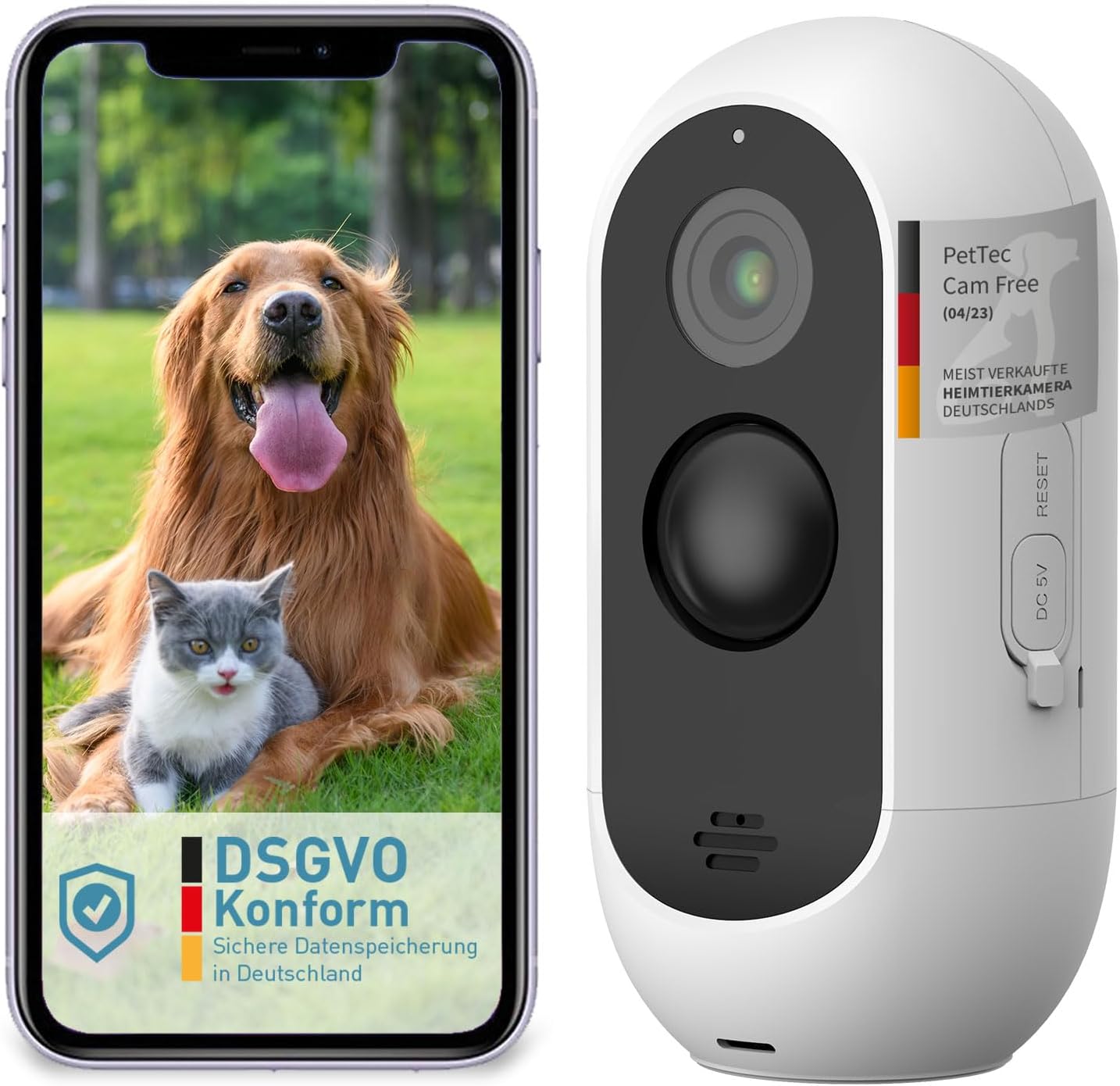
Image: The PetTec Cam Free camera shown alongside a smartphone displaying its app interface with a dog and cat.
2. Коопсуздук маалыматы
- Камераны экстремалдык температурага же түз күн нуруна узак убакытка калтырбаңыз.
- Кокусунан кулап кетпеши үчүн камера бекем орнотулганын текшериңиз.
- Keep the device away from water and moisture, despite its weather-resistant design, to ensure longevity.
- Белгиленген кубаттоо кабелин жана кубат адаптерин гана колдонуңуз.
- Камераны өз алдынча бөлүүгө же оңдоого аракет кылбаңыз. Жардам алуу үчүн кардарларды колдоо бөлүмүнө кайрылыңыз.
3. Пакеттин мазмуну
Сураныч, төмөнкү нерселер үчүн кутучаны белгилеңиз:
- PetTec Cam Free Wireless Pet Camera
- Монтаждоо кронштейндери жана буроолор
- USB заряддоо кабели
- Колдонуучунун Колдонмосу (бул документ)
4. Орнотуу
4.1 Камераны заряддоо
Before first use, fully charge the camera using the provided USB cable and a 5V power adapter. The camera features a 9,000 mAh battery, offering up to 9 months of battery life depending on usage.
4.2 Колдонмону орнотуу
Download the official PetTec app from your smartphone's app store (App Store for iOS or Google Play Store for Android). Издөө "PetTec" and install the application.
4.3 Device Pairing and Wi-Fi Connection
- Open the PetTec app and create an account or log in.
- Жаңы түзмөк кошуу үчүн колдонмодогу нускамаларды аткарыңыз.
- Power on your PetTec Cam Free. The camera will enter pairing mode.
- 2.4 ГГц Wi-Fi тармагыңызды тандап, колдонмо сураганда сырсөздү киргизиңиз.
- The app will guide you through scanning a QR code with the camera to complete the connection.
4.4 Камераны орнотуу
The PetTec Cam Free can be mounted on a wall or placed on a flat surface. For outdoor use, ensure it is positioned to capture the desired area while being protected from direct harsh weather if possible, though it is weather-resistant (IP65).

Image: The PetTec Cam Free camera mounted on an exterior wall, demonstrating its compact and discreet design.

Image: Illustrations showing the PetTec Cam Free monitoring an outdoor area, a garden, and a house entrance, highlighting versatile placement options.
5. Камераны иштетүү
5.1 Live View
Once connected, open the PetTec app and select your camera to view the live feed. You can monitor your pet and surroundings in real-time.

Image: A user interacting with the PetTec app on a smartphone, demonstrating remote monitoring capabilities.
5.2 Кыймылды аныктоо жана эскертүүлөр
The camera features automatic motion detection with adjustable sensitivity. You can configure the app to send notifications to your smartphone when motion is detected, ensuring you are always aware of activity.

Image: The PetTec Cam Free camera with icons representing internal alarm, motion sensor, and adjustable sensitivity settings.
5.3 Эки тараптуу аудио
Use the two-way audio feature to communicate with your pet or deter unwanted visitors. The app allows you to speak through the camera's speaker and hear sounds from the camera's microphone.
5.4 Түнкү көрүнүш
The PetTec Cam Free automatically switches to night vision mode in low-light conditions, providing clear black-and-white footage up to 10 meters (33 feet).

Image: A collage showing examples of camera footage, including a night vision view of pets indoors and a daytime view of pets outdoors.
5.5 Санарип Zoom
Pinch to zoom on the live view же жаздырылган тамак-ашtage within the app to get a closer look at specific areas.
5.6 Internal Alarm
Activate the internal alarm through the app to emit a loud sound (up to 95 dB) as a deterrent or to get attention.
5.7 Multi-Camera Management
If you have multiple PetTec cameras, you can manage and view all of them within a single PetTec app interface.
6. Техникалык тейлөө
- Тазалоо: Камеранын линзасын жана корпусун тазалоо үчүн жумшак, кургак чүпүрөктү колдонуңуз. Катуу химиялык заттарды же абразивдүү тазалагычтарды колдонбоңуз.
- Батареяга кам көрүү: To maximize battery life, avoid fully discharging the battery frequently. Charge the camera regularly, especially if it will be stored for an extended period.
7. Кыйынчылыктарды
- Камера Wi-Fi'га туташпай жатат: Ensure your Wi-Fi network is 2.4GHz. Check Wi-Fi password. Move camera closer to router. Reset camera if necessary.
- Сүрөттүн сапаты начар: Clean the camera lens. Ensure sufficient lighting. Check Wi-Fi signal strength.
- Батареянын бат түгөнүп калышы: Reduce motion detection sensitivity or frequency of alerts. Ensure camera is not in an area with constant motion.
- Аудио жок: Check volume settings on your phone and within the app. Ensure microphone and speaker are not obstructed.
8. Техникалык шарттар

Image: A diagram highlighting the camera's features such as 3MP resolution, 10m night vision, 120° wide-angle lens, motion sensor, internal alarm, up to 9 months battery life, and IP65 weather resistance.
| Өзгөчөлүк | Спецификация |
|---|---|
| Видео жаздыруу чечими | 1080p толук HD |
| Натыйжалуу Video Resolution | 1080 пиксел |
| Зымсыз байланыш технологиясы | Wi-Fi |
| Түнкү көрүү диапазону | 10 метр |
| Батарея сыйымдуулугу | 9,000 mAh (up to 9 months battery life) |
| Сууга туруктуулук деңгээли | IP65 (Суу өткөрбөйт) |
| Өзгөчөлүктөр | Motion Detector, Two-Way Audio, Internal Alarm |
| Өлчөмдөрү (L x W x Y) | 5.9 x 5.9 x 11.6 см |
| Салмагы | 460 грамм |
| Күч | 1.5 Ватт |
| Материал | Пластик |
| Модель номери | 16167 |
9. Кепилдик жана колдоо
For warranty information and technical support, please refer to the PetTec official webсайтка же түздөн-түз кардарларды тейлөөгө кайрылыңыз. Сатып алганыңыздын далили катары сатып алуу дүмүрчөгүңүздү сактаңыз.


