Introduction
This manual provides detailed instructions for the setup, operation, maintenance, and troubleshooting of your STEELPLAY Wireless Controller, model LA-0HNY-U4YG. Please read this manual carefully before using the product to ensure proper functionality and to prevent damage.
Жайгашуу
Пакеттин мазмуну
Пакетте бардык буюмдар бар экенин текшериңиз:
- STEELPLAY Wireless Controller (LA-0HNY-U4YG)
- USB заряддоо кабели
- Колдонуучунун Колдонмосу (бул документ)
Контроллерди заряддоо
Before first use, fully charge the controller. Connect the USB charging cable to the controller's charging port and the other end to a powered USB port (e.g., gaming console, PC, USB wall adapter).
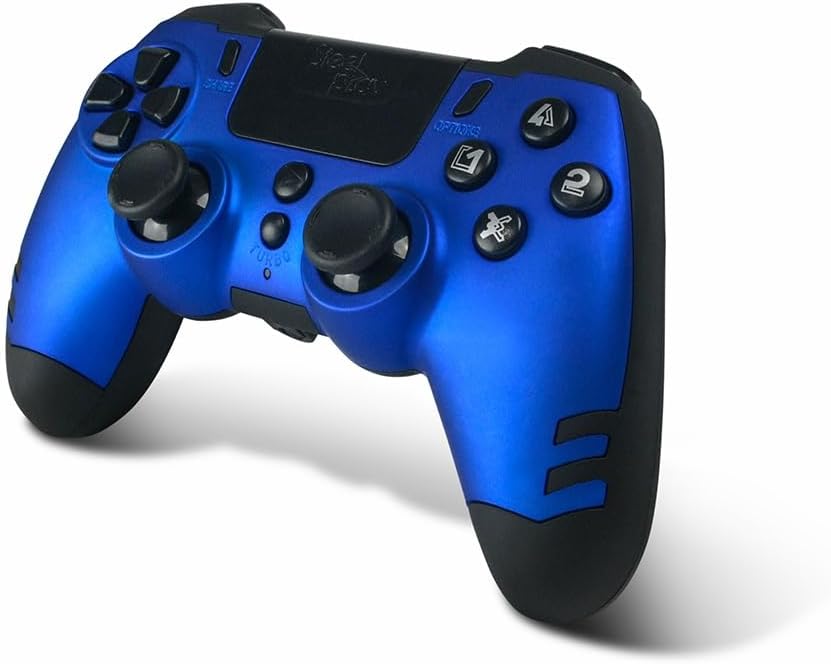
Image: The STEELPLAY Wireless Controller with a charging cable connected. This image illustrates the controller's design and potential charging port location.
Түзмөк менен жупташтыруу
Follow these steps to pair your wireless controller with your gaming console or PC:
- Контроллер заряддалганын текшериңиз.
- Turn on your gaming console or PC.
- Контроллерде баскычты басып, кармап туруңуз БӨЛҮШҮҮ баскычы жана PS button simultaneously until the light bar begins to flash.
- On your device, navigate to Bluetooth settings and select the "STEELPLAY Wireless Controller" from the list of available devices.
- Жупташтырылгандан кийин, жарык тилкеси өчүп-өчүүнү токтотуп, күйүп турат, бул ийгиликтүү туташууну билдирет.
Иштөө нускамалары
Негизги башкаруу элементтери
The STEELPLAY Wireless Controller features standard gamepad controls. Familiarize yourself with the button layout:
- Багыттоочу такта (D-Pad): Так багыт киргизүү үчүн.
- Сол/оң аналогдук таякчалар: Кыймылды жана камераны башкаруу үчүн.
- Аракет баскычтары (Үч бурчтук, Тегерек, Крест, Төрт бурчтук): Оюндагы аракеттер үчүн.
- Ийин баскычтары (L1, R1) жана триггерлер (L2, R2): Оюндагы ар кандай функциялар үчүн.
- БӨЛҮШҮҮ баскычы: To share gameplay content.
- ПАРАМЕТРЛЕР баскычы: To access in-game menus or pause.
- PS баскычы: To access the console's home menu or power on/off the controller.
- Сенсордук такта: For additional input, often used for navigation or specific game mechanics.
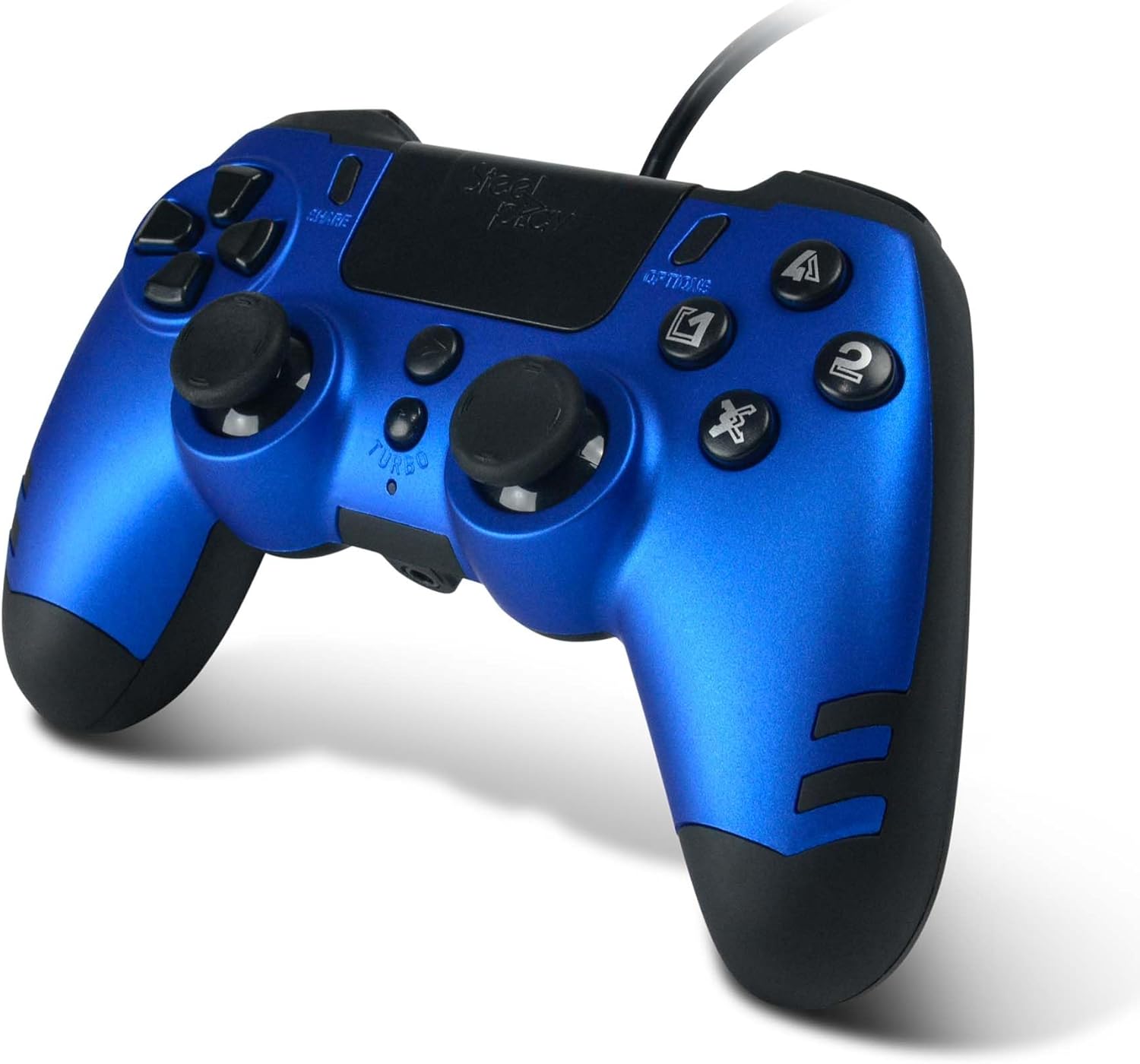
Сүрөт: деталдуу view of the STEELPLAY Wireless Controller, highlighting the layout of its 14 buttons, D-pad, and analog sticks.
Күйгүзүү/өчүрүү
- Күйгүзүү үчүн: басыңыз PS баскычы.
- Өчүрүү үчүн: басып, кармап туруңуз PS button for approximately 10 seconds until the controller powers down.
Кайра туташуу
Once paired, the controller should automatically reconnect to the last paired device when powered on. If it does not, press the PS button to initiate reconnection.
Техникалык тейлөө
Тазалоо
Башкаргычты тазалоо үчүн жумшак, кургак чүпүрөктү колдонуңуз. Өжөр кир үчүн бир азampкездемени суу менен эритиңиз. Катуу химиялык заттарды, эриткичтерди же абразивдүү тазалоочу каражаттарды колдонбоңуз, анткени алар контроллердин сырткы көрүнүшүнө жана ички компоненттерине зыян келтириши мүмкүн.
Сактагыч
Store the controller in a cool, dry place away from direct sunlight and extreme temperatures. Avoid placing heavy objects on the controller.
Батареяга кам көрүү
The controller contains a rechargeable battery. To prolong battery life:
- Батареяны бат-баттан толук кубаттап калуудан алыс болуңуз.
- Charge the controller regularly, even if not in use for extended periods.
- Do not expose the controller to temperatures above 60°C (140°F).
Проблемаларды чечүү
- Контроллер күйбөйт:
- Ensure the controller is fully charged. Connect it to a power source using the USB cable and allow it to charge for at least 30 minutes before attempting to power it on again.
- Controller does not connect or pair:
- Ensure the controller is in pairing mode (light bar flashing).
- Verify that the device you are trying to connect to has Bluetooth enabled.
- Түзмөгүңүздүн Bluetooth жөндөөлөрүнөн контроллердин мурунку жупташтырууларын алып салып, кайра жупташтырууга аракет кылыңыз.
- Move the controller closer to the device to ensure a strong signal.
- Restart both the controller and the device.
- Input lag or unresponsive buttons:
- Контроллердин толук заряддалганын текшериңиз. Батареянын аз заряды анын иштешине таасир этиши мүмкүн.
- Reduce interference by moving away from other wireless devices (Wi-Fi routers, other Bluetooth devices).
- If possible, try connecting the controller via a USB cable to see if the issue persists (if wired mode is supported).
Техникалык шарттар
| Өзгөчөлүк | Деталь |
|---|---|
| Модель аты | LA-0HNY-U4YG |
| Бренд (өндүрүүчү) | STEELPLAY |
| Brand (Retail) | Lexip |
| Байланыш | Зымсыз |
| баскычтардын саны | 14 |
| Өлчөмдөр | 17.5 x 13 x 8.3 см |
| Салмагы | 350 г |
| Батареялар камтылган | No (Features an internal rechargeable battery) |
Кепилдик жана колдоо
Specific warranty information is not provided in this manual. Please refer to the retailer's purchase terms or the manufacturer's official website for detailed warranty policies and support contact information.
For further assistance, please contact STEELPLAY customer support through their official channels.


