1. Киришүү
Сатып алганыңыз үчүн рахматasing the AZATOM Zenith Z4. This portable audio system combines DAB/DAB+ and FM radio, a CD player, Bluetooth connectivity, USB playback, and an alarm clock function. This manual provides essential information for setting up, operating, and maintaining your device. Please read it thoroughly before use and retain it for future reference.
2. Кутунун Мазмуну
Carefully unpack your Zenith Z4 and ensure all items listed below are present:
- AZATOM Zenith Z4 Unit
- Электр кубаты адаптери
- Колдонуучунун Колдонмосу (бул документ)
- Каттоо картасы

Image showing the AZATOM Zenith Z4 unit, its power adapter, user manual, and registration card as included in the box.
3. Продукт бүтүп калдыview: Башкаруу каражаттары жана Функциялар
3.1 Алдыңкы панелдин башкаруу элементтери

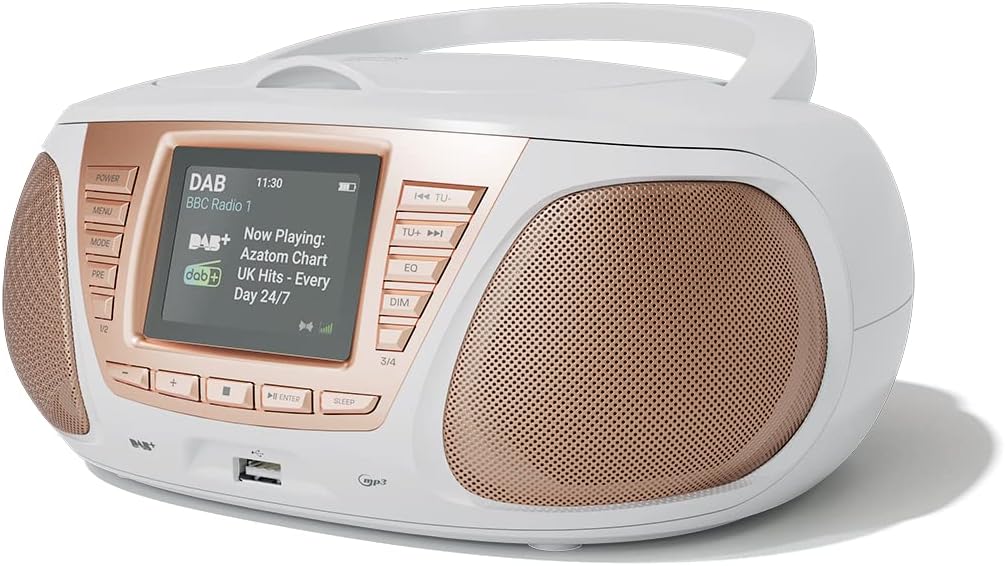
Деталдаштырылган view of the AZATOM Zenith Z4's front panel, highlighting the color LCD display and various control buttons.
- КҮЧ баскычы: Агрегатты күйгүзөт же өчүрөт.
- MENU баскычы: Системалык менюга кирет.
- MODE баскычы: Switches between DAB, FM, CD, Bluetooth, USB, and AUX modes.
- PRE Button (Presets): Accesses stored radio station presets.
- 1/2, 3/4 Buttons: Direct access to specific presets or navigation.
- +, - Buttons: Adjusts volume, navigates menus, or tunes radio frequencies.
- ENTER баскычы: Тандоолорду ырастайт.
- SLEEP баскычы: Уйку таймерин орнотот.
- TU- / TU+ Buttons: Tunes radio frequencies down/up or skips tracks.
- EQ баскычы: Эквалайзер жөндөөлөрүн тууралайт.
- DIM баскычы: Дисплей жарыктыгын тууралайт.
- USB порт: MP3 ойнотуу үчүн USB сактагыч түзмөктөрүн туташтыруу үчүн.
- Гарнитура уячасы: Жеке угуу үчүн 3.5 мм чыгаруу.
3.2 Арткы панелдин туташуулары
The rear panel typically includes the power input and auxiliary input.
- DC IN: Кубат адаптерин туташтыруу.
- AUX IN: 3.5mm input for connecting external audio sources.
4. Орнотуу
4.1 Күйгүзүү
The Zenith Z4 can be powered by the included AC adapter or by batteries for portability.
- AC кубаттуулугу: Connect the mains power adapter to the DC IN socket on the rear of the unit and plug it into a wall outlet.
- Батарея кубаттуулугу: Open the battery compartment (usually on the bottom or rear) and insert the required batteries (type and quantity specified in the compartment).

The AZATOM Zenith Z4 is designed for portability, allowing use with batteries or the supplied mains power adapter.
4.2 Баштапкы орнотуу (биринчи колдонуу)
Upon first power-on, the unit may automatically perform an initial setup:
- The display will typically show a welcome message.
- The unit may automatically scan for available DAB/DAB+ and FM radio stations. This process can take a few minutes.
- The clock will usually set itself automatically via DAB signal. If not, refer to the menu settings to manually set the time and date.
5. Иштөө нускамалары
5.1 DAB/DAB+ радиосу
To access digital radio stations:
- басыңыз РЕЖИМ баскычын 'DAB' көрсөтүлгөнгө чейин басыңыз.
- The unit will automatically scan for stations if it hasn't already. To perform a full scan manually, navigate to the 'Full Scan' option in the DAB menu.
- колдонуу ТУ- or TU+ buttons to browse the list of available stations.
- Басыңыз ENTER бекет тандоо.

The Zenith Z4 features leading British DAB and FM technology for optimal digital radio performance.
5.2 FM радиосу
To listen to FM radio stations:
- басыңыз РЕЖИМ 'FM' көрсөтүлгөнгө чейин баскычын басыңыз.
- Басып кармап туруңуз ТУ- or TU+ to auto-scan for the next available station. Briefly press to fine-tune the frequency.
- Басыңыз ENTER станцияны ырастоо үчүн.
5.3 Storing and Recalling Presets (DAB/FM)
The Zenith Z4 allows you to store up to 60 preset stations (30 DAB, 30 FM).
- Tune to your desired DAB or FM station.
- басып, кармап туруңуз PRE button until 'Preset Store' appears on the display.
- колдонуу +/- buttons to select a preset number (1-30 for DAB, 1-30 for FM).
- Басыңыз ENTER to save the station.
- To recall a preset, briefly press the PRE баскычын басып, анан колдонуңуз +/- or the numbered buttons (1/2, 3/4) to select and press ENTER.

The Zenith Z4 allows storing up to 60 presets (30 DAB and 30 FM) for quick access to your favorite stations.
5.4 CD ойноткуч
Аудио CDлерди ойнотуу үчүн:
- басыңыз РЕЖИМ button until 'CD' is displayed.
- Open the CD compartment lid located on the top of the unit.
- Place a CD (CD, CD-R, CD-RW compatible) with the label side facing up.
- Close the CD compartment lid. The unit will begin reading the disc and playback will start automatically.
- колдонуу ТУ- жана TU+ buttons to skip tracks. Use ENTER for Play/Pause.

The Zenith Z4 features a top-loading CD player, compatible with various CD formats, to enjoy your music collection.
5.5 Bluetooth байланышы
Stream audio wirelessly from your compatible devices:
- басыңыз РЕЖИМ button until 'Bluetooth' is displayed. The unit will enter pairing mode, indicated by a flashing Bluetooth icon or message.
- Мобилдик түзмөгүңүздө (смартфон, планшет, ноутбук) Bluetooth иштетиңиз жана жеткиликтүү түзмөктөрдү издеңиз.
- Select 'AZATOM Zenith Z4' from the list. Once paired, the unit will confirm the connection.
- You can now play audio from your device, and it will stream through the Zenith Z4.

Connect your Bluetooth device to the Zenith Z4 to enjoy streaming services like Spotify and Apple Music.
5.6 USB ойнотуу
MP3 ойнотуу үчүн fileUSB дискинен s:
- Insert a USB flash drive (formatted to FAT32) containing MP3 audio fileалдыңкы панелдеги USB портуна сайыңыз.
- басыңыз РЕЖИМ button until 'USB' is displayed.
- бирдиги окуйт files, and playback should begin automatically. Use the ТУ- жана TU+ тректерди өтүү үчүн баскычтар.
5.7 Көмөкчү киргизүү
Connect external audio devices using the AUX IN port:
- Connect one end of a 3.5mm audio cable (not included) to the AUX IN port on the rear of the Zenith Z4.
- Connect the other end to the headphone jack or audio output of your external device (e.g., MP3 player, older smartphone).
- басыңыз РЕЖИМ button until 'AUX' is displayed.
- Тышкы түзмөгүңүздөн ойнотууну көзөмөлдөө.
5.8 Гарнитураны колдонуу
For private listening:
- Plug your 3.5mm headphones into the headphone jack on the front panel.
- The sound from the speakers will automatically mute.
- Үнүн колдонуп, үнүн жөндөңүз +/- баскычтар.
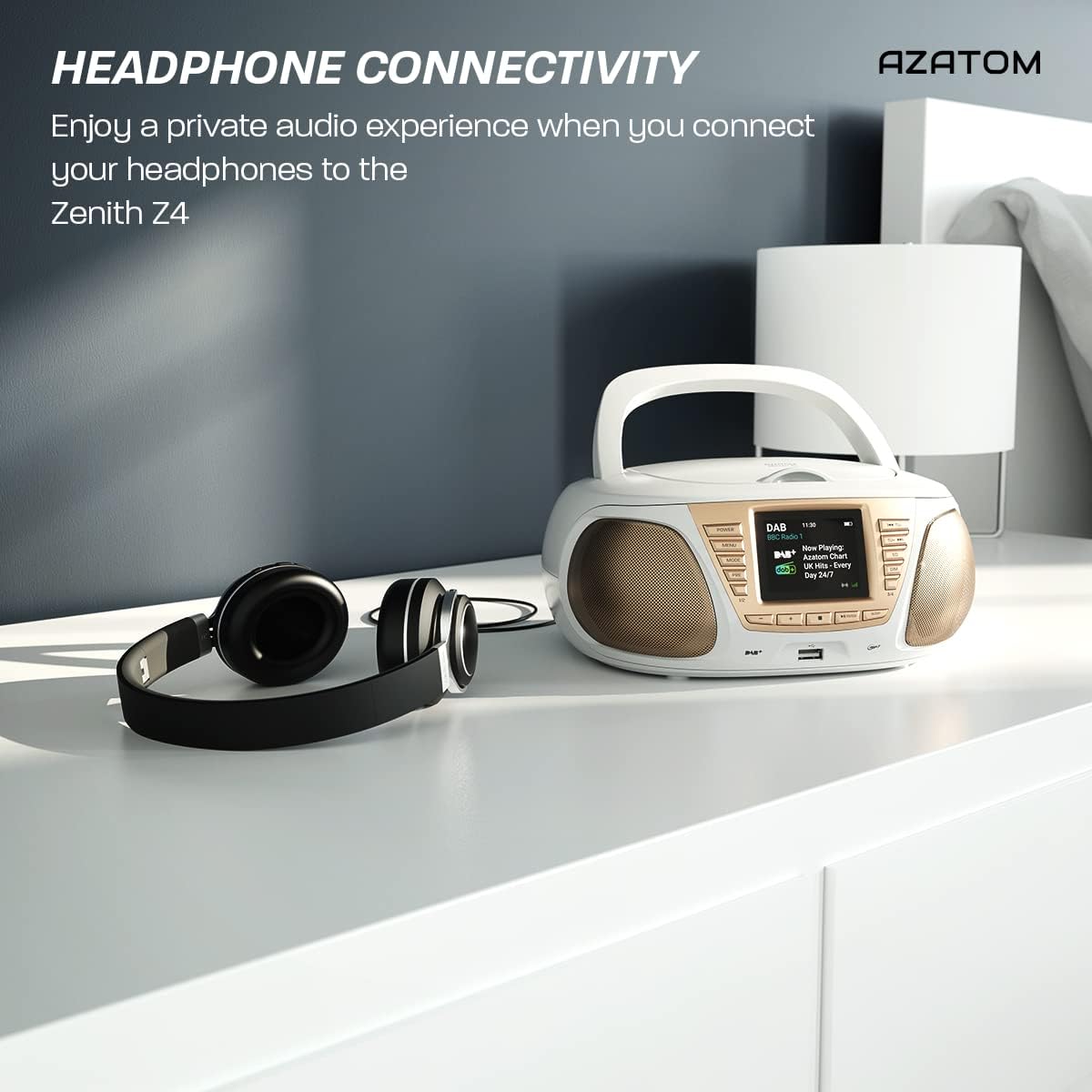
Enjoy a private audio experience by connecting your headphones to the Zenith Z4.
5.9 Ойготкуч саат функциясы
The Zenith Z4 includes an alarm clock feature:
- Ойготкуч жөндөөлөрүнө төмөнкү аркылуу кириңиз МЕНЮ баскычы.
- Follow the on-screen prompts to set the alarm time, source (e.g., buzzer, DAB, FM), and volume.
- Ensure the unit is powered on or in standby mode for the alarm to activate.
6. Техникалык тейлөө
To ensure the longevity and optimal performance of your Zenith Z4:
- Тазалоо: Use a soft, dry cloth to clean the unit's exterior. Do not use abrasive cleaners, waxes, or solvents.
- CD ойноткуч: If the CD player experiences issues, use a specialized CD lens cleaner disc.
- Вентиляция: Ensure the unit has adequate ventilation and is not covered during operation.
- Сактагыч: When not in use for extended periods, disconnect from power and remove batteries. Store in a cool, dry place.
7. Кыйынчылыктарды
If you encounter issues with your Zenith Z4, please refer to the table below for common problems and solutions:
| Көйгөй | Мүмкүн себеп | Чечим |
|---|---|---|
| Түзмөк күйбөйт | No power supply; flat batteries | Check AC adapter connection; replace batteries. |
| Үн жок | Volume too low; headphones connected; incorrect mode | Increase volume; disconnect headphones; select correct mode (DAB, FM, CD, BT, USB, AUX). |
| Радио кабыл алуу начар | Антенна узартылган эмес; сигнал алсыз | Fully extend the telescopic antenna; reposition the unit for better signal. |
| CD ойнобой жатат | CD dirty/scratched; incorrect disc type; CD not inserted correctly | Clean CD; ensure CD is compatible (CD, CD-R, CD-RW); reinsert CD label-side up. |
| Bluetooth туташпай жатат | Unit not in pairing mode; device too far; already connected to another device | Ensure unit is in Bluetooth mode and pairing; move device closer; disconnect from other devices. |
8. Техникалык шарттар
Key technical specifications for the AZATOM Zenith Z4:
- Бренд: АЗАТОМ
- Модель номери: Z4SLV
- Түсү: Ак
- Байланыш технологиясы: Auxiliary, DAB+, DAB, Bluetooth, USB
- Жалпы USB порттору: 1
- Шайкеш түзмөктөр: Smartphone, Tablet, MP3 Player, Personal Computer
- Элементтин өлчөмдөрү (LxWxH): 23 x 20 x 10 сантиметр
- Кубат булагы: Wired Electric, Battery
- Динамик түрү: Boombox
- Элемент Салмагы: 1.3 килограмм
- Чыгуу кубаттуулугу: 20 Ватт
9. Кепилдик жана колдоо
AZATOM products are engineered in the UK and come with comprehensive support:
- Кепилдик: The Zenith Z4 includes a 3-year premium warranty. Online registration is required to activate this warranty.
- Кардарларды колдоо: AZATOM offers lifetime customer service based in the UK for setup and installation advice. Please refer to the registration card or AZATOM's official webбайланыш маалыматы үчүн сайт.
AZATOM provides a 3-year warranty (registration required) and dedicated UK customer support for their products.


