1. Киришүү
This manual provides comprehensive instructions for the setup, operation, maintenance, and troubleshooting of your KLIM Discman Portable CD Player. This device is designed for playing audio CDs, CD-R, CD-RW, and MP3 discs, offering a versatile listening experience. Please read this manual thoroughly before using the product to ensure proper function and longevity.

Image 1.1: KLIM Discman with headphones and accessories.
2. Пакеттин мазмуну
Пакетте бардык буюмдар бар экенин текшериңиз:
- KLIM Discman CD ойноткучу
- KLIM Headset (Foldable Headphones)
- Наушник аксессуарлары
- USB-C заряддоо кабели
- Ташуу баштыкчасы
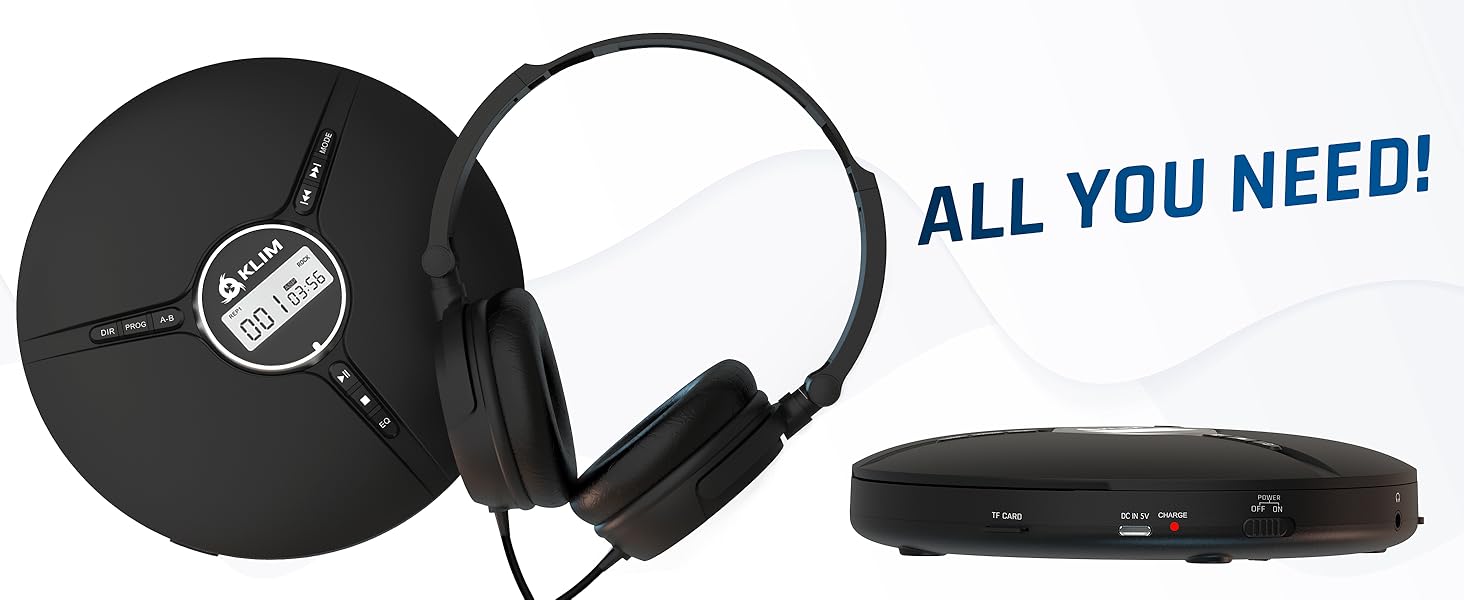
Image 2.1: All included components.
3. Продукт бүтүп калдыview
Familiarize yourself with the various parts and controls of your KLIM Discman.

Image 3.1: Labeled diagram of the KLIM Discman controls and ports.
Башкаруу каражаттары жана порттор:
- Санариптик дисплей: Трек номерин, убакытты жана ойнотуу абалын көрсөтөт.
- DIR баскычы: Directory navigation for MP3 discs.
- PROG баскычы: Program playback order.
- AB баскычы: Repeat a specific section of audio.
- MODE баскычы: Selects playback modes (e.g., repeat one, repeat all).
- Previous/Rewind Button (◀◀): Skips to the previous track or rewinds current track.
- Next/Fast Forward Button (▶▶): Skips to the next track or fast forwards current track.
- Ойнотуу/тындыруу баскычы (▶/‖‖): Ойнотууну баштайт же тындырат.
- Токтотуу баскычы (■): Ойноону токтотот.
- EQ баскычы: Cycles through various equalizer presets.
- Үндү көзөмөлдөө: Аудио чыгаруу деңгээлин тууралайт.
- AUX / Jack 3.5 mm Input: For connecting external audio devices or headphones.
- TF карта уячасы: For inserting a MicroSD card (up to 32 GB) for MP3 playback.
- USB-C заряддоо порту: Ички батареяны заряддоо үчүн.
- ON/OFF and HOLD Button: Powers the device on/off and locks buttons to prevent accidental presses.
4. Орнотуу
4.1. Батареяны заряддоо
The KLIM Discman features a built-in rechargeable battery. Before first use, fully charge the device.
- Connect the provided USB-C charging cable to the USB-C port on the Discman.
- USB-C кабелинин экинчи учун USB кубат адаптерине (кошумча эмес) же компьютердин USB портуна туташтырыңыз.
- Заряддоо индикаторунун жарыгы күйөт. Толук заряддалгандан кийин жарыктын түсү өзгөрүшү же моделине жараша өчүшү мүмкүн.
- Толук кубаттоо 14 саатка чейин ойнотууну камсыз кылат.
4.2. CD кыстаруу
- Gently slide the OPEN switch to open the CD compartment lid.
- CDди этикеткалуу тарабын өйдө каратып борбордук шпиндельге коюңуз. CD коопсуз орнотулганын текшериңиз.
- CD бөлүмүнүн капкагын ордуна чыкылдаган үн чыкканча бекем жабыңыз.
4.3. Наушниктерди туташтыруу
Connect the included KLIM headset or your preferred 3.5mm headphones to the AUX / Jack 3.5 mm input port on the Discman.
4.4. Inserting a TF Card (MicroSD)
If playing MP3 files from a TF card:
- Locate the TF Card slot on the side of the Discman.
- Insert the TF card (up to 32 GB) into the slot until it clicks. Ensure the card is inserted in the correct orientation.
- Чыгаруу үчүн картаны сыртка чыкканга чейин акырын түртүңүз.
5. Иштөө нускамалары
5.1. Power On/Off and Hold Function
- Күйгүзүү: Slide the ON/OFF switch to the 'ON' position.
- Өчүрүү: КҮЙГҮЗҮҮ/ӨЧҮРҮҮ которгучун "ӨЧҮРҮҮ" абалына жылдырыңыз.
- кармап туруу функциясы: Slide the ON/OFF switch to the 'HOLD' position to lock all buttons and prevent accidental operation during transport. The display will show 'HOLD'.
5.2. Негизги ойнотуу
- After powering on and inserting a CD, the player will typically begin playback automatically.
- басыңыз ▶/‖‖ ойнотууну тындыруу үчүн баскыч. Улантуу үчүн кайра басыңыз.
- басыңыз ▶▶ button to skip to the next track. Press and hold to fast forward.
- басыңыз ◀◀ button to skip to the beginning of the current track. Press twice to skip to the previous track. Press and hold to rewind.
- басыңыз ■ ойнотууну токтотуу үчүн баскыч.
5.3. Үндү тууралоо
Adjust the volume using the dedicated volume control buttons or dial on the device (if present, otherwise volume is controlled by connected headphones/speakers).
5.4. Эквалайзердин (EQ) жөндөөлөрү
басыңыз EQ button repeatedly to cycle through available sound equalizer presets (e.g., Bass, Pop, Jazz, Rock, Classic, etc.) to customize your audio experience.
5.5. Repeat and Program Functions
- MODE баскычы: Press to select different repeat modes (e.g., repeat one track, repeat all tracks, random play).
- PROG баскычы: Allows you to program a specific order of tracks to play. Refer to the on-screen display for programming steps.
- AB баскычы: Press once at the start point (A) and again at the end point (B) of a section you wish to repeat. The player will continuously loop this section. Press a third time to cancel.
- DIR Button (for MP3 discs): If your MP3 disc contains multiple folders, press DIR to navigate between directories.
5.6. TF картасын ойнотуу
If a TF card is inserted, the player may automatically switch to TF card mode or require you to press a MODE button to select it. Playback controls are similar to CD playback.
5.7. Connecting to External Audio Devices
The Discman can connect to external speakers or car audio systems via the 3.5mm AUX output. Use a 3.5mm audio cable (not included) to connect the Discman to the AUX input of your external device.

Image 5.1: Connectivity options for the KLIM Discman.
6. Техникалык тейлөө
6.1. Cleaning the Discman
- Плеердин сыртын жумшак, кургак чүпүрөк менен сүртүңүз.
- Абразивдүү тазалагычтарды, эриткичтерди же күчтүү жуучу каражаттарды колдонбоңуз.
- To clean the optical lens, use a specialized CD lens cleaning kit. Avoid touching the lens directly.
6.2. Батареяга кам көрүү
- Батареянын иштөө мөөнөтүн узартуу үчүн, бат-баттан батарейканы толук зарядсыздандырбаңыз.
- Батареянын ден соолугун сактоо үчүн, колдонбосо дагы, аппаратты дайыма заряддап туруңуз.
- Аппаратты узак убакыт бою колдонбогондо салкын, кургак жерде сактаңыз.
6.3. CD and TF Card Handling
- Handle CDs by their edges to avoid fingerprints and scratches on the playing surface.
- Store CDs in their cases when not in use.
- Ensure TF cards are inserted and removed correctly to prevent damage to the card or slot.
7. Кыйынчылыктарды
If you encounter issues with your KLIM Discman, refer to the following common problems and solutions:
| Көйгөй | Мүмкүн себеп | Чечим |
|---|---|---|
| Түзмөк күйбөйт. | Battery is depleted. Device is in HOLD mode. | Charge the battery. Slide the ON/OFF switch out of 'HOLD' position. |
| CD does not play / 'DISC' error. | CD is dirty, scratched, or inserted incorrectly. Disc format is not supported. | Clean the CD. Reinsert the CD correctly. Ensure the disc is CD Audio, CD-R, CD-RW, or MP3 format. |
| Наушниктен үн чыкпайт. | Headphones not connected properly. Volume is too low. Headphones are faulty. | Кулакчындар толугу менен сайылып турганын текшериңиз. Үнүн катуулатыңыз. Башка кулакчын менен сынап көрүңүз. |
| Music skips or stutters. | CD is scratched or dirty. Excessive movement. | Clean the CD. The anti-shock protection buffers 100 seconds of audio, but extreme movement can still cause skips. |
| TF картасы таанылган жок. | TF card inserted incorrectly. Card is corrupted or unsupported format. | Reinsert the TF card. Ensure it is formatted correctly (FAT32) and contains supported MP3 files. Max capacity 32GB. |
8. Техникалык шарттар
Technical details for the KLIM Discman Portable CD Player.
| Өзгөчөлүк | Деталь |
|---|---|
| Модель аты | KLIM Nomad |
| Продукциянын өлчөмдөрү | 5.51 x 5.51 x 1.1 дюйм |
| Элемент Салмагы | 8.1 унция |
| Батарея | 1 литий-иондук батарейка (кошулган) |
| Ойнотуу убактысы | 14 саатка чейин (болжол менен) |
| Шайкештик | CD Audio, CD-R, CD-RW, MP3 |
| TF картасын колдоо | 32 ГБ чейин |
| Байланыш | 3.5mm Auxiliary Jack, USB-C (charging) |
| Өзгөчөлүктөр | Anti-skip/Anti-shock protection (100s), Digital Equalization, HOLD function |

Сүрөт 8.1: Продукциянын өлчөмдөрү.
9. Кепилдик жана колдоо
The KLIM Discman comes with a 5 жылдык кепилдик. This warranty covers manufacturing defects and ensures the product meets quality standards for an extended period.
For technical support, warranty claims, or any questions regarding your KLIM Discman, please visit the official KLIM webсайтка же кардарларды тейлөөгө кайрылыңыз. Көбүрөөк маалыматты дарегинен таба аласыз www.klimtechs.com.
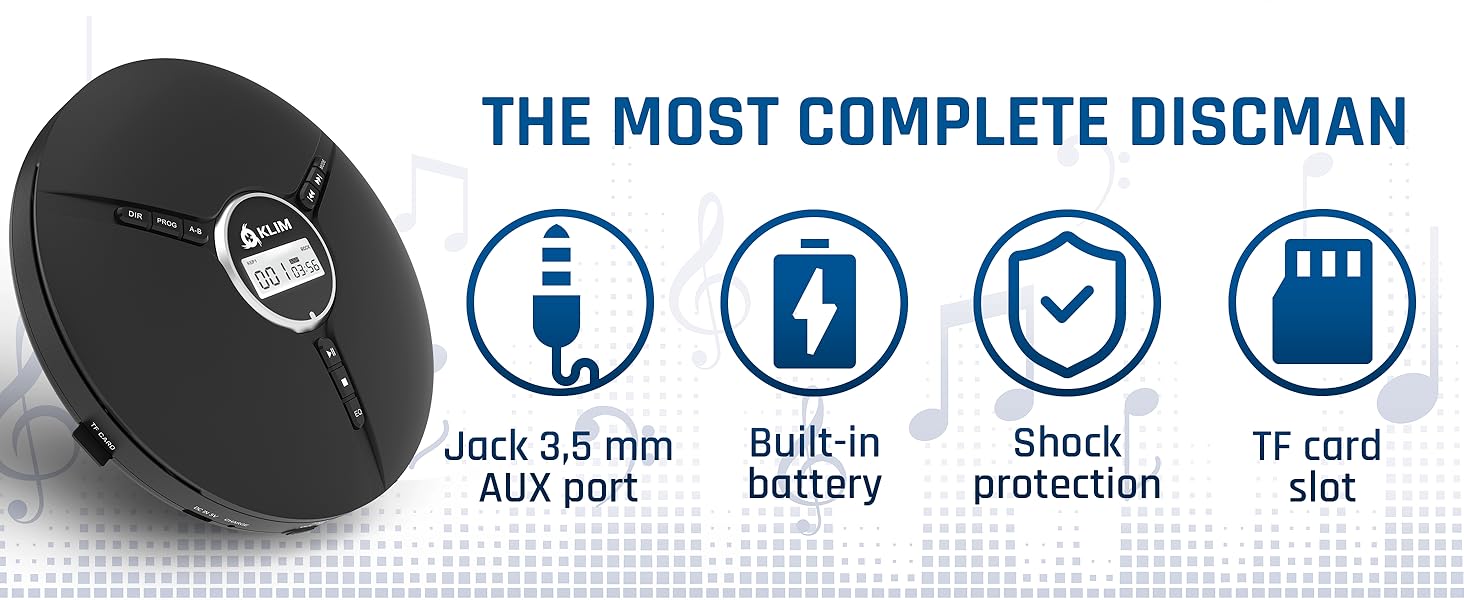
Image 9.1: Key features including shock protection and built-in battery.


