1. Продукт бүтүп калдыview
The LOYALTY-SECU 4CH WiFi NVR Kits Wireless Security Camera System provides a comprehensive solution for home and business surveillance. This all-in-one kit includes a 4-channel Full HD 3MP Wireless NVR with an integrated 10.1-inch LCD monitor and four 3MP WiFi cameras. Designed for ease of use, the system offers true plug-and-play functionality with pre-paired components, eliminating the need for complex wiring.
Key features include 2.4Ghz WiFi connectivity, motion detection, two-way audio on cameras, and support for various storage options including TF card, 2.5-inch HDD, and cloud storage. The cameras are equipped with 3.6mm lenses providing a 110° view angle and dual light mode for enhanced night vision up to 25 meters (66 feet).
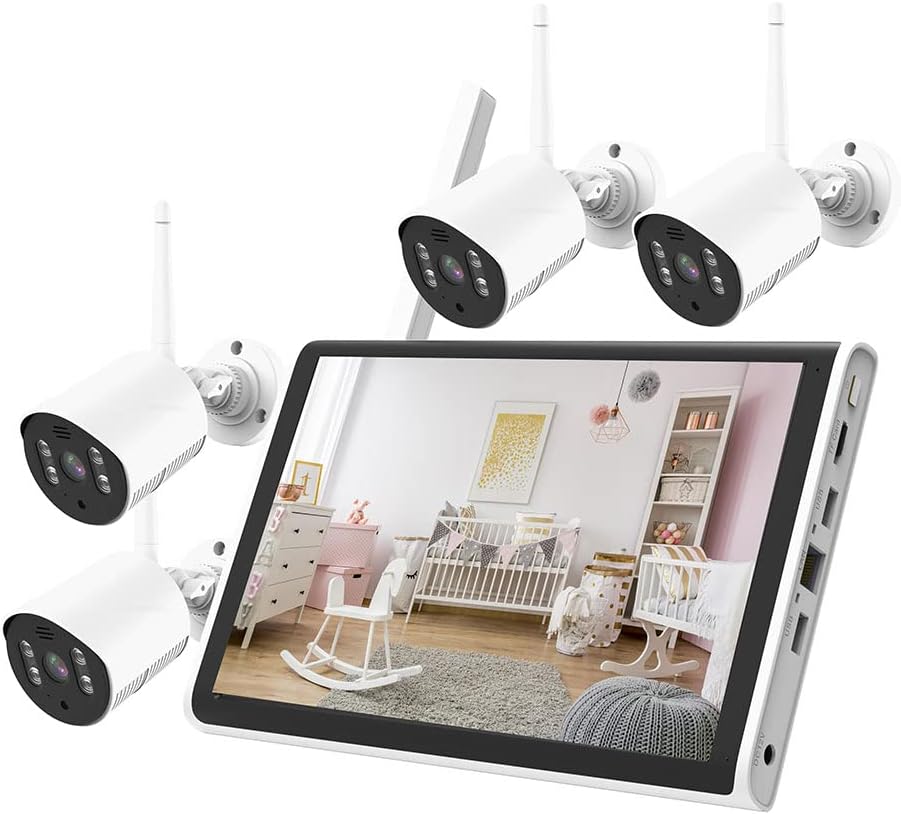
Image: The complete LOYALTY-SECU 4CH WiFi NVR Kit, showcasing the 10.1-inch monitor and four wireless security cameras.
2. Пакеттин мазмуну
Пакетти ачканда бардык буюмдардын бар экенин жана жакшы абалда экендигин текшериңиз.
- 1 x 4CH WiFi NVR with 10.1 Inch LCD Monitor
- 4 x 3MP WiFi Cameras
- NVR жана камералар үчүн кубат адаптерлери
- Монтаждоочу бурамалар жана сайгычтар
- Колдонуучунун Колдонмосу (бул документ)
- Note: A 2.5-inch HDD (Hard Disk Drive) for storage is not included and must be purchased separately if local storage is desired.

Image: The NVR kit components, with an illustration of a 1TB 2.5" SATA HDD, indicating it is an optional purchase for expanded storage.
3. Орнотуу колдонмосу
3.1. Installing the Hard Disk Drive (Optional)
If you wish to record video locally, you will need to install a 2.5-inch SATA HDD (up to 2TB recommended, not included). The NVR supports TF card (Max 128GB) and cloud storage as alternatives or supplements.
- Locate the HDD bay on the NVR unit.
- Carefully open the cover of the HDD bay.
- NVRден HDDге SATA берилиштерин жана электр кабелдерин туташтырыңыз.
- Secure the HDD within the bay using the provided screws (if any).
- Close the HDD bay cover.

Сүрөт: Жогорку view of the NVR with its HDD bay open, showing the internal connections, and a bottom view highlighting the rear ports (DC12V, USB, LAN, TF Card slot).
3.2. Системаны иштетүү
- Connect the power adapter to the NVR's DC12V input port and plug it into a power outlet.
- Connect the power adapters to each of the four cameras and plug them into power outlets.
- The NVR and cameras will automatically power on.
3.3. Automatic Pairing and Initial Display
The wireless cameras and the NVR monitor are pre-paired at the factory. Once powered on, the cameras will automatically connect to the NVR, and their video feeds will appear on the integrated 10.1-inch LCD monitor within moments.

Image: Diagram illustrating the simple plug-and-play setup, where the NVR and camera automatically connect via 2.4G WiFi upon being plugged into power.
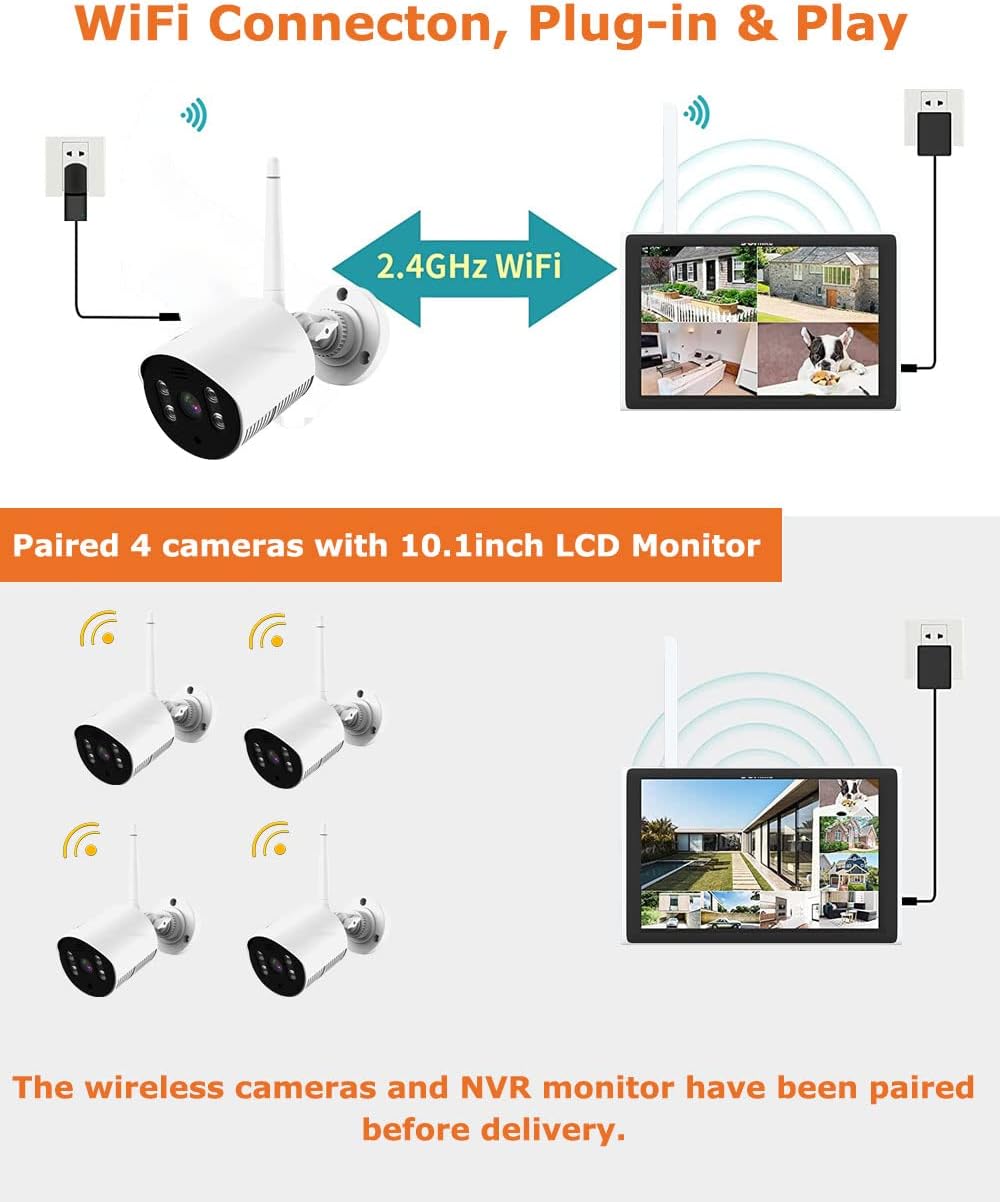
Image: Visual representation of the NVR and four cameras, confirming that they are pre-paired and connect wirelessly via 2.4GHz WiFi for immediate operation.
3.4. Камераны орнотуу
Select suitable locations for your cameras, ensuring they are within range of the NVR's WiFi signal and have access to a power outlet. The cameras are IP66 waterproof, making them suitable for outdoor use.
- Камеранын бекитүүчү негизин шаблон катары колдонуп, дубалга же шыпка бургулоочу чекиттерди белгилеңиз.
- Тешиктерди бургулап, берилген дубал тыгындарын киргизиңиз.
- Secure the camera's mounting base to the surface using the screws.
- Оптималдуу болушу үчүн камеранын бурчун тууралаңыз viewing.
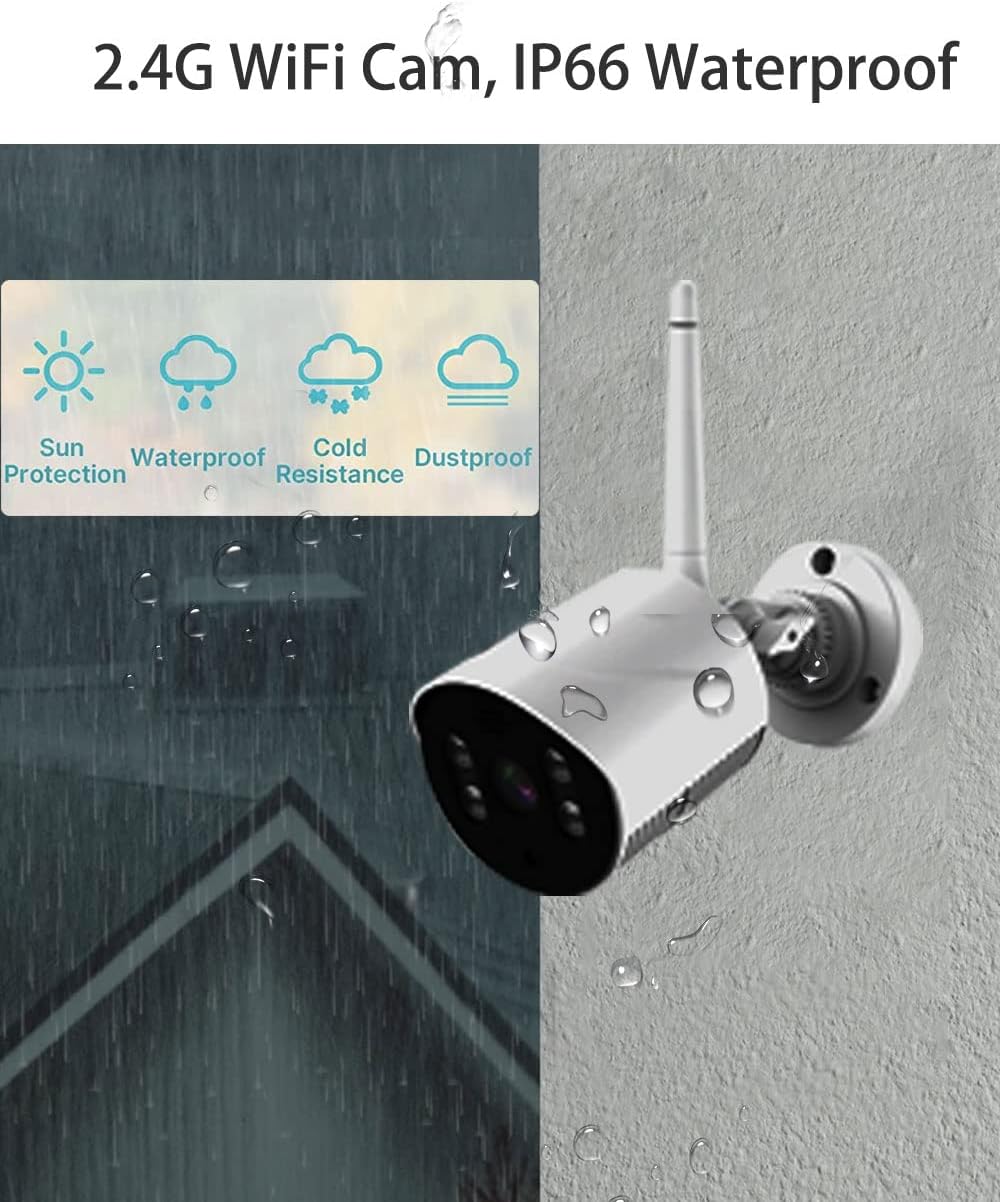
Image: A close-up of a LOYALTY-SECU camera, emphasizing its IP66 rating for sun protection, waterproofing, cold resistance, and dustproofing, suitable for various environmental conditions.
4. Иштөө нускамалары
4.1. Түз эфир View and Menu Navigation
The NVR's 10.1-inch monitor displays the live feeds from all connected cameras. Use the mouse (connected to a USB port) to navigate the on-screen menu. Right-click to access the main menu options.
4.2. Жазуу режимдери
The system supports continuous 24/7 recording and motion-triggered recording. Configure recording schedules and settings through the NVR's menu.
- Тынымсыз жаздыруу: Records constantly, ideal for comprehensive coverage.
- Кыймылды аныктоо жазуусу: Кыймыл аныкталганда гана жаздырат, бул сактагычтагы орунду үнөмдөйт.

Image: A camera detecting motion and triggering an alert on a smartphone, demonstrating the system's motion detection and app notification capabilities.
4.3. Видеону ойнотуу
Жазылган footage through the NVR's playback menu. You can search by date, time, and event type (e.g., motion detection). The system utilizes H.265+ video compression, which significantly reduces file size compared to H.264, optimizing storage efficiency.
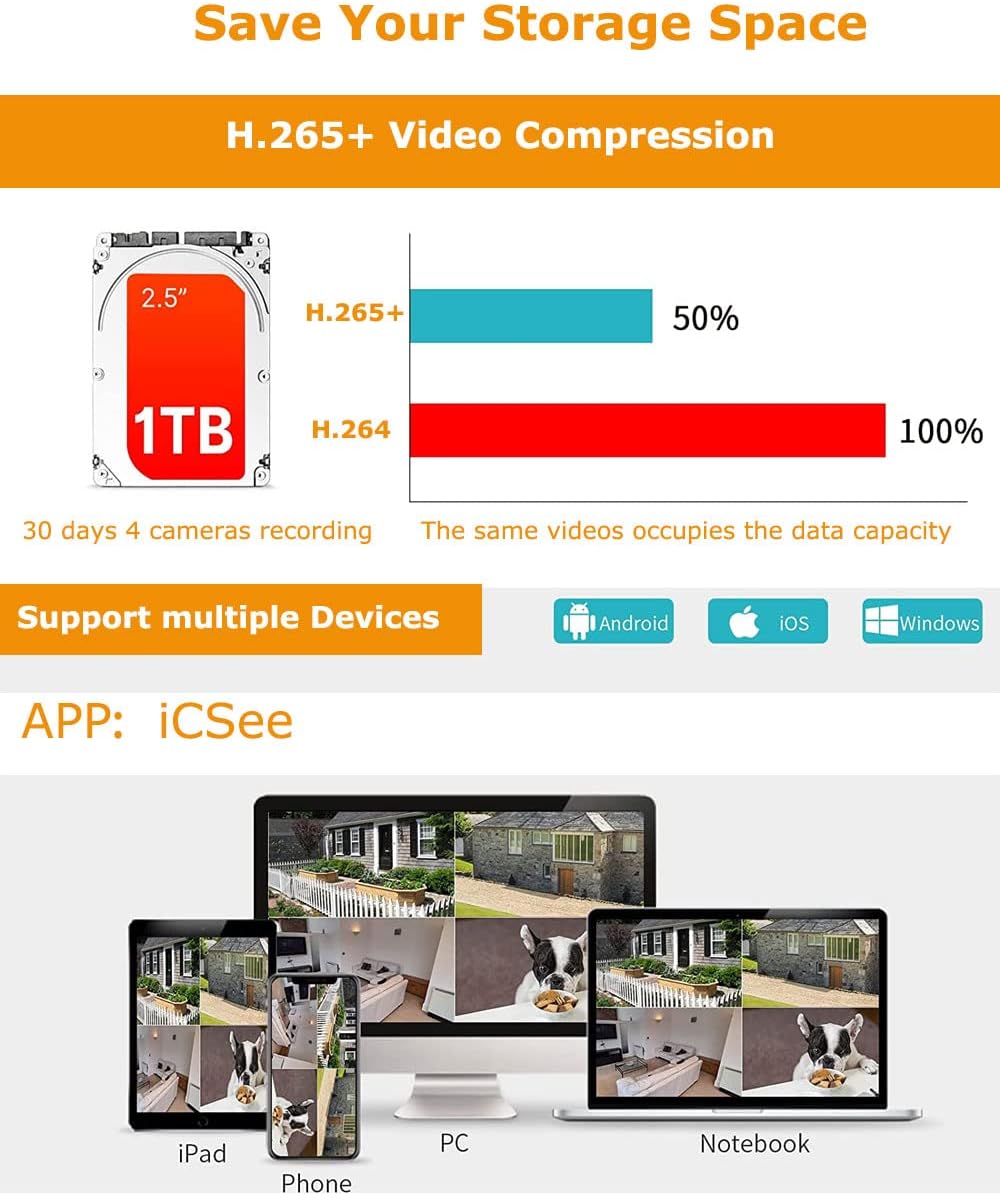
Image: A comparison showing H.265+ compression saving 50% storage compared to H.264, alongside icons for Android, iOS, and Windows, indicating multi-device compatibility via the iCSee app.
4.4. Remote Access (iCSee App)
Download the "iCSee" app from your mobile device's app store (Android/iOS) or install the client software on your PC/laptop. Follow the in-app instructions to add your NVR system for remote viewing, playback, and configuration.
- Live View: Monitor your property from anywhere.
- Эки тараптуу аудио: Communicate through the camera's built-in microphone and speaker.
- Кыймыл эскертүүлөрү: Receive instant notifications on your device when motion is detected.
5. Техникалык тейлөө
- Тазалоо: Regularly wipe the camera lenses and NVR screen with a soft, dry cloth to ensure clear images and proper ventilation. Do not use harsh chemicals.
- Программалык камсыздоонун жаңыртуулары: Өндүрүүчүнү текшериңиз website (LOYALTY-SECU) periodically for firmware updates to ensure optimal performance and security. Follow the provided instructions carefully.
- Сактагычты башкаруу: Monitor your storage capacity. The H.265+ compression helps maximize storage, but regular review and backup of important footagе сунуш кылынат.
- Электр камсыздоо: Ensure stable power supply to both the NVR and cameras. Avoid using unapproved power adapters.
6. Кыйынчылыктарды
| Көйгөй | Мүмкүн себеп | Чечим |
|---|---|---|
| No image on NVR monitor. | NVR not powered on; cameras not powered on; cameras out of WiFi range; cameras not paired. | Check power connections for NVR and all cameras. Ensure cameras are within effective WiFi range. If cameras are not pre-paired, refer to the NVR's on-screen menu for manual pairing instructions. |
| Жаздыруу жок. | No HDD installed; HDD full; recording schedule not set; motion detection not configured. | Install a 2.5-inch SATA HDD. Check HDD status and format if necessary (data will be lost). Verify recording schedules and motion detection settings in the NVR menu. |
| Алыстан кирүү иштебей жатат. | NVR not connected to internet; incorrect app settings; firewall issues. | Ensure the NVR is connected to your router via Ethernet cable. Verify network settings on the NVR. Double-check app configuration and NVR ID. Ensure your router's firewall is not blocking necessary ports (consult your router manual if needed). |
| Сүрөттүн сапаты начар. | Dirty lens; low light conditions; camera out of focus (unlikely for fixed lens); WiFi interference. | Clean camera lens. Ensure sufficient lighting for optimal image. Reduce WiFi interference by repositioning cameras or NVR, or by using a WiFi extender. |
7. Техникалык шарттар
| Өзгөчөлүк | Деталь |
|---|---|
| Бренд | LOYALTY-SECU |
| Модель номери | LY-WNK104-3MP |
| Байланыш технологиясы | Wireless (2.4Ghz WiFi) |
| Видео тартуунун резолюциясы | 3 МП (1536p) |
| Каналдардын саны | 4 |
| NVR мониторунун өлчөмү | 10.1 дюймдук LCD |
| Эстутум сактоо сыйымдуулугу (макс) | 128 GB (TF Card), 2.5 Inch HDD (up to 2TB recommended) |
| Түс | Ак |
| Power Source | Электр зымдары |
| Элементтин өлчөмдөрү (L x W x Y) | 15.75 x 11.57 x 5.71 дюйм |
| Шайкеш түзмөктөр | Personal Computers, Smartphones (Android/iOS) |
| Төмөн жарык технологиясы | Night Vision (Dual Light Mode) |
| Түнкү көрүү диапазону | 25 м (66 фут) чейин |
| Frame Rate | 30 кадр/сек |
| Жазуу режими | Кыймылды аныктоо, үзгүлтүксүз |
| Оптикалык сенсор технологиясы | CMOS |
| Аппараттык интерфейс | 802.11 b/g (WiFi), USB, RJ45 (LAN) |
| Линзанын түрү | Wide Angle (3.6mm) |
| Viewбурч | 110 градус |
| Суу өткөрбөйт рейтинги | IP66 |
| UPC | 784300868217 |
8. Кепилдик жана колдоо
For warranty information and technical support, please refer to the official LOYALTY-SECU webсайтка же түздөн-түз кардарларды тейлөөгө кайрылыңыз. Сатып алуу квитанциясын кепилдик дооматтары үчүн сатып алуунун далили катары сактаңыз.
Manufacturer: Shenzhen LOYALTY-SECU Technology Co., LTD
For the latest support resources, visit: LOYALTY-SECU Amazon Store


