Introduction
This manual provides detailed instructions for the setup, operation, and maintenance of your KOSUMOSU 9.7-inch 3D LED Neon Digital Wall/Desk Clock. Please read this manual thoroughly before using the product to ensure proper function and longevity.
Коопсуздук маалыматы
- Ensure the clock is powered by a 5V/1A AC adapter (not included). Using an incorrect power adapter may damage the device.
- Түзмөктү суудан жана нымдуулугу жогору чөйрөлөрдөн алыс кармаңыз.
- Do not attempt to disassemble or repair the clock yourself. Contact customer service for assistance.
- Keep the remote control battery (CR2025) out of reach of children.
Пакеттин мазмуну
- KOSUMOSU 9.7-inch 3D LED Neon Digital Clock
- Remote Control (with CR2025 button battery)
- 3-meter USB Power Cable
- Иш такта кашаа
- Wall Mounting Accessories (Dowel, Screws)
- Колдонуучунун Колдонмосу (бул документ)
Жайгашуу
1. Power Connection
- Connect the provided 3-meter USB power cable to the clock's power input port.
- Plug the other end of the USB cable into a 5V/1A AC adapter (not included).
- Plug the AC adapter into a standard wall outlet. The clock will power on.
Note: The clock has a built-in super farad capacitor for time memory, providing approximately 2 hours of backup in case of power failure. This is not for regular power supply.
2. Алыстан башкаруунун батареясы
The remote control comes with a CR2025 button battery pre-installed. If the remote does not respond, check or replace the battery.
3. Монтаждоо параметрлери

Сүрөт: Арткы view of the KOSUMOSU 3D LED Neon Digital Clock, illustrating the wall mounting holes and the location of the function buttons. The image also displays product specifications.
- Иш тактада жайгаштыруу: Attach the included desktop bracket to the bottom of the clock for stable placement on any flat surface.
- Дубалга орнотуу: Use the provided screws and dowels to securely mount the clock on a wall. The clock features keyhole slots on the back for easy hanging.
Иштөө нускамалары
The clock is primarily operated using the included remote control. There are also three function buttons on the back of the clock for basic adjustments.
Алыстан башкаруу функциялары

Image: The KOSUMOSU 3D LED Neon Digital Clock showing the time in vibrant colors, with its remote control positioned in front.
- ЖӨНДӨӨ: Enter/Exit setting mode.
- ӨЙДӨ/ТӨМӨН жебелери: Adjust values during setting.
- 12/24H: Switch between 12-hour and 24-hour time formats.
- ЭСКЕРТҮҮ: Activate/Deactivate alarm, enter alarm setting mode.
- СНУЗЕ: Activate snooze function when alarm sounds.
- ЖАРЫК: Cycle through brightness levels (High/Medium/Low/Auto/Off).
- COLOR/MODE: Change display color modes (Neon, 7 separate colors, color gradient, custom).
- TEMP (℃/℉): Celsius жана Fahrenheit температура дисплейинин ортосунда которулуу.
- DATE: Display date, enter date setting mode.
Убакыт жана дата орнотуу
- басыңыз SET button on the remote. The hour digits will flash.
- колдонуу UP жана ылдый arrows to adjust the hour.
- Басыңыз SET мүнөттөргө жылдыруу үчүн кайрадан, андан кийин тууралаңыз ЖОГОРУ/ТӨМӨН.
- Басууну улантыңыз SET жыл, ай жана күн жөндөөлөрүн өзгөртүү үчүн, ар бирин тууралоо ЖОГОРУ/ТӨМӨН.
- Басыңыз SET орнотуу режиминен чыгуу үчүн акыркы жолу.
- 12 сааттык жана 24 сааттык форматтын ортосунда которулуу үчүн, басыңыз 12/24H баскычы.
Ойготкуч орнотуу
- басыңыз АЛАРМ button on the remote. The alarm hour digits will flash.
- Колдонуу ЖОГОРУ/ТӨМӨН ойготкуч саатын коюуга.
- Басыңыз АЛАРМ again to set the alarm minutes, adjust with ЖОГОРУ/ТӨМӨН.
- Басыңыз АЛАРМ Ойготкучту ырастоо жана иштетүү үчүн кайрадан басыңыз. Дисплейде ойготкуч сүрөтчөсү пайда болот.
- To deactivate the alarm, press АЛАРМ again until the icon disappears.
- Ойготкуч чыкканда, басыңыз СОЮЗ for an additional 5 minutes of sleep (up to 3 times).
Жарыктыкты жөндөө

Image: The KOSUMOSU 3D LED Neon Digital Clock illustrating its automatic dimming function via a built-in light sensor and remote control dimming with High, Medium, Low, and Off settings.
- басыңыз ЖАРЫК button on the remote to cycle through brightness levels: High, Medium, Low, Auto, and Off.
- Автоматтык караңгылатуу: When set to "Auto", the clock's built-in light sensor will automatically adjust the brightness across 8 levels based on ambient light conditions.
Түс режимдери

Image: The KOSUMOSU 3D LED Neon Digital Clock showcasing different custom color and neon light options, highlighting its multi-color LED capabilities.

Image: The KOSUMOSU 3D LED Neon Digital Clock illustrating how to switch between various colors using the remote control, showing different color displays for day and night.
басыңыз COLOR/MODE button on the remote to cycle through different display color options:
- Neon Light: Dynamic, flashing neon light effect.
- Color Gradient: Түстөрдүн ортосундагы жылмакай өткөөлдөр.
- 7 Separate Colors: Static display of individual colors.
- Custom Color Option: Allows selection of a specific color.
Loop Display (Time, Date, Temperature)
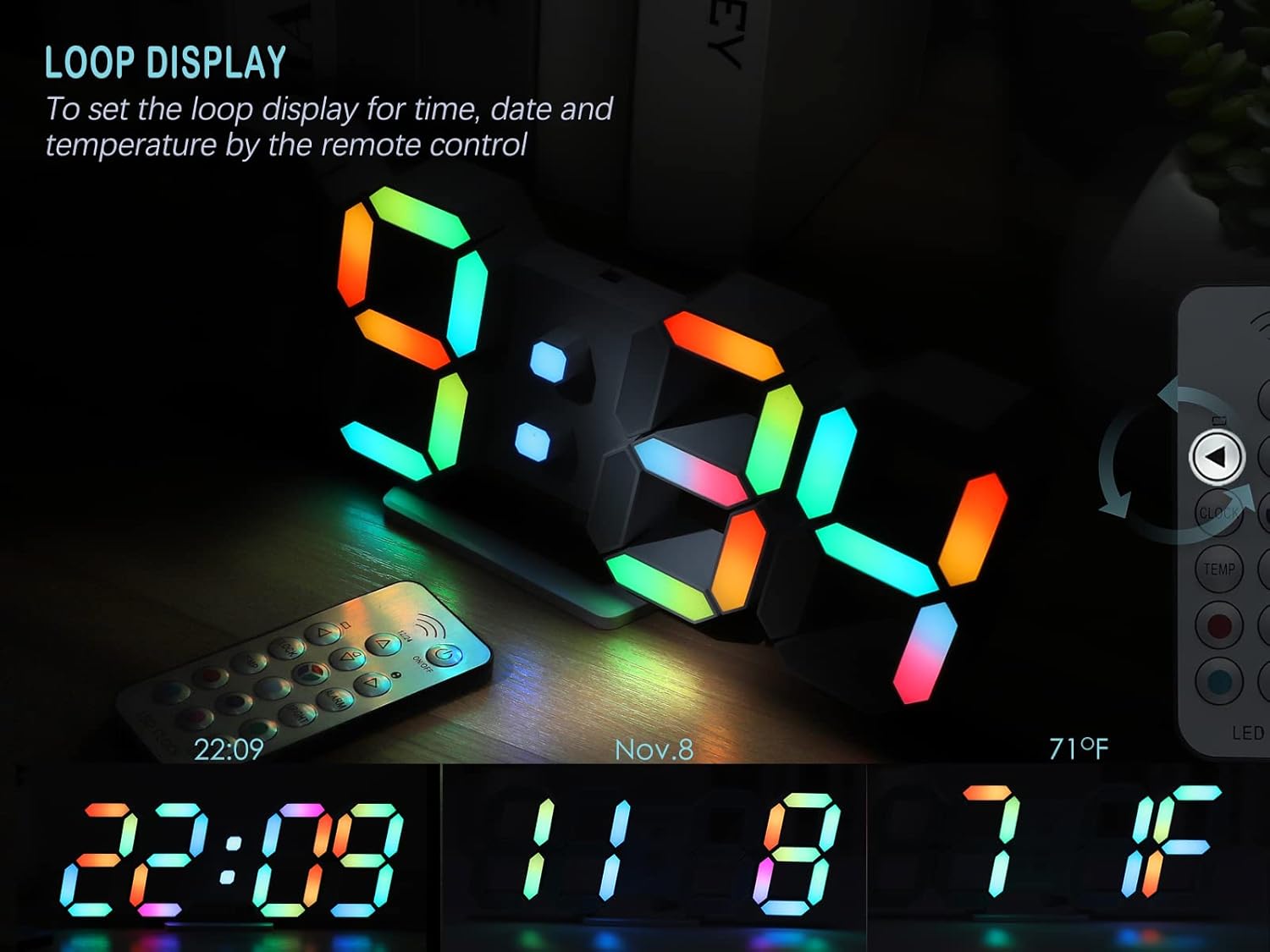
Image: The KOSUMOSU 3D LED Neon Digital Clock demonstrating its loop display feature, cycling through the current time, date (November 8th), and temperature (71°F).
To activate the loop display for time, date, and temperature, press the dedicated LOOP button on the remote control (if available, otherwise it cycles automatically after setting date/temp display). The clock will automatically cycle through these displays.
Техникалык тейлөө
- Сааттын бетин жумшак, кургак чүпүрөк менен тазалаңыз. Абразивдүү тазалоочу каражаттарды же эриткичтерди колдонбоңуз.
- Ensure the clock is unplugged before cleaning.
- Replace the remote control battery (CR2025) as needed.
Проблемаларды чечүү
| Көйгөй | Мүмкүн себеп | Чечим |
|---|---|---|
| Саат күйбөй жатат. | No power, faulty adapter, or loose connection. | Ensure the USB cable is securely connected and the 5V/1A AC adapter is plugged into a working outlet. Try a different adapter if available. |
| Пульт иштебей жатат. | Remote battery is dead or incorrectly inserted. Obstruction between remote and clock. | Replace the CR2025 battery in the remote. Ensure there are no obstructions and point the remote directly at the clock. |
| Ойготкуч угулбайт. | Alarm is not activated or volume is too low (if adjustable). | Verify the alarm icon is displayed on the clock. Ensure the alarm time is set correctly. (Note: This model does not specify adjustable alarm volume). |
| Display is too bright/dim at night/day. | Brightness setting is not optimal. | Adjust brightness using the ЖАРЫК button on the remote. Set to "Auto" for automatic adjustment based on ambient light. |
Техникалык шарттар
Image: A visual representation of the KOSUMOSU 3D LED Neon Digital Clock's dimensions and key specifications, including product weight, size, input voltage, and power supply requirements.
| Өзгөчөлүк | Деталь |
|---|---|
| Бренд | КОСУМОСУ |
| Модел | 9.7IN Neon Clock-ACD210C |
| Продукциянын өлчөмдөрү | 24.64 x 3.81 x 9.91 см (9.7 x 3.9 x 0.9 дюйм) |
| Продукт Салмагы | 154.22 г |
| Дисплей түрү | Digital LED (3D effect) |
| Power Source | Corded Electric (5V/1A AC adapter, not included) |
| USB кабелинин узундугу | 3 метр |
| Убакыт эс тутуму | Built-in super farad capacitor (approx. 2 hours) |
| Алыстан башкаруунун батареясы | CR2025 (камтылган) |
| Монтаждоо параметрлери | Table top, Wall mount |
| Өзгөчөлүктөр | Alarm with snooze, Auto Dimmable (8 levels), Remote Dimmable (High/Medium/Low/Off), RGB Neon Colors (7 colors, gradient, custom), Large Display, Time/Date/Temperature display. |
| Материал | Пластик |
Кепилдик жана Кардарларды колдоо
The KOSUMOSU 9.7-inch 3D LED Neon Digital Wall/Desk Clock comes with a 2 жылдык кепилдик.
If you encounter any quality issues or require assistance with product usage or settings, please contact KOSUMOSU customer service immediately. We are committed to providing support and will guide you through troubleshooting or arrange for a replacement if necessary.
For support, please refer to the contact information provided with your purchase or visit the official KOSUMOSU webсайт.


