1. Киришүү
This manual provides essential information for the safe and efficient use of your HP EliteOne 840 G9 All-in-One Computer. Please read this manual thoroughly before operating the device and retain it for future reference. It covers setup, operation, maintenance, and troubleshooting.
2. Коопсуздук маалыматы
Аппаратка зыян келтирбөө же өзүңүзгө зыян келтирбөө үчүн төмөнкү коопсуздук чараларын сактаңыз:
- Ensure the computer is placed on a stable, flat surface to prevent tipping.
- Do not block ventilation openings. Maintain adequate space around the device for proper airflow.
- Аппарат менен кошо берилген кубат адаптерин гана колдонуңуз.
- Аппаратты суюктуктардан жана ашыкча нымдуулуктан алыс кармаңыз.
- Аппаратты экстремалдык температурага же тике күн нуруна кабылуудан сактаңыз.
- Disconnect the power cable before cleaning or if the device will be unused for an extended period.
3. Пакеттин мазмуну
Пакетте бардык буюмдар бар экенин текшериңиз:
- HP EliteOne 840 G9 All-in-One Computer
- Кубаттуу адаптер жана кабель
- Баскычтоп
- Чычкан
- Документтер (анын ичинде бул колдонмо)
4. Component Overview
Familiarize yourself with the main components and ports of your HP EliteOne 840 G9 All-in-One Computer.
4.1 Фронт View

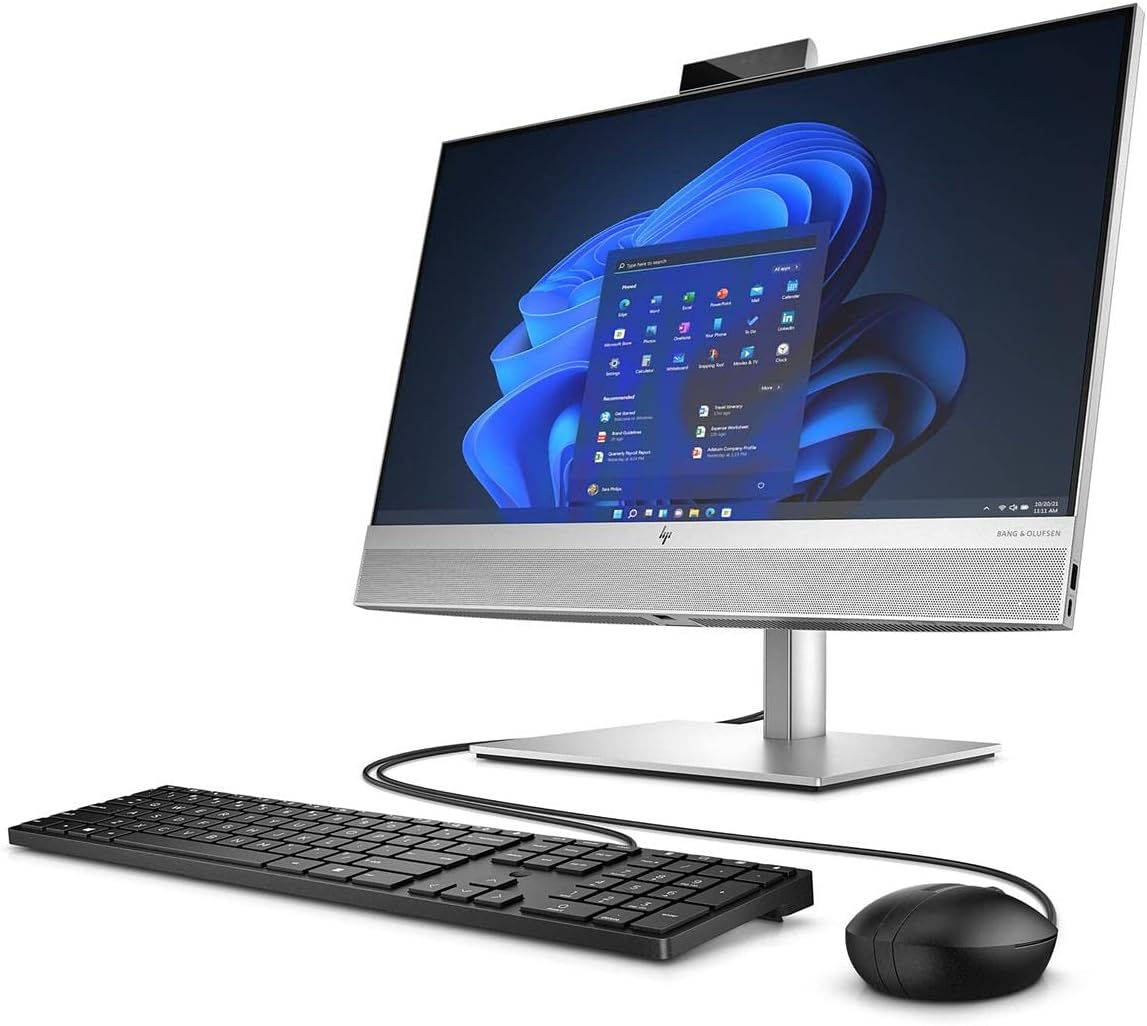
4.1-сүрөт: Фронт view of the HP EliteOne 840 G9 All-in-One Computer, displaying the 23.8-inch Full HD screen, integrated webcam at the top, and Bang & Olufsen speakers at the bottom. A wired keyboard and mouse are connected.
4.2 Rear and Side Views
4.2-сүрөт: Арткы жагы view of the HP EliteOne 840 G9, highlighting the connectivity ports on the back panel and side. These typically include USB ports, video output ports, and an Ethernet port.

4.3-сүрөт: A different angle of the rear and side of the HP EliteOne 840 G9, providing a clearer view of the stand mechanism and additional port locations.
The HP EliteOne 840 G9 features a 23.8-inch Full HD display, an integrated webcam, and various ports for peripheral connectivity. The stand provides stability and allows for screen angle adjustments.
5. Орнотуу
Follow these steps for the initial setup of your All-in-One computer:
- Unpack the Computer: Carefully remove the computer and all accessories from the packaging. Place the computer on a sturdy, flat surface.
- Баскычтоп менен чычканды туташтыруу: Connect the wired keyboard and mouse to the available USB ports on the back or side of the computer.
- Туташуу кубаты: Plug the power cable into the power adapter, then connect the adapter to the power input port on the back of the computer. Plug the other end of the power cable into a grounded electrical outlet.
- Күйгүзүү: Press the power button, usually located on the side or bottom bezel of the display. The computer will start and guide you through the initial Windows 11 setup process.
- Windows орнотуусун бүтүрүү: Follow the on-screen instructions to configure Windows 11, including language, region, network connection, and user account creation.
6. Иштөө нускамалары
6.1 Күйгүзүү/өчүрүү
- Күйгүзүү үчүн: Кубат баскычын басыңыз.
- Жабуу: Windows'тун Start баскычын чыкылдатып, андан кийин Кубат > Өчүрүү дегенди тандаңыз.
- Кайра баштоо үчүн: Windows'тун Start баскычын чыкылдатып, андан кийин Кубат > Кайра баштоону тандаңыз.
- Уктоо үчүн: Windows'тун Start баскычын чыкылдатып, андан кийин Кубат > Уйку режимин тандаңыз.
6.2 Using Windows 11
Your HP EliteOne 840 G9 comes pre-installed with Windows 11. Navigate the operating system using the connected keyboard and mouse. The Start menu provides access to applications, settings, and system functions.
6.3 Дисплей жана аудио
- Дисплей жарыктыгын жөндөө: Use the function keys on your keyboard or the display settings within Windows to adjust brightness.
- Аудио башкаруу: Adjust volume using the keyboard's media keys or the volume icon in the Windows taskbar. The integrated Bang & Olufsen speakers provide high-quality audio.
6.4 Webкамераны колдонуу
интеграцияланган webcam can be used for video conferencing and other applications. Ensure proper lighting for optimal video quality. Privacy settings for the webcam can be managed within Windows settings.
7. Техникалык тейлөө
7.1 Тазалоо
- Экран: Бир аз жумшак, түксүз кездемени колдонуңуз dampсуу же экран тазалоочу менен бүттү. Тазалоочу каражатты түз экранга чачпаңыз.
- Шасси: Wipe with a soft, dry cloth. Avoid abrasive cleaners.
- Вентиляция: Periodically check and gently clean the ventilation openings to prevent dust buildup, which can affect performance.
7.2 Программалык камсыздоо жаңыртуулары
Оптималдуу иштөөнү жана коопсуздукту камсыз кылуу үчүн Windows операциялык тутумуңузду жана драйверлериңизди үзгүлтүксүз жаңыртып туруңуз. Windows Update'ке Орнотуулар менюсу аркылуу кирүүгө болот.
7.3 Маалыматтын резервдик көчүрмөсү
Дайыма маалыматтын жоголушун алдын алуу үчүн тышкы дискке же булут сактагычка маанилүү маалыматтардын камдык көчүрмөсүн сактоо.
8. Кыйынчылыктарды
Бул бөлүм сиз кабылышы мүмкүн болгон жалпы көйгөйлөрдү карайт.
8.1 Күч жок
- Кубат кабели компьютерге да, электр розеткасына да бекем туташтырылганын текшериңиз.
- Розетка иштеп жатканын башка түзмөктү сайып текшериңиз.
- Электр адаптеринде көрүнгөн зыяндын бар-жоктугун текшериңиз.
8.2 Дисплей маселелери
- If the screen is blank, ensure the computer is powered on and not in sleep mode.
- Дисплейдин жарыктыгын тууралаңыз.
- If an external monitor is connected, ensure the correct display output is selected in Windows settings.
8.3 Peripheral Not Responding
- For wired devices (keyboard, mouse), ensure they are securely plugged into the correct USB ports. Try a different USB port.
- Компьютерди өчүрүп күйгүзүңүз.
- Windows Түзмөк башкаргычында түзмөк драйверлерин текшериңиз.
8.4 Жай аткаруу
- Фондо иштеп жаткан керексиз тиркемелерди жабыңыз.
- Windows жана драйверлер жаңыртылганын текшериңиз.
- Кесепеттүү программаларды же вирустарды текшериңиз.
- SSDде жетиштүү бош орун камсыз кылыңыз.
9. Техникалык шарттар
Key technical specifications for the HP EliteOne 840 G9 All-in-One Computer:
| Өзгөчөлүк | Спецификация |
|---|---|
| Модель аты | EliteOne 840 G9 |
| Элемент моделинин номери | 69S91UT#ABA |
| Процессор | Intel Core i5-12500 Hexa-core (6 Core) 3 GHz (12th Gen) |
| RAM | 16 ГБ DDR5 SDRAM |
| Сактагыч | 512 ГБ M.2 PCI Express NVMe SSD |
| Дисплей | 23.8" Full HD (1920 x 1080) |
| Графикалык сопроцессор | Intel UHD Graphics 630 (Интеграцияланган) |
| Операция системасы | Windows 11 |
| Өлчөмдөрү (LxWxH) | 19.5 x 15.6 x 7.9 дюйм |
| Элемент Салмагы | 12.71 фунт |
| Түс | Кара |
| Оптикалык диск түрү | BD-R |
| UPC | 196548574346 |
10. Кепилдик жана колдоо
Кепилдик маалыматы жана техникалык колдоо үчүн продуктуңузга кошулган документацияны караңыз же расмий HP колдоо бөлүмүнө баш багыңыз website. HP provides resources for troubleshooting, driver downloads, and service options.
Адатта колдоо маалыматын зыярат кылуу аркылуу таба аласыз www.hp.com/support.