Introduction
Thank you for choosing the Codnida 2K Security Camera. This outdoor Wi-Fi camera offers a 360° view, 2K resolution, and advanced features like PTZ control, night vision, automatic motion tracking, and two-way audio. This manual provides detailed instructions for setup, operation, and maintenance to ensure optimal performance and security for your home or property.

Figure 1: Codnida 2K Security Camera and Mobile App Interface
Пакеттин мазмуну
Сураныч, бардык буюмдар бар экенин жана жакшы абалда экендигин текшерүү үчүн пакетти кылдат текшериңиз.
- 1 x Codnida Q30S Surveillance Camera
- 1 х орнотуу плитасы
- 1 x 3-meter Power Adapter
- 1 х кадимки абалга келтирүү
- 1 x Ыкчам колдонмо
- 1 x Бурамалар топтому (орнотуу үчүн)

Сүрөт 2: Камтылган аксессуарлар
Жайгашуу
1. Колдонмону жүктөп алуу жана аккаунтту каттоо
The Codnida 2K Security Camera operates with the CloudEdge app. Before installation, download the app and register an account.
- Scan the QR code below or search for "CloudEdge" in your mobile app store (App Store for iOS, Google Play for Android).
- Download and install the CloudEdge app.
- Колдонмону ачып, жаңы аккаунт каттоо же эгер сизде мурунтан эле бар болсо, кирүү үчүн экрандагы көрсөтмөлөрдү аткарыңыз.

Figure 3: CloudEdge App Download Information. You can download the app from Apple App Store же Google Play дүкөнү.
2. Камераны күйгүзүү
Connect the provided 3-meter power adapter to the camera and plug it into a power outlet. The camera will power on and initiate its startup sequence.
3. Колдонмого камераны кошуу
- Open the CloudEdge app and tap the "+" icon to add a new device.
- Select your camera model from the list (e.g., "Smart Camera" or "PTZ Camera").
- Камераны 2.4 ГГц Wi-Fi тармагыңызга туташтыруу үчүн колдонмодогу көрсөтмөлөрдү аткарыңыз. Орнотуу учурунда телефонуңуз ошол эле 2.4 ГГц Wi-Fi тармагына туташып турганын текшериңиз.
- The app will guide you through scanning a QR code displayed on your phone with the camera lens.
- Туташкандан кийин, камераңызга ат коюп, түз эфирди баштасаңыз болот viewing.
4. MicroSD картасын орнотуу (милдеттүү эмес)
The camera supports local storage via a MicroSD card (16GB-128GB, not included). For continuous 24/7 recording or event-triggered recording, insert a formatted MicroSD card.
- Locate the MicroSD card slot on the camera (refer to the quick guide for exact location).
- MicroSD картаны ордуна чыкылдаганча акырындык менен уячага салыңыз.
- In the CloudEdge app, navigate to the camera settings and format the MicroSD card. This ensures compatibility and proper functioning.
5. Камераны орнотуу
The camera can be mounted on a wall or ceiling. Choose a location that provides optimal viewing angles and a stable Wi-Fi signal.
- Use the included mounting plate as a template to mark drill holes on the desired surface.
- Drill holes and insert the wall anchors if mounting on masonry or drywall.
- Берилген бурамалар менен монтаждоочу пластинаны бекитиңиз.
- Камераны бекитүүчү пластинага бекитип, анын бекем бекитилгенин текшериңиз.
Иштөө нускамалары
1. Түз эфир View жана PTZ Control
Access the live feed from your camera anytime, anywhere via the CloudEdge app. The camera supports Pan-Tilt-Zoom (PTZ) functionality.
- Pan (Horizontal Rotation): Swipe left or right on the live view screen in the app to rotate the camera horizontally up to 355°.
- Tilt (Vertical Rotation): Swipe up or down on the live view screen to tilt the camera vertically up to 90°.
- Digital Zoom: Pinch in or out on the live view screen to digitally zoom. Note that this camera does not have optical zoom, and digital zoom may reduce image clarity.

Figure 4: PTZ Control via CloudEdge App
2. Түнкү көрүнүш
The camera features Ultra 2K Night Vision with a distance of up to 10 meters, providing clear images even in low-light conditions. It supports both infrared (black and white) and color night vision modes, enhanced by built-in spotlights.
- Автоматтык режим: The camera automatically switches between day and night vision based on ambient light.
- Түнкү көрүнүш: When motion is detected or manually activated, the camera's spotlights can illuminate the area, providing full-color video at night.
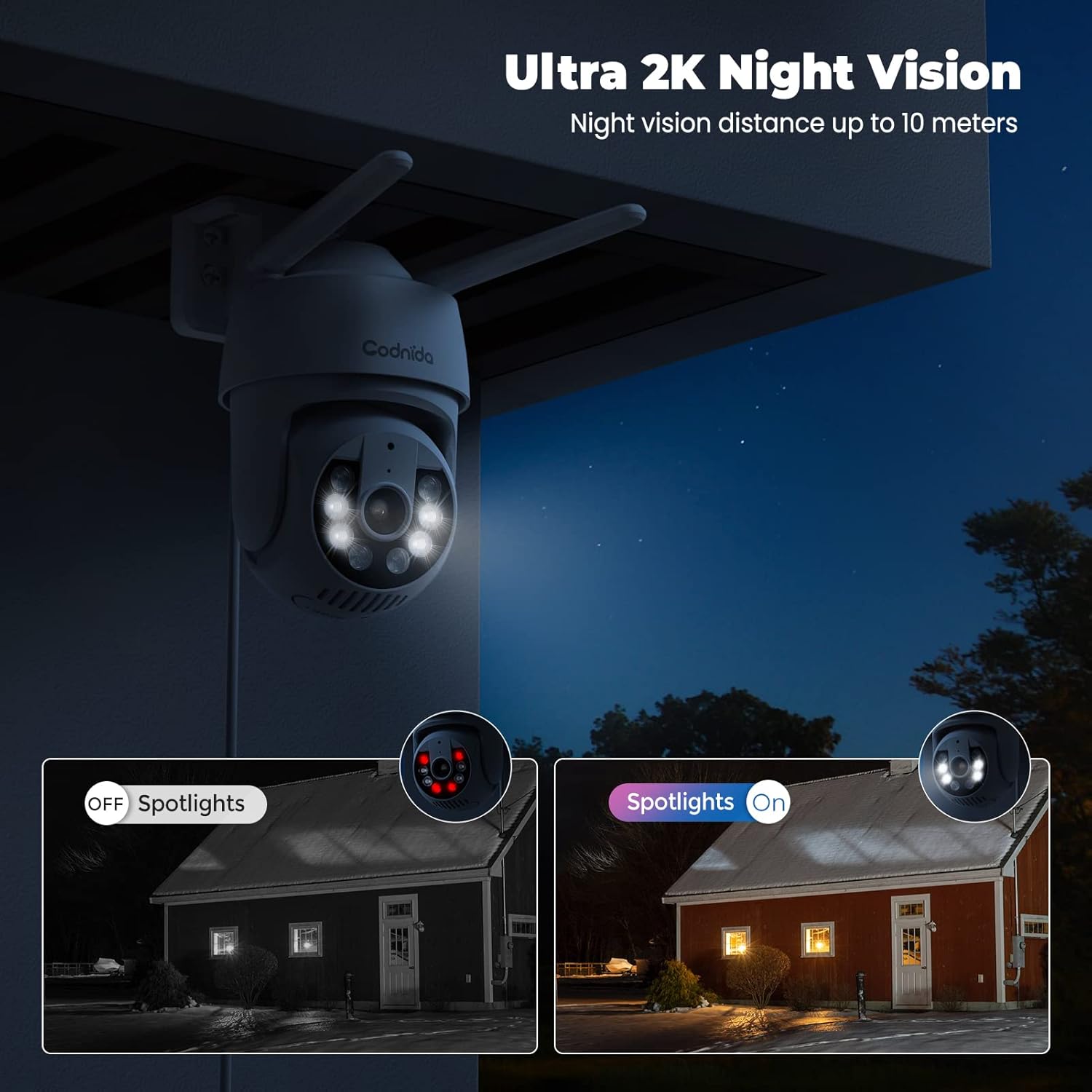
Figure 5: Ultra 2K Night Vision Capability
3. Motion Detection and Automatic Tracking
The camera utilizes PIR human-AI motion detection to accurately identify human movement and reduce false alarms. When motion is detected, the camera can perform several actions:
- Реалдуу убакыт эскертмелери: Receive instant alerts on your phone.
- Автоматтык түрдө көзөмөлдөө: The camera lens will automatically follow the detected person until they move out of frame.
- Үн жана жарык сигнализациясы: Activate a built-in siren and motion-activated spotlights to deter intruders.
- Жаздыруу: Automatically record video clips of the event.
You can adjust the motion detection sensitivity and set specific alarm zones and schedules within the CloudEdge app settings.
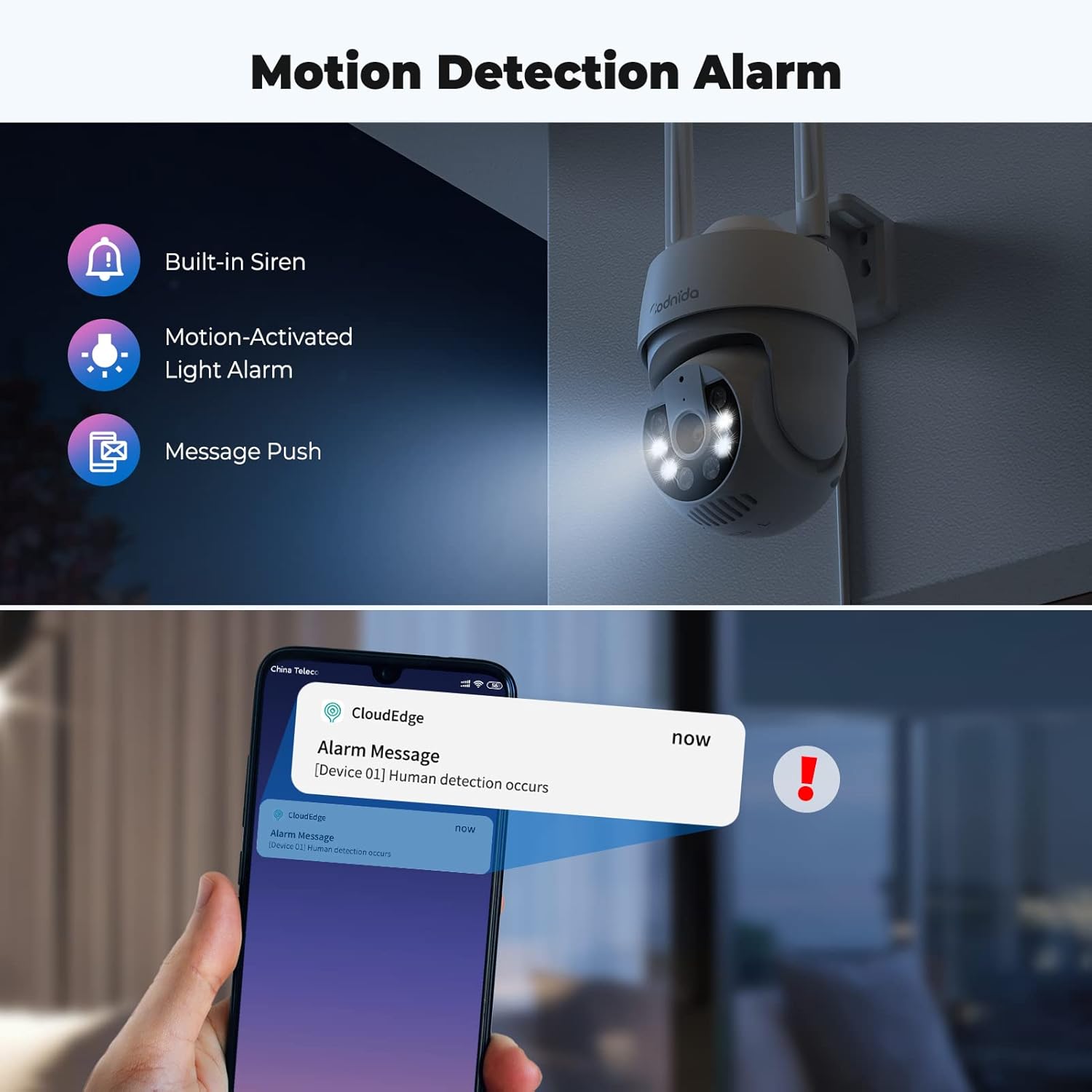
Figure 6: Motion Detection Alarm Features

Figure 7: AI Automatic Tracking in Action
4. Эки тараптуу аудио
The camera is equipped with a built-in microphone and speaker, enabling two-way communication through the CloudEdge app. This allows you to speak to visitors or deter unwanted guests remotely.

8-сүрөт: Эки тараптуу аудио байланыш
5. Жаздыруу жана сактоо
The camera supports 24/7 continuous recording and event-triggered recording. You have two storage options:
- MicroSD карта сактагычы: Supports up to 128GB MicroSD cards (not included). Recordings are stored locally on the card.
- Булуттагы сактагыч: An optional cloud storage service is available, often with a free trial period (e.g., 7 days). This provides off-site backup of your recordings.
You can easily playback recorded footagCloudEdge колдонмосу аркылуу каалаган убакта.

Figure 9: Recording Playback and Storage Options
6. Көп колдонуучу мүмкүнчүлүгү
You can share access to your camera's live feed and recordings with family members or trusted friends. This can typically be done by inviting them through the CloudEdge app, often by scanning a QR code.
Техникалык тейлөө
- Тазалоо: Дайыма камеранын линзасын жана корпусун жумшак, гamp чаңды жана кирди тазалоо үчүн кездеме. Катуу химиялык заттарды же абразивдүү материалдарды колдонуудан алыс болуңуз.
- Программалык камсыздоонун жаңыртуулары: Check the CloudEdge app periodically for firmware updates. Keeping your camera's firmware up-to-date ensures optimal performance, security, and access to new features.
- Аба ырайын коргоо: While the camera is IP66 weatherproof, ensure its mounting location provides some protection from extreme weather conditions if possible, to prolong its lifespan.
- Кубат туташуу: Ensure the power adapter and cable are securely connected and free from damage.
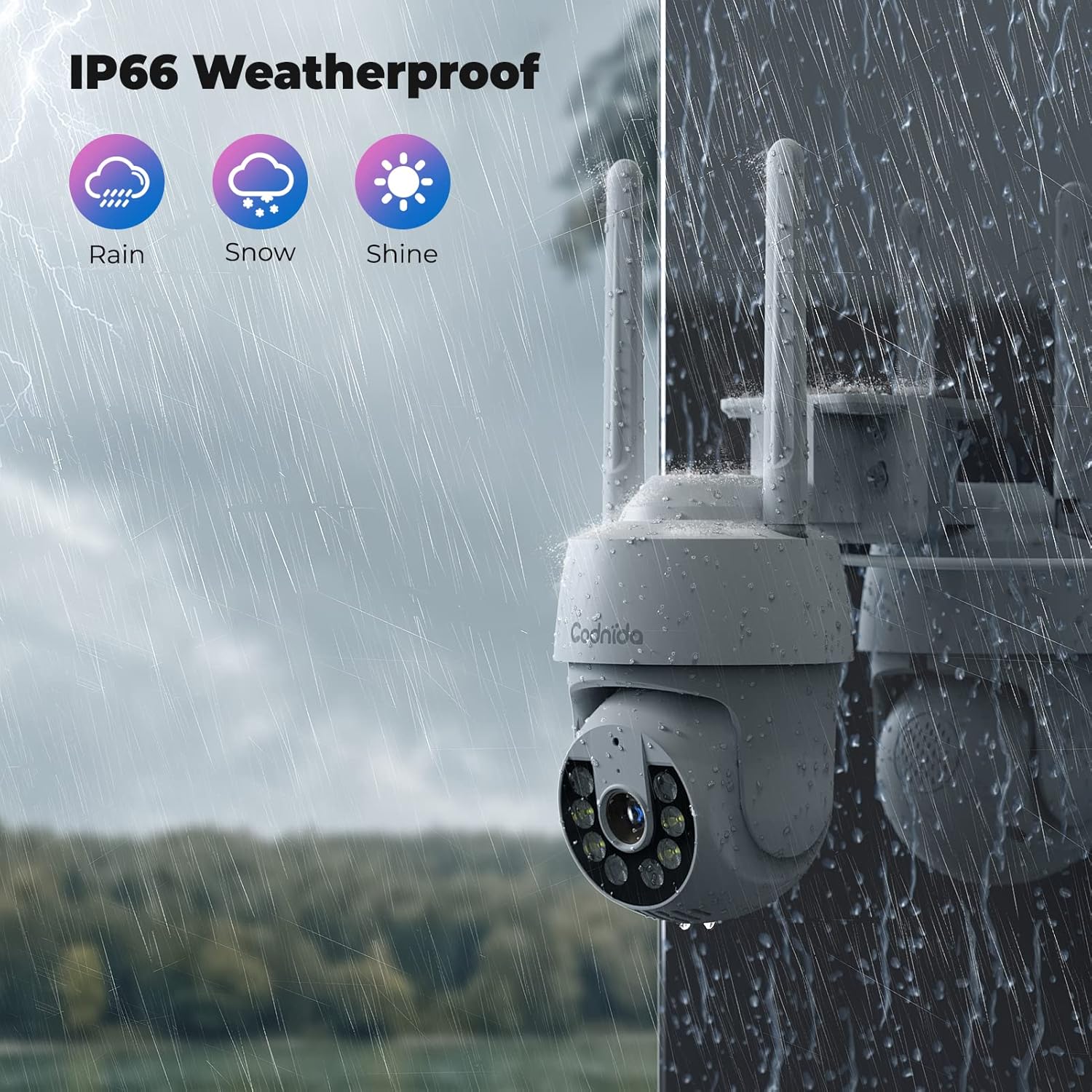
10-сүрөт: IP66 аба ырайына туруктуу дизайн
Проблемаларды чечүү
| Көйгөй | Мүмкүн себеп | Чечим |
|---|---|---|
| Колдонмодо камера оффлайн режиминде. | күч жок; Wi-Fi сигналы начар же ажыратылган; Маршрутизатор маселелери. | Check power connection. Ensure camera is within Wi-Fi range. Restart router. Re-add camera to app if necessary. |
| Wi-Fi'га туташпай жатат. | Incorrect Wi-Fi password; Not 2.4GHz Wi-Fi; Too far from router. | Verify Wi-Fi password. Ensure you are connecting to a 2.4GHz network (5GHz is not supported). Move camera closer to router or use a Wi-Fi extender. |
| Кыймылды аныктоо иштебей жатат же жалган сигналдар өтө көп. | Sensitivity settings; Incorrect detection zone; Environmental factors (e.g., swaying trees). | Adjust motion detection sensitivity in app. Configure detection zones to exclude irrelevant areas. Ensure camera lens is clean. |
| No recording to MicroSD card. | Card not inserted correctly; Card not formatted; Card full or corrupted. | Reinsert MicroSD card. Format card via app. Replace card if corrupted. Check recording settings in app. |
| Two-way audio unclear or not working. | Microphone/speaker blocked; Network latency; App permissions. | Ensure nothing is obstructing the microphone or speaker. Check network stability. Grant microphone permissions to the CloudEdge app on your phone. |
Техникалык шарттар
| Өзгөчөлүк | Деталь |
|---|---|
| Модель аты | Q30S |
| Бренд | Codnida |
| Резолюция | 2K (Video Capture), 3MP (Effective Still/Webcam Image) |
| талаасы View | 360 градус (PTZ) |
| Байланыш | Wi-Fi (2.4 ГГц гана) |
| Power Source | Электр зымдары (5 вольт, 3 ватт) |
| Сактагыч параметрлери | MicroSD Card (up to 128GB, not included), Cloud Storage (optional) |
| Түнкү көрүнүш | Ultra 2K Night Vision (up to 10 meters), Color Night Vision with Spotlights |
| Motion Detection | PIR Human-AI Detection, Automatic Tracking, Sound and Light Alarm |
| Аудио | Эки тараптуу аудио (орнотулган микрофон жана динамик) |
| Аба ырайына каршы рейтинг | IP66 |
| Өлчөмдөрү (L x W x Y) | 6.5 x 3.46 x 6.3 дюйм |
| Салмагы | 1.39 фунт |
| Шайкеш колдонмо | CloudEdge |
| Колдонуу чөйрөсү | Ички/тышкы |
Кепилдик жана колдоо
For warranty information, please refer to the specific terms provided at the time of purchase or contact Codnida customer support. Keep your purchase receipt as proof of purchase.
Кардарларды колдоо:
If you encounter any issues or have questions regarding your Codnida 2K Security Camera, please contact our support team:
- Электрондук почта: support@codnidatech.com
- Webсайт: www.codnidatech.com
Please provide your product model (Q30S) and a detailed description of the issue when contacting support for faster assistance.


