Продукт бүттүview
The Nulaxy Bluetooth FM Transmitter (Model NX10) is designed to enhance your in-car audio experience by allowing you to stream music and make hands-free calls through your car's FM radio. It features dual USB charging ports, including a Quick Charge 3.0 port, and supports multiple music input modes.

Сүрөт: алдыңкы view of the Nulaxy Bluetooth FM Transmitter NX10, showing the display, control knob, and USB ports with colorful LED backlighting.
Орнотуу нускамалары
- Insert into Car Cigarette Lighter: Plug the Nulaxy NX10 into your vehicle's 12V/24V cigarette lighter socket. The device will power on automatically and display the current car battery voltage for a few seconds, then switch to FM frequency display.
- FM жыштыгын коюу:
- Find an empty FM frequency on your car radio. Choose a frequency that has no strong broadcast signal to minimize interference.
- Press and hold the 'CH' button (usually the main knob) on the NX10 until the frequency display starts blinking.
- Rotate the knob left or right to adjust the NX10's frequency to match the empty frequency on your car radio.
- Once matched, press the 'CH' button again or wait a few seconds for the frequency to set.
- Bluetooth түзмөгү менен жупташтыруу:
- Мобилдик түзмөгүңүздө Bluetooth иштетип, жеткиликтүү түзмөктөрдү издеңиз.
- Select "NX10" from the list of found devices to pair.
- Once successfully paired, the NX10 display will show "bt" or a Bluetooth icon, and you will hear an audio confirmation.

Image: The Nulaxy NX10 FM Transmitter plugged into a car's cigarette lighter socket, displaying an FM frequency.
Иштөө нускамалары
Музыканы ойнотуу
The NX10 supports music playback via Bluetooth, USB flash drive, and microSD card.
- Bluetooth агымы: After successful Bluetooth pairing, open your music player on your mobile device. Audio will be streamed wirelessly to the NX10 and then broadcast to your car radio.
- USB Flash Drive / MicroSD Card: Insert a USB flash drive (up to 32GB) or a microSD card (up to 32GB) containing WMA, MP3, WAV, APE, or FLAC audio files into the designated port. The device will automatically detect and play music from the inserted storage.

Image: The Nulaxy NX10 displaying its three music import modes: Bluetooth, USB Drive, and TF Card, with a smartphone and USB drive connected.
Hands-Free Чалуу
The NX10 allows for safe, hands-free communication while driving.
- Чакырууга жооп берүү: Press the 'Phone' button (usually integrated into the main knob) once to answer an incoming call.
- Чакырууну аяктоо: Press the 'Phone' button once during a call to end it.
- Чакырууну четке кагуу: Press and hold the 'Phone' button for 2 seconds to reject an incoming call.
- Акыркы номерди кайра терүү: Double-press the 'Phone' button to redial the last dialed number.
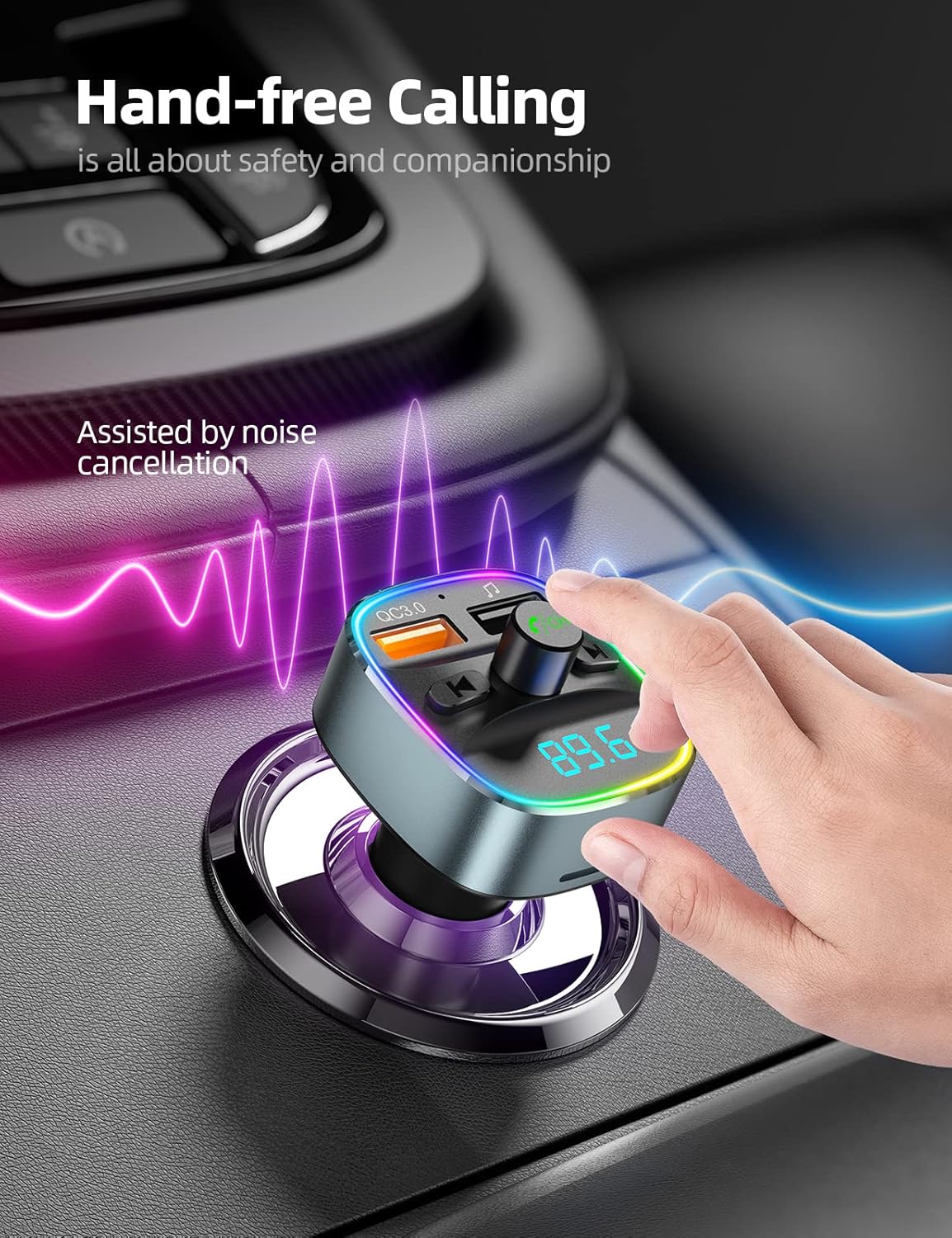
Image: A hand interacting with the Nulaxy NX10, illustrating its use for hands-free calling with noise cancellation.
Заряддоо функциялары
The NX10 is equipped with dual USB charging ports.
- Тез кубаттоо 3.0 порту: The orange USB port supports QC3.0, providing up to 4 times faster charging for compatible devices.
- Standard USB Port: The blue USB port provides standard 5V/1A charging for other devices.

Image: The Nulaxy NX10 with two USB cables connected, illustrating its fast charging capabilities for a smartphone.
LED Backlit Light
The NX10 features 7 color LED backlit lights for visual customization and improved visibility in low light conditions.
- Түсү өзгөртүү: Press the light button (usually on the side or top) to cycle through the 7 available colors (Red, Green, Blue, Yellowish Green, Purple, Cyan, White).

Image: The Nulaxy NX10 illuminated with various LED colors, demonstrating its 7-color backlit feature.
Батарея Voltage Монитор
The device includes a voltmeter to display your car battery's voltage реалдуу убакытта.
- Normal Range (Car On/Moving): 13.2Вдан 14.7Вга чейин
- Normal Range (Car Parked/Ignition Off): 12.2Вдан 12.8Вга чейин
- Monitor this display to ensure your car battery is in good condition.

Image: The Nulaxy NX10 displaying a voltage reading (12.6V), indicating its real-time battery voltage monitoring feature.
Техникалык тейлөө
- Тазалоо: Аппаратты тазалоо үчүн жумшак, кургак чүпүрөктү колдонуңуз. Суюк тазалагычтарды же аэрозолдорду колдонбоңуз.
- Сактагыч: Узак мөөнөткө колдонулбаганда, аспапты кургак, салкын жерде, тике күндүн нурунан жана өтө температурадан алыс сактаңыз.
- Колдонуу: Аппаратты жерге түшүрүүдөн же катуу таасирлерден сактаныңыз.
Проблемаларды чечүү
| Көйгөй | Мүмкүн себеп | Чечим |
|---|---|---|
| Кубат жок/Түзмөк күйбөй жатат. | Loose connection in cigarette lighter socket; vehicle's power outlet is off or faulty. | Ensure the device is firmly seated in the cigarette lighter socket. Check if the vehicle's power outlet is active. Test with another vehicle if possible. |
| Статикалык же начар аудио сапаты. | FM frequency interference; volume levels too low/high; strong local radio station signal. |
|
| Bluetooth байланышы көйгөйлөрү. | Device not in pairing mode; mobile device Bluetooth off; interference. |
|
| USB/MicroSD card not playing. | Колдоого алынбайт file форматтоо; карта/диск туура эмес салынган; бузулган files. |
|
Техникалык шарттар
- Модел: NX10
- Киргизүү көлөмүtage: DC 12V-24V
- Bluetooth версиясы: 5.0
- FM Frequency колому: 87.5-108.0 МГц
- USB 1-чыгарылышы (QC3.0): 5V/3A, 9V/2A, 12V/1.5A
- USB чыгышы 2: 5V/1A
- Колдоого алынган музыка форматтары: WMA, MP3, WAV, APE, FLAC
- USB Flash Drive/MicroSD Card Capacity: 32 ГБ чейин
- LED Backlight Colors: 7 Colors (Red, Green, Blue, Yellowish Green, Purple, Cyan, White)
- Элемент Салмагы: 2.08 унция
- Пакеттин өлчөмдөрү: 3.74 x 2.44 x 2.05 дюйм

Сүрөт: Төмөнкү view of the Nulaxy NX10, showing the model number (NX10), input voltage, and FCC/IC IDs.
Кепилдик жана колдоо
Nulaxy products are designed for reliability and performance. For any questions, technical support, or warranty inquiries, please contact Nulaxy customer service.
Электрондук почта колдоо: support@nulaxy.com
Кепилдиктин конкреттүү шарттары жана шарттары үчүн сатып алуу документтериңизден караңыз.


