1. Киришүү
This manual provides essential information for the setup, operation, and maintenance of your HYTE Y40 Modern Aesthetic Panoramic Tempered Glass Mid-Tower ATX Computer Gaming Case. Please read this manual thoroughly before installation and use to ensure proper functionality and safety.

Сүрөт 1: Алдыңкы view of the HYTE Y40 White Gaming Case, showcasing its panoramic tempered glass panels.
2. Негизги өзгөчөлүктөрү
- Панорамалык чыңалган айнек: Features precisely beveled edges and 2-piece panoramic tempered glass for an unobstructed view ички компоненттеринин.
- PCIE 4.0 Riser Cable: Includes a color-matched PCIE 4.0 Luxury Riser Cable for vertical GPU mounting, supporting the latest graphics cards.
- Жакшыртылган аба агымы: Designed with 4 full slots for GPU support and additional airflow space for high-intensity processing.
- Алдын ала орнотулган күйөрмандар: Comes with 2x120mm fans pre-installed (one beneath the power supply shroud and one at the rear) for immediate cooling.
- Өркүндөтүлгөн кабелдик башкаруу: Robust cable management strategy with dedicated spaces and tie-downs behind the motherboard shelf and within the power supply shroud.
- Радиатор колдоо: Side mount accommodates up to a 280mm radiator with a combined thickness of up to 120mm, suitable for custom liquid cooling loops.
3. Техникалык шарттар
| Спецификация | Деталь |
|---|---|
| Модель аты | Y40 |
| Элемент моделинин номери | CS-HYTE-Y40-BW |
| Иштин түрү | Ара Tower |
| Motherboard шайкештиги | ATX |
| Материал | Температуралуу айнек |
| Түс | Ак |
| Продукциянын өлчөмдөрү (LxWxH) | 17.2 x 9.4 x 18.4 дюйм |
| Элемент Салмагы | 19 фунт |
| Кубат менен камсыздоону орнотуу түрү | Төмөнкү тоо |
| Муздатуу ыкмасы | Аба |
| Fan Size (Pre-installed) | 120 Millimeters (2x) |
| USB 3.0 порттордун саны | 1 |
4. Орнотуу жана орнотуу
This section outlines the general steps for assembling your PC components within the HYTE Y40 case. For detailed instructions on specific component installation, please refer to the respective component manuals.
4.1 Ишти даярдоо
Before installing any components, ensure the case is placed on a stable, flat surface. Remove the tempered glass side and front panels by loosening the captive thumb screws and carefully lifting them away. This provides full access to the interior.
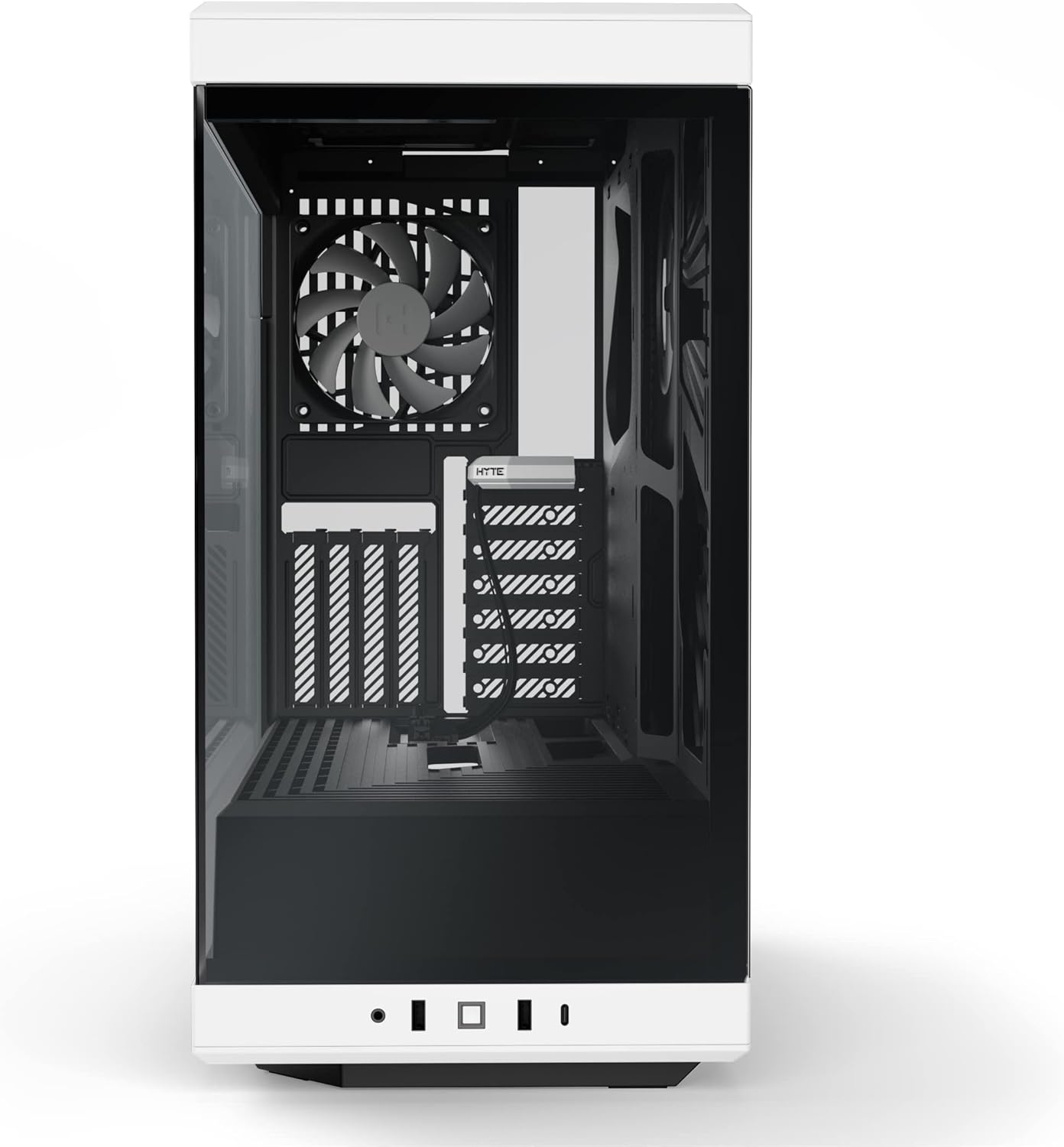
Figure 2: HYTE Y40 case with the side panel removed, showing the interior layout.
4.2 Motherboard орнотуу
Align your ATX motherboard with the standoffs inside the case. Secure the motherboard using the provided screws. Ensure all necessary cables (e.g., 24-pin ATX, 8-pin CPU) are routed through the designated cutouts for clean cable management.

Figure 3: Motherboard installed within the HYTE Y40 case, illustrating cable routing options.
4.3 Электр менен камсыздоо блогун (PSU) орнотуу
The HYTE Y40 supports bottom-mounted ATX PSUs. Slide your PSU into the dedicated compartment at the bottom rear of the case. Secure it with screws from the rear of the case. Utilize the cable management channels to route PSU cables to their respective components.
Video 1: Demonstration of PSU installation and cable management within a PC case. This video illustrates the process of securing the PSU and routing its cables effectively.
4.4 Графикалык картаны (GPU) орнотуу
The HYTE Y40 features a vertical GPU mounting system with an included PCIE 4.0 Luxury Riser Cable. Install your GPU onto the riser cable and secure it within the case. Ensure proper connection of the riser cable to the motherboard's PCIE slot and connect the necessary power cables from the PSU to the GPU.
Видео 2: Бүттүview of the HYTE Y40 case, highlighting its vertical GPU mounting and PCIE 4.0 riser cable. This video demonstrates the aesthetic and functional aspects of the GPU installation.
4.5 Муздатуу системасын орнотуу
The case comes with 2x120mm fans pre-installed. Additional fans or radiators can be installed on the side mount (up to 280mm radiator) or other designated areas. Ensure correct fan orientation for optimal airflow (intake/exhaust).
Video 3: Installation guide for an AIO cooler and fans in a PC case, demonstrating how to manage tubes and cables for a clean build.
5. Иштөө нускамалары
After all components are securely installed and cables are connected, replace the tempered glass panels. Connect your peripherals (monitor, keyboard, mouse) and power cable. Press the power button located on the front I/O panel to start your system.

Figure 4: Fully assembled HYTE Y40 case with internal components illuminated by RGB lighting.
6. Техникалык тейлөө
Regular maintenance ensures optimal performance and longevity of your PC. Keep the case clean and free of dust.
- Чаң чыпкалары: Periodically clean the dust filters to maintain optimal airflow and prevent dust buildup inside the case.
- Панелди тазалоо: Use a soft, lint-free cloth to clean the tempered glass panels. Avoid abrasive cleaners that may scratch the surface.
- Кабелдик башкаруу: Periodically check cable routing to ensure no cables are obstructing airflow or fan operation.
7. Кыйынчылыктарды
If you encounter issues with your HYTE Y40 case, consider the following common troubleshooting steps:
- Кубат жок: Ensure the PSU is properly connected to the wall outlet and the power switch on the PSU is in the 'ON' position. Check all internal power connections (24-pin, CPU, GPU).
- Ашыкча ысып кетүү: Verify that all fans are spinning correctly and are oriented for optimal airflow. Clean any dust filters that may be clogged. Ensure CPU and GPU coolers are properly seated.
- Компонент аныкталган жок: Re-seat the component (e.g., GPU, RAM) in its slot. Check all power and data connections.
8. Кепилдик жана колдоо
For warranty information and technical support, please visit the official HYTE webсайтка же кардарларды тейлөөгө кайрылыңыз. Кепилдик дооматтар үчүн сатып алганыңыздын далилин сактаңыз.
Visit the HYTE Store: HYTE Store
Тектеш документтер - Y40
 |
HYTE Y40 ATX PC Case: Assembly Instructions and Product Overview Comprehensive guide to the HYTE Y40 ATX PC case, including contents, specifications, warranty information, and detailed assembly instructions. Learn how to build your system with this high-airflow, feature-rich computer chassis. |
 |
HYTE Y60 ATX PC Case Assembly Instructions and Overview Detailed assembly instructions, specifications, and warranty information for the HYTE Y60 ATX PC Case. Learn how to build your PC with this premium mid-tower case. |
 |
HYTE X50 & X50 Air Computer Case - Installation Guide and Specifications Comprehensive guide for the HYTE X50 and X50 Air computer cases, covering installation, parts, and warranty information. |
 |
HYTE Y70 E-ATX Case Assembly Instructions and Product Overview This document provides comprehensive assembly instructions and product overview for the HYTE Y70 E-ATX computer case, detailing component compatibility, front I/O ports, and warranty information. It guides users through the installation of motherboards, GPUs, storage drives, cooling solutions, and power supplies. |
 |
HYTE Y60 LCD DIY Kit: Specifications and Connectivity Guide Learn about the HYTE Y60 LCD DIY Kit, including its specifications, connectivity options, and basic setup information. Essential for PC builders and enthusiasts. |
 |
HYTE THICC Q60 AIO Cooler Case шайкештик колдонмосу HYTE THICC Q60 280mm All-In-One (AIO) суюк муздаткычы үчүн комплекстүү шайкештик диаграммасы, алдыңкы, каптал жана үстүнкү монтаждоо конфигурациялары боюнча ар кандай PC корпустары үчүн колдоо көрсөтүү. |