1. Киришүү
Thank you for choosing the KLIM Tandem Wireless Keyboard and Mouse Set. This product is designed to provide a seamless and responsive wireless experience for both gaming and office use. This manual will guide you through the installation, operation, and maintenance of your new device.

Image 1: The KLIM Tandem wireless keyboard and mouse set, featuring RGB backlighting and a compact USB receiver.
2. Пакеттин мазмуну
Пакетиңизде бардык буюмдар бар экенин текшериңиз:
- KLIM Tandem Wireless Keyboard
- KLIM Tandem Wireless Mouse
- USB Wireless Receiver (located in the mouse battery compartment)
- USB Charging Cable (for both keyboard and mouse)
- User Manual
3. Орнотуу нускамалары
3.1 Түзмөктөрдү туташтыруу
- Locate the USB wireless receiver. It is typically stored in a compartment on the underside of the mouse.
- USB зымсыз кабыл алгычын компьютериңиздеги жеткиликтүү USB портуна сайыңыз.
- Turn on the keyboard using the power switch, usually located on the top edge.
- Адатта астыңкы жагында жайгашкан кубат баскычын колдонуп, чычканды күйгүзүңүз.
- Компьютериңиз керектүү драйверлерди автоматтык түрдө аныктап, орнотушу керек. Түзмөктөр аныкталгандан кийин колдонууга даяр болот.

Image 2: Close-up of the KLIM Tandem mouse and its USB receiver, ready for connection.
3.2 Баштапкы төлөм
For optimal performance, it is recommended to fully charge both the keyboard and mouse before first use. Use the provided USB charging cable to connect the devices to your computer or a USB wall adapter. An indicator light will typically show charging status and turn off or change color when fully charged.
4. Иштөө нускамалары
4.1 Баскычтоптун функциялары
- Жарыкты башкаруу: The keyboard features RGB backlighting. Use the dedicated backlight key (often labeled with a lightbulb icon or combined with Fn key) to cycle through brightness levels or turn the backlight on/off. Note that the keyboard's colors are fixed in a rainbow pattern.
- Функция баскычтары (Fn): The keyboard includes a special Function (Fn) key. Press and hold the Fn key, then press the corresponding F1-F12 keys to access multimedia controls and other shortcuts (e.g., volume control, media playback).
- Автоматтык уйку режими: To conserve battery, the keyboard backlight will automatically turn off after a period of inactivity. Press any key to reactivate it.
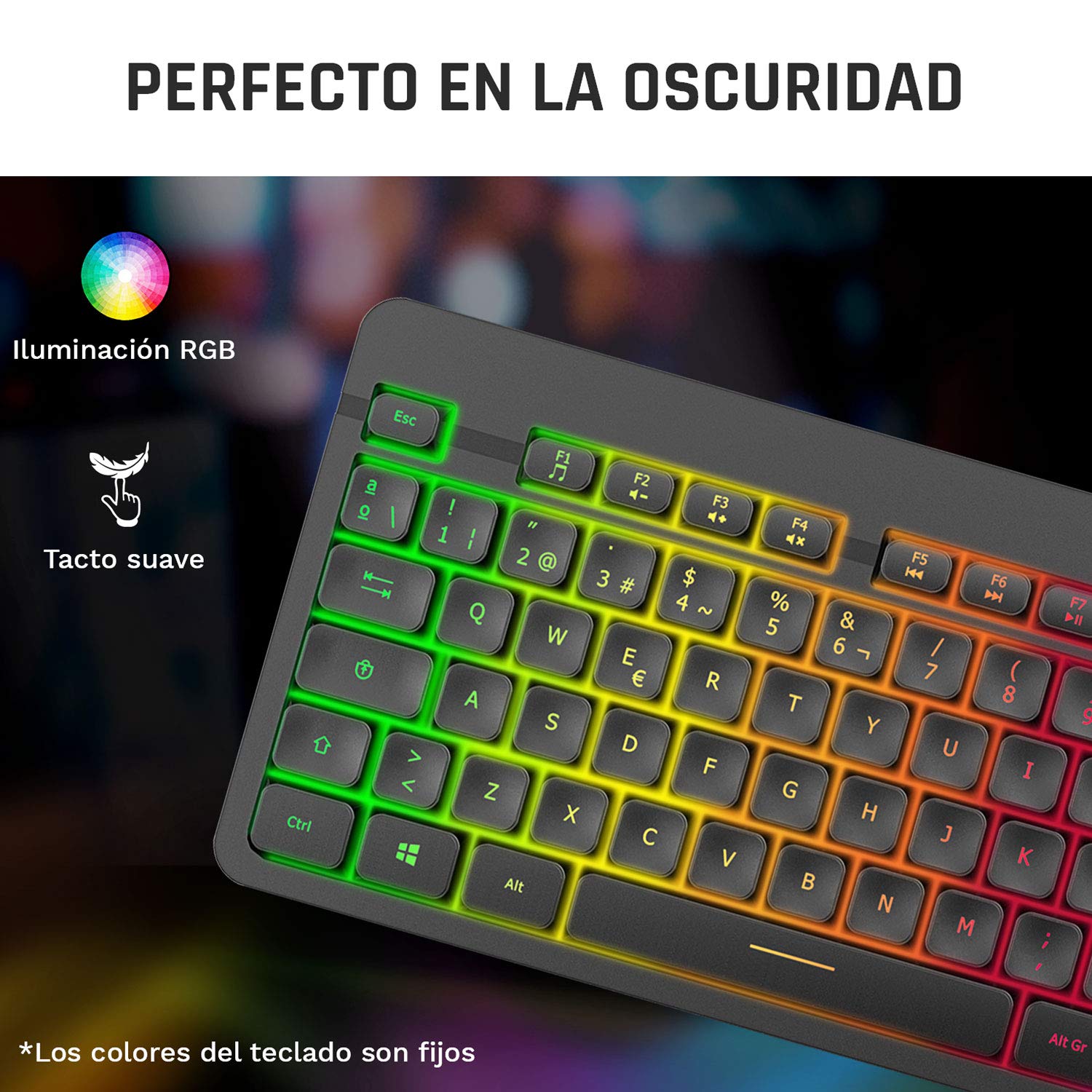
Image 3: Close-up of the KLIM Tandem keyboard showcasing its RGB illumination and soft-touch keys.
4.2 Чычкан функциялары
- DPI жөндөө: The mouse features adjustable DPI (Dots Per Inch) settings, allowing you to change cursor sensitivity. Use the dedicated DPI button (usually located behind the scroll wheel) to cycle through different sensitivity levels.
- Каптал баскычтары: The mouse includes side buttons, typically used for forward and backward navigation in web browsers or customizable for gaming.
- Illuminated Logo: The mouse features an illuminated KLIM logo. This lighting can usually be toggled on or off via a switch on the underside of the mouse, separate from the main power switch.
- Эргономикалык дизайн: The mouse is designed for an ergonomic grip, recommended for right-hand users.
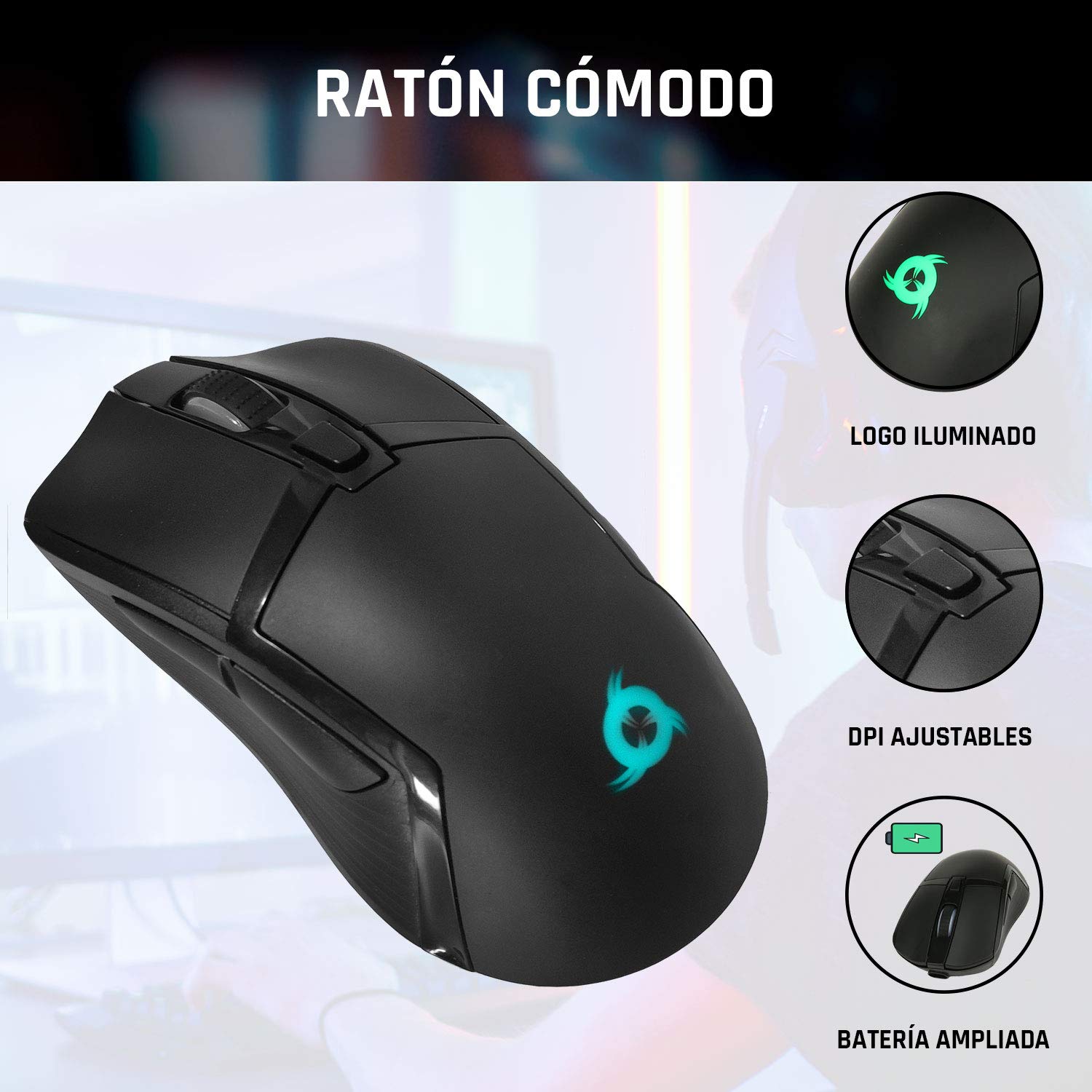
Image 4: The KLIM Tandem mouse highlighting its illuminated logo, adjustable DPI settings, and extended battery capacity.
5. Заряддоо жана батареянын иштөө мөөнөтү
Both the KLIM Tandem keyboard and mouse are equipped with built-in rechargeable batteries. Use the provided USB cable to charge them. You can continue to use the devices while they are charging.
- Заряддоо көрсөткүчү: A small LED light on each device will indicate charging status. Refer to the device for specific light behavior (e.g., red for charging, off for full).
- Батареянын иштөө мөөнөтүн оптималдаштыруу: Lowering the keyboard's backlight brightness or turning it off will significantly extend battery life. The mouse's illuminated logo can also be toggled off to save power.
- Батареянын аздыгы жөнүндө эскертүү: Devices will typically provide a visual cue (e.g., flashing indicator light) when the battery is low, signaling that charging is required.
6. Техникалык тейлөө
To ensure the longevity and optimal performance of your KLIM Tandem set, follow these maintenance guidelines:
- Тазалоо: Клавиатура менен чычканды жумшак, кургак чүпүрөк менен сүртүңүз. Өтө кир болсо, бир аз сүртүңүз.amp жумшак самын кошулган чүпүрөктү колдонсо болот, бул суюктуктун түзмөккө кирбешин камсыз кылат. Күчтүү химиялык заттардан алыс болуңуз.
- Сактагыч: Түзмөктөрдү күн нурунан жана экстремалдык температурадан алыс салкын, кургак жерде сактаңыз.
- Төгүлгөндөн сактаныңыз: While the keyboard is designed to be resistant to minor spills, it is best to avoid liquid contact to prevent damage.
- USB кабыл алгыч: When not in use, the USB receiver can be stored in the mouse's dedicated compartment to prevent loss.
7. Кыйынчылыктарды
If you encounter any issues with your KLIM Tandem set, please refer to the following table:
| Маселе | Мүмкүн себеп | Чечим |
|---|---|---|
| Баскычтоп/чычкан жооп бербей жатат | Low battery; Devices turned off; USB receiver disconnected; Driver issue. | Charge devices; Ensure power switches are ON; Re-plug USB receiver; Restart computer. |
| Арткы жарык иштебейт | Backlight turned off; Low battery; Brightness set to minimum. | Press backlight key; Charge keyboard; Adjust brightness. |
| Mouse cursor erratic or slow | Dirty sensor; Incompatible surface; Low DPI setting. | Clean mouse sensor; Use a mouse pad; Adjust DPI setting. |
| Батареянын иштөө мөөнөтү кыска | High backlight brightness; Frequent use. | Reduce backlight brightness; Ensure full charge before use. |
8. Техникалык шарттар
Key technical specifications for the KLIM Tandem Wireless Keyboard and Mouse Set:
- Байланыш: 2.4 GHz Wireless (single USB receiver)
- Зымсыз диапазон: 10 метрге чейин
- Keyboard Key Type: Мембрана
- Баскычтоптун арткы жарыгы: Fixed RGB (rainbow pattern)
- Баскычтоптун иштөө мөөнөтү: 10 миллиондон ашык чыкылдатуу
- Чычкан DPI: Adjustable (multiple levels)
- Mouse Lifetime: 10 миллиондон ашык чыкылдатуу
- Батарея: Built-in rechargeable (long-lasting)
- Материал: Туруктуу ABS
- Шайкештик: PC, Mac, PS4, Xbox One (check specific game/system compatibility)

Image 5: Multilingual specifications sheet for the KLIM Tandem wireless keyboard and mouse set.
9. Кепилдик жана колдоо
KLIM Technologies компаниясы сунуштайт 5 жылдык кепилдик on the KLIM Tandem Wireless Keyboard and Mouse Set, demonstrating confidence in product quality. For any questions, technical assistance, or warranty claims, please contact KLIM Customer Service. Our team is available to assist you and aims to respond within 24 hours.
For further support, please visit the official KLIM webсайтка же продуктунун таңгагында берилген байланыш маалыматына кайрылыңыз.


