Introduction
This manual provides comprehensive instructions for the installation, operation, maintenance, and troubleshooting of the Grandstream GDS3712 Single Button HD IP Video Door System. Please read this manual thoroughly before attempting to install or operate the device to ensure proper functionality and safety.
The Grandstream GDS3712 is an HD IP Video Door System designed for secure access control and monitoring. It features powerful video resolution, robust construction, and SIP video streaming capabilities, making it suitable for various security applications.
Коопсуздук маалыматы
Орнотуу жана эксплуатациялоо учурунда төмөнкү коопсуздук чараларын сактаңыз:
- Ensure all power connections are secure and meet local electrical codes.
- Аппаратты экстремалдык температурага, нымдуулукка же түз күн нуруна калтырбаңыз.
- Аппаратты күчтүү электромагниттик талаалардын жанына коюудан алыс болуңуз.
- Өндүрүүчүлөр көрсөткөн аксессуарларды гана колдонуңуз.
- Аппаратты өзүңүз ачууга же оңдоого аракет кылбаңыз. Бардык тейлөөлөрдү квалификациялуу кызматкерлерге тапшырыңыз.
- Орнотуу учурунда тиешелүү жеке коргонуу шаймандарын (ЖКК) кийиңиз.
Пакеттин мазмуну
Пакетиңизде бардык буюмдар бар экенин текшериңиз:
- Grandstream GDS3712 Unit
- Монтаждоо кронштейндери жана буроолор
- Электр зымдары
- Quick Installation Guide (This manual serves as the detailed guide)
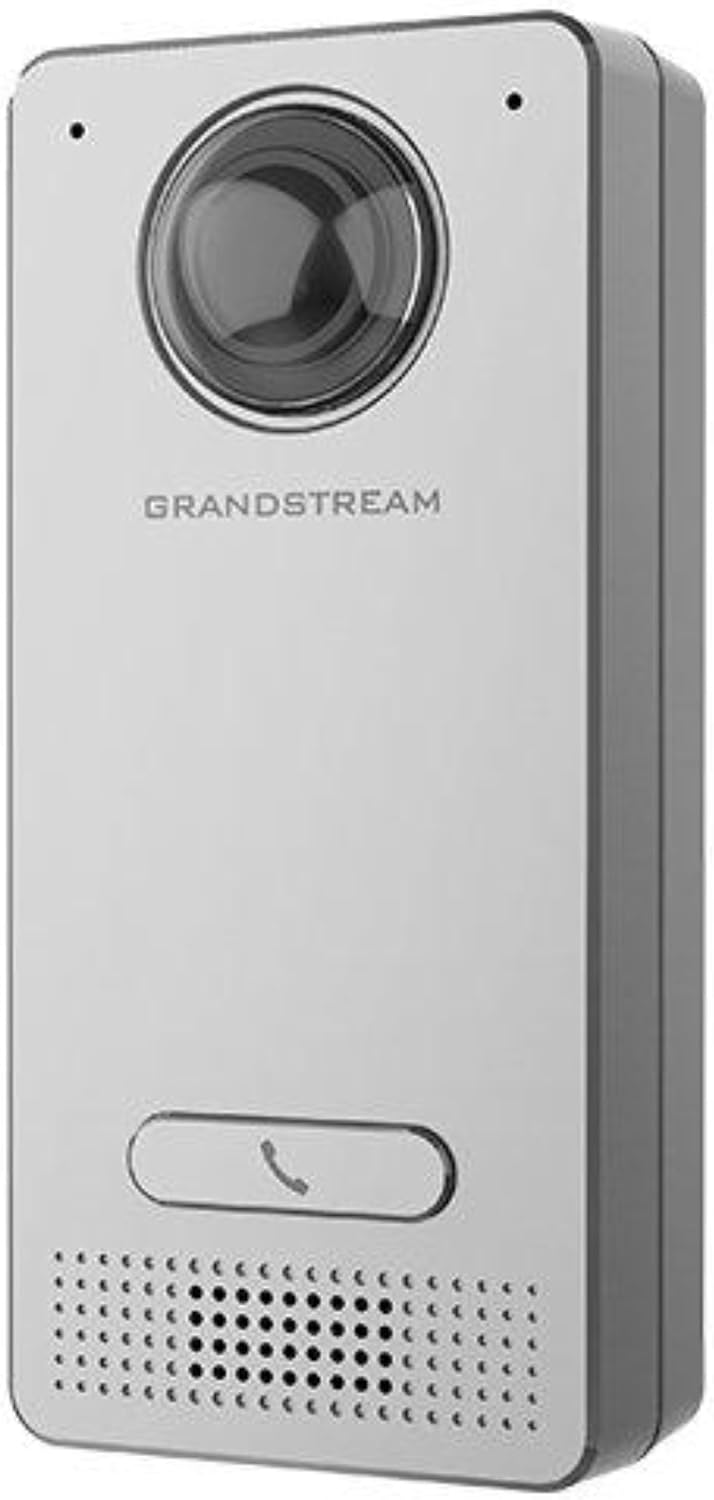
Image: Grandstream GDS3712 unit with included mounting accessories.
Продукт бүттүview
The GDS3712 is a robust IP video door system designed for reliable access control and surveillance. Key features include:
- Жогорку сапаттагы видео: Supports resolutions up to 1080p for clear visual identification.
- Integrated Relays: Two relays for electric lock and alarm output, and two alarm inputs for exit buttons and door sensors.
- SIP Compatibility: Enables video streaming to NVRs, video intercom stations, IP phones, and smartphones simultaneously.
- Туруктуу курулуш: Металл сasing provides weatherproof and vandal-resistant protection.
- Кең талаа View: Built-in hemispheric camera offers 180-degree wall-to-wall coverage.

Сүрөт: алдыңкы view of the GDS3712, highlighting the camera lens, call button, and speaker/microphone grille.
Орнотуу жана орнотуу
1. Аппаратты орнотуу
- Жайгашкан жерди тандоо: Select a suitable outdoor or indoor location, ensuring clear line of sight for the camera and easy access for visitors. Consider mounting height for optimal facial recognition.
- Зымдарды даярдоо: Route necessary Ethernet (PoE recommended) and control wiring through the wall to the mounting point.
- Коопсуз кашаа: Use the provided screws to securely attach the mounting bracket to the wall.
- Зымдарды туташтыруу: Connect the Ethernet cable to the GDS3712's RJ45 port. If using external power, connect the power adapter. Connect alarm inputs/outputs and electric lock relays as required. Refer to the wiring diagram in the full technical datasheet for detailed connections.
- Түзмөктү тиркөө: Carefully align the GDS3712 unit with the mounting bracket and secure it in place.
2. Баштапкы тармак конфигурациясы
- Күйгүзүү: Apply power to the GDS3712. The device will boot up.
- Түзмөктү табуу: Use Grandstream's GDS Manager software or a network scanner to discover the GDS3712's IP address on your local network.
- Мүмкүнчүлүк Web UI: ачуу а web browser and enter the device's IP address. Log in using the default credentials (usually admin/admin).
- Тармак орнотууларын конфигурациялоо: Set a static IP address, subnet mask, gateway, and DNS server if required by your network.
- Микропрограмманы жаңыртуу: Check for and install the latest firmware updates from the Grandstream website for optimal performance and security.
3. SIP каттоо эсеби
- Navigate to the SIP settings in the web UI.
- Configure the SIP server address, SIP User ID, Authenticate ID, and Password as provided by your SIP service provider or IP PBX administrator.
- Ensure the SIP status shows "Registered" after applying settings.
Иштөө нускамалары
1. Чалуу
- Visitor Initiated Call: A visitor presses the single call button on the GDS3712. The device will dial the pre-configured SIP extension(s).
- Receiving Call: The call can be received on a compatible IP phone, video intercom station, or smartphone application.
2. Remote Door Opening
- During an active call, the recipient can enter a DTMF code (e.g., a PIN) on their receiving device to trigger the electric lock relay, opening the door.
- The specific DTMF code is configured in the GDS3712's web интерфейс.
3. Видеобайкоо
- The GDS3712's video stream can be accessed via an NVR, compatible IP video phone, or a dedicated surveillance application.
- Refer to your NVR or surveillance software documentation for instructions on adding an IP camera.
4. Alarm Inputs/Outputs
- Ойготкуч киргизүү: Connect an exit button or door sensor to the alarm input ports. These can trigger events such as initiating a call or sending an alert.
- Ойготкуч Output: The alarm output can be configured to activate external devices (e.g., a siren) based on specific events detected by the GDS3712.
Техникалык тейлөө
- Тазалоо: Periodically clean the camera lens and the device's exterior with a soft, damp кездеме. Катуу химиялык заттарды же абразивдүү тазалагычтарды колдонбоңуз.
- Программалык камсыздоонун жаңыртуулары: Grandstreamди дайыма текшерип туруңуз website for new firmware versions. Keeping the firmware updated ensures optimal performance, security, and access to new features.
- Кабелдик текшерүү: Periodically inspect all cables and connections for signs of wear or damage.
- Камдык конфигурация: It is recommended to regularly back up the device's configuration settings through the web интерфейс.
Проблемаларды чечүү
| Көйгөй | Мүмкүн себеп | Чечим |
|---|---|---|
| Түзмөк күйбөйт. | No power, faulty power adapter, or PoE issue. | Check power source, power adapter, and PoE switch/injector. Ensure cables are securely connected. |
| Кирүү мүмкүн эмес web интерфейс. | Incorrect IP address, network connectivity issue, or firewall blocking access. | Verify IP address. Check network cable. Ensure device and computer are on the same network segment. Temporarily disable firewalls. |
| SIP account fails to register. | Incorrect SIP server details, wrong credentials, or network issues preventing SIP communication. | Double-check SIP server address, user ID, and password. Verify network connectivity to the SIP server. Check firewall settings. |
| No video stream. | Network bandwidth issues, incorrect video settings, or NVR/client configuration. | Check network load. Verify video encoding settings in the GDS3712 web UI. Ensure NVR/client is configured correctly to receive the stream. |
| Door lock does not open remotely. | Incorrect DTMF code, relay wiring issue, or lock malfunction. | Verify the DTMF code in the GDS3712 settings. Check wiring between the GDS3712 and the electric lock. Test the electric lock independently. |
Техникалык шарттар
| Өзгөчөлүк | Деталь |
|---|---|
| Модел | GDS3712 |
| Өндүрүүчү | Grandstream |
| Video Resolution | 1080p чейин |
| Релелер | 2 (for Electric Lock and Alarm Out) |
| Ойготкуч Inputs | 2 (for Exit button and Door sensor) |
| Камера | Hemispheric, 180-degree coverage |
| Casing | Metal, Weatherproof, Vandal Resistant |
| Энергияны керектөө | 3 ватт |
| Элемент Салмагы | 6 унция (170 грамм) |
| Эскертүү түрү | Кыймыл гана |
Кепилдик жана колдоо
For warranty information, please refer to the official Grandstream website or the warranty card included with your product. Technical support can be obtained through Grandstream's official support channels, including their website, knowledge base, and customer service contact information.
Always provide your product model number (GDS3712) and serial number when contacting support.


