1. Киришүү
This manual provides essential information for the proper setup, operation, and maintenance of your TECLAST P25T Android 12 Tablet. Please read this guide thoroughly to ensure optimal performance and longevity of your device. The TECLAST P25T is a 10.1-inch tablet featuring an Android 12 operating system, a quad-core processor, and Wi-Fi 6 connectivity.

Image 1.1: The TECLAST P25T Tablet displaying its key specifications.
2. Түзмөк бүттүview
Familiarize yourself with the physical components of your TECLAST P25T tablet.

Image 2.1: Physical layout and port identification of the TECLAST P25T Tablet.
- Алдыңкы камера: Located on the top bezel when held horizontally, used for video calls and selfies.
- Rear Camera/LED Flash: Located on the back panel, used for photography and video recording. The LED flash assists in low-light conditions.
- Кубат баскычы: Планшетті күйгүзүү/өчүрүү же аны уктоо/ойготуу үчүн колдонулат.
- Үн баскычтары: Аудио чыгаруу деңгээлин тууралаңыз.
- Пин тешигин баштапкы абалга келтирүү: A small hole for a hard reset in case of system unresponsiveness. Use a thin pin to press.
- Гарнитура уячасы: 3.5mm port for connecting wired headphones.
- Баяндамачылар: Dual speakers provide audio output.
- Micro SD оюгу: For expanding storage with a Micro SD card (up to 1TB).
- Тип-C Port: Планшетті кубаттоо жана маалыматтарды өткөрүп берүү үчүн компьютерге туташтыруу үчүн колдонулат.
3. Орнотуу
3.1 Алгачкы заряддоо
Before first use, fully charge your TECLAST P25T tablet. Connect the provided USB Type-C cable to the tablet's Type-C port and the other end to a compatible power adapter. The charging indicator will typically show the charging status on the screen.
3.2 Күйгүзүү/өчүрүү
- Күйгүзүү үчүн: Press and hold the Power Button until the TECLAST logo appears on the screen.
- Өчүрүү үчүн: Press and hold the Power Button until a power-off menu appears. Select "Power off" and confirm.
- Уйку/ойгонуу үчүн: Briefly press the Power Button to put the tablet into sleep mode or wake it up.
3.3 Баштапкы орнотуу устасы
Upon first power-on, the Android 12 setup wizard will guide you through essential configurations:
- Тил тандоо: Өзүңүзгө жаккан тилди тандаңыз.
- Wi-Fi туташуусу: Connect to an available Wi-Fi network. This is crucial for downloading apps and system updates.
- Google аккаунту: Google аккаунтуңуз менен кириңиз же жаңысын түзүңүз. Бул Google Play Дүкөнүнө жана башка Google кызматтарына кирүү үчүн зарыл.
- Дата жана убакыт: Туура күн менен убакытты коюңуз же тармакка аны автоматтык түрдө коюуга уруксат бериңиз.
- Коопсуздук: Түзмөктүн коопсуздугу үчүн экран кулпусун (PIN код, үлгү же сырсөз) орнотуңуз.
3.4 Микро SD картаны салуу
The TECLAST P25T supports Micro SD cards up to 1TB for expanded storage.
- Locate the Micro SD card slot on the side of the tablet (refer to Image 2.1).
- Micro SD картаны ордуна чыкылдаганча этияттык менен уячага салыңыз.
- Планшет жаңы сактагычты аныктайт. Түзмөк менен оптималдуу колдонуу үчүн сизден картаны форматтоо суралышы мүмкүн.
4. Планшетти иштетүү
4.1 Android 12 операциялык системасы
Your TECLAST P25T runs on Android 12, offering an intuitive user interface, enhanced privacy controls, and access to millions of applications via the Google Play Store.
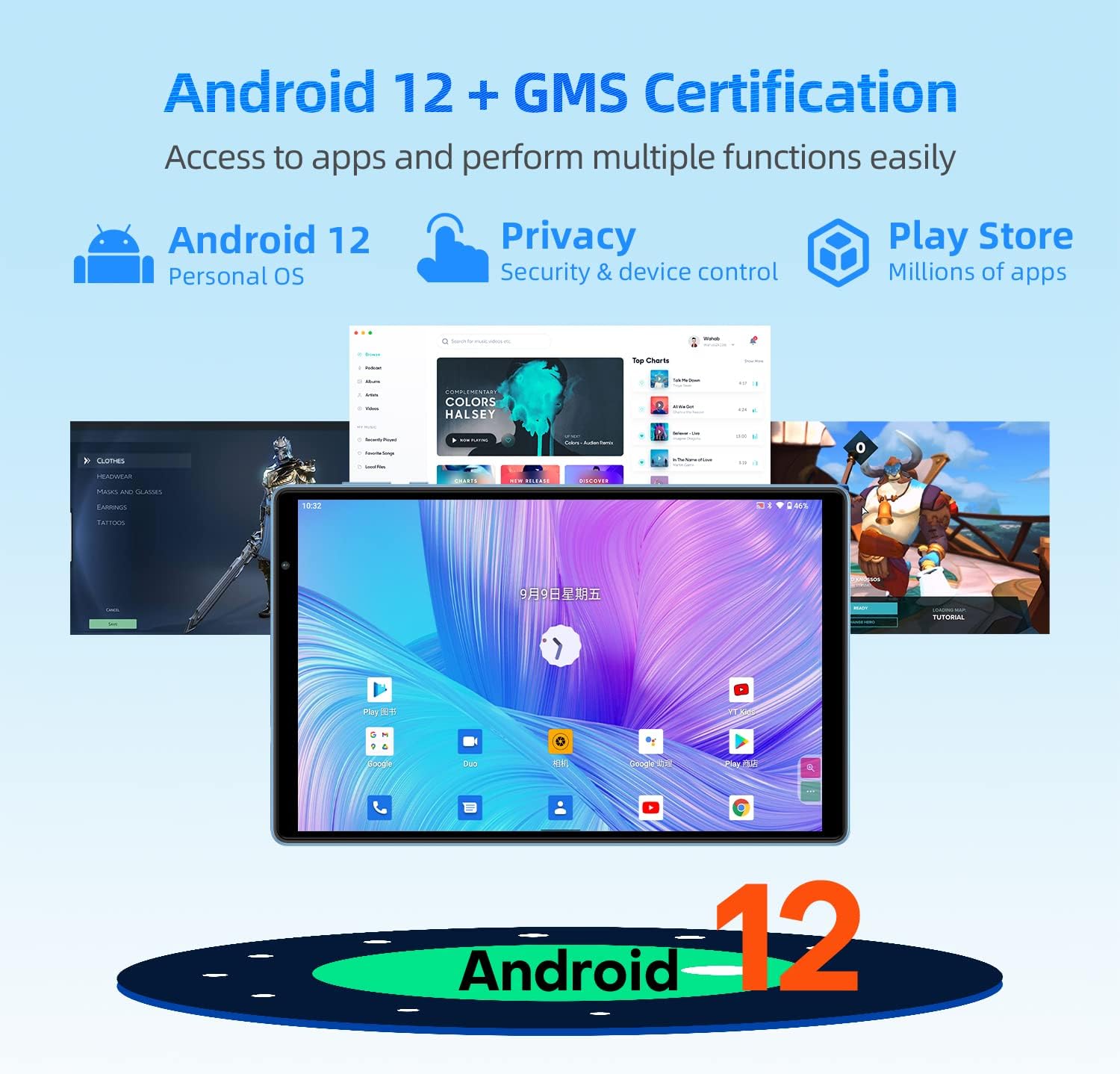
Image 4.1: Android 12 interface and key features on the TECLAST P25T.
- Навигация: Use gestures or the traditional navigation bar (back, home, recent apps) to move through the system.
- Эскертмелер: Эскертмелерге жана тез жөндөөлөргө жетүү үчүн экрандын өйдө жагынан ылдый сүрүңүз.
- Колдонмо тартмасы: Үй экранынан өйдө сүрүңүз view бардык орнотулган колдонмолор.
4.2 Дисплей жана визуалдык көрүнүштөр
The tablet features a 10.1-inch IPS HD display with a resolution of 1280x800 pixels, providing clear visuals and wide viewing angles. The T-Colour optimization enhances color reproduction.
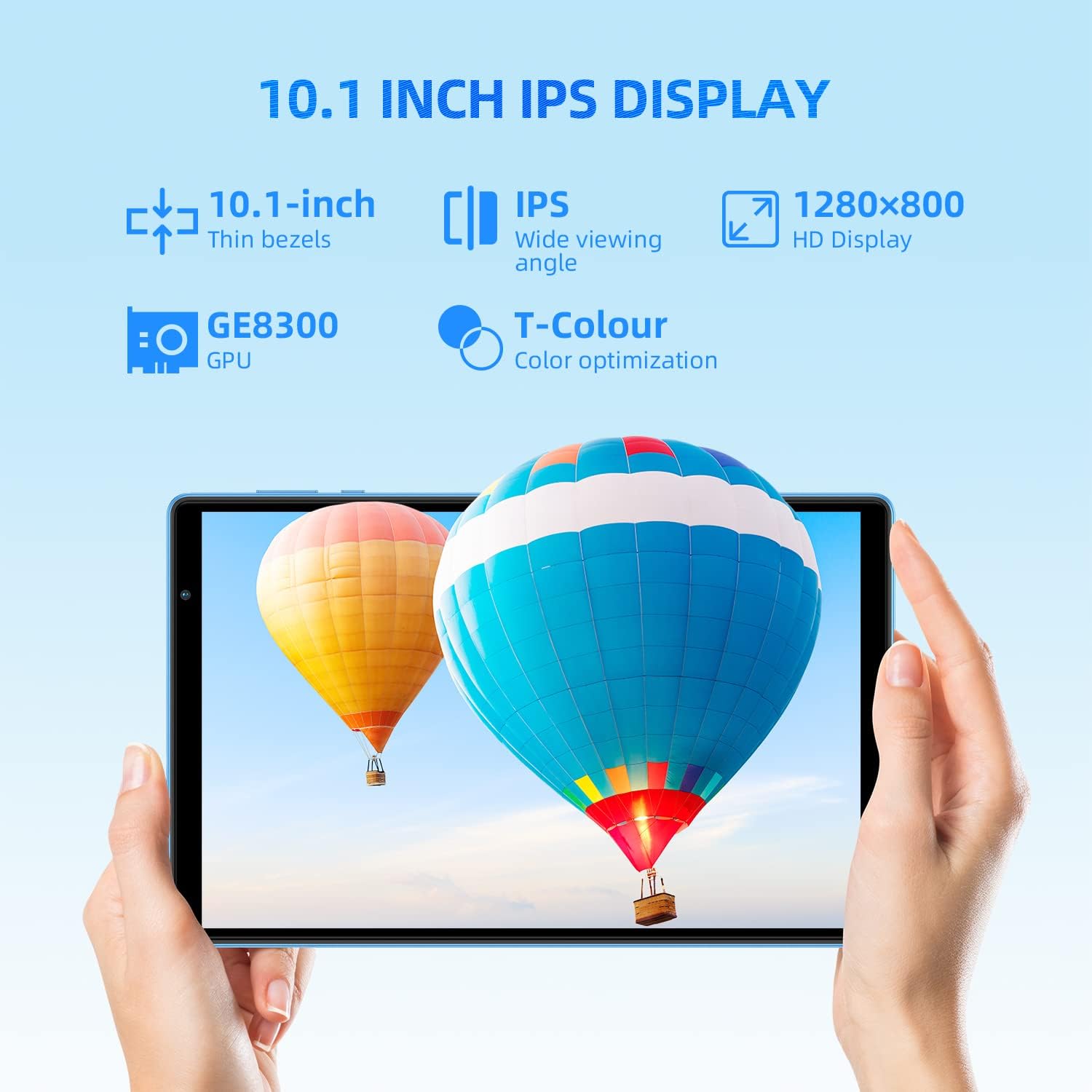
Image 4.2: The 10.1-inch IPS HD display of the TECLAST P25T.
4.3 Байланыш
The TECLAST P25T supports high-speed wireless connectivity.

Image 4.3: Wi-Fi 6 and Bluetooth 5.0 connectivity features.
- Wi-Fi 6 (802.11ax): Provides faster speeds, greater capacity, and lower latency compared to previous Wi-Fi standards. Connect to a Wi-Fi 6 compatible router for optimal performance.
- Bluetooth 5.0: For connecting wireless headphones, speakers, keyboards, and other Bluetooth-enabled accessories.
- Эскертүү: This tablet does not support cellular connectivity (SIM card).
4.4 Камералар
The tablet is equipped with a 2MP front camera for video calls and a 5MP rear autofocus camera with an LED flashlight for photography.

Image 4.4: Camera features and battery capacity.
4.5 Сактоо жана иштөө
The TECLAST P25T is designed for efficient multitasking and storage.

Image 4.5: Storage and processor details of the TECLAST P25T.
- RAM: 8GB (4GB physical + 4GB virtual) for smooth application operation.
- Ички сактагыч: 64GB ROM for applications and media.
- Кеңейтүүчү сактагыч: Supports Micro SD cards up to 1TB.
- Процессор: Quad-core 1.8GHz Allwinner A133P processor with PowerVR GE8300 GPU for graphics processing.
5. Техникалык тейлөө
5.1 Батареяга кам көрүү
The tablet is equipped with a 5000mAh battery, providing approximately 8 hours of video playback. To maximize battery life:
- Ашыкча температурадан сактаныңыз.
- Батареянын бат-баттан түгөнүп калышына жол бербеңиз.
- Түпнуска кубаттагычты же сертификатталган шайкеш кубаттагычты колдонуңуз.
- Экран жарыктыгын ыңгайлуу деңгээлге тууралаңыз.
- Фондо иштеп жаткан колдонулбаган колдонмолорду жабуу.
5.2 Аппаратты тазалоо
- Экранды жана денени тазалоо үчүн жумшак, түксүз чүпүрөктү колдонуңуз.
- өжөр тактар үчүн, бир аз гampчүпүрөккө суу же экран тазалоочу каражат.
- Катуу химиялык заттарды же абразивдүү материалдарды колдонуудан алыс болуңуз.
5.3 Программалык камсыздоо жаңыртуулары
Periodically check for system updates in the tablet's settings. Software updates can improve performance, add new features, and enhance security. Ensure your tablet is connected to Wi-Fi and has sufficient battery charge before initiating an update.
5.4 Сактагычты оптималдаштыруу
Regularly manage your tablet's storage to maintain performance:
- Колдонулбаган колдонмолорду чыгарып салыңыз.
- Колдонмолор үчүн кэш дайындарын тазалоо.
- Чоң көлөмдөгү которуу files (photos, videos) to your Micro SD card or cloud storage.
6. Кыйынчылыктарды
This section addresses common issues you might encounter with your TECLAST P25T tablet.
6.1 Tablet is Unresponsive or Frozen
- Press and hold the Power Button for about 10-15 seconds to force a restart.
- If a restart does not work, locate the Reset Pinhole (refer to Image 2.1) and gently press it with a thin pin (e.g., a paperclip) until the tablet restarts.
6.2 Wi-Fi туташуу маселелери
- Планшеттин жөндөөлөрүндө Wi-Fi иштетилгенин текшериңиз.
- Wi-Fi роутериңизди жана планшетиңизди өчүрүп күйгүзүңүз.
- Планшеттин жөндөөлөрүнөн тармакты унутуп, кайра туташыңыз.
- Wi-Fi сигналынын чегинде экениңизди текшериңиз.
6.3 Жай аткаруу
- Фондо иштеп жаткан колдонулбаган колдонмолорду жабуу.
- Clear app cache and temporary files.
- Ensure sufficient free storage space (at least 10-15% of total storage).
- Планшетті мезгил-мезгили менен өчүрүп-күйгүзүңүз.
6.4 Батарея бат эле түгөнөт
- Экран жарыктыгын азайтыңыз.
- Колдонулбаган учурда Wi-Fi, Bluetooth жана GPSти өчүрүңүз.
- Identify and close power-intensive applications.
- Check for system updates, as they often include battery optimizations.
7. Техникалык шарттар
Detailed technical specifications for the TECLAST P25T Tablet.
| Өзгөчөлүк | Спецификация |
|---|---|
| Бренд | TECLAST |
| Модель номери | TX-EU-P25T |
| Операция системасы | Android 12 |
| Процессор бренди | Allwinner |
| Процессордун ылдамдыгы | 1.8 ГГц (төрт ядролуу) |
| GPU | PowerVR GE8300 |
| Screen Size | 10.1 дюйм |
| Screen Resolution | 1280 x 800 пиксел (HD IPS) |
| Орнотулган RAM өлчөмү | 4 GB (8GB with virtual RAM) |
| Эстутум сактоо сыйымдуулугу | 64 ГБ |
| Кеңейтүүчү сактагыч | Up to 1 TB via Micro SD |
| Зымсыз технология | 802.11ax (Wi-Fi 6) |
| Bluetooth | Bluetooth 5.0 |
| Интерфейс | USB Type-C, 3.5 мм гарнитура уячасы |
| Батареянын иштөө мөөнөтү | Approx. 8 hours (video playback) |
| Батарея түрү | Литий-полимер |
| Продукт Салмагы | 543 грамм |
| Өлчөмдөр | 27.9 x 18.5 x 5.1 см (Пакет) |
8. Кепилдик жана колдоо
For warranty information and technical support, please refer to the documentation included with your purchase or visit the official TECLAST webсайт. Кепилдик дооматтар үчүн сатып алганыңыздын далилин сактаңыз.


