Introduction
This manual provides essential information for the safe and effective use of your RGB Critter BT Color-Changing RGB Flashlight. Please read this manual thoroughly before operation and retain it for future reference.

Image: The RGB Critter BT flashlight, a black cylindrical device with three green buttons, shown alongside graphical representations of its app-controlled color selection interface.
Продукт өзгөчөлүктөрү
- App-Controllable RGB Color Changing
- Intuitive Button Controls
- Durable Silicone Grip
- USB-C кубаттоо
- Compatible with Over 200 Twist-On Accessories
- Replaceable 18650 Lithium-Ion Battery
Жайгашуу
Баштапкы заряддоо
The RGB Critter BT comes with a pre-installed 18650 Lithium-Ion battery. For optimal performance, fully charge the device before first use.
- Locate the USB-C charging port at the base of the flashlight.
- Connect a standard USB-C cable (not included) to the port and the other end to a compatible USB power adapter.
- Индикатор кубаттоо абалын көрсөтөт. Толук кубаттоо, адатта, болжол менен 3 саатка созулат.

Сүрөт: жакын план view of the USB-C charging port located at the bottom of the RGB Critter BT flashlight.
Колдонмо туташуусу
To unlock the full potential of your RGB Critter BT, download the official Ants on a Melon® App.
- Издөө "Ants on a Melon" in your device's app store (currently available on iOS).
- Install the app and follow the on-screen instructions to pair your RGB Critter BT via Bluetooth.
- Once connected, you can access over 16 million color options and various lighting modes.
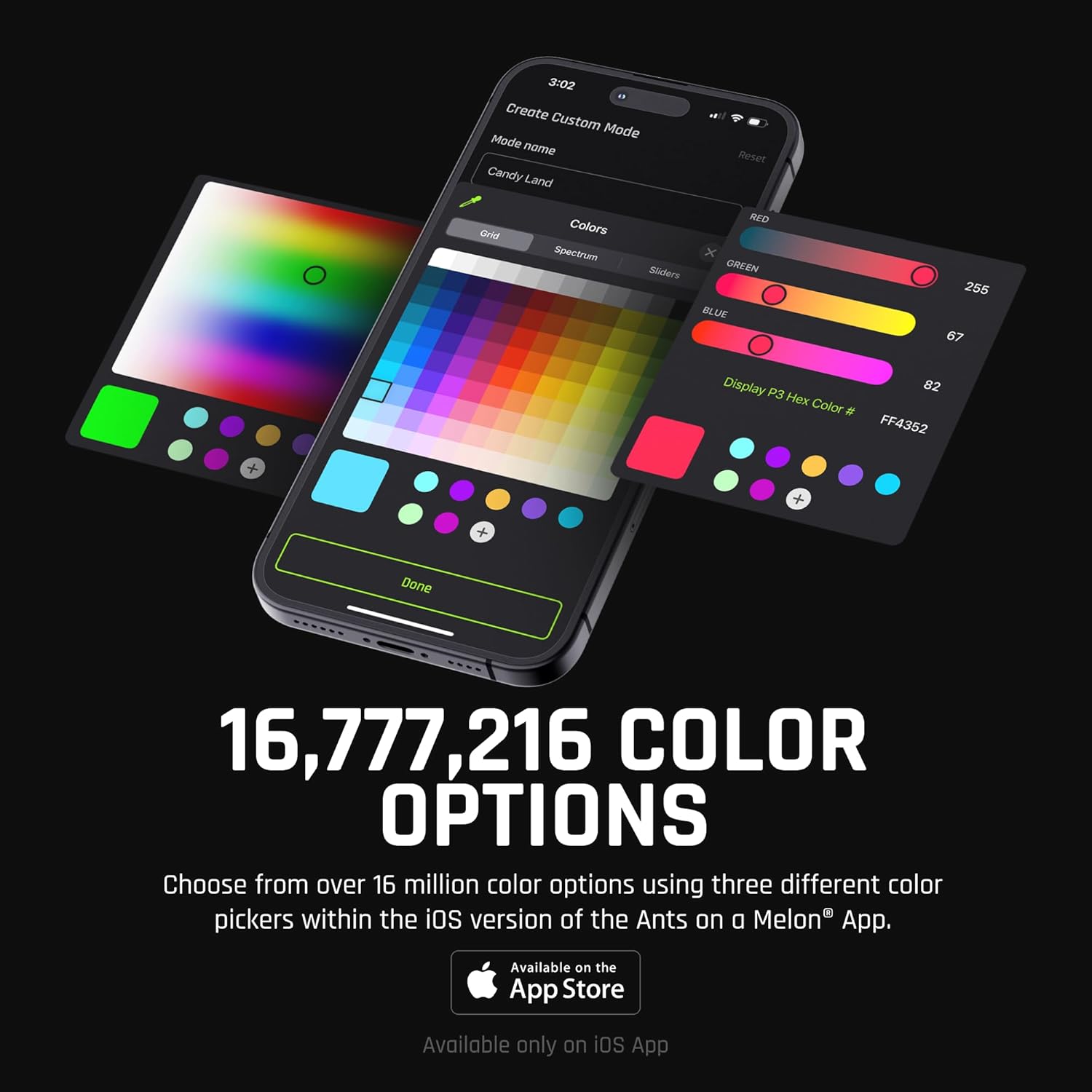
Image: A smartphone displaying the Ants on a Melon app interface, showcasing various color picker options including grid, spectrum, and sliders, allowing for precise color selection.
Иштөө нускамалары
Башкаруу баскычтары
The RGB Critter BT features three intuitive buttons for direct control:
- Жогорку баскыч: On/Off
- Орто баскыч: Navigate through 20 pre-set modes
- Төмөнкү баскыч: Adjust mode speed (1-second hold increases speed by 10%)
- Кулпу/Ачуу: Press the top and bottom buttons simultaneously.

Image: A visual guide illustrating the three buttons on the RGB Critter BT and their corresponding functions: On/Off, Navigate Modes, Lock/Unlock (simultaneous press), and Adjust Mode Speed (hold).
Колдонмонун иштеши
The Ants on a Melon® App provides advanced control and customization:
- Түс тандоо: Choose from 16,777,216 colors using grid, spectrum, or RGB sliders.
- Ыңгайлаштырылган режимдер: Create and save personalized lighting modes and sequences.
- Brightness & Strobe: Adjust brightness levels and strobe effects.
- Ойнотмо тизмелер: Organize and play sequences of modes.
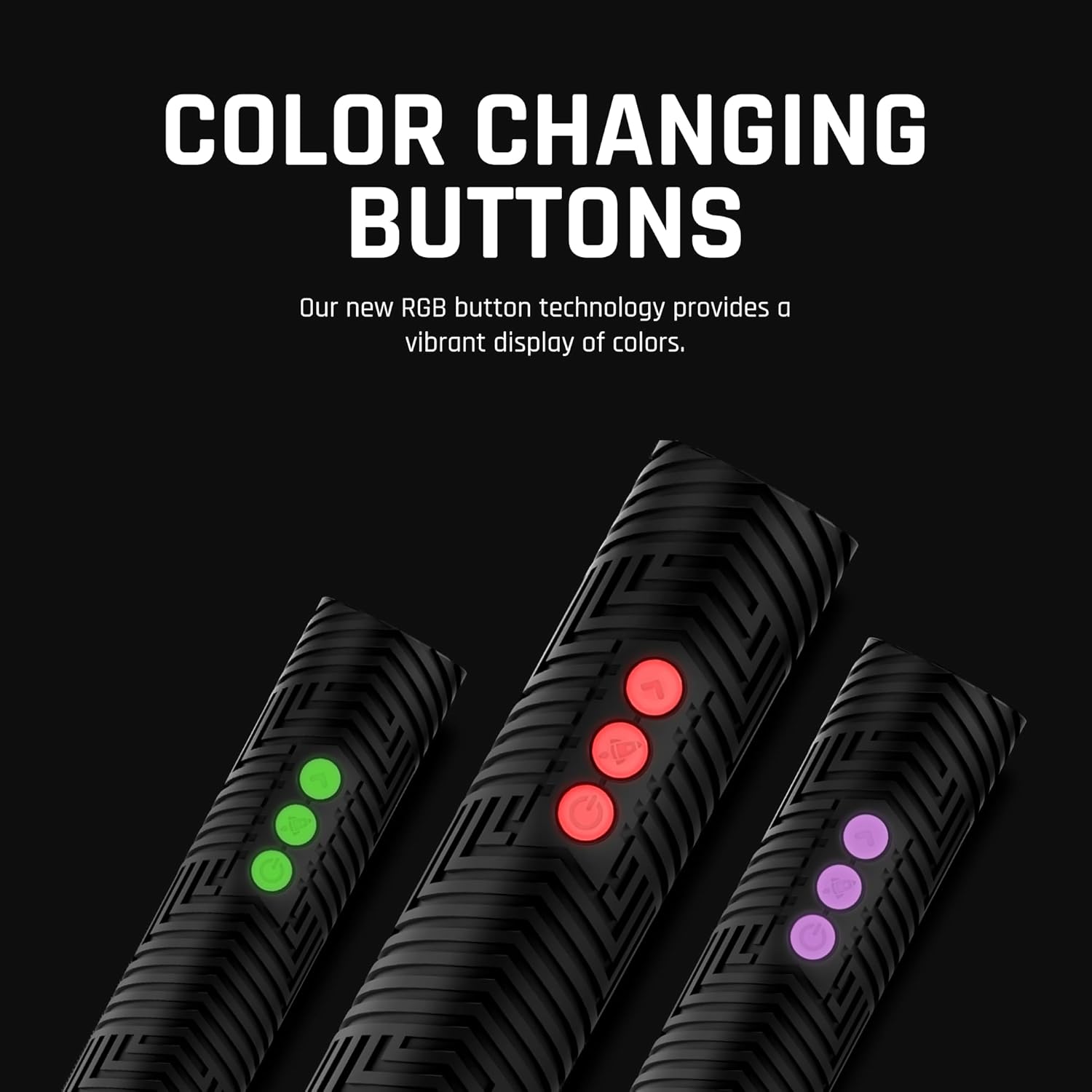
Image: A close-up of the RGB Critter BT's three buttons, illuminated in various colors (green, red, purple), demonstrating the color-changing button technology.
Аксессуарларды интеграциялоо
The RGB Critter BT is designed to interlock with over 200 twist-on accessories, such as flow toys and light painting tools.
- Align the accessory with the top of the RGB Critter BT.
- Twist gently until it securely locks into place.

Image: Several RGB Critter BT units shown with different twist-on accessories attached, demonstrating their use as light painting tools and flow toys, emitting various colors.
Техникалык тейлөө
Тазалоо
Wipe the device with a soft, dry cloth. Do not use abrasive cleaners or immerse the device in water. The device is сууга чыдамдуу эмес.
Сактагыч
Store the RGB Critter BT in a cool, dry place away from direct sunlight and extreme temperatures.
Батареяга кам көрүү
To prolong battery life, avoid fully discharging the battery frequently. Recharge when the battery level is low.

Image: Two black silicone modular caps, designed to protect the RGB Critter and Modular Sabers from accidental drops, shown against a dark background.
Проблемаларды чечүү
| Көйгөй | Мүмкүн себеп | Чечим |
|---|---|---|
| Түзмөк күйбөйт | Low battery; Device locked | Charge the device; Press top and bottom buttons simultaneously to unlock. |
| Колдонмого туташуу мүмкүн эмес | Bluetooth өчүк; Түзмөк тейлөө аймагынан тышкары; Колдонмо жаңыртылган жок | Ensure Bluetooth is enabled on your device; Move closer to the RGB Critter BT; Update the app to the latest version. |
| Баскычтар жооп бербейт | Түзмөк кулпуланды | Press top and bottom buttons simultaneously to unlock. |
Техникалык шарттар
- Модел: RGB001
- Өлчөмдөрү: 5.4 x 1.3 x 1.3 дюйм
- Салмагы: 13.4 унция
- Жарык булагы: LED
- Жарыктык: 170 люмен (ак)
- Кубат булагы: Battery Powered (Lithium-Ion 18650)
- Аткаруу убактысы: 3 саатка чейин
- Материал: Силикон
- Суу каршылык: Сууга чыдамдуу эмес
- Өзгөчөлүктөр: Жөндөлүүчү, туруктуу

Сүрөт: деталдуу view of the improved no-slip silicone grip on the RGB Critter BT, featuring a textured pattern for enhanced control.
Кепилдик маалымат
The RGB Critter BT is covered by a Чектелген Өмүр бою Кепилдик from Ants on a Melon. This warranty covers defects in materials and workmanship under normal use. For full details and to make a warranty claim, please visit the official Ants on a Melon webсайт.
Колдоо
For further assistance, technical support, or frequently asked questions, please visit the official Ants on a Melon support page.
Webсайт: www.antsonamelon.com


