1. Киришүү
The AUTOPHIX V007 is a professional diagnostic scanner designed for Volkswagen (VW), Audi, Skoda, and Seat vehicles, as well as universal OBD II compliant cars manufactured from 1996 onwards. This tool provides comprehensive system diagnostics, allowing users to read and clear fault codes, view live data, and perform various special functions to maintain vehicle health and safety.
2. Продукт бүтүп калдыview
The AUTOPHIX V007 diagnostic scanner offers a wide range of functions for both specific VW Group vehicles and general OBD II compliant cars. It features a user-friendly interface with a clear display and intuitive navigation buttons.

Image: AUTOPHIX V007 scanner displaying advanced functions for VW Group vehicles, including Engine, SRS (Airbag), Oil Reset, EPB, TPMS, Inter Monitor, Transmission, ABS, Immobilizer, SAS, Battery Check, and Throttle Learning.
Негизги мүмкүнчүлүктөр төмөнкүлөрдү камтыйт:
- Full system diagnosis for VW, Audi, Skoda, and Seat vehicles.
- Standard OBD II functions for all 1996 and newer vehicles.
- Special functions such as Oil Service Reset, Electronic Parking Brake (EPB) replacement, and Throttle Adaptation.

Image: AUTOPHIX V007 scanner showing full system diagnosis for VW, Audi, Seat, Skoda vehicles, covering systems like Auto Trans, HVAC, Steering Wheel, Instruments, and more.
3. Орнотуу
To begin using your AUTOPHIX V007 diagnostic scanner, follow these steps:
- OBD II портун табыңыз: 16-пиндүү маалымат байланыштыргычы (DLC) адатта унаанын айдоочу тарабындагы башкаруу панелинин астында жайгашкан. Эгер аны таппасаңыз, унааңыздын колдонуучунун колдонмосун караңыз.
- Сканерди туташтыруу: Plug the scanner's OBD II cable into the vehicle's DLC. Ensure a secure connection.
- Күйгүзүү: Turn the vehicle's ignition to the 'ON' position (engine off). The scanner will automatically power on and display the main menu.
4. Иштөө нускамалары
Navigate through the scanner's menu using the UP жана ылдый arrow buttons. Press ENTER тандоону ырастоо үчүн жана ЧЫГУУ мурунку экранга кайтуу үчүн.
4.1. Universal OBD II Functions
These functions are applicable to all OBD II compliant vehicles (1996 and newer).

Image: AUTOPHIX V007 scanner showing universal OBD II functions, including Read Fault Code, Erase Fault Code, Read VIN, Review DTC, and System Protocol.
- Ката коддорун окуңуз: Select this option to retrieve Diagnostic Trouble Codes (DTCs) from the vehicle's Engine Control Unit (ECU).
- Erase Fault Codes: After repairs, select this to clear DTCs and turn off the Check Engine Light (MIL). Ensure the issue is resolved before clearing codes.
- Read VIN: Displays the Vehicle Identification Number.
- Review DTC: мүмкүндүк берет view previously stored DTCs.
- System Protocol: Provides information about the communication protocol used by the vehicle.
4.2. VW Group Specific Functions
The V007 provides advanced diagnostic capabilities for Volkswagen, Audi, Skoda, and Seat vehicles.

Image: AUTOPHIX V007 compatibility with various VW, Audi, Seat, and Skoda models, including Golf, Jetta, A3, A4, Leon, Kodiaq, and more.
These functions include, but are not limited to:
- Engine System Diagnostics
- SRS (Airbag) System Diagnostics
- ABS System Diagnostics
- Transmission System Diagnostics
- Электрондук токтоочу тормоз (EPB)
- Шина басымын көзөмөлдөө системасы (TPMS)
- Рул бурчу сенсору (SAS) калибрлөө
- Батареяны текшерүү
- Иммобилизатор системасы
4.3. Атайын функциялар
The V007 offers several special service functions for specific vehicle maintenance tasks.
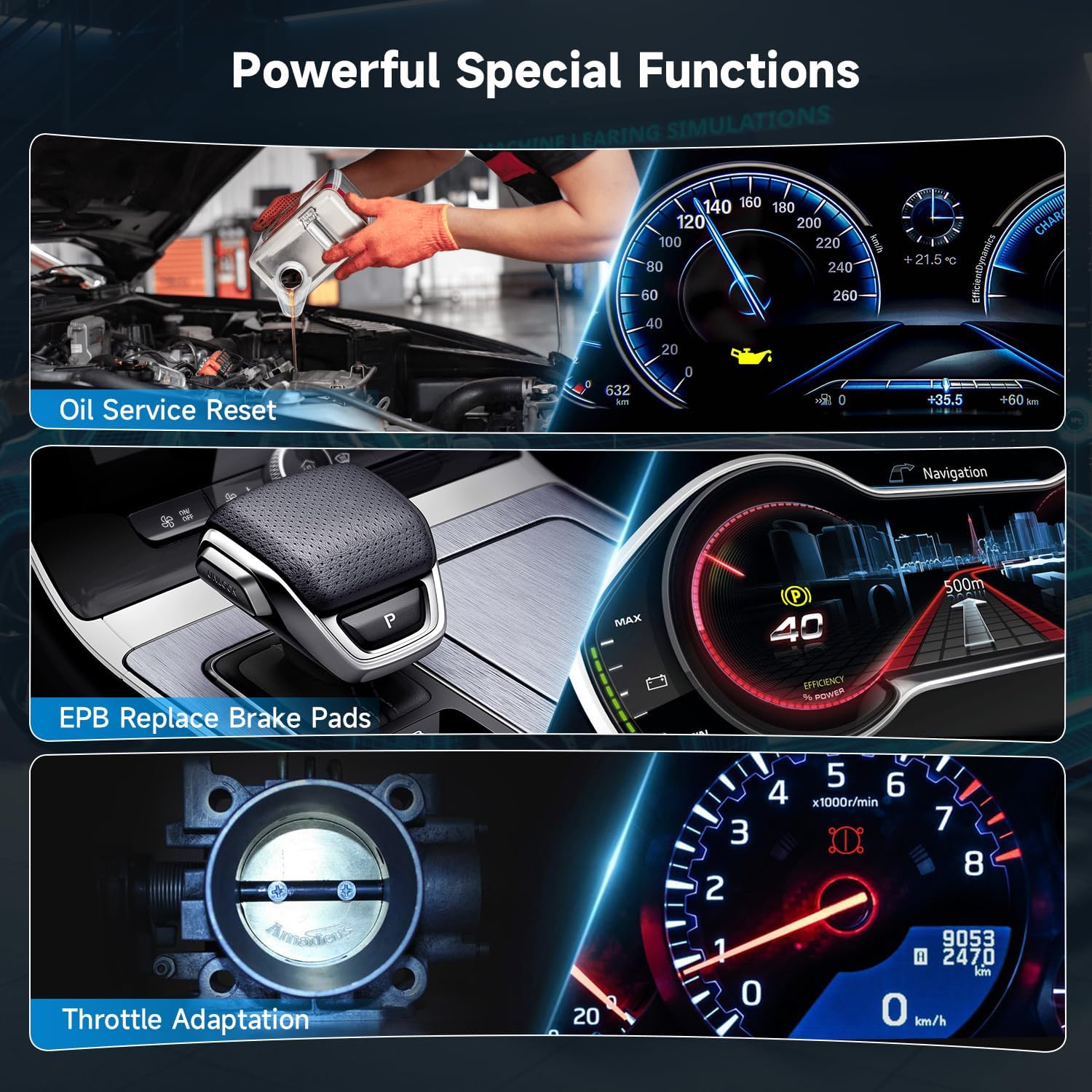
Image: AUTOPHIX V007 displaying powerful special functions, including Oil Service Reset, EPB Replace Brake Pads, and Throttle Adaptation.
- Май кызматын баштапкы абалга келтирүү: Май алмаштырылгандан кийин майдын тейлөө жарыгын баштапкы абалга келтирет.
- EPB тормоз колодкаларын алмаштыруу: Safely retracts and reinstates the electronic parking brake calipers for brake pad replacement.
- Дроссельди адаптациялоо: Тазалагандан же алмаштыргандан кийин дроссель корпусунун абалын кайрадан үйрөнөт.
5. Техникалык тейлөө
To ensure the longevity and optimal performance of your AUTOPHIX V007 scanner:
- Аппаратты чаңдан жана нымдан таза, таза кармаңыз. Тазалоо үчүн жумшак, кургак чүпүрөктү колдонуңуз.
- Аппаратты түшүрүүдөн же аны өтө жогорку температурада калтыруудан сактаныңыз.
- Мезгил-мезгили менен өндүрүүчүнүн текшерүү website for firmware updates to ensure compatibility with the latest vehicle models and diagnostic protocols.
- Store the scanner in its protective case when not in use.
6. Кыйынчылыктарды
If you encounter issues while using the AUTOPHIX V007, consider the following:
- Түзмөк күйбөй жатат: Ensure the OBD II cable is securely connected to the vehicle's DLC and the ignition is in the 'ON' position. Check the vehicle's battery voltage.
- Байланыш катасы: Verify that the vehicle is OBD II compliant and manufactured after 1996. Ensure the connection is secure. Try connecting to a different OBD II compliant vehicle to rule out a vehicle-specific issue.
- Туура эмес окуулар/функциялар: Ensure the scanner's firmware is up to date. Refer to the specific function's instructions within the scanner's menu or the manufacturer's webдеталдуу жетекчилик үчүн сайт.
For persistent issues, please contact AUTOPHIX customer support.
7. Техникалык шарттар
| Өзгөчөлүк | Деталь |
|---|---|
| Модель номери | V007 |
| Өндүрүүчү | V007Plus |
| Элемент Салмагы | 1.18 фунт |
| Пакеттин өлчөмдөрү | 7.92 x 5.12 x 2.92 дюйм |
| Screen Size | 7 дюйм |
8. Кепилдик жана колдоо
AUTOPHIX provides lifetime customer support for the V007 diagnostic scanner. For detailed warranty information, product registration, or technical assistance, please visit the official AUTOPHIX webсайтка же түздөн-түз кардарларды тейлөө бөлүмүнө кайрылыңыз.
AUTOPHIX Official Store: Visit the AUTOPHIX Store on Amazon