1. Киришүү
The Uniarch UHO-S2E is a 2MP indoor Pan and Tilt (PT) camera designed for comprehensive home surveillance. It offers real-time two-way audio communication, high-definition night vision, and advanced detection features including motion detection, auto tracking, audio detection, and human body detection. Its flexible pan and tilt design allows for a 360° horizontal rotation range, ensuring extensive coverage of your indoor space. This camera integrates seamlessly with the Uniarch APP and EZCloud, providing convenient remote monitoring capabilities from anywhere at any time.
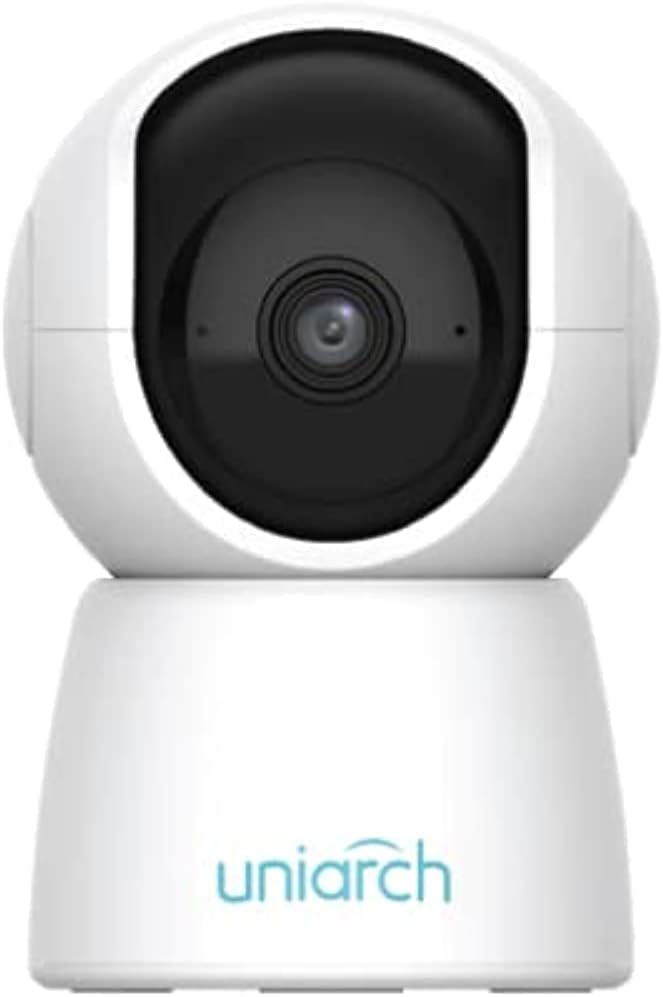
Сүрөт 1.1: Алдыңкы view of the Uniarch UHO-S2E Smart Pan and Tilt Camera, showcasing анын компакттуу жана заманбап дизайны.
Негизги өзгөчөлүктөрү:
- 2MP Resolution & IR Night Vision: Provides clear, high-definition video day and night.
- 360° Pan Range: Offers extensive coverage with its pan and tilt capabilities for 24-hour monitoring.
- Эки тараптуу аудио: Камера аркылуу реалдуу убакыт байланышын иштетет.
- Multiple Detection Ways: Includes motion, audio, and human body detection for enhanced security alerts.
- Easy and Convenient to Use: Designed for straightforward setup and operation via the Uniarch APP.
2. Коопсуздук маалыматы
Please read this manual carefully before operating the device and retain it for future reference. Observe all safety warnings and precautions to ensure proper and safe operation.
- Камера менен кошо берилген кубат адаптерин гана колдонуңуз.
- Do not expose the camera to water or moisture. This device is designed for indoor use only.
- Камераны күн тийе турган жерге же жылуулук булактарынын жанына коюудан алыс болуңуз.
- Ensure the camera is installed on a stable surface to prevent falling.
- Камераны ажыратууга же өзгөртүүгө аракет кылбаңыз. Бардык тейлөөлөрдү квалификациялуу кызматкерлерге тапшырыңыз.
- Камераны жана анын аксессуарларын балдар жетпеген жерде сактаңыз.
3. Физикалык компоненттер жана порттор
Familiarize yourself with the various components and connection ports of your Uniarch UHO-S2E camera.
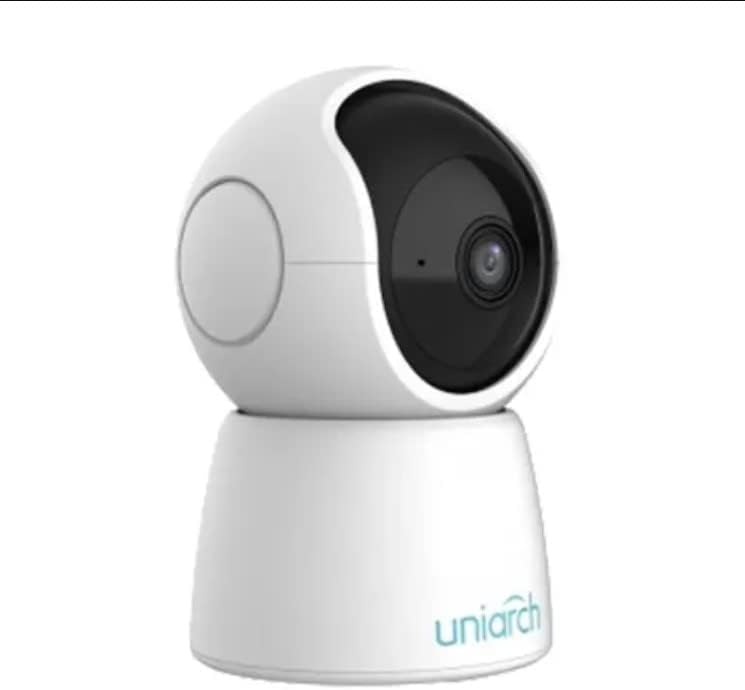
3.1-сүрөт: Бурчтуу view of the Uniarch UHO-S2E camera, showing its pan and tilt head and base.
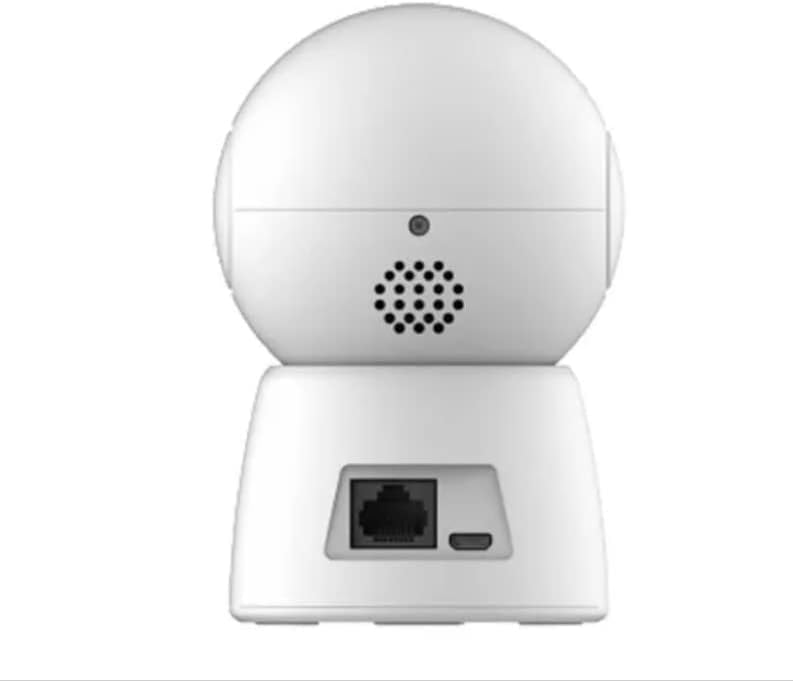
3.2-сүрөт: Арткы view of the Uniarch UHO-S2E camera, highlighting the Ethernet port and Micro USB power input.
Порт сүрөттөмөлөрү:
- Микро USB порту: Кубат адаптерин туташтыруу үчүн.
- Ethernet порту: For wired network connection (optional, Wi-Fi is also supported).
- Калыбына келтирүү баскычы: Typically a small pinhole button to restore factory settings.
- Микрофон: эки тараптуу байланыш учурунда аудио киргизүү үчүн.
- Баяндамачы: Эки тараптуу байланыш учурунда аудио чыгаруу үчүн.
4. Орнотуу колдонмосу
Follow these steps to set up your Uniarch UHO-S2E camera.
4.1 Камераны күйгүзүү
- Connect the provided power adapter to the Micro USB port on the back of the camera.
- Кубат адаптерин стандарттуу электр розеткасына сайыңыз.
- The camera will power on and initiate its self-test sequence. Wait for the indicator light to show a stable status (refer to the camera's LED indicator guide for specific light patterns).
4.2 Installing the Uniarch App
The Uniarch App is essential for controlling and monitoring your camera.
- Download the "Uniarch" app from the App Store (iOS) or Google Play Store (Android). You can search for "Uniarch" or scan a QR code if provided in the camera's packaging.
- Колдонмону смартфонуңузга же планшетиңизге орнотуңуз.
- Open the Uniarch app and register for a new account if you don't have one, or log in with your existing credentials.
4.3 Камераны тиркемеге кошуу
There are typically two methods to add your camera: Wi-Fi connection or wired connection.
Wi-Fi туташуусу (сунушталат):
- In the Uniarch app, tap the "+" icon to add a new device.
- Select "Camera" or "Wireless Camera" from the device type options.
- Follow the on-screen instructions to connect the camera to your Wi-Fi network. This usually involves selecting your Wi-Fi network, entering the password, and then scanning a QR code generated by the app with the camera's lens.
- Туташтырылгандан кийин, камераңызга ат коюп, орнотуу процессин аягына чыгарыңыз.
Зымдуу туташуу (кошумча):
- Connect an Ethernet cable from your router to the Ethernet port on the back of the camera.
- In the Uniarch app, tap the "+" icon to add a new device.
- Select "Camera" or "Wired Camera" and follow the instructions to search for and add the camera on your local network.
- Once detected, name your camera and complete the setup process.
5. Иштөө нускамалары
This section covers the basic operation of your Uniarch UHO-S2E camera through the Uniarch App.
5.1 Live View жана панорамалоо/кыйшайтуу башкаруусу
- Open the Uniarch app and select your camera from the device list to access the live view.
- Түз эфирде view screen, you will find controls for pan (horizontal rotation) and tilt (vertical rotation). Drag your finger across the screen or use the directional arrows to adjust the camera's viewing angle. The camera supports a 360° pan range.
5.2 Эки тараптуу аудио
- Түз эфирде view, эки тараптуу аудиону иштетүү үчүн микрофон сүрөтчөсүн таптаңыз.
- Press and hold the microphone button to speak through the camera's speaker. Release to listen.
5.3 Кыймылды аныктоо жана эскертүүлөр
- Navigate to the camera settings within the Uniarch app.
- Locate the "Detection Settings" or "Alarm Settings" section.
- Enable motion detection, human body detection, and/or audio detection as desired.
- Configure sensitivity levels and detection zones if available.
- Ensure push notifications are enabled in the app and your phone's settings to receive alerts.
5.4 Auto Tracking
- In the camera settings, find the "Auto Tracking" option.
- Enable auto tracking to allow the camera to automatically follow detected motion within its field of view.
5.5 Түнкү көрүнүш
- The camera automatically switches to IR night vision in low-light conditions.
- You can typically configure night vision mode (Auto, On, Off) in the camera settings if manual control is desired.
6. Техникалык тейлөө
Туура тейлөө камераңыздын узак мөөнөттүү жана оптималдуу иштешин камсыз кылат.
6.1 Камераны тазалоо
- Тазалоодон мурун камераны кубат булагынан ажыратыңыз.
- Камеранын корпусун сүртүү үчүн жумшак, кургак чүпүрөктү колдонуңуз.
- Линза үчүн оптикалык беттер үчүн атайын иштелип чыккан линза тазалоочу чүпүрөктү колдонуңуз. Абразивдүү тазалоочу каражаттарды же эриткичтерди колдонбоңуз.
6.2 Микропрограмма жаңыртуулары
- Regularly check for firmware updates through the Uniarch app.
- Firmware updates can improve performance, add new features, and enhance security.
- Ensure the camera remains powered on and connected to the internet during a firmware update.
7. Кыйынчылыктарды
This section addresses common issues you might encounter with your Uniarch UHO-S2E camera.
| Көйгөй | Мүмкүн себеп | Чечим |
|---|---|---|
| Camera is offline/cannot connect. | Электр кубаты жок, Wi-Fi сигналы өтө начар, Wi-Fi сырсөзү туура эмес, роутердеги көйгөйлөр. |
|
| Видеонун сапаты начар. | Insufficient lighting, dirty lens, weak network bandwidth. |
|
| Эки тараптуу аудио иштебей жатат. | Microphone/speaker muted in app, network issues, hardware fault. |
|
| Кыймыл тууралуу эскертүүлөр алынган жок. | Detection disabled, notification settings incorrect, app not running in background. |
|
8. Техникалык шарттар
| Өзгөчөлүк | Деталь |
|---|---|
| Модель аты | Uniarch UHO S2E |
| Элемент моделинин номери | UHO-S2E |
| Бренд | униарх |
| Продукциянын өлчөмдөрү | 8 x 6 x 10 см; 9.07 г |
| Сунушталган Колдонуулар | Аудио монитор |
| Байланыш технологиясы | Зымсыз |
| Өзгөчөлүктөр | Түнкү көрүнүш, кыймыл сенсору |
| Ички/тышкы колдонуу | Indoor |
| Шайкеш түзмөктөр | Планшет, смартфон |
| Power Source | Электр зымдары |
| Connectivity Protocol | Wi-Fi |
| Controller Type | Android |
| Өндүрүүчү | Uniarch |
| Дата биринчи жеткиликтүү | 18 январь 2023 жыл |
9. Колдоо жана кепилдик
For technical support, warranty information, or further assistance, please refer to the official Uniarch website or contact their customer service. Details can typically be found on the product packaging or the Uniarch official webсайт.
Эскертүү: Кепилдиктин конкреттүү шарттары жана шарттары аймакка жана сатуучуга жараша өзгөрүшү мүмкүн. Кепилдик дооматтары үчүн сатып алганыңыздын далилин сактап коюңуз.


