1. Киришүү
This manual provides comprehensive instructions for the setup, operation, and maintenance of your XTUGA UH-300 UHF Rechargeable Wireless Karaoke Microphone System. Please read this manual thoroughly before using the product to ensure optimal performance and longevity.
2. Пакеттин мазмуну
Төмөндө тизмеленген нерселердин баары пакетиңизге камтылганын текшериңиз. Эгерде кандайдыр бир нерселер жок болсо же бузулса, кардарларды колдоо менен байланышыңыз.
- 1 x UHF зымсыз кабыл алгыч
- 2 x UHF зымсыз микрофондору
- 1 x Кубат адаптери (DC 5V)
- 1 x 3.5 ммден 3.5 ммге чейинки аудио кабель
- RCA аудио кабелине 1 х 3.5 мм
- 1 x USB заряддоо кабели
- 1 x User Manual

Сүрөт: XTUGA UH-300 system components, including the receiver, two microphones, power adapter, and various audio cables.
3. Продукт бүтүп калдыview
3.1 Receiver Controls and Features

Сүрөт: Фронт view of the XTUGA UH-300 receiver with two wireless microphones. The receiver features various knobs and a display screen.
- КҮЧ: On/Off switch for the receiver.
- A-RF-B Indicator: Lights indicate signal reception for Microphone A and B.
- AF көрсөткүчү: Lights indicate audio signal presence.
- MIC VOL A/B: Independent volume controls for Microphone A and Microphone B.
- ЭХО: Knob to adjust the echo effect level.
- МУЗЫКА: Knob to adjust the volume of background music input (e.g., via Bluetooth or AUX).
- MIC (1/4" Jack): Input for an additional wired or wireless microphone.
- Дисплей экраны: Shows channel information for both microphones.

Сүрөт: Деталдаштырылган view of the receiver's front panel, highlighting the 1/4" MIC jack, individual volume controls for microphones, echo control, and Bluetooth music control.
3.2 Микрофондун өзгөчөлүктөрү
- UHF Wireless: Operates on UHF frequencies for stable signal transmission.
- Кайра заряддалуучу батарея: Built-in lithium battery provides 3-8 hours of operation on a 2-3 hour charge.
- LED дисплей: Shows battery level and selected channel (e.g., CH01-CH30).
- LED Light Ring: A cool design feature that illuminates during use.
- DC 5V заряддоо порту: USB port for convenient charging.
- Жыштык баскычы: Allows selection of operating channels.

Сүрөт: Close-up of the rechargeable wireless microphones, showing the LED display with channel information, and the DC5V charging port with a frequency button.
4. Орнотуу
4.1 Кабыл алгычты туташтыруу
- Connect the power adapter to the DC 5V input on the receiver and plug it into a power outlet.
- Connect the receiver's audio output to your speaker system, amplifier, or soundbar. You can use either the 1/4" (6.35mm) output or the 1/8" (3.5mm) output, depending on your audio device's input. Use the provided 3.5mm to 3.5mm or 3.5mm to RCA cables as needed.
- Ensure your speaker system is powered on and set to the correct input source.

Сүрөт: Diagram illustrating various input and output connection options for the XTUGA UH-300 system, including connections to smartphones, laptops, karaoke speakers, soundbars, and home theater systems.
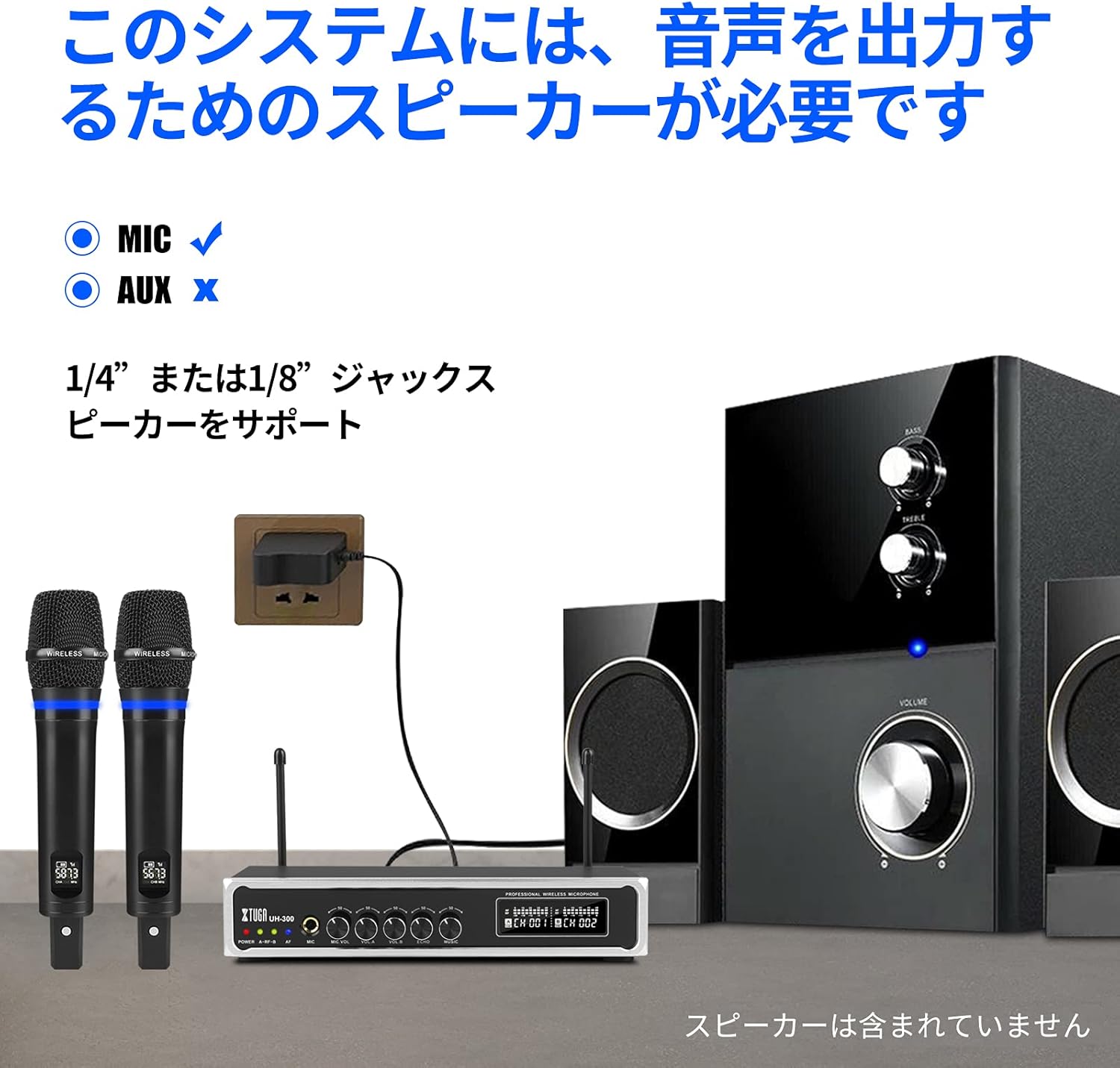
Сүрөт: The XTUGA UH-300 receiver and microphones connected to a speaker system. Note that a speaker is required for audio output and is not included with the system.
4.2 Микрофондорду кубаттоо
The microphones have built-in rechargeable lithium batteries. Before first use, fully charge both microphones.
- Connect the USB charging cable to the DC 5V charging port on each microphone.
- Plug the other end of the USB cable into a USB power source (e.g., a USB wall adapter, computer USB port).
- Charging typically takes 2-3 hours. The microphone's display may indicate charging status.

Сүрөт: A wireless microphone being charged via its USB port, illustrating the charging process and indicating typical charging and usage times.
4.3 Microphone Pairing and Channel Selection
The microphones are typically pre-paired with the receiver. If you experience connection issues or wish to change channels:
- Turn on the receiver and the microphone.
- Press the 'SET' or 'Frequency' button on the microphone to cycle through the 50 available UHF channels (CH01-CH50).
- Select a channel that is free from interference. The receiver's display will show the corresponding channel for each microphone.
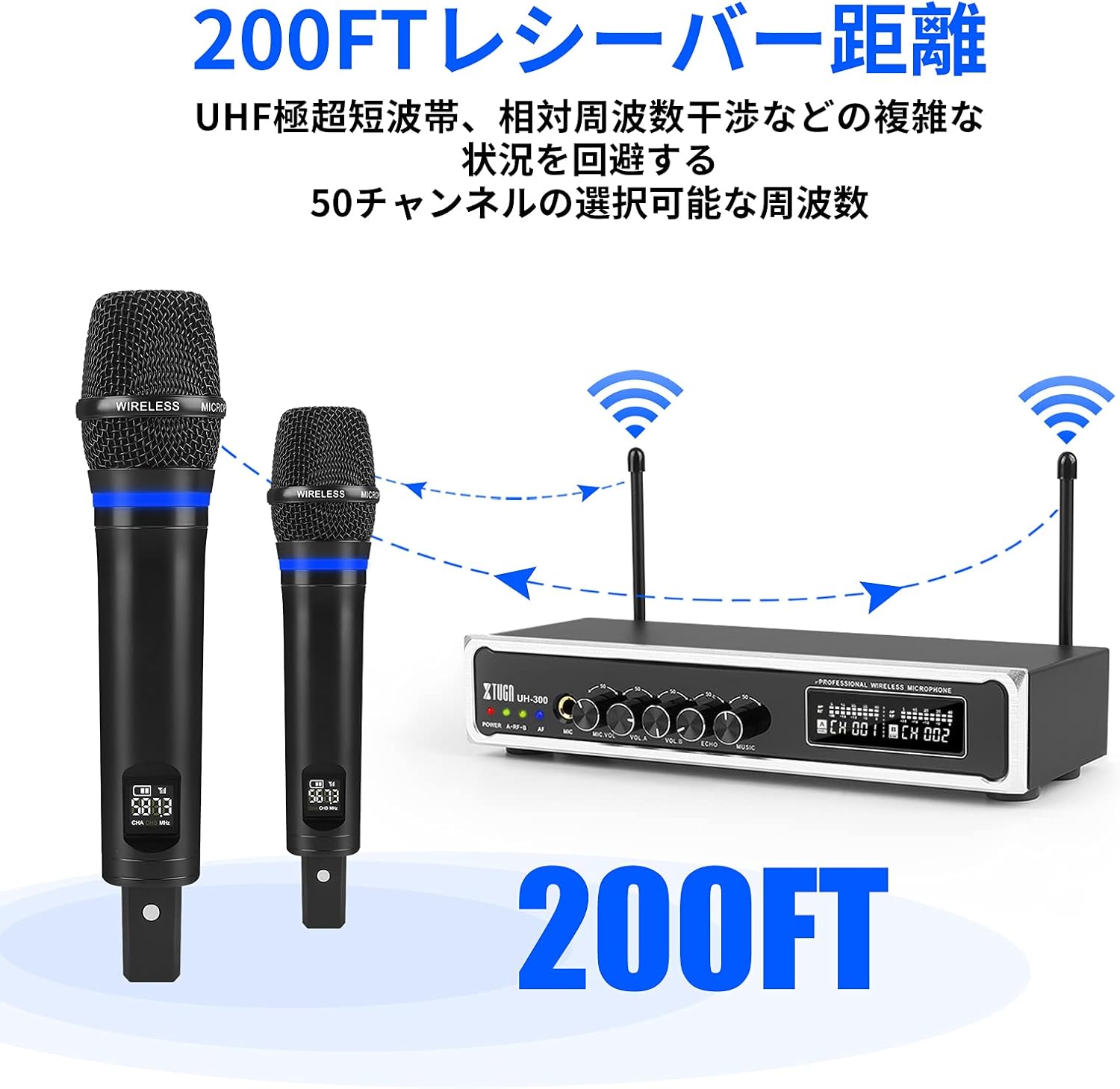
Сүрөт: Illustration of the XTUGA UH-300's wireless range (up to 200 feet) and the availability of 50 selectable channels to avoid interference.
5. Иштөө нускамалары
5.1 Негизги операция
- Power on the receiver using the POWER switch.
- Power on the wireless microphones. The A-RF-B indicators on the receiver should light up, confirming connection.
- Speak into the microphones. The AF indicators on the receiver should light up, indicating audio signal presence.
- Adjust the MIC VOL A and MIC VOL B knobs on the receiver to set the desired volume for each microphone.
- Adjust the ECHO knob to add or reduce the echo effect to your vocals.

Сүрөт: Close-up of the receiver's controls, showing the independent volume knobs for Microphone A and Microphone B, and the adjustable echo effect knob.
5.2 Using Bluetooth Input
The system features built-in Bluetooth for playing background music from your smart devices.
- Turn on the Bluetooth function on your smartphone, tablet, or other smart device.
- Издөө Bluetooth devices and select "X168" from the list.
- Once connected, play music from your device. The audio will be routed through the UH-300 receiver.
- Adjust the MUSIC knob on the receiver to control the background music volume.

Сүрөт: Step-by-step guide for connecting a smartphone or iPad to the XTUGA UH-300 via Bluetooth, showing the device name "X168" and the Bluetooth music volume control.

Сүрөт: Illustrates the Bluetooth receiver functionality for playing background music, indicating a range of approximately 32 feet and the connection process.
5.3 Using the 1/4" MIC Input
The receiver includes a 1/4" (6.35mm) jack for connecting an additional microphone, allowing for a third vocalist.
- Connect a wired microphone or the receiver of a third wireless microphone (not included) to the 1/4" MIC input jack on the receiver.
- Adjust the MIC VOL knob (if available for the 1/4" input) or the overall system volume to balance the sound.

Сүрөт: Close-up of the 1/4-inch microphone input jack on the receiver, indicating its function for an additional microphone.
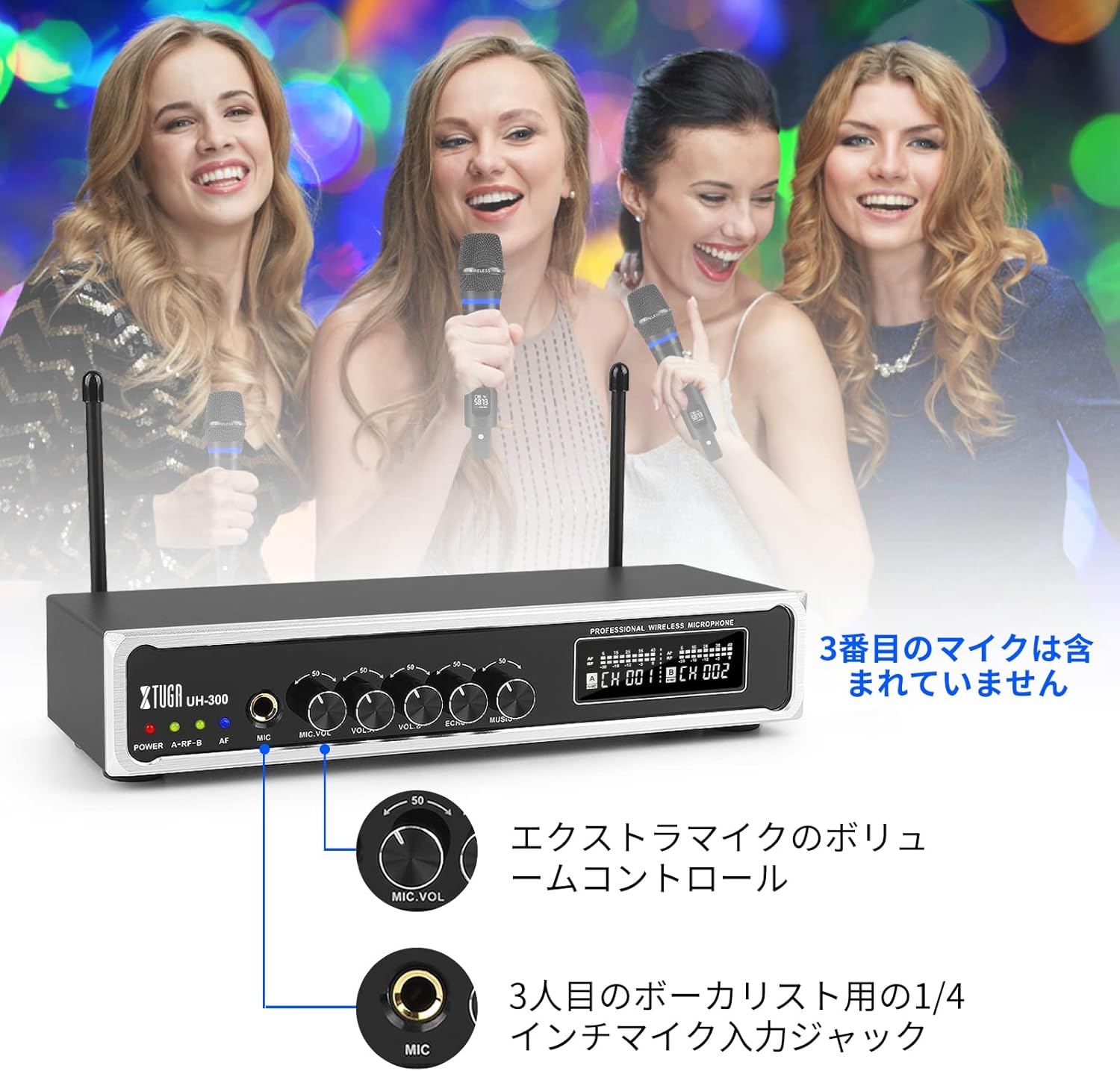
Сүрөт: Depicts a scenario with three vocalists, highlighting the 1/4-inch input jack for an additional microphone. The third microphone is not included.
6. Техникалык тейлөө
- Тазалоо: Кабыл алгычты жана микрофондорду тазалоо үчүн жумшак, кургак чүпүрөктү колдонуңуз. Суюк тазалоочу каражаттарды же абразивдүү материалдарды колдонбоңуз.
- Сактагыч: Колдонбогондо системаны түз күн нурунан жана экстремалдык температурадан алыс салкын, кургак жерде сактаңыз.
- Батареяга кам көрүү: For optimal battery life, fully charge the microphones before long periods of storage and recharge them every 3-6 months.
- Нымдуулуктан качыңыз: Keep the system away from water and high humidity to prevent damage.
7. Кыйынчылыктарды
| Көйгөй | Мүмкүн себеп | Чечим |
|---|---|---|
| Микрофондордон үн жок | Microphones not powered on; Receiver not powered on; Microphones not paired; Volume too low; Speaker not connected or off. | Ensure microphones and receiver are on; Check microphone battery; Re-pair microphones if necessary; Increase MIC VOL A/B; Verify speaker connection and power. |
| Интервенция же статикалык ызы-чуу | Other wireless devices nearby; Operating on a crowded frequency; Distance too far. | Change microphone channel using the frequency button; Move closer to the receiver; Turn off other wireless devices. |
| Bluetooth туташпай жатат | Bluetooth not enabled on device; Incorrect device selected; Device too far. | Ensure Bluetooth is on and search for "X168"; Move device closer to the receiver; Restart Bluetooth on your device. |
| Microphone battery drains quickly | Батарея толук заряддалган эмес; Эски батарея. | Ensure full charge (2-3 hours); If battery life significantly degrades, contact support. |
8. Техникалык шарттар
| Өзгөчөлүк | Деталь |
|---|---|
| Бренд | XTUGA |
| Модел | UH-300 |
| Байланыш технологиясы | UHF Wireless, Bluetooth, AUX, USB |
| Зымсыз жыштык | 50 selectable UHF channels |
| Зымсыз диапазон | 262 фут (80 метр) чейин |
| Bluetooth диапазону | 32 фут (10 метр) чейин |
| Микрофондун батареясы | Built-in Rechargeable Lithium |
| Микрофонду кубаттоо убактысы | Approx. 2-3 hours (DC 5V) |
| Microphone Operating Time | Болжол менен 3-8 саат |
| Аудио киргизүү | 1/8" (3.5mm) Jack, Bluetooth |
| Микрофон кириштери | 2 x UHF Wireless, 1 x 1/4" (6.35mm) Jack |
| Аудио чыгуулар | 1/4" (6.35mm) Jack, 1/8" (3.5mm) Jack |
9. Кепилдик жана колдоо
XTUGA products are designed for reliability and performance. For warranty information, technical support, or service inquiries, please refer to the contact information provided with your purchase or visit the official XTUGA webсайт. Кепилдик дооматтар үчүн сатып алганыңыздын далилин сактаңыз.


