Introduction
This manual provides comprehensive instructions for the installation, operation, and maintenance of your Ecolink WST-232 Wireless Home Security Door Window Sensor. This device is designed to enhance the security of your home by detecting the opening and closing of doors and windows. It is compatible with Honeywell 5800 Wireless and 2GIG security systems.
Маанилүү коопсуздук маалыматы
- Орнотуудан жана колдонуудан мурун бардык нускамаларды кылдат окуп чыгыңыз.
- Do not attempt to repair or modify the sensor. Refer all servicing to qualified personnel.
- Батареяларды балдар жетпеген жерде сактаңыз. Колдонулган батарейкаларды жергиликтүү эрежелерге ылайык таштаңыз.
- Ensure the sensor is installed in a location where it will not be exposed to extreme temperatures or moisture.
Пакеттин мазмуну
Пакетте бардык буюмдар бар экенин текшериңиз:
- Ecolink WST-232 Wireless Door/Window Sensor (Main Unit)
- Magnet (for contact detection)
- Mounting Hardware (screws, adhesive tape)
- Interchangeable Brown Case
- Колдонуучунун Колдонмосу (бул документ)
Продукт бүттүview
The Ecolink WST-232 is a compact wireless sensor designed for monitoring the open/closed status of doors and windows. It features an internal reed switch for standard magnetic contact detection and an external contact input for connecting wired devices.

Сүрөт: Ecolink WST-232 Wireless Door/Window Sensor showing the main unit and the external contact wires.
Негизги компоненттер:
- Негизги сенсордук блок: Contains the battery, wireless transmitter, and internal reed switch.
- магнит: Triggers the internal reed switch when separated from the main unit.
- Тышкы байланыш киргизүү: Two wires (typically red and black) for connecting an external wired contact.
- Батарея бөлүмү: Located on the back of the main unit.
Орнотуу жана орнотуу
1. Батареяны орнотуу
- Сенсорду ачыңыз casing by gently prying it open from the side notch.
- Insert the CR2032 lithium battery, ensuring the positive (+) side faces up.
- Сенсорду жабуу casing коопсуз.
2. Enrolling the Sensor with Your Security Panel
The WST-232 sensor is compatible with Honeywell 5800 Wireless and 2GIG security systems. Refer to your security panel's manual for specific enrollment procedures. General steps are as follows:
- Put your security panel into programming mode for adding new wireless zones.
- Activate the sensor by separating the magnet from the main unit, or by connecting/disconnecting the external contact wires. This sends a signal to the panel.
- Confirm the sensor's serial number is learned by the panel.
- Assign the sensor to an appropriate zone type (e.g., "Entry/Exit," "Perimeter").
- Exit programming mode on your panel.
3. Сенсорду орнотуу
Choose a suitable location on your door or window frame. The sensor and magnet should be mounted within 0.5 inches (1.27 cm) of each other when the door/window is closed.
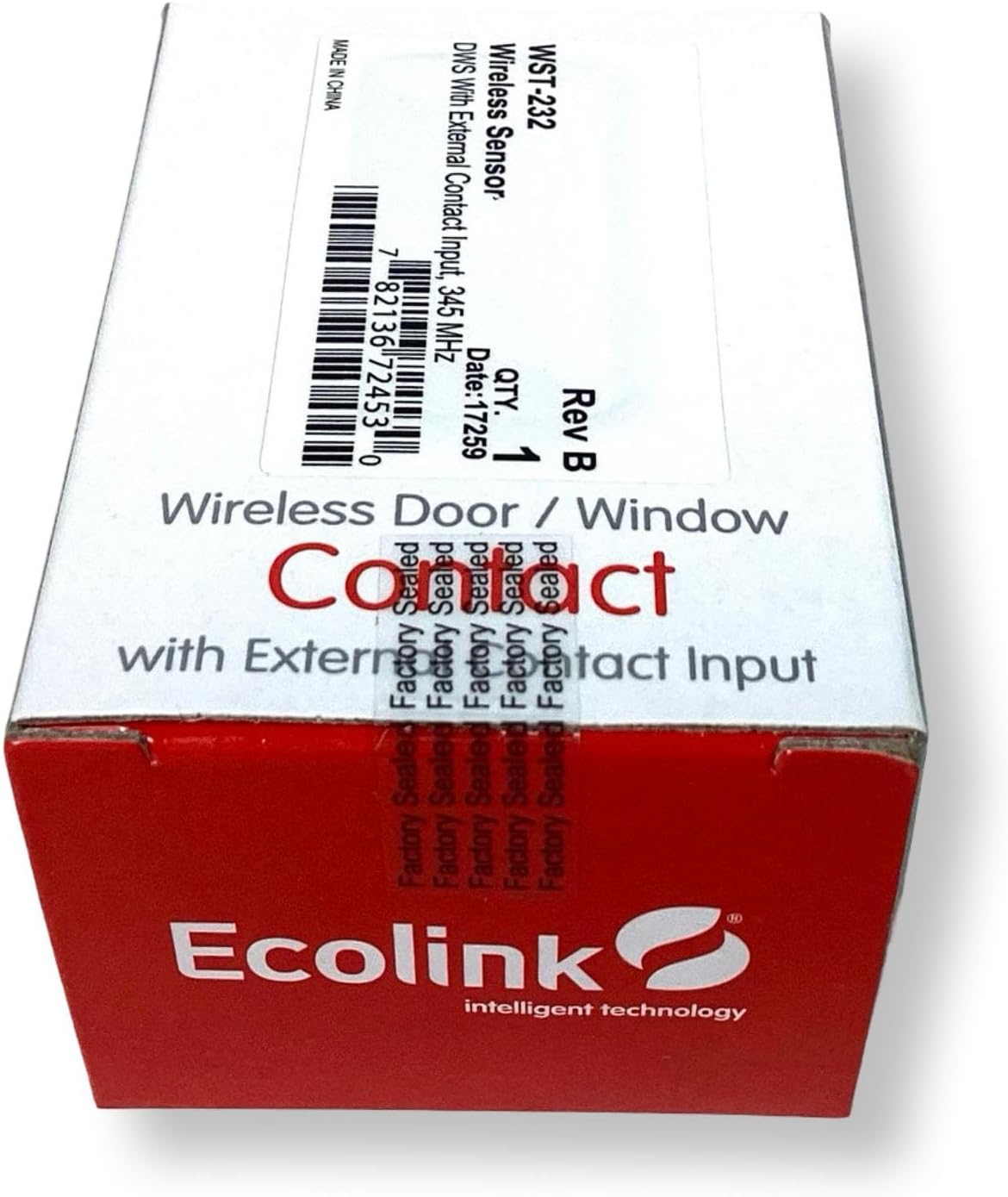
Сүрөт: Ecolink WST-232 sensor components including the main unit, magnet, and mounting screws.
Бурамаларды колдонуу:
- Position the main sensor unit on the stationary frame and the magnet on the moving part (door/window).
- Бурама тешиктерди белгилеңиз.
- Зарыл болсо, пилоттук тешиктерди бургула.
- Secure both the sensor and magnet with the provided screws.
Using Adhesive Tape (not recommended for long-term security):
- Орнотуучу беттерди кылдаттык менен тазалаңыз.
- Apply adhesive tape to the back of the sensor and magnet.
- Press firmly onto the desired surfaces for at least 30 seconds.
4. External Contact Input
The WST-232 includes an external contact input for integrating other wired devices, such as recessed door contacts or pressure mats. Connect the two wires from your external device to the red and black wires of the WST-232 sensor. The sensor will transmit a signal when the external contact opens or closes.
Сенсорду иштетүү
Once installed and enrolled, the Ecolink WST-232 sensor operates automatically. When the door or window it is monitoring opens, separating the magnet from the main unit (or opening the external contact), the sensor will transmit a signal to your security panel. This signal indicates an "open" state. When the door or window closes, bringing the magnet back into proximity (or closing the external contact), the sensor transmits a "closed" state signal.
Your security panel will then react according to its programming (e.g., trigger an alarm if the system is armed, log the event).
Техникалык тейлөө
Батареяны алмаштыруу
The sensor uses one CR2032 lithium battery. When the battery level is low, your security panel will typically display a low battery warning for the corresponding zone. To replace the battery:
- Put your security panel into disarm or test mode to prevent false alarms.
- Сенсорду акырын ачыңызasing.
- Эски CR2032 батареясын алып салыңыз.
- Туура полярдуулукту (+ тарабы өйдө каратып) текшерип, жаңы CR2032 батарейкасын салыңыз.
- Сенсорду жабуу casing коопсуз.
- Test the sensor to ensure it communicates with the panel.
Тазалоо
Clean the sensor and magnet with a soft, dry cloth. Do not use liquid cleaners or abrasive materials, as these can damage the device.
Проблемаларды чечүү
| Көйгөй | Мүмкүн себеп | Чечим |
|---|---|---|
| Sensor not enrolling with panel. | Incorrect panel programming mode; sensor not activated; battery low/dead. | Ensure panel is in correct enrollment mode. Activate sensor multiple times. Replace battery. Check panel manual for specific steps. |
| Sensor not detecting open/close. | Magnet too far from sensor; incorrect mounting; dead battery. | Verify magnet is within 0.5 inches of the sensor. Re-mount if necessary. Replace battery. |
| External contact not working. | Incorrect wiring; faulty external device. | Check wiring connections to the WST-232. Test the external device independently. |
| Low battery warning on panel. | Батареянын иштөө мөөнөтү аяктап баратат. | Replace the CR2032 battery as soon as possible. |
Техникалык шарттар
- Модел: WST-232
- Шайкештик: Honeywell 5800 Wireless, 2GIG
- Өлчөмдөрү: 3 x 1.7 x 1 дюйм (болжол менен)
- Батарея: 1 x CR2032 Lithium Coin Cell
- Иштөө жыштыгы: 345 МГц
- Өндүрүүчү: Ecolink Intelligent Technology Inc
- UPC: 657479755391
Кепилдик жана техникалык колдоо
For warranty information and technical assistance, please refer to the official Ecolink webсайтка же түздөн-түз кардарларды колдоо менен байланышыңыз. Сатып алганыңыздын далили катары сатып алуу дүмүрчөгүңүздү сактаңыз.
Ecolink Webсайт: www.ecolink.com


