Introduction
This manual provides instructions for the setup, operation, maintenance, and troubleshooting of your amazon basics Pro Series Dual Connectivity Rechargeable Gaming Mouse, Model ABIM10. Please read this manual thoroughly before using the product to ensure proper functionality and to maximize your gaming and computing experience.
Продукт бүттүview
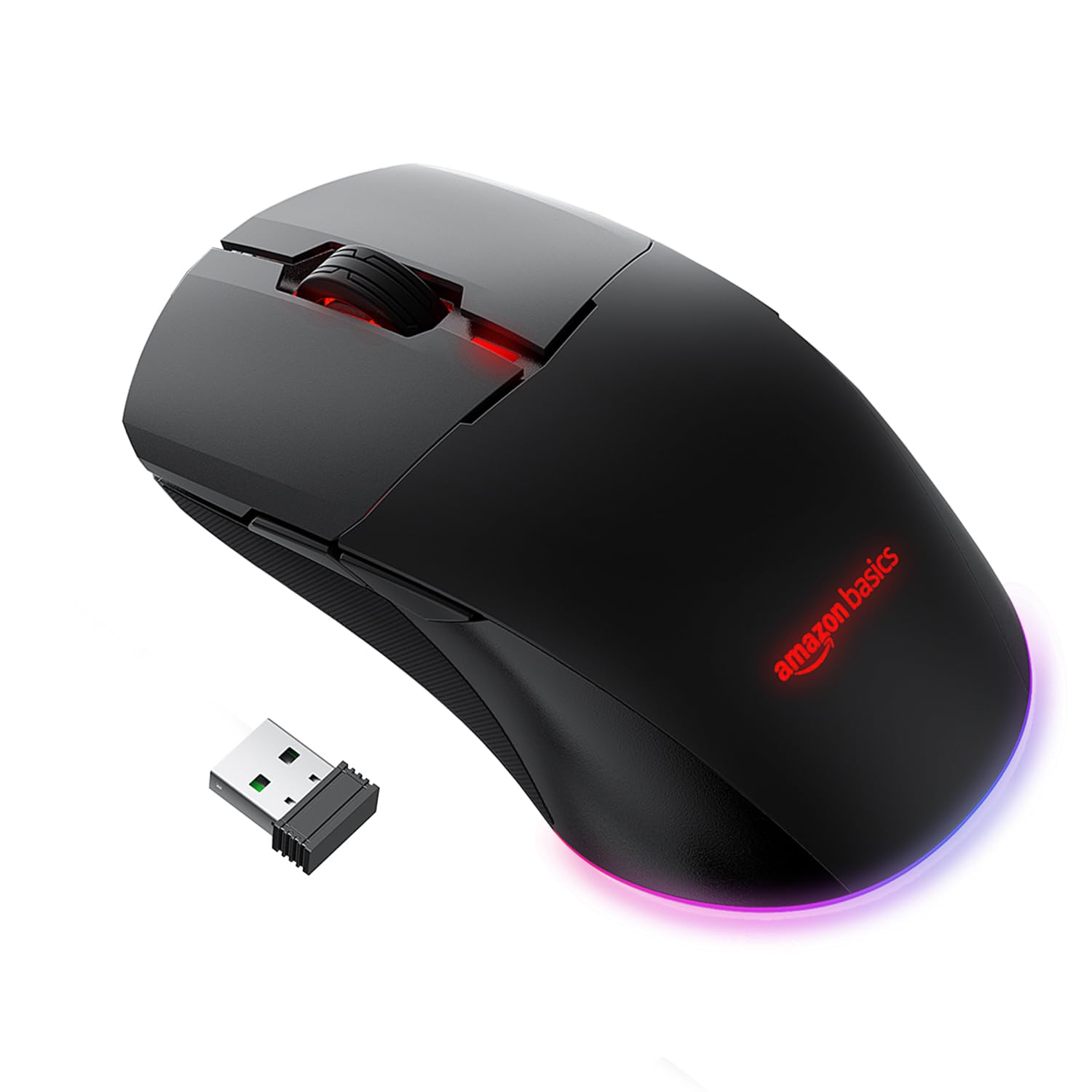
The amazon basics Pro Series Gaming Mouse features dual connectivity (Bluetooth and 2.4GHz wireless), 8 programmable buttons, and an optical sensor with up to 16000 DPI. It is designed for comfort and precision.

1-сүрөт: Бүттүview of the mouse buttons, including Left Click, Right Click, Anti-Skid Scroll Wheel, DPI button, Forward button, and Backward button.
2-сүрөт: Adjustable DPI settings, indicating a range from 800 to 16000 DPI for precise control.
Жайгашуу
1. Чычканды заряддоо
The mouse is powered by a 650 mAh rechargeable battery. A full charge takes approximately 2 hours and provides up to 50 hours of usage.
- Берилген USB заряддоо кабелин чычкандын заряддоо портуна туташтырыңыз.
- USB кабелинин экинчи учун компьютериңиздеги кубат берүүчү USB портуна же USB дубал адаптерине туташтырыңыз.
- The mouse's indicator light will show charging status (refer to product for specific light behavior).

3-сүрөт: Mouse connected via USB cable for charging or wired operation.
2. Байланыш режимдери
The mouse supports three connectivity options: Wired, 2.4GHz Wireless, and Bluetooth.
Зымдуу туташуу
- Connect the provided USB cable directly from the mouse to your computer's USB port.
- The mouse will function immediately as a wired device.
2.4 ГГц зымсыз туташуу (USB Dongle)
- Locate the USB dongle, usually stored in a compartment on the underside of the mouse.
- USB жабдыгын компьютериңиздеги жеткиликтүү USB портуна сайыңыз.
- Turn on the mouse. Observe the RGB light bar. If it is BLUE, the mouse is in Bluetooth mode.
- To switch to 2.4GHz mode, press and hold the DPI button located on the underside of the mouse, next to the sensor.
- The RGB light bar will turn GREEN, indicating the mouse is now in 2.4GHz wireless mode.
- Компьютериңиз чычканды автоматтык түрдө аныктап, ага туташышы керек.
Bluetooth туташуу
- Turn on the mouse. If the RGB light bar is GREEN, the mouse is in 2.4GHz mode.
- To switch to Bluetooth mode, press and hold the DPI button on the underside of the mouse until the RGB light bar turns BLUE.
- Жупташтыруу режимине өтүү үчүн басып, кармап туруңуз Сол чыкылдатуу, Middle Click (Scroll Wheel), жана Оң чыкылдатуу buttons simultaneously for approximately 5 seconds.
- The RGB light bar will flash BLUE, indicating the mouse is in Bluetooth pairing mode.
- Компьютериңизде же түзмөгүңүздө Bluetooth жөндөөлөрүн ачып, жаңы түзмөктөрдү издеңиз.
- Select the "amazon basics Gaming Mouse" (or similar name) from the list of available devices to pair.
- Once paired, the blue light will stop flashing and remain solid, or turn off, depending on the mouse's design.
Операция
1. DPI жөндөө (сезимдүүлүк)
The mouse features adjustable DPI settings up to 16000 DPI, allowing you to customize cursor speed and precision.
- To change DPI, press the DPI баскычы located on the underside of the mouse.
- Each press cycles through predefined DPI levels (e.g., 800, 1200, 1600, 2400, 5000, 16000).
- The mouse's RGB lighting may change color to indicate the current DPI level (refer to product for specific color indications).
2. Программалоочу баскычтарды колдонуу
The mouse includes 8 programmable buttons (Left Click, Right Click, Scroll Wheel, DPI, Forward, Backward, and two additional buttons if applicable). These buttons can be customized for various functions.
- Демейки функциялар: The Forward and Backward buttons typically navigate web беттер же file папкалар.
- Ыңгайлаштыруу: To program the buttons, you may need to download specific software from the amazon basics support website. Follow the software's instructions for assigning custom macros or functions.
Техникалык тейлөө
1. Тазалоо
To maintain optimal performance, keep your mouse clean.
- Чычкандын бетин сүртүү үчүн жумшак, кургак чүпүрөктү колдонуңуз.
- өжөр кир үчүн, бир аз гampчүпүрөктү суу же жумшак тазалоо эритмеси менен жууп салыңыз. Катуу химиялык заттардан алыс болуңуз.
- Clean the optical sensor on the underside of the mouse periodically with a cotton swab to ensure accurate tracking.
2. Батареяга кам көрүү
The mouse uses a rechargeable battery. Follow these guidelines for battery longevity:
- Charge the mouse when the battery is low to prevent interruptions.
- Чычканды батарейканын иштөө мөөнөтүнө таасир этиши мүмкүн болгон экстремалдуу температуралардын таасиринен сактаңыз.
- Чычканды узак убакытка сактасаңыз, сактоо алдында аны болжол менен 50% га чейин заряддаңыз.
Проблемаларды чечүү
- Чычкан жооп бербей жатат:
Ensure the mouse is charged. Check the connection mode (Wired, 2.4GHz, Bluetooth) and ensure it matches your computer's connection. For 2.4GHz, ensure the USB dongle is securely plugged in. For Bluetooth, ensure it's paired correctly and your device's Bluetooth is enabled. Try restarting your computer. - Connectivity issues (frequent disconnections):
Ensure the mouse is within range of the USB dongle or Bluetooth device. Avoid interference from other wireless devices. For Bluetooth, try re-pairing the mouse. Ensure the mouse is fully charged. - DPI өзгөрбөйт:
Ensure you are pressing the correct DPI button on the underside of the mouse. If the issue persists, try connecting the mouse to another computer to rule out software conflicts. - Scroll wheel acting erratically:
Clean the scroll wheel area to remove any dust or debris. If the issue persists, it may indicate a hardware fault. - Buttons not programmable:
Ensure you have downloaded and installed the correct customization software for your amazon basics gaming mouse from the official website. Follow the software's instructions carefully.
Техникалык шарттар
| Бренд | amazon негиздери |
| Модель номери | ABIM10 |
| Байланыш технологиясы | Bluetooth, 2.4GHz Wireless, Wired (USB) |
| Кыймылды аныктоо технологиясы | Оптикалык |
| DPI диапазону | 16000 XNUMX DPI чейин |
| Программалануучу баскычтар | 8 |
| Батарея түрү | 650 mAh Rechargeable |
| Заряддоо убактысы | Болжол менен 2 саат |
| Колдонуу убактысы | 50 саатка чейин |
| Продукциянын өлчөмдөрү (LxWxH) | 13 x 7.5 x 4.2 см |
| Элемент Салмагы | 87 г |
| Аппараттык платформа | PC |
| Операциялык системанын шайкештиги | Linux, Windows 7, Windows XP (жана андан кийинки версиялары) |

4-сүрөт: Mouse dimensions for reference.
Кепилдик жана колдоо
Кепилдик маалымат
This amazon basics product comes with a 1 жылдык кепилдик from the date of purchase. Please retain your proof of purchase for warranty claims. The warranty covers manufacturing defects and normal use. It does not cover damage caused by misuse, accidents, unauthorized modifications, or normal wear and tear.
Кардарларды колдоо
For technical assistance, warranty claims, or further information, please contact the retailer where you purchased the product or visit the official amazon basics support website. Refer to your purchase documentation for specific contact details.


