1. Киришүү
This manual provides detailed instructions for the Timberland TDWGP2104704 digital watch. Please read this manual thoroughly before using your watch to ensure proper operation and care. Keep this manual for future reference.
2. Продукт бүтүп калдыview
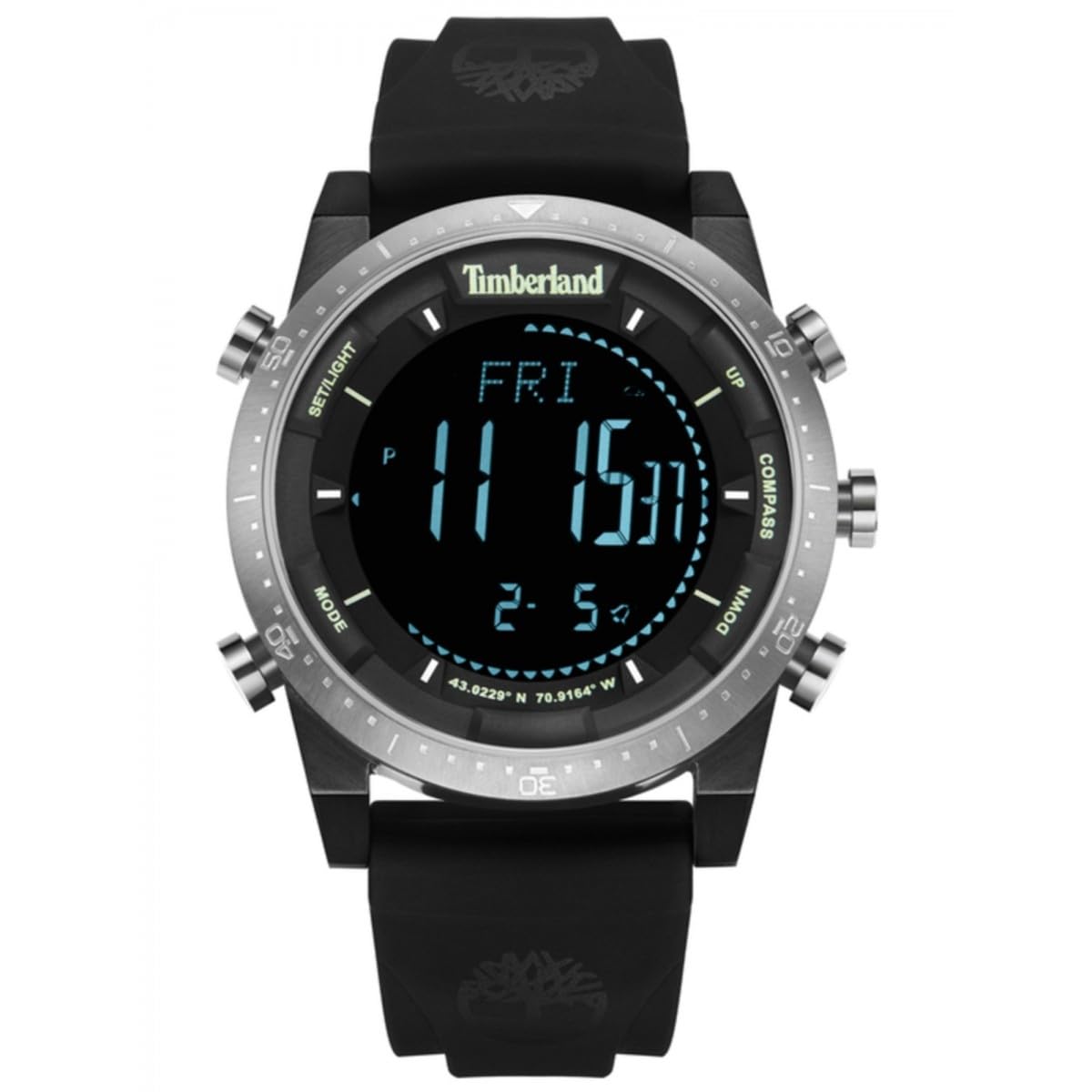
The Timberland TDWGP2104704 is a men's digital watch featuring a round case and a durable black strap. It is designed for everyday use and offers essential timekeeping functions.
2.1 Компоненттер
- Санариптик дисплей: Убакытты, датаны жана башка функцияларды көрсөтөт.
- Башкаруу баскычтары: Used for setting and navigating watch functions.
- Watch Case: Round, made of stainless steel.
- Саат боосу: Black, flexible material with a buckle closure.
- Корпустун арткы бети: Engraved with model information and water resistance rating.
Сүрөт: Арткы view of the Timberland TDWGP2104704 digital watch. The stainless steel case back is visible, engraved with '5 ATM WATER RESISTANT', 'ALL STAINLESS STEEL', 'Timberland', and the model identifier 'GP21047'. Three control buttons are visible on the side of the case. The black strap and its buckle are also shown.
3. Орнотуу
3.1 Initial Power On / Display Activation
If the watch display is not active, press any button to activate it. The watch may be in a power-saving mode to conserve battery life.
3.2 Убакытты жана датаны орнотуу
- басып, кармап туруңуз Mode button (typically located on the left side) until the time display begins to flash, indicating setting mode.
- колдонуу Тууралоо or коюу button (typically on the right side) to change the flashing hour value.
- басыңыз Mode button again to move to the minute setting, then use the Тууралоо мүнөт коюу үчүн баскыч.
- Continue this process for setting the year, month, and day, pressing the Mode button to cycle through each setting.
- Бардык орнотуулар аяктагандан кийин, басыңыз Mode button one last time or wait for the display to stop flashing to save the settings and exit setting mode.
Note: Specific button functions and labels may vary. Refer to the watch's physical buttons for exact labels or intuitive operation.
4. Саатты иштетүү
4.1 Basic Time Display
The watch primarily displays the current time (hours, minutes, seconds) in a clear digital format.
4.2 Дисплей режимдерин которуу
басыңыз Mode button briefly to cycle through different display modes. These may include:
- Date display (Month, Day, Year)
- Ойготкуч функциясы
- Секундомер функциясы
- Таймер функциясы
Consult the watch's interface to identify all available modes and their specific indicators.
4.3 Ойготкучту колдонуу
- колдонуп, ойготкуч режимине өтүңүз Mode баскычы.
- басып, кармап туруңуз коюу сигнал орнотуу режимине кирүү үчүн баскыч.
- колдонуп, ойготкучтун убактысын тууралаңыз Тууралоо баскычы.
- Activate or deactivate the alarm using a designated button (e.g., Start/Stop or a specific alarm ON/OFF button).
4.4 Секундомерди колдонуу
- Navigate to the stopwatch mode using the Mode баскычы.
- басыңыз Баштоо убакытты белгилөөнү баштоо үчүн баскыч.
- басыңыз Токто button to pause or end timing.
- басыңыз Калыбына келтирүү Секундомерди нөлгө түшүрүү үчүн баскычты басыңыз.
5. Техникалык тейлөө жана кам көрүү
5.1 Тазалоо
Сааттын корпусун жана боосун жумшак, бир аз нымдуу аарчыңызamp cloth. Avoid using harsh chemicals, solvents, or abrasive materials, as these can damage the watch's finish and seals.
5.2 Сууга туруктуулук
This watch is rated 5 ATM (50 meters) water resistant. This means it is suitable for everyday use and can withstand splashes, rain, and brief immersion in water (e.g., washing hands). It is сунушталбайт for swimming, diving, or prolonged water activities. Do not operate any buttons while the watch is submerged in water.
5.3 Батареяны алмаштыруу
When the display dims, becomes erratic, or stops functioning, the battery may need replacement. Battery replacement should be performed by a qualified watch technician to ensure proper sealing and maintenance of water resistance.
6. Кыйынчылыктарды
6.1 Watch Display is Blank
- Press any button to check if the watch is in power-saving mode.
- Батарея түгөнүп калышы мүмкүн. Батареяны кесипкөй алмаштырууну карап көрүңүз.
6.2 Убакыт туура эмес көрсөтүлүүдө
- 3.2-бөлүмдөгү көрсөтмөлөргө ылайык убакытты жана күндү кайра коюңуз.
- Ensure the watch is not exposed to strong magnetic fields, which can affect accuracy.
6.3 Баскычтар жооп бербейт
- Ensure the watch is not wet or submerged, especially if buttons were pressed underwater.
- If the issue persists after drying, contact customer support.
7. Техникалык шарттар
| Өзгөчөлүк | Деталь |
|---|---|
| Бренд | Тимберленд |
| Модель номери | TDWGP2104704 |
| Type | Санариптик саат |
| Гендер | Эркектер |
| Case Shape | Тегерек |
| Иштин материалы | Дат баспаган болот |
| Боонун түсү | Кара |
| Суу каршылык | 5 банкомат (50 метр) |
| Элемент Салмагы | 152 грамм |
| Пакеттин өлчөмдөрү | 3.6 x 3.5 x 1.5 см |
| Өндүрүүчү | TIMBERLAND |
8. Кепилдик жана колдоо
For warranty information and customer support, please refer to the official Timberland website or contact your authorized retailer. Keep your purchase receipt as proof of purchase for any warranty claims.
Кошумча жардам алуу үчүн төмөнкүгө кириңиз: www.timberland.com


