1. Киришүү
This manual provides essential information for the safe and efficient operation, maintenance, and troubleshooting of your ILIFE A10s Robotic Vacuum Cleaner. Please read this manual thoroughly before using the product and retain it for future reference.
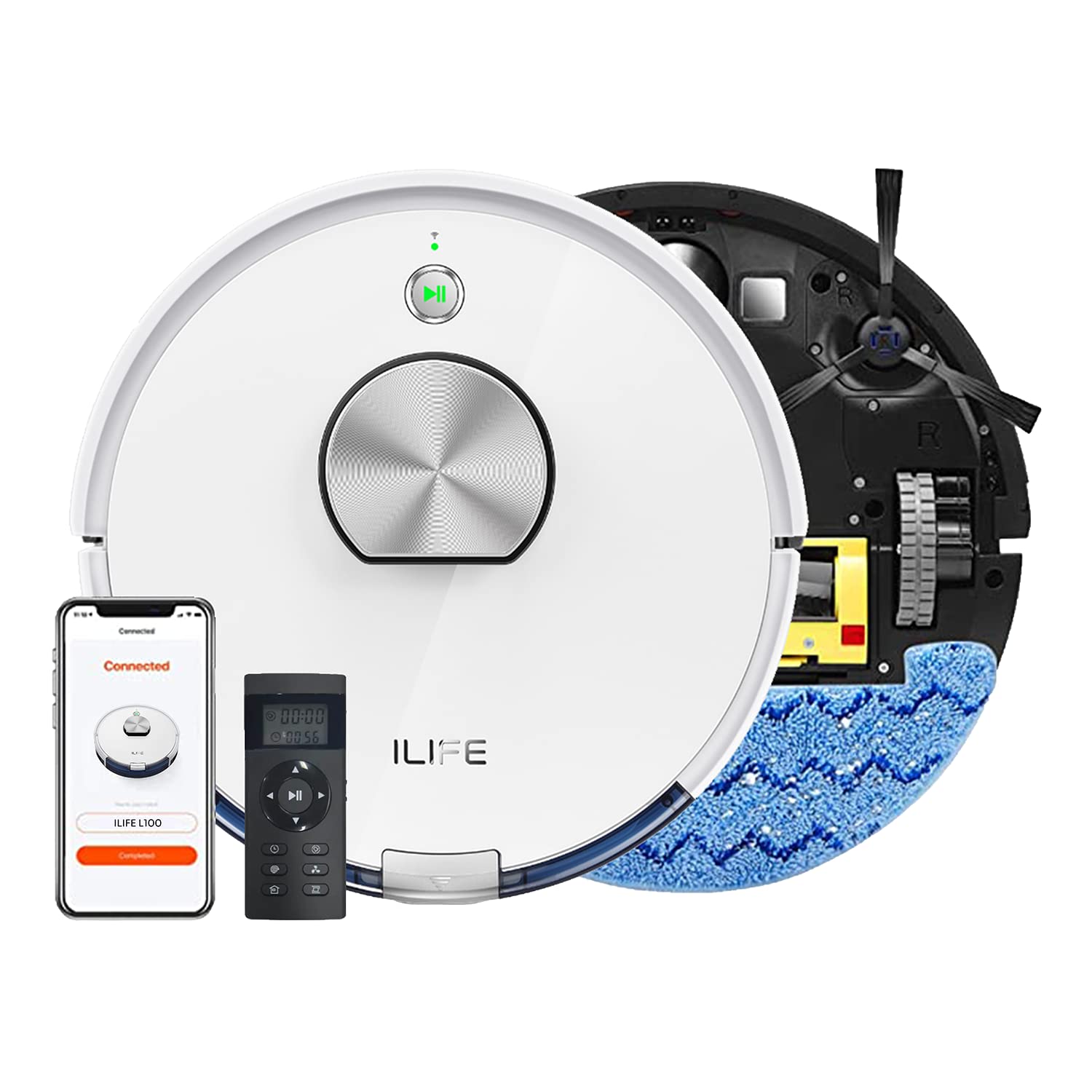
The ILIFE A10s Robotic Vacuum Cleaner, designed for efficient home cleaning.
2. Коопсуздук нускамалары
Жаракат алуу же зыян келтирүү коркунучун азайтуу үчүн төмөнкү коопсуздук чараларын сактаңыз:
- Read all instructions before operating the robot.
- Балдарга же үй жаныбарларына робот менен ойноого уруксат бербеңиз. Робот иштеп жатканда балдарды көзөмөлдөңүз.
- Роботту нымдуу чөйрөдө же сууга жакын жерде колдонбоңуз.
- Remove loose cables, small objects, and fragile items from the cleaning path before operation.
- Ensure the charging dock is placed on a level surface against a wall, with adequate clear space around it.
- Роботту чоң таштандыларды, суюктуктарды же күйүүчү/тамеки тартуучу материалдарды алуу үчүн колдонбоңуз.
- Only use the original power adapter and charging dock provided with the robot.
3. Продукт бүтүп калдыview
The ILIFE A10s is a versatile robotic vacuum cleaner featuring powerful suction, customized schedule cleaning, and both vacuuming and mopping capabilities. It is suitable for hard floors and low-pile carpets.
Компоненттер
- Негизги робот блогу
- Заряддоо док
- Кубаттуу адаптер
- контейнери
- Water Tank (for mopping)
- Side Brushes
- Негизги щетка
- Жогорку өндүрүмдүү чыпка
- Тазалоо куралы
Жогорку view of the ILIFE A10s Robotic Vacuum Cleaner, showing its sleek design.
Төмөнкү view of the ILIFE A10s Robotic Vacuum Cleaner, illustrating the main brush and side brushes.
4. Орнотуу
4.1 Пакеттен чыгаруу
Carefully remove all components from the packaging. Ensure all packing materials are removed from the robot and its accessories.
4.2 Заряддоо докунун жайгашуусу
Place the charging dock on a hard, level surface against a wall. Ensure there is at least 1 meter (3 feet) of clear space on both sides and 2 meters (6 feet) in front of the dock for optimal navigation.
The ILIFE A10s Robotic Vacuum Cleaner automatically returning to its charging station.
4.3 Алгачкы заряддоо
Connect the power adapter to the charging dock and plug it into a wall outlet. Place the robot onto the charging dock. For first-time use, charge the robot for at least 5-6 hours to ensure the battery is fully conditioned.
4.4 Колдонмону орнотуу жана жупташтыруу
Download the official ILIFE app from your smartphone's app store. Follow the in-app instructions to pair your ILIFE A10s with your device. This enables advanced features like customized scheduling, zone cleaning, and multi-floor mapping.
5. Иштөө нускамалары
5.1 Күйгүзүү/өчүрүү
Press and hold the power button on the robot for a few seconds to power it on or off.
5.2 Тазалоо циклин баштоо
Press the power button once to start an automatic cleaning cycle. Alternatively, use the mobile app or voice commands (via Alexa) to initiate cleaning.
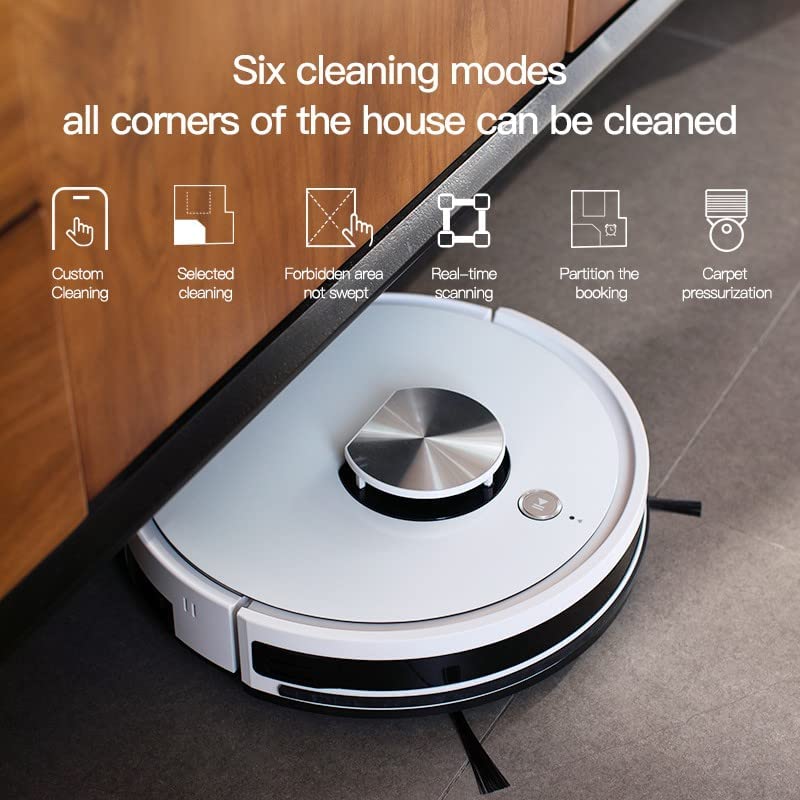
5.3 Тазалоо режимдери
The ILIFE A10s offers multiple cleaning modes for various needs:
- Ыңгайлаштырылган тазалоо: Define specific areas to clean via the app.
- Selected Cleaning: Choose specific rooms or zones for cleaning.
- Forbidden Area: Робот качышы керек болгон жерлерди белгилеңиз.
- Real-time Scanning: The robot maps its environment in real-time for efficient navigation.
- Partition Cleaning: Divide your home into sections for targeted cleaning.
- Carpet Pressurization: Automatically increases suction power when detecting carpets.

Illustration of various cleaning modes and mapping features available with the ILIFE A10s.
5.4 Чыпкалоо функциясы
Attach the water tank and mopping pad to enable the wet mopping function. The robot features an independent motor that drives the water tank to mop the floor with vibrating and friction movements. You can adjust between 3 levels of water flow via the app.
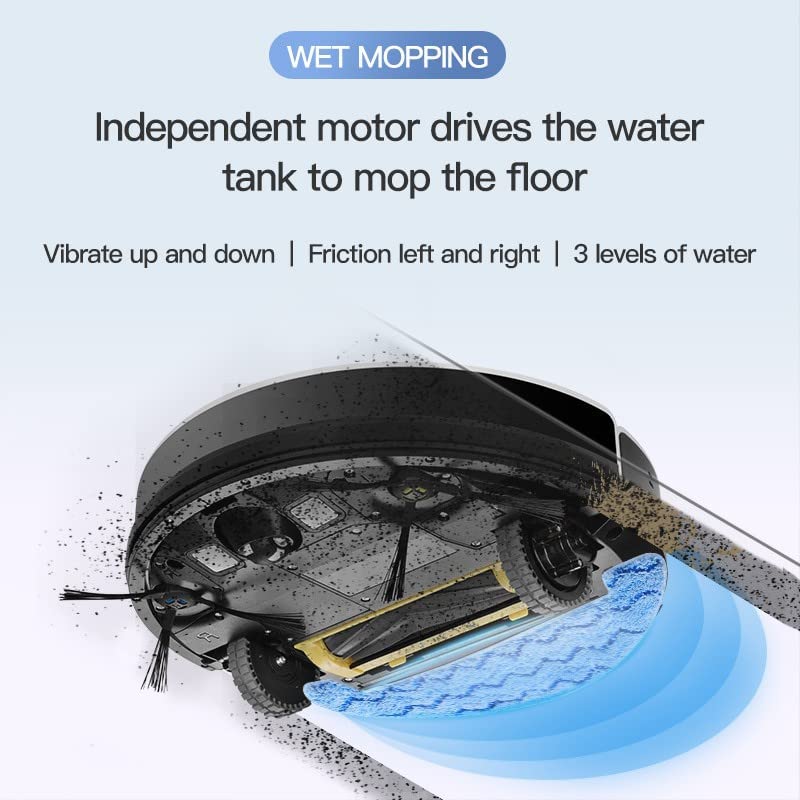
The wet mopping function of the ILIFE A10s Robotic Vacuum Cleaner, showing water tank and cleaning action.

The Patent Vibrating Water Tank of the ILIFE A10s, capable of 12,000 vibrations/min for deep cleaning.
5.5 Multi-floor Mapping and Scheduling
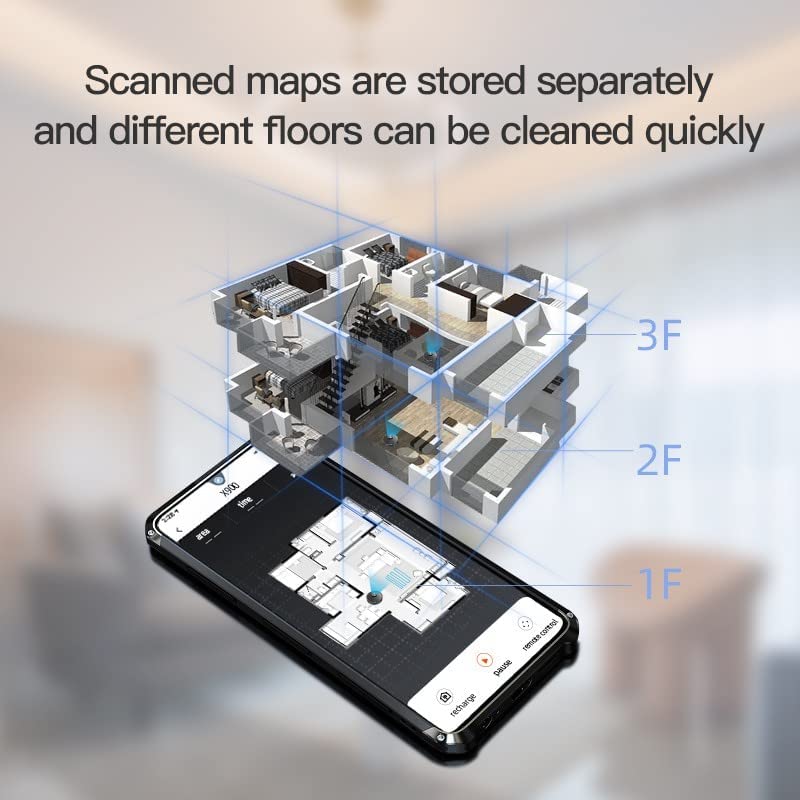
The A10s can store scanned maps for different floors, allowing quick cleaning. You can also set customized cleaning schedules for specific rooms or times using the mobile application.

The ILIFE A10s supports multi-floor mapping and allows scheduling cleanings for specific rooms.
5.6 Automatic Recharge
When the battery level is low, the robot will automatically return to its charging dock. It will resume cleaning from where it left off after being fully charged.
5.7 Продукциянын видеолору
Demonstration of ILIFE A10s Robotic Vacuum Cleaner features and operation.
Бүттүview of ILIFE A10s Robotic Vacuum Cleaner capabilities.
6. Техникалык тейлөө
Regular maintenance ensures optimal performance and extends the lifespan of your ILIFE A10s.
6.1 Dustbin Cleaning
Empty the Cellular Dustbin after each use. The advanced design separates larger debris from fine dust, maintaining suction power. Remove the dustbin, open it, and discard collected debris. Clean the filter as described below.

Detailed diagram of the Cellular Dustbin for the ILIFE A10s, showing components for cleaning.
6.2 Фильтрди тазалоо/алмаштыруу
Tap the filter to remove loose dirt. For thorough cleaning, rinse the filter under running water. Ensure the filter is completely dry before reinserting it into the dustbin. Replace the filter every 3-6 months, depending on usage.
6.3 Щетканы тазалоо
- Негизги щетка: Remove the main brush cover and lift out the brush. Use the provided cleaning tool to remove hair and debris.
- Каптал щеткалар: Periodically check side brushes for tangled hair or debris. Gently pull them off to clean and reattach. Replace if worn.
6.4 Суу багын жана сүртүүчү аянтты тазалоо
After mopping, empty any remaining water from the tank. Rinse the water tank and mopping pad with clean water. Allow them to air dry completely before storage or next use.
6.5 Сенсорду тазалоо
Wipe the cliff sensors, wall sensors, and charging contacts on the robot and charging dock with a clean, dry cloth to ensure proper operation.
7. Кыйынчылыктарды
If your ILIFE A10s encounters an issue, refer to the following common solutions:
| Көйгөй | Мүмкүн себеп | Чечим |
|---|---|---|
| Робот күйбөйт | Батареянын аздыгы; Кубат баскычы туура басылган жок | роботту заряддоо; Кубат баскычын 3 секунд басып туруңуз. |
| Робот заряддалбай жатат | Заряддоо контакттары кир; Заряддоочу ток жок | Clean charging contacts; Ensure power adapter is plugged in. |
| Робот бат-баттан тыгылып калат | Жолдогу тоскоолдуктар; Жар сенсорлору кир | Тоскоолдуктарды тазалоо; Аскалардын сенсорлорун тазалоо. |
| Начар тазалоо көрсөткүчү | таштанды челек толгон; щеткалар чаташкан; Фильтр бүтүп калды | Таштанды челекти бошотуңуз; Щеткаларды тазалаңыз; Фильтрди тазалаңыз/алмаштырыңыз. |
| Шыпыруу функциясы иштебей жатат | Water tank empty; Mopping pad not attached | Fill water tank; Attach mopping pad correctly. |
For persistent issues, please contact ILIFE customer support.
8. Техникалык шарттар
| Өзгөчөлүк | Деталь |
|---|---|
| Модел | A10s |
| Бренд | ILIFE |
| Элемент Салмагы | 5 кг 920 г |
| Controller Type | Alexa, Voice Control, App Control |
| Батареялар камтылган | Ооба |
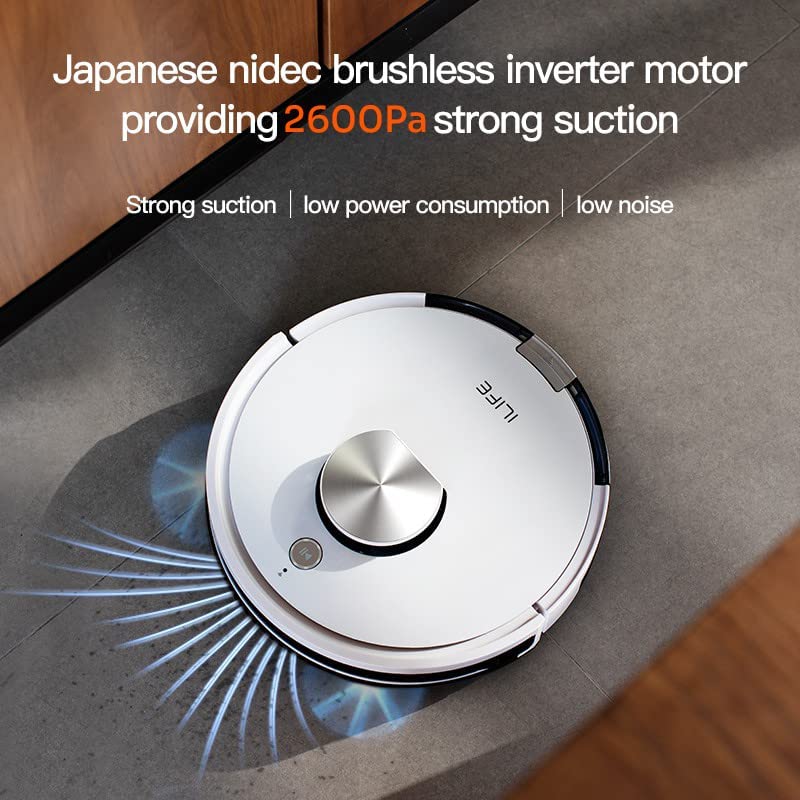
| Соруу күчү | 2600Па чейин |
| Тазалоо режимдери | Custom, Selected, Forbidden Area, Real-time Scanning, Partition, Carpet Pressurization |
| Чыпкалоо өзгөчөлүгү | Vibrating Water Tank, 3 Water Levels |
| Навигация | Smart Laser Navigation and Mapping |
| Dustbin Type | Cellular Dustbin |
9. Кепилдик жана колдоо
Your ILIFE A10s Robotic Vacuum Cleaner comes with a 1 Year Onsite Service warranty. For product knowledge, product demonstrations, home installation, product service, or pre-sale queries, please contact ILIFE customer support.

ILIFE India Pan India Offices and support contact number: 1800 258 5433.