1. Киришүү
This manual provides detailed instructions for the setup, operation, and maintenance of your VYSER F2 Projector. Please read this manual thoroughly before using the projector to ensure proper functionality and to maximize your viewing experience. The VYSER F2 Projector is a versatile device designed for various entertainment and presentation needs, offering high-definition projection with multiple connectivity options.
2. Кутуда эмне бар
Upon unboxing your VYSER F2 Projector, please verify that all the following items are included:
- VYSER F2 Projector
- Алыстан башкаруу
- Колдонуучунун Колдонмосу (бул документ)
- HDMI кабели
- Электр кабели
3. Продукт бүтүп калдыview
Familiarize yourself with the components and ports of your VYSER F2 Projector.

Figure 3.1: VYSER F2 Projector with key features highlighted.
3.1 Фронт View
- Фокустук линза: Проекцияланган сүрөттүн ачыктыгын тууралайт.
- IR алуучу: Алыстан башкаруу пультунан сигналдарды алат.
3.2 Side and Rear Views (Ports and Controls)
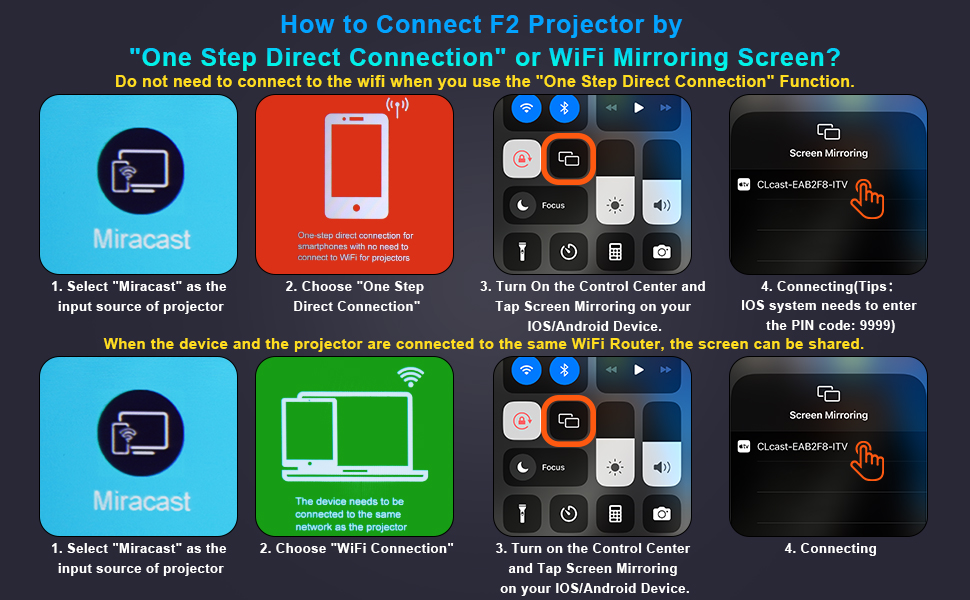
Figure 3.2: Multiple connection options on the VYSER F2 Projector.
- HDMI порттору (x2): Connect to devices like laptops, TV sticks, gaming consoles (e.g., PS5/Xbox).
- USB порттору (x2): Медиа ойнотуу үчүн USB дисктерди туташтырыңыз.
- AV порт: Connect to older devices using an AV cable.
- 3.5 мм аудио чыгышы: Тышкы динамиктерди же гарнитураны туташтырыңыз.
- Кубат киргизүү: Электр кабелин туташтырыңыз.
- Cooling Windows: Жылуулуктун таралышы үчүн туура вентиляцияны камсыз кылыңыз.
- Борттогу башкаруу элементтери: Buttons for power, menu, input source, and navigation.
3.3 360 Degree View of the Projector
Video 3.1: A comprehensive 360-degree view of the VYSER F2 Projector, showcasing its design and various ports from all angles.
4. Орнотуу
Follow these steps to set up your VYSER F2 Projector for the first time.
4.1 Орнотуу
Place the projector on a stable, flat surface. Ensure there is adequate ventilation around the projector to prevent overheating. The projection distance can range from 5-15 feet, allowing for an adjustable screen size of 50-300 inches.
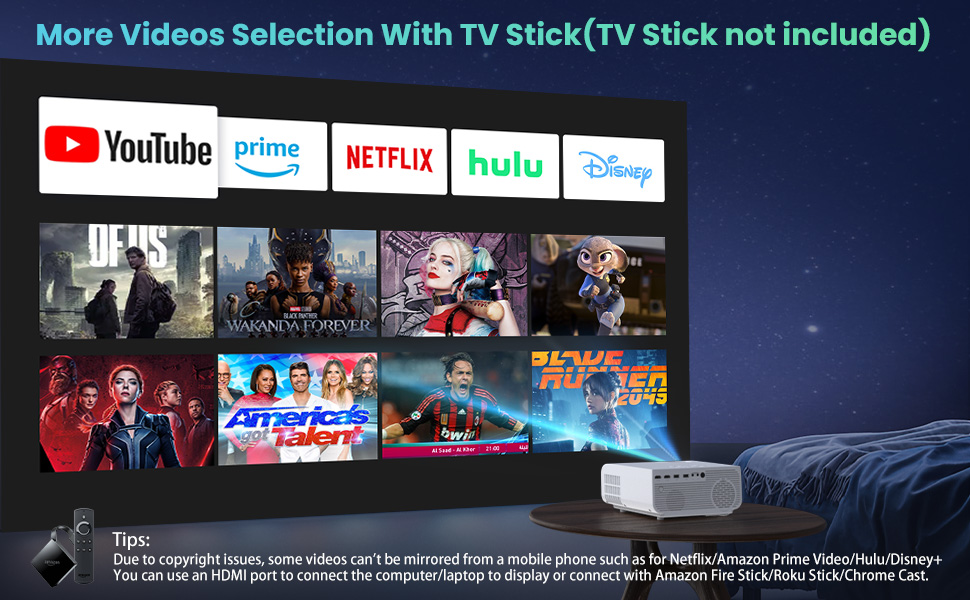
Figure 4.1: Adjustable display size from 50 to 300 inches.
The projector can be placed on a table, mounted on a tripod, or ceiling-mounted. Use the adjustable foot at the bottom of the projector to fine-tune the projection angle if needed.
4.2 Кубат туташтыруу
- Connect the power cable to the Power Input port on the projector.
- Электр кабелинин экинчи учун розеткага сайыңыз.
- Press the Power button on the projector or remote control to turn it on.
4.3 Фокустоо жана Keystone коррекциясы
- Фокусту тууралоо: Rotate the focus lens ring on the front of the projector until the image appears clear and sharp.
- Негизги ташты оңдоо: Use the keystone correction dial (usually on top or side) to adjust the image shape if it appears trapezoidal. The projector supports ±15° keystone correction.
5. Иштөө нускамалары
Learn how to connect your devices and utilize the various features of your projector.
5.1 Түзмөктөрдү туташтыруу
The VYSER F2 Projector offers multiple ways to connect your devices:
- HDMI: For high-definition video and audio from laptops, gaming consoles, TV boxes, etc.
- USB: Медиа ойнотуу үчүн fileтүздөн-түз USB флэш-дискинен.
- OF: For connecting older devices with AV output.
5.2 Wireless Connectivity (Screen Mirroring)
The projector supports 5G/2.4G WiFi for seamless screen mirroring from your smartphone or tablet.
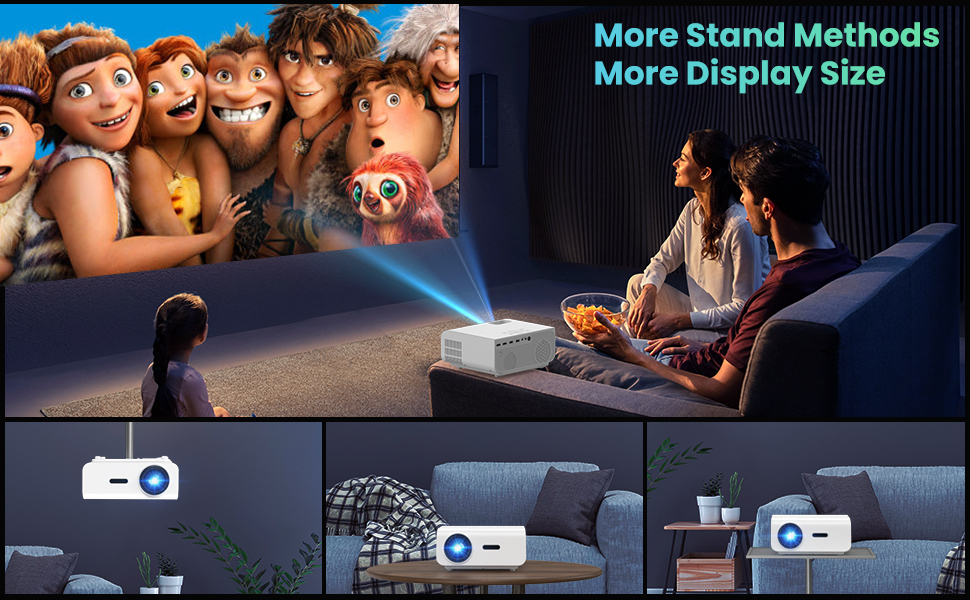
Figure 5.1: 5G/2.4G WiFi Screen Mirroring for various devices.
One-Step Direct Connection: This feature allows direct connection to your phone without needing a WiFi network. Ideal for outdoor use or when a router is unavailable.
Video 5.1: Demonstration of the F2 Projector's One-Step Direct Connection with WiFi and Bluetooth, showing quick setup for phone mirroring.
For detailed steps on screen mirroring, refer to the on-screen instructions by selecting "Miracast" from the input source menu.
Note: Due to copyright restrictions, some streaming services (e.g., Netflix, Amazon Prime Video, Hulu, Disney+) may block screen mirroring. For these services, it is recommended to use an HDMI connection with a compatible device like a Fire TV Stick, Roku Stick, or laptop.
5.3 Bluetooth байланышы
The projector features Bluetooth 5.1 for connecting to external Bluetooth speakers or headphones, enhancing your audio experience.

Figure 5.2: Bluetooth connection for external audio devices.
To connect: Navigate to the Bluetooth settings on the projector, enable Bluetooth, and select your desired audio device from the list of available devices. (Note: The projector connects to Bluetooth speakers, not directly to smartphones/tablets via Bluetooth for audio input).
5.4 Меню Навигациясы
Use the remote control or the on-board buttons to navigate the projector's menu. Options typically include input source selection, picture settings (brightness, contrast, color), sound settings, and system settings.
6. Техникалык тейлөө
Туура тейлөө проекторуңуздун узак иштөөсүн жана оптималдуу иштешин камсыз кылат.
- Линзаны тазалоо: Проектордун линзасын акырын тазалоо үчүн оптикалык линзалар үчүн атайын иштелип чыккан жумшак, мамыксыз чүпүрөктү колдонуңуз. Абразивдүү материалдардан же катуу химиялык заттардан алыс болуңуз.
- Чаңды тазалоо: Regularly clean the cooling vents to prevent dust buildup, which can affect performance and lifespan. Use a soft brush or compressed air.
- Сактагыч: Узак мөөнөткө пайдаланылбаганда, проекторду салкын, кургак жерде, эң жакшысы баштапкы таңгагында же коргоочу кутусунда сактаңыз.
- Туура өчүрүү: Проекторду өчүрүүдөн же жылдыруудан мурун ар дайым кубат баскычын колдонуп өчүрүп, муздаганга мүмкүнчүлүк бериңиз.
7. Кыйынчылыктарды
Эгерде сиз проекторуңуз менен көйгөйлөргө туш болсоңуз, төмөнкү жалпы көйгөйлөрдү чечүү кадамдарын караңыз:
| Көйгөй | Мүмкүн болгон себеп / Чечим |
|---|---|
| Сүрөт жок же "Сигнал жок" деген билдирүү жок |
|
| бүдөмүк сүрөт |
|
| Трапеция формасындагы сүрөт |
|
| Үн жок же аз үн |
|
| Screen mirroring issues (e.g., Netflix not working) |
|
| Projector overheating or shutting down |
|
8. Техникалык шарттар
Key technical specifications for the VYSER F2 Projector:
| Өзгөчөлүк | Деталь |
|---|---|
| Бренд | VYSER |
| Модел | F2 проектор |
| Native Resolution | 1920 x 1080 (Түпнуска 1080P) |
| Жарыктык | 12000 Lux (350 ANSI Lumens) |
| Контраст катышы | 10000:1 (implied from image comparison) |
| Проекциянын өлчөмү | 50-300 дюйм |
| Проекциялык аралык | 5-15 фут |
| Байланыш технологиясы | Wireless (5G/2.4G WiFi), Bluetooth 5.1, HDMI (x2), USB (x2), AV, 3.5mm Audio Out |
| Keystone Correction | ±15° Кол |
| Элемент Салмагы | 4.11 фунт |
| Түс | White-White |
9. Кепилдик жана колдоо
VYSER is committed to providing excellent customer service and technical support for your projector.
- Өмүр бою кардарларды тейлөө: Enjoy lifetime customer service and technical support for your VYSER F2 Projector.
- For any inquiries, technical assistance, or warranty claims, please contact VYSER customer support through the platform where you purchased the product or refer to the official VYSER webбайланыш маалыматы үчүн сайт.


