1. Киришүү
This manual provides detailed instructions for the setup, operation, and maintenance of your Douk Audio C100 PRO Digital Audio Player. Please read this manual thoroughly before using the device to ensure proper functionality and to maximize your listening experience.
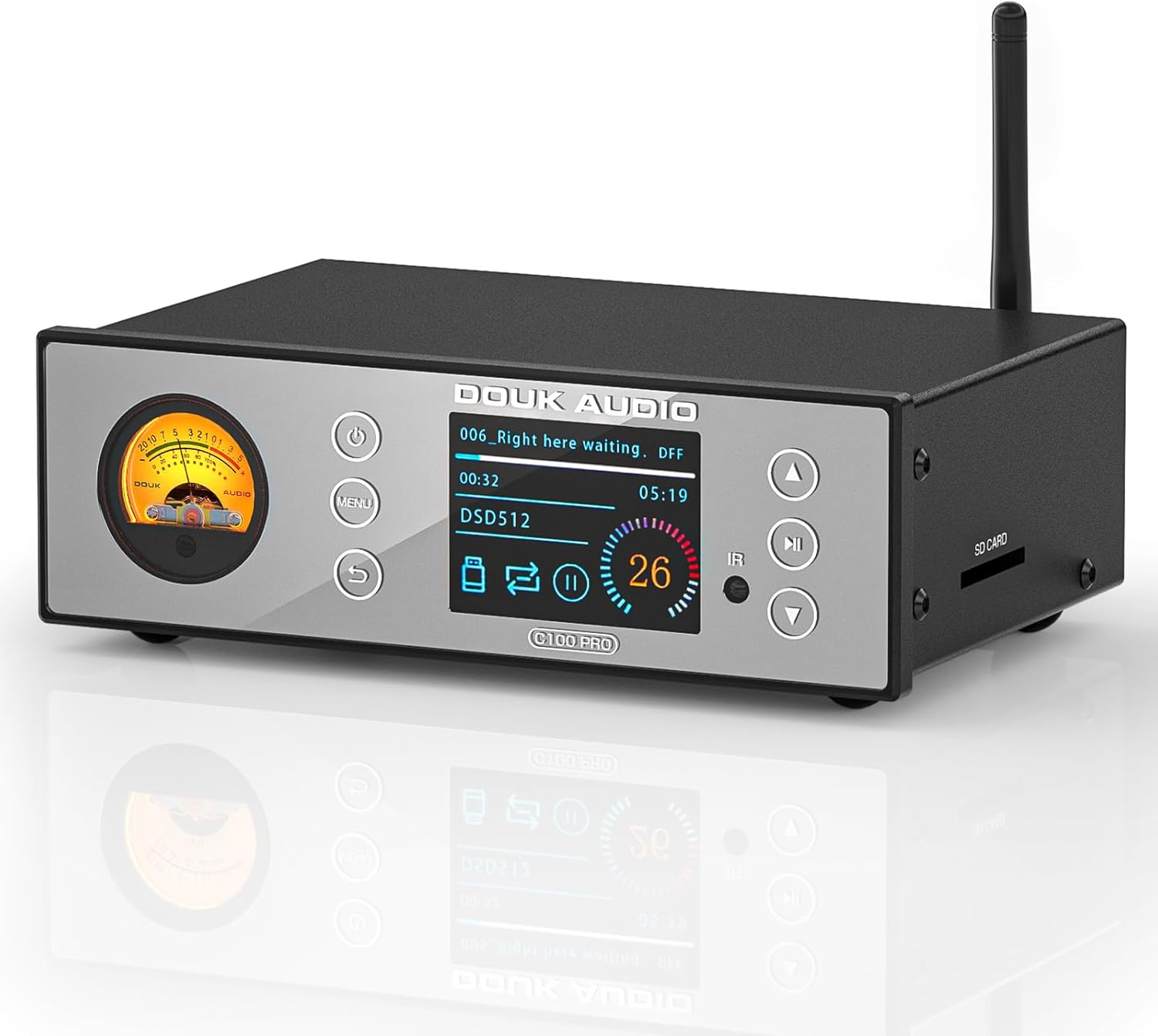
Сүрөт: алдыңкы view of the Douk Audio C100 PRO, showcasing the VU meter, OLED display, and control buttons.
2. Негизги өзгөчөлүктөрү
- Жогорку тактыктагы аудио: Equipped with an ESS9038 decoding chip for ultra-low distortion (0.0005%) and 119dB SNR.
- Advanced Bluetooth: CSR8675 Bluetooth chip supporting APTX-HD/LDAC for 24Bit/96kHz lossless transmission.
- Ар тараптуу киргизүүлөр: Bluetooth 5.0, Optical, USB, and SD card.
- Бир нече чыгуулар: S/PDIF coaxial and optical digital (up to 24bit/192Khz/dop64), RCA, and balanced XLR outputs.
- Wide Format Support: Plays 32Bit/768kHz WAV, ISO, DFF, DSF (up to DSD512), and DTS formats.
- Колдонуучу интерфейси: 2.4-inch OLED screen, touch buttons, remote control, and retro VU meter.
- Көп тилдүү колдоо: Supports 8 languages (Chinese, English, French, German, Japanese, Vietnamese, Spanish, Russian).
3. Пакеттин мазмуну
Пакетте бардык буюмдар бар экенин текшериңиз:
- 1x Douk Audio C100 PRO Digital Player
- 1x 32 ГБ SD карта
- 1x Оптикалык кабель
- 1x DC 12V кубат адаптери
- 1x Remote Control (batteries not included)
- 1x Тез баштоо боюнча колдонмо (бул документ)

Image: Contents of the Douk Audio C100 PRO package, including the player, remote, cables, and SD card.
4. Башкаруу элементтери жана интерфейстер
4.1 алдыңкы панели

Сүрөт: деталдуу view of the C100 PRO front panel with labels for Power button, VU meter, Menu button, Return button, OLED display screen, Infrared receiver, Previous/Fast Backward button, Play/Pause button, and Next/Fast Forward button.
- Кубат баскычы: Күйгүзүү/өчүрүү үчүн кыска басыңыз.
- VU метр: Displays audio signal level.
- Меню баскычы: Accesses system settings and playback options.
- Кайтаруу баскычы: Менюларда кайра багыт алат.
- OLED дисплей экраны: Shows track information, settings, and status.
- Инфракызыл кабылдагыч: Алыстан башкаруу буйруктары үчүн.
- Previous/Fast Backward: Short press for previous track, long press for fast backward.
- Ойнотуу/тындыруу: Ойнотууну өчүрөт/күйгүзөт.
- Кийинки/Алга: Short press for next track, long press for fast forward.
4.2 Арткы панель

Сүрөт: деталдуу view of the C100 PRO rear panel with labels for RF antenna connector, USB input, Optical input, Coaxial output, Optical output, Balanced XLR outputs (Left/Right), RCA outputs (Left/Right), and DC 12V power input.
- RF антенна туташтыргычы: For Bluetooth antenna.
- USB киргизүү: Connect USB flash drives or hard disks.
- Optical Input (OPT IN): Санариптик аудио киргизүү.
- Coaxial Output (COA): Санарип аудио чыгаруу.
- Optical Output (OPT): Санарип аудио чыгаруу.
- Balanced XLR Outputs (RIGHT/LEFT): Professional analog audio outputs.
- RCA Outputs (RIGHT/LEFT): Standard analog audio outputs.
- DC 12V IN: Кубат адаптерин туташтыруу.
4.3 Каптал панели
- SD карта уячасы: Insert SD cards for music playback.
5. Орнотуу нускамалары
5.1 Баштапкы туташуу
- Антеннаны туташтыруу: Screw the provided Bluetooth antenna onto the RF connector on the rear panel.
- Кубат туташуу: Connect the DC 12V power adapter to the "DC 12V IN" port on the rear panel, then plug the adapter into a power outlet.
- Аудио чыгаруу:
- For analog connection, connect the RCA or XLR outputs to your ampкөтөргүч же активдүү спикерлер.
- For digital connection, connect the Coaxial or Optical outputs to a compatible DAC or receiver.
- Аудио киргизүү (милдеттүү эмес):
- USB сактагыч: Insert a USB flash drive or hard disk into the USB port.
- SD карта: SD картанын уячасына SD картаны салыңыз.
- Оптикалык киргизүү: Connect an optical cable from your source device to the "OPT IN" port.
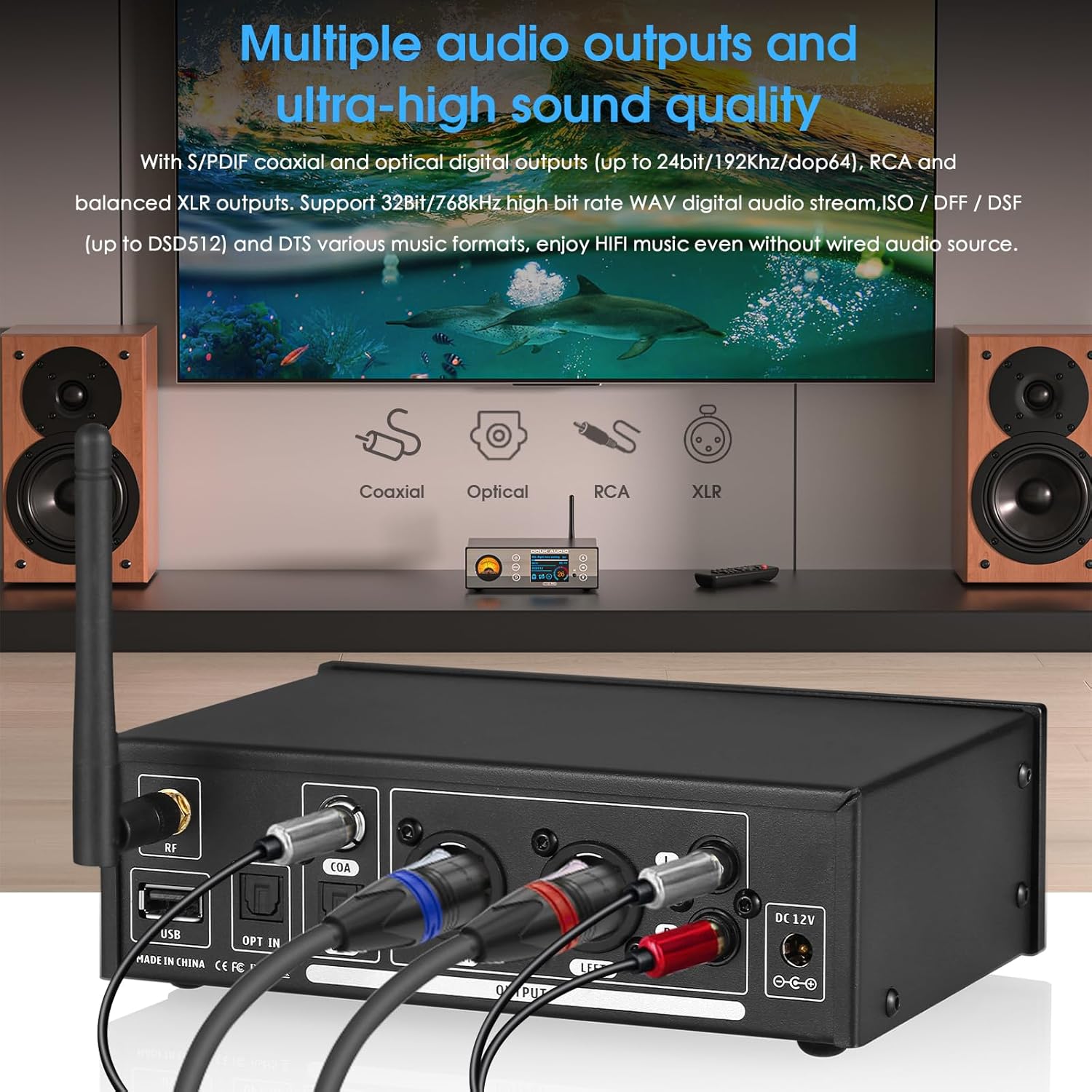
Сүрөт: Арткы view of the C100 PRO showing various audio cables (USB, optical, coaxial, XLR, RCA) connected to external audio equipment.
5.2 Күйгүзүү/өчүрүү
Press the Power button on the front panel or the remote control to turn the device on or off. The OLED display will illuminate upon power-on.
6. Иштөө нускамалары
6.1 Булакты тандоо
Use the Menu button on the front panel or the remote control to navigate through input sources (Bluetooth, USB, SD Card, Optical Input).
6.2 Bluetooth ойнотуу
- Select "Bluetooth" as the input source.
- On your mobile device, search for "Douk Audio C100 PRO" in the Bluetooth settings and pair.
- Once connected, audio from your device will stream to the C100 PRO.
6.3 USB/SD картаны ойнотуу
- Insert your USB drive or SD card containing audio files.
- Select "USB" or "SD Card" as the input source. The device will scan and display available files.
- Use the navigation buttons (Previous, Next, Play/Pause) to control playback.
- The OLED display will show track information, format, and playback progress.
Эскертүү: аудиону камсыз кылуу files are in supported formats (WAV, ISO, DFF, DSF, DTS) and organized in a clear folder structure for optimal navigation.
6.4 Optical Input Playback
- Connect your external audio source (e.g., TV, CD player) to the "OPT IN" port using an optical cable.
- Select "Optical Input" as the source. The C100 PRO will act as a DAC for the incoming digital signal.
6.5 Меню багыттоо жана орнотуулар
Press the Menu button to access various settings, including language selection, display brightness, VU meter modes, and playback options. Use the navigation buttons to scroll and the Play/Pause button to confirm selections. The Return button exits menus.
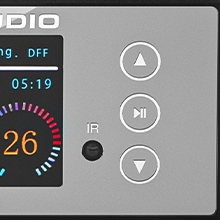
Image: Close-up of the C100 PRO's OLED display, showing current track, format (DSD512), and playback status.
7. Техникалык тейлөө
- Тазалоо: Аппараттын сыртын тазалоо үчүн жумшак, кургак чүпүрөктү колдонуңуз. Суюк тазалагычтарды же абразивдүү материалдарды колдонуудан алыс болуңуз.
- Вентиляция: Ашыкча ысып кетпеши үчүн, түзмөк жакшы желдетилген жерге коюлганын текшериңиз. Желдетүүчү тешиктерди жаппаңыз.
- Сактагыч: Узак мөөнөткө колдонулбаганда, аспапты кургак, салкын жерде, тике күндүн нурунан жана өтө температурадан алыс сактаңыз.
- Күч: Disconnect the power adapter during electrical storms or when unused for long durations.
8. Кыйынчылыктарды
| Көйгөй | Мүмкүн себеп | Чечим |
|---|---|---|
| Күч жок | Кубат адаптери туташкан эмес же туура эмес. | Check power connections. Ensure the power outlet is functional. |
| Үн чыгышы жок | Incorrect input/output selection; cables not connected properly; amplifier/speakers off. | Verify input source on C100 PRO. Check all audio cable connections. Ensure connected amplifier/speakers are powered on and set to the correct input. |
| Bluetooth жупташуу көйгөйлөрү | Device not in pairing mode; interference; distance too far. | Ensure C100 PRO is in Bluetooth input mode. Move devices closer. Restart Bluetooth on both devices. |
| USB/SD карта таанылган жок | Колдоого алынбайт file format; corrupted storage device; incorrect file системасы. | камсыз кылуу files are supported. Try a different USB/SD card. Format the storage device to FAT32 or exFAT if necessary. |
| Пульт иштебей жатат | Batteries depleted; obstruction between remote and device; remote sensor blocked. | Replace remote batteries. Remove any obstructions. Ensure remote is pointed at the IR receiver. |
9. Техникалык шарттар
| Өзгөчөлүк | Деталь |
|---|---|
| Декоддоо чип | ESS9038 |
| Bluetooth чип | CSR8675 |
| Bluetooth протоколдору | APTX-HD/LDAC (24Bit/96kHz) |
| бурмалоо | 0.0005% |
| Сигнал-ызы-чуу катышы (SNR) | 119дБ |
| Колдоого алынган аудио форматтары | WAV (up to 32Bit/768kHz), ISO, DFF, DSF (up to DSD512), DTS |
| Киргизүүлөр | Bluetooth 5.0, Optical, USB, SD Card |
| Чыгуулар | S/PDIF Coaxial, Optical Digital (up to 24bit/192Khz/dop64), RCA, Balanced XLR |
| Дисплей | 2.4-inch OLED screen, VU Meter |
| Продукциянын өлчөмдөрү | 4.17 x 6.61 x 2.09 дюйм (106 x 168 x 53 мм) |
| Элемент Салмагы | 1.98 фунт (0.9 кг) |
| Электр камсыздоо | DC 12V |
10. Кепилдик жана колдоо
Кепилдик жөнүндө маалымат жана техникалык колдоо алуу үчүн, расмий Douk Audio сайтына кайрылыңыз webсайтка же сатуучуга кайрылыңыз. Кепилдик дооматтар үчүн сатып алуу дүмүрчөгүңүздү сактаңыз.
Өндүрүүчү: Douk Audio
Webсайт: Douk Audio Official Store
11. Коопсуздук маалыматы
- Аппаратты сууга же ашыкча нымдуулукка дуушар кылбаңыз.
- Аппаратты жылуулук булактарынын жанына же тике күн нуруна коюудан алыс болуңуз.
- Аппаратты ажыратууга же өзгөртүүгө аракет кылбаңыз. Бул кепилдикти жокко чыгарат.
- Берилген кубат адаптерин гана колдонуңуз.
- Балдар жетпеген жерде сактаңыз.


