1. Киришүү
The X-Sense SWS51 Wi-Fi Water Sensor is designed to detect water leaks and floods, providing early warnings to help prevent potential water damage in your home. This sensor operates as an accessory to the X-Sense SBS50 Base Station (not included) and connects to your home's 2.4 GHz Wi-Fi network via the base station. Upon detection of water, the sensor and base station will sound an alarm, and you will receive real-time notifications on your smartphone through the X-Sense Home Security App.
2. Пакеттин мазмуну
- 1 × X-Sense SWS51 Water Leak Sensor
- 1 × Колдонуучунун колдонмосу
- 2 × AAA Replaceable Batteries (Pre-installed)

Figure 1: X-Sense SWS51 Water Sensor and its included accessories.
3. Орнотуу
3.1. Батареяны орнотуу
- Open the battery compartment on the back of the SWS51 sensor.
- Insert the two AAA replaceable batteries, ensuring correct polarity (+/-).
- Батарея отсегин бекем жабыңыз.

Figure 2: The SWS51 sensor is powered by two replaceable AAA batteries, offering a 3-year battery life and 5-year product lifespan.
3.2. Connecting to the X-Sense SBS50 Base Station
The SWS51 water sensor requires an X-Sense SBS50 Base Station (not included) to connect to your Wi-Fi network and the X-Sense Home Security App. Ensure your base station is already set up and connected to your 2.4 GHz Wi-Fi network.
- Place the SWS51 sensor near the SBS50 Base Station for initial pairing.
- Press the test/silence/pair button on the SWS51 sensor.
- Follow the instructions in the X-Sense Home Security App to add the new sensor. The app will guide you through the pairing process.
- Once paired, the sensor will communicate with the base station over a long transmission distance of up to 1,700 ft (500 m).
Note: The SWS51 is compatible only with 2.4 GHz Wi-Fi networks (not 5.0 GHz) and does not connect directly to the X-Sense Home Security App. It connects via the base station.

Figure 3: The SWS51 sensor connects to the app via the base station, utilizing 2.4 GHz Wi-Fi for smart remote connectivity.
4. Операция
4.1. Жайгаштыруу
Strategically place the SWS51 water sensor in areas prone to water leaks or floods. The sensor is equipped with 2 top sensor probes and 4 bottom sensor probes for high sensitivity. Ideal locations include:
- Раковиналардын асты (ашкана, ванна бөлмөсү)
- Кир жуугуч машиналардын же идиш жуугуч машиналардын жанында
- Жер төлөлөрдө же коммуналдык бөлмөлөрдө
- Near water heaters or sump pumps
- Дааратканалардын артында
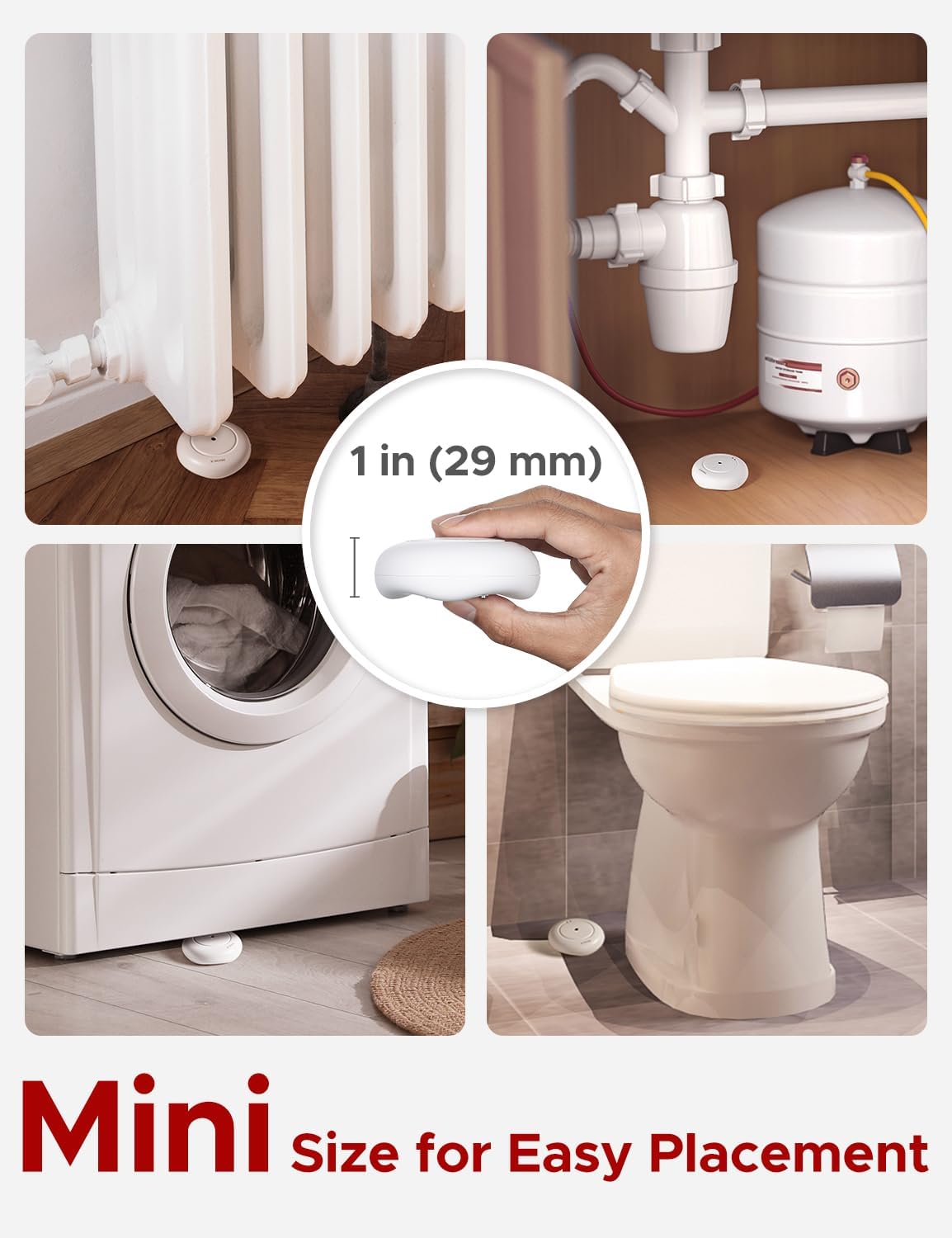
Figure 4: The compact size of the SWS51 sensor allows for easy and discreet placement in various areas prone to water leaks.

Figure 5: The SWS51 sensor features multiple probes for detecting both minor leaks and larger floods.
4.2. Leak Detection and Notifications
When the SWS51 sensor detects water, it will trigger an alarm sequence:
- The water leak sensor and the connected SBS50 Base Station will sound an alarm simultaneously at a volume of up to 110 dB.
- A push alert notification will be sent to your smartphone via the X-Sense Home Security App.
- You can share device access with family members to ensure multiple individuals receive alerts.

Figure 6: Real-time notifications are sent to your phone when a water leak is detected, allowing for immediate action.
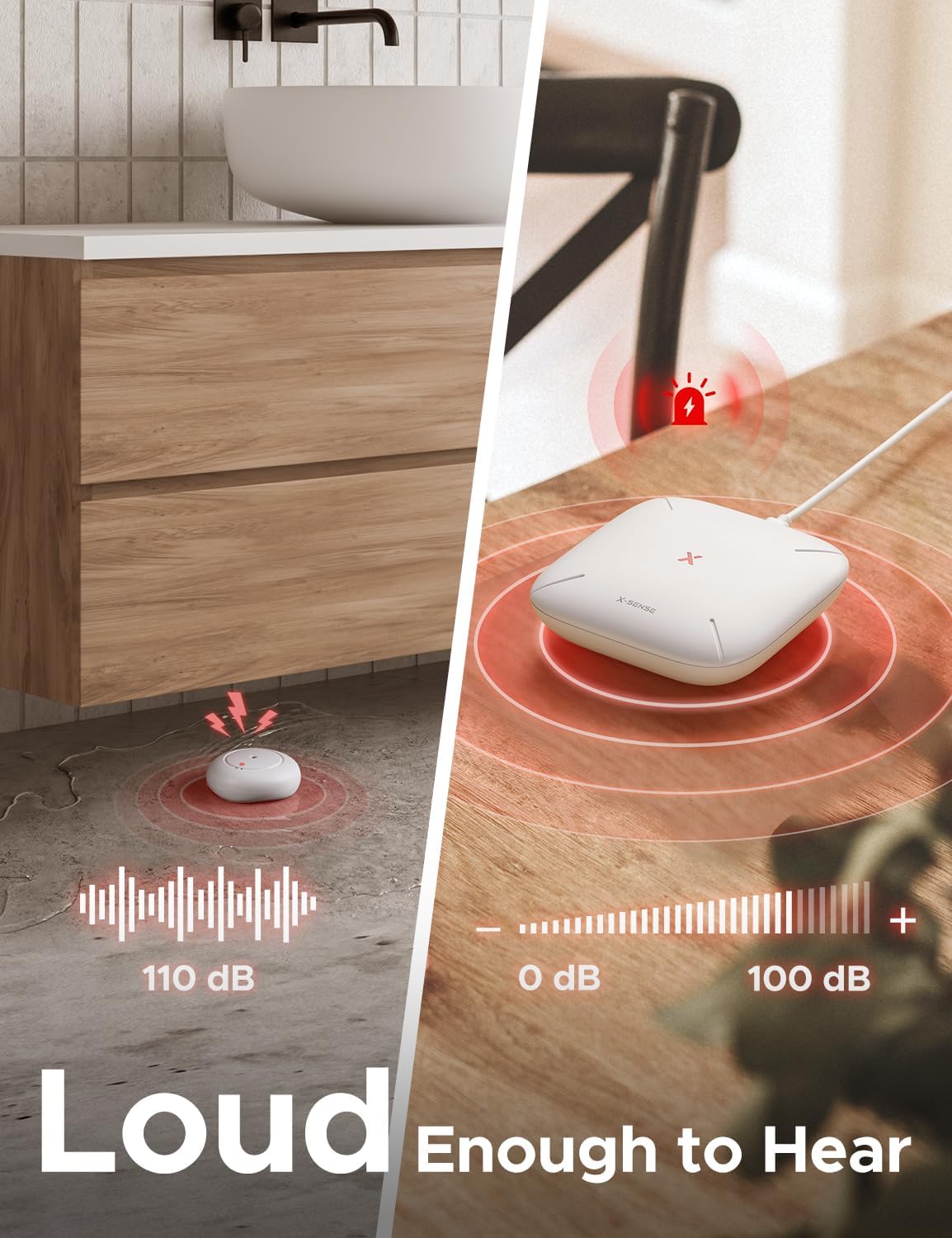
Figure 7: Both the sensor and base station emit a loud alarm (up to 110 dB) when water is detected.
4.3. Silencing the Alarm
To silence an active alarm:
- Mute the alarm directly via the X-Sense Home Security App.
- Press the silence button on the SBS50 Base Station.
- Press the silence button on the SWS51 water leak sensor itself.
5. Техникалык тейлөө
5.1. Батареяны алмаштыруу
The SWS51 sensor uses 2 AAA replaceable batteries. When the battery level is low, you will receive a notification via the app. Replace batteries promptly to ensure continuous protection.
- Батарея отсегин ачыңыз.
- Эски батареяларды алып чыгып, жергиликтүү эрежелерге ылайык жок кылыңыз.
- Туура полярдуулукту сактоо менен жаңы AAA батарейкаларын салыңыз.
- Батарея отсегин жабыңыз.
5.2. Тазалоо
Periodically clean the sensor probes and the exterior of the device with a soft, dry cloth. Do not use harsh chemicals or abrasive cleaners. Ensure the probes are free from dust or debris that could interfere with detection.
5.3. Testing the Sensor
Regularly test your SWS51 sensor to ensure it is functioning correctly:
- Place the sensor on a flat surface.
- Apply a small amount of water (e.g., a few drops) to the sensor probes.
- Verify that the sensor and base station alarm, and you receive a notification on your phone.
- Dry the sensor thoroughly after testing.
6. Кыйынчылыктарды
6.1. Sensor Not Connecting to Base Station
- Ensure the base station is powered on and connected to a 2.4 GHz Wi-Fi network.
- Verify the sensor batteries are correctly installed and not depleted.
- Bring the sensor closer to the base station during the pairing process.
- Restart both the sensor (by removing and reinserting batteries) and the base station.
- Check the X-Sense Home Security App for any error messages or pairing instructions.
6.2. No Notifications on Phone
- Confirm the sensor is successfully paired with the base station and online in the app.
- Check your phone's notification settings for the X-Sense Home Security App to ensure alerts are enabled.
- Телефонуңузда активдүү интернет байланышы бар экенин текшериңиз.
- Ensure the base station has a stable internet connection.
6.3. False Alarms
- Сенсордук зонддордун таза жана кургак экенин текшериңиз. Чаң же конденсация кээде жалган сигналдарды жаратышы мүмкүн.
- Relocate the sensor if it is in an area with high humidity or frequent condensation.
- Verify the sensor is placed on a stable, dry surface.
7. Техникалык шарттар
| Модель номери | SWS51 |
| Power Source | 2 × AAA Replaceable Batteries (Included) |
| Батареянын иштөө мөөнөтү | 3 жылга чейин |
| Байланыш | Connects to SBS50 Base Station (2.4 GHz Wi-Fi) |
| Берүүнүн диапазону | 1,700 фут (500 м) чейин |
| Ойготкучтун үнү | 110 дБ чейин |
| Суу каршылык | IP66 суу өткөрбөйт |
| Продукциянын өлчөмдөрү | 3.11 × 3.11 × 1.14 дюйм (7.9 × 7.9 × 2.9 см) |
| Элемент Салмагы | 3.17 унция (90 г) |
8. Кепилдик жана колдоо
X-Sense provides the following for the SWS51 Wi-Fi Water Sensor:
- 60 күндүк акчаны кайтарып берүү кепилдиги: Эгерде сиз сатып алган товарыңызга канааттанбасаңыз, аны 60 күндүн ичинде кайтарып берип, толук акчаңызды кайтарып алсаңыз болот.
- 5 жылдык сапат кепилдиги: The product is covered by a 5-year warranty against defects in materials and workmanship.
- Өмүр бою техникалык колдоо: Продукцияңыздын иштөө мөөнөтү үчүн техникалык жардамга жетүү мүмкүнчүлүгү.
Көбүрөөк жардам алуу үчүн, расмий X-Sense сайтына кириңиз webсайтка же кардарларды тейлөөгө кайрылыңыз.


