1. Киришүү
The IK Multimedia TONEX Pedal is a stereo multi-effects guitar and bass pedal designed to bring ultra-realistic amp and pedal tones to your live performance or studio setup. Utilizing breakthrough AI Machine Modeling technology, it offers a vast library of authentic tone models, along with a comprehensive suite of built-in effects. This manual provides essential information for setting up, operating, maintaining, and troubleshooting your TONEX Pedal.
2. Коопсуздук маалыматы
- Электр камсыздоо: Use only the provided 9V DC power supply. Ensure the correct voltage and polarity to prevent damage.
- Суу жана ным: Do not expose the unit to water, rain, or excessive moisture. Avoid operating in damp чөйрөлөр.
- Жылуулук булактары: Аппаратты радиаторлор, жылуулук регистрлери, мештер же жылуулук чыгарган башка аппараттар сыяктуу жылуулук булактарынан алыс кармаңыз.
- Вентиляция: Туура желдетүүнү камсыз кылыңыз. Эч кандай желдетүүчү тешиктерди жаап албаңыз.
- Тазалоо: Кургак чүпүрөк менен гана тазалаңыз. суюк тазалагычтар же аэрозолдук тазалагычтар колдонгон жок.
- Тейлөө: Бардык тейлөөлөрдү квалификациялуу тейлөө кызматкерлерине тапшырыңыз. Бул продуктуну өзүңүз тейлөөгө аракет кылбаңыз.
3. Пакеттин мазмуну
- IK Multimedia TONEX Pedal
- 9V туруктуу ток менен камсыздоо
- USB кабели
- Registration Card/Software Download Instructions
4. Продукт бүтүп калдыview
The TONEX Pedal features a robust anodized aluminum chassis designed for durability. Its intuitive layout provides quick access to essential controls and versatile connectivity options.
4.1. Алдыңкы панелдин башкаруу элементтери
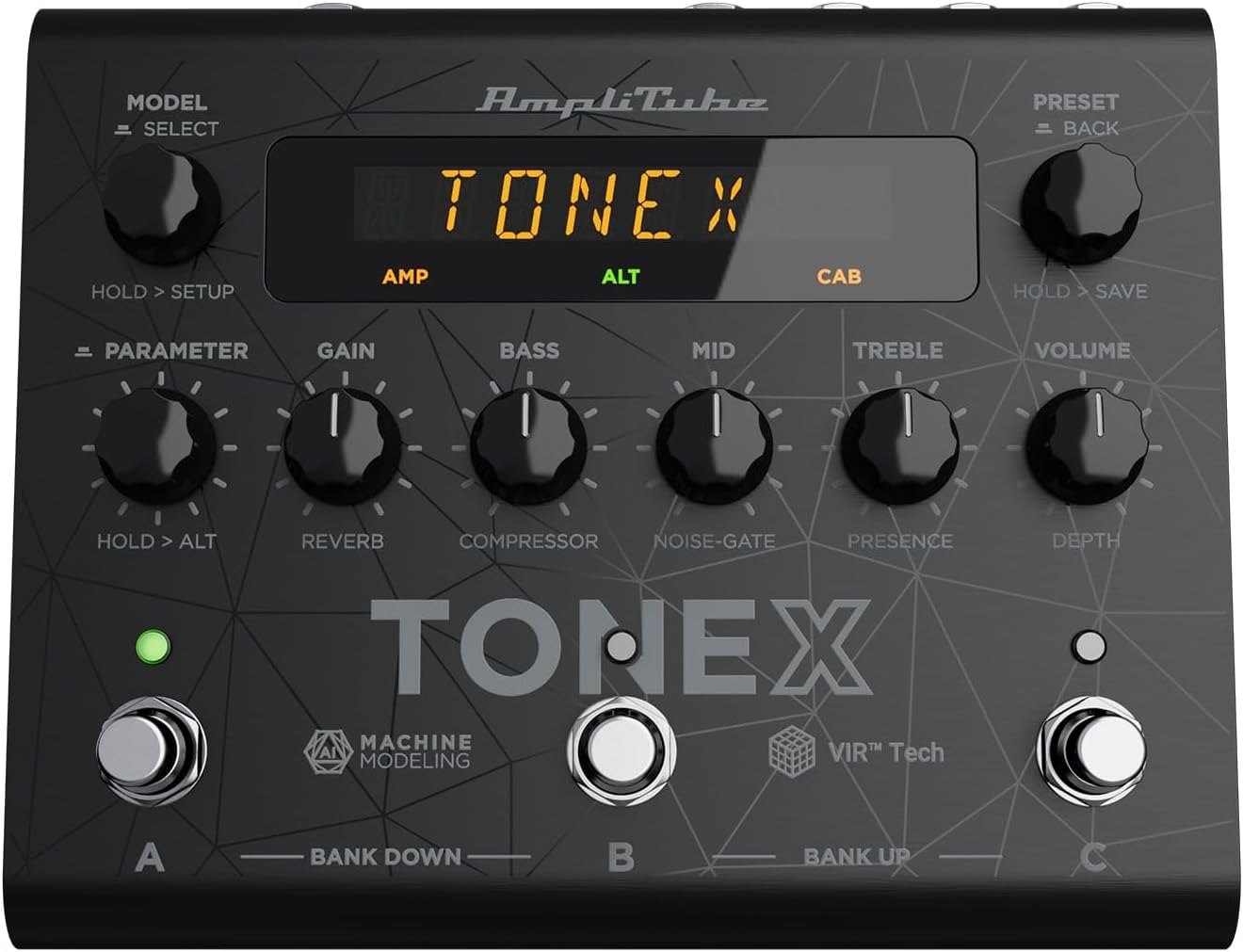
Figure 1: TONEX Pedal Front Panel
Бул сүрөт үстүн көрсөтөт view of the TONEX Pedal, highlighting its compact design and the arrangement of knobs, footswitches, and the digital display. Key controls such as 'Model/Select', 'Preset/Back', 'Parameter', 'Gain', 'Bass', 'Mid', 'Treble', and 'Volume' are visible, along with the three footswitches labeled A, B, and C.
- MODEL / SELECT Knob: Used to select tone models and navigate menus. Press and hold for Setup menu.
- PRESET / BACK Knob: Used to select presets and go back in menus. Press and hold to save presets.
- PARAMETER баскычы: Adjusts various parameters. Press and hold for alternative parameters.
- GAIN баскычы: Controls the input gain of the tone model.
- BASS баскычы: Төмөн жыштыктагы жоопту тууралайт.
- MID баскычы: Орто жыштыктагы жоопту тууралайт.
- TREBLE баскычы: Жогорку жыштыктагы жоопту тууралайт.
- VOLUME баскычы: Жалпы чыгаруу көлөмүн көзөмөлдөйт.
- А, В, С бут алмаштыргычтары: Select presets within a bank. Also used for bank up/down (A+B, B+C) and bypass.
- Дисплей: Shows current preset, parameter values, and menu options.
4.2. Арткы панелдин туташуулары
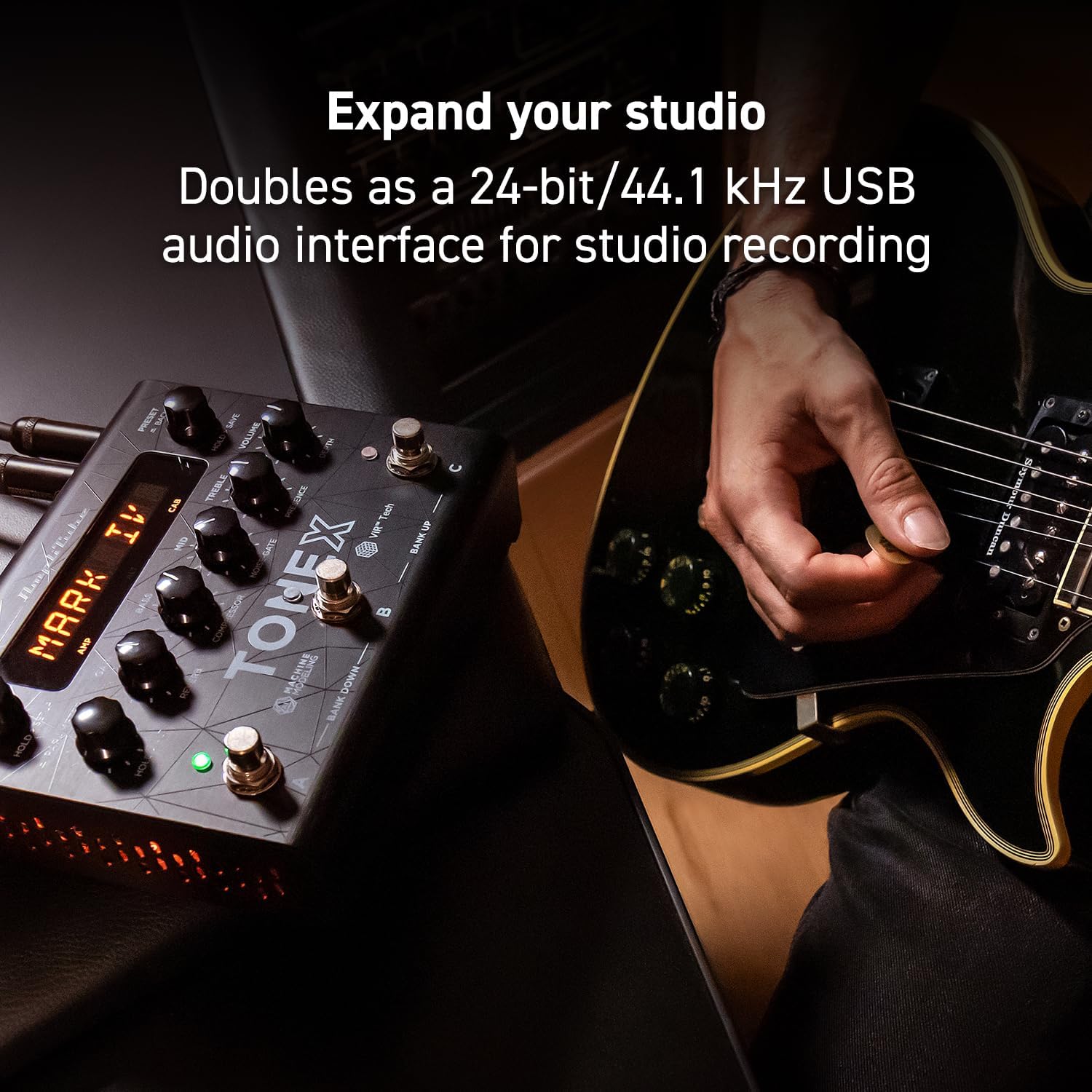
Figure 2: TONEX Pedal Rear Panel Connections
This image shows the rear panel of the TONEX Pedal, detailing its various input and output connections. Visible ports include the instrument input, left and right outputs (mono), headphone output, MIDI In/Out, external control input, USB port, and the 9V DC power input. This panel facilitates integration into various audio setups, from live rigs to studio environments.
- КИРҮҮ: 1/4" mono input for your guitar or bass.
- OUTPUT L/R (MONO): 1/4" stereo outputs for connecting to a PA system, power amp, or audio interface. Use the L output for mono operation.
- ГУШУЛУКТАР: 1/4" stereo output for silent practice.
- MIDI КИРИ/ЧЫГЫ: 5-pin DIN connectors for MIDI control and integration with other MIDI devices.
- EXT. CONTROL: 1/4" input for an external expression pedal or footswitch.
- USB: USB-B port for connecting to a computer (PC/Mac) for software control, preset management, and using the pedal as an audio interface.
- POWER 9V DC: Input for the included 9V DC power supply.
5. Орнотуу
5.1. Баштапкы байланыштар
- Аспабыңызды туташтырыңыз INPUT арткы панелдеги домкрат.
- туташтыруу ЧЫГЫШ Л (жана R for stereo) to your ampкөтөргүч, PA системасы же аудио интерфейси.
- If desired, connect headphones to the НАУШНИКТЕР джек.
- Connect the included 9V DC power supply to the КҮЧ 9V DC input and plug it into a power outlet. The pedal will power on automatically.
5.2. Программалык камсыздоону орнотуу
To unlock the full potential of your TONEX Pedal, including access to ToneNET and advanced editing features, install the TONEX Editor software on your computer.
- Visit the IK Multimedia website and register your product using the provided registration card.
- Download and install the TONEX Editor software for your operating system (Windows 10 or later, macOS 10.15 or later).
- Connect the TONEX Pedal to your computer via the USB port. The pedal can function as a 24-bit/44.1 kHz USB audio interface for studio recording.
- Follow the on-screen instructions in the software to update firmware and manage your tone models and presets.
6. Иштөө нускамалары
6.1. Алдын ала орнотууларды багыттоо
The TONEX Pedal comes preloaded with 150 gig-ready presets, organized into 50 banks of three presets each.
- Алдын ала орнотууларды тандоо: айлантыңыз АЛДЫН АЛА ОРНОТУУ / АРТКА knob to quickly scroll through and audition available presets.
- Using Footswitches: Tap footswitches A, B, же C to load different presets within the current bank.
- Банктарды алмаштыруу: Simultaneously press footswitches A жана B to move down a bank, or B жана C to move up a bank.
- Bypass Tone Model: Once a preset is loaded, tapping its corresponding footswitch a second time will bypass the tone model, allowing for a clean signal.
6.2. Параметрлерди тууралоо
The TONEX Pedal offers five main and five alternative parameters on the front panel for tone shaping.
- Негизги параметрлери: Directly adjust АЛУУ, БАС, MID, ҮЧЧҮ, жана VOLUME using their respective knobs.
- Alternative Parameters: басып туруңуз ПАРАМЕТР encoder to access alternative parameters: Reverb Level, Compressor Threshold, Noise Gate Threshold, Presence, and Depth. Rotate the corresponding knobs to adjust these.
- Кошумча параметрлер: басыңыз ПАРАМЕТР encoder once to access further parameters for fine-tuning your sound.
6.3. Алдын ала орнотууларды сактоо
- Saving with Renaming/Relocation: кармаңыз АЛДЫН АЛА ОРНОТУУ / АРТКА encoder. You can then rotate the АЛДЫН АЛА knob to edit characters for renaming, and rotate the MODEL knob to move the cursor or change the bank location. Press the АЛДЫН АЛА knob again to confirm and save.
- Quick Save: To quickly save a preset with the same name in the same location, press the MODEL жана АЛДЫН АЛА encoders simultaneously. The display will show "SAVED".
6.4. Cab Emulation
If connecting to a standard guitar or bass amp with its own speaker cabinet, you may wish to turn off the TONEX Pedal's internal cab emulation to avoid redundant processing. This can be done via the Setup menu (hold MODEL / SELECT баскыч).
6.5. Official Product Video: TONEX Pedal Main Features
Видео 1: Бүттүview of the IK Multimedia TONEX Pedal's main features, including its controls, connectivity, and basic operation. This video demonstrates how to navigate presets, adjust parameters, and utilize the pedal's various functions for live and studio use.
7. Техникалык тейлөө
- Тазалоо: Regularly wipe the pedal with a soft, dry cloth to remove dust and grime. Avoid abrasive cleaners.
- Сактагыч: Store the pedal in a cool, dry place when not in use. Protect it from extreme temperatures and humidity.
- Кабелдик башкаруу: Туташтыргычтарга жана портторго зыян келтирбөө үчүн кабелдердин ийилип же чыңалып калбагандыгын текшериңиз.
8. Кыйынчылыктарды
- Кубат жок: Ensure the 9V DC power supply is correctly connected to the pedal and a working power outlet.
- Үн жок: Check all audio cable connections (instrument input, outputs to amp/PA, headphones). Verify volume levels on the pedal and connected devices. Ensure the tone model is not bypassed.
- Unexpected Behavior/Glitches: Try performing a factory reset (refer to the full online manual for specific steps). Ensure your firmware is up to date via the TONEX Editor software.
- Программалык камсыздоонун туташуу көйгөйлөрү: Ensure the USB cable is securely connected. Try a different USB port or cable. Restart both the pedal and your computer.
9. Техникалык шарттар
| Өзгөчөлүк | Спецификация |
|---|---|
| Модель номери | TONEX педалы |
| Өлчөмдөрү (L x W x Y) | 6.93 x 5.59 x 2.17 дюйм (болжол менен 17.6 x 14.2 x 5.5 см) |
| Элемент Салмагы | 2.86 фунт (болжол менен 1.3 кг) |
| Түс | Кара |
| Power Source | 9V туруктуу ток (шнурдуу электр) |
| Аппараттык интерфейс | USB |
| Сигнал форматы | Санарип |
| Операциялык системанын шайкештиги | Windows® 10 or later, macOS® 10.15 or later (macOS® 11 Big Sur required for Modeler) |
| Frequency Response | 5 Гц - 24 кГц |
| Динамикалык диапазон | 123 дБ |
10. Кепилдик жана колдоо
IK Multimedia products are covered by a limited warranty. For detailed warranty information, product registration, and technical support, please visit the official IK Multimedia webсайтка же кардарларды тейлөөгө кайрылыңыз. Кепилдик дооматтар үчүн сатып алганыңыздын далилин сактаңыз.
Webсайт: www.ikmultimedia.com